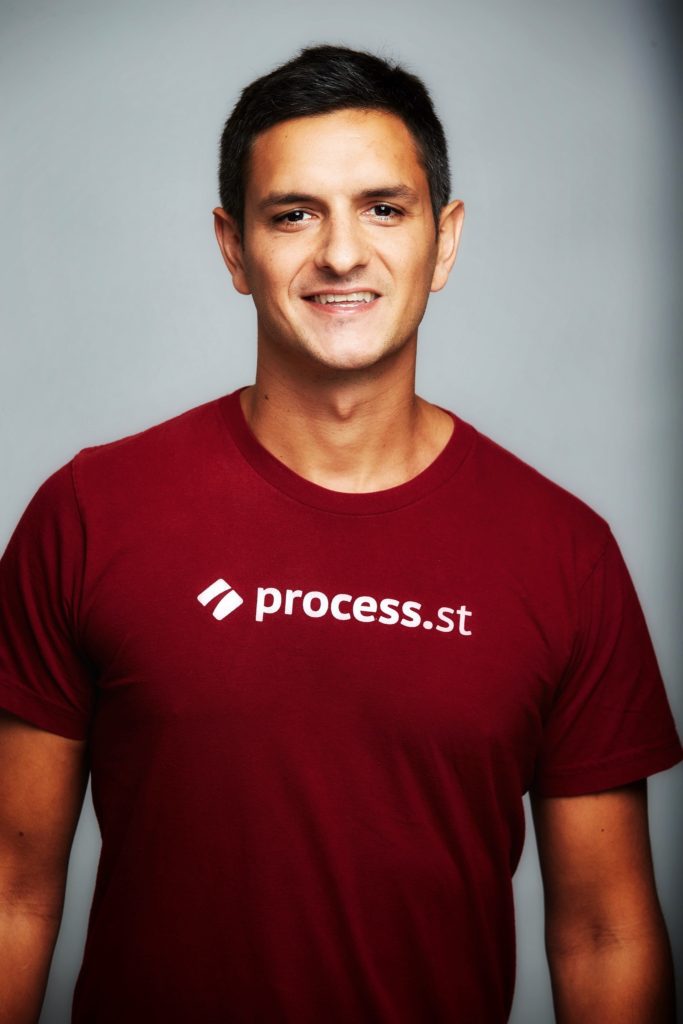
Vinay Patankar
Vinay Patankar is the CEO of Process Street, a no-code workflow platform. He writes about startups, business, productivity, travel, and life.
Posts by Vinay Patankar

$2,000 Black Jack Hand - #ASW11
Vinay Patankar · 22 Jan, 2011 · Travel
Here is the video of the $2,000 Blackjack hand I did at Vegas. Here is the story in case you missed it: - Shoemoney's Crazy Affiliate Summit West Contest - My Entry - Finalists Announced - The Controversy - Winner Announced! - A day at ASW - ASW - Recap, Photos and Video ## Video of the $2k Blackjack Hand Awesome time, thanks Shoemoney! A strong follow-up in Travel is A Day at Affiliate Summit West 2011 #ASW11.
Read More →
21 Things I LOVE About Travel
Vinay Patankar · 17 May, 2015 · Travel
I travel a lot. I've basically been a digital nomad for over 5 years, earning a living running (and failing at) start ups and various internet companies. I have visited hundreds of cities and met a lot of crazy people. Thus I know a thing or two about sleep hacks and travel gear. But even after all this time, I still love travelling. Travel is awesome. Here's why: 1. I don’t have to shave 2. Every day is an adventure 3. I have more time to read 4. I get to try new beer 5. I’m a friendlier person 6. I'm less fashion conscious (usually) 7. I’m forced into awkward situations outside my comfort zone 8. There’s no TV 9. I meet someone new everyday 10. Every day is the weekend 11. I have more time to write 12. I’m getting used to funky smells 13. I learn all day every day – kinda like school, only fun 14. I judge less 15. I no longer let ‘what I do for a job’ define me 16. I’ve become more comfortable on my own 17. Food! So much new food 18. I sleep less… It’s ok, I can sleep when I’m dead 19. I’m more relaxed 20. I have few material possessions to worry about 21. I smile more What do you love about travel? Related read in Travel: Travel and Me.
Read More →
4 Reasons Why you Must Document your Business
Vinay Patankar · 10 Dec, 2013 · Business
This was originally a guest post I wrote on The Productivity Blog _Bad process documentation can kill your business dead. Here’s how:_ # 1\. Quality of Work Documenting your processes is proven to improve quality of work. Dr. Atul Gawande in his bestseller, the Checklist Manifesto, presents facts that show using checklists in surgery has significantly increased success rates, resulting in tens of thousands of lives saved. He also shows how a wide range of industries from construction to venture capital have improved quality through documentation. Poor quality work can destroy your reputation sending your customers running. No customers, no business. # 2\. Employee Turnover We all know staff come and go. Keeping on to the good ones is important, but sometimes there is nothing you can do. When a key employee unexpectedly ups and leaves it can have a crippling effect, especially on small businesses. This pain can further be accelerated if you, the business owner, has non-work related issues to deal with. If this unfortunate circumstance is ever to happen to you, make sure you have your documentation in order and you just might get through it. > You may also be interested in this: Process Street: The Simplest way to Document and Track Business Processes # 3\. Rapid Growth Growth is the most exciting phase of business. It’s the reward for all the blood, sweat and tears. But growth is a double edged sword. With big ups come big downs, and if you are not prepared to manage the growth, your business can implode on itself. Hiring and training new staff, processing larger order quantities, supporting more customers and opening new offices are highly complex processes that if done incorrectly can cost you lots of money or even collapse your business. Ensuring you have processes in place to manage these growing pains is of the utmost importance. # 4\. Acquisition If you ever want to sell your business, having proper documentation is of the utmost importance. A prospective buyer wants to know the business they are buying is going to run effectively on its own, without you, the former owner having to be there. Having your standard operating procedures documented can help you close the deal and even get you a sale price. While poor documentation could cause the deal to fall through. If you still need more proof on the importance of process documentation, check out this book by Michael Gerber – The E-Myth Revisited: Why Most Small Businesses Don’t Work and What to Do About It. So what are you waiting for? Document or die. For another Business angle, read The Most Important Rule in Business.
Read More →
4 Tips to Not Get Screwed on Elance
Vinay Patankar · 21 Feb, 2010 · Business
For those who don’t know, elance.com is a site where people can sell their services. Basically like an ebay for services instead of goods. The way it works is you can post a job for anything from web design, data entry, marketing, ghost writing to virtual assistance and relevant service providers can pitch for your work. You then select the provider who you think best fits your request and they start working away. Funds are placed in an escrow holding service and released once you mark the work as satisfactory. Anything that can be done remotely can be organised over elance. The key benefit of this system is the ability to take advantage of currency differences. You can pay someone market rates in India or Eastern Europe and have it come to a fraction of the cost in a western country. But using this service to complete tasks does not come without complications. I’ve done a few projects on elance now, some better than others. Here are a few tips from my fails: ## 1\. DON'T BE A PUSHOVER LITTLE BITCH Seriously, this is important. Treat your freelancer like your boss treats you – there is a job to do, no exceptions. For people with no management experience, this can be tricky. I learned quickly as I saw a project expand from 2 weeks to 2 months! Setting rules is important as discussed below, but enforcing rules is equally if not more important. Don’t listen to excuses like “the work was harder than we thought” or “you had too many change requests”. They shouldn’t have bid if the work was too hard. If they think your change requests are going to push out milestones, they need to request milestone changes. If they don’t, tough luck. You’re not the expert they are. ## 2\. Make rules Make rules for everything. How, when and in what format you want the work delivered. Ask for periodic updates and set deliverable dates. Tell them if things are not up to your expectations you will pull the project or have them restart. Be specific in your rules. If for example you’re having a website done, tell them if you want the site up and running on your host or if you just want the files sent. Tell them if you want social media integration, testing or support. These should all be laid out before the job is accepted. > Check out: The Best FREE Tool for Managing Freelancers and Outsourcers ## 3\. Punish rule breakers Set penalties for rules being broken. As an example a 5% penalty for every milestone not met. That means, if they update you in 4 days instead of 3, hit them with a 5% penalty. Make sure you do this the FIRST time they miss a milestone. This will discontinue a pattern of abuse. Again, don’t be a pushover little bitch. Highlight punishments clearly in the rules before the project starts. ## 4\. Don’t give feedback until you are completely happy. This means that everything is up and running and you have tested everything. Don’t get conned into providing feedback after you see the site working well on their host, or you have a general brand theme without all items complete. Elance workers like eBay sellers live for feedback. And once you leave feedback, you can’t change it. Many suppliers would prefer a 5 star review and 50% of the money over 100% cash and a 3 star review. ## The verdict? There is no doubt elance can provide quality work for cheap over a secure and reliable platform. But if you let people screw you, they probably will. The success of the project still rests on the project manager - you! If this Business topic resonated, continue with How to get Asana (and other web apps) onto your Taskbar.
Read More →
The 47 Clicks Between Patient Intake and Chart Update
Vinay Patankar · 07 Mar, 2026 · Technology
I've been going to a lot of healthcare conferences this year. Every keynote is about AI. Every booth has a copilot demo. But you know what actually stuck with me? Something I saw during a customer implementation. A nurse at a check-in station clicking through 47 screens to move a patient from intake to chart. Forty-seven. I counted. She wasn't slow. She was fast. Muscle memory fast. She'd done this thousands of times. Tab, click, copy, paste, switch system, re-enter the same allergies she just typed in the other system. The whole thing took eleven minutes. Nobody at the conferences I've been to was talking about those eleven minutes. They were talking about AI-powered diagnostics. Clinical decision support. Ambient listening that writes your notes for you. All real. All important. But all of it assumes the underlying workflow works. It doesn't. The dirty secret of healthcare IT is that most of the pain isn't clinical. It's operational. It's the 47 clicks between patient intake and chart update. It's the compliance officer chasing vendor certifications through email chains. It's the credentialing team manually verifying the same documents across three systems that don't talk to each other. These problems aren't sexy. No one puts "we eliminated 30 redundant data entry fields" in their conference booth headline. But that's where the hours are. It is also why healthcare AI agents have to earn trust through workflow evidence, not demo polish. We've seen this pattern across 1,000+ companies at Process Street. The teams that get the most out of AI don't start with the flashy stuff. They start with the workflow nobody wants to own. The one where someone says "oh yeah, that's just how we do it" and everyone nods and moves on. That's the process you automate first. The real AI conversation in healthcare isn't "will AI replace clinicians?" It's "will AI replace the 47 clicks between intake and chart update?" That second question is less dramatic. It's also worth about 10x more.
Read More →
A Coding Agent Is Not a Coding Tool
Vinay Patankar · 18 Mar, 2026 · Technology
Everyone calls Claude Code a coding tool. That framing is too small. What it actually is: a self-building operating system. Not for your computer. For you. Think about what Windows or Mac actually is. It's a layer built on top of the command line so non-technical people can use a computer. You click, it translates. The raw complexity disappears behind the interface. Claude Code is doing the same thing. But instead of building one interface for everyone, it builds a custom interface for you, specifically. Based on how you work, what you care about, and the decisions you've already made. Every time you use it, it gets more configured to you. You tell it once how you like your emails formatted. You document how you want your calendar managed. You explain the exception you always make on Fridays. It reads all of it. Then it writes its own notes. Builds its own skills. Starts anticipating the next decision. At some point it stops being a tool you use and becomes a system that runs around you. That is why I stopped buying disconnected AI tools and started using one coding agent to build the rest of the system. I have over a hundred custom skills built up in my setup now. For how I review finances. For how I draft investor updates. For how I run triage on my inbox each morning. For how I prep for calls. Each one reflects a judgment call I made once about how I want something done. I didn't have to teach any of it twice. It just knows. And here's what's strange about that: the longer you run it, the more accurate it gets. Not because it was trained on more data. Because it was trained on more of you. Your decisions. Your preferences. Your exceptions. Your patterns. The old model of software: you climb a learning curve, reach a plateau, stay there. This is different. The system keeps building itself around you every time you use it. We called these things coding assistants because the first thing they were obviously good at was writing code. But that name undersells what they actually are. A second brain is the closer analogy. But even that isn't quite right. A second brain stores things. This builds things. Specifically, it builds a custom operating system for your work and your life, based on how you actually do things. No one has installed the same one twice. That's what makes this moment kind of strange and exciting. We're not adopting a new productivity app. We're not switching project management tools. We're at the beginning of a period where everyone who bothers to set this up properly gets their own custom OS. One that learns how they want to run things and just runs them. The people who do this early are going to have a compounding advantage that will be hard to explain to the people who didn't.
Read More →
A Day at Affiliate Summit West 2011 #ASW11
Vinay Patankar · 12 Jan, 2011 · Travel
4:50pm – Woke up at the Wynn overlooking Las Vegas Blv. 4:55pm – Got out of bed to check my phone that kept beeping. Had message to go to lunch – 4.5 hours ago... Organise to meet a friend downstairs for food and to watch the BCS game. 5:45pm – Get downstairs and get in line for food. 5:50pm – Realise Shoemoney is launching his new product in 10 minutes, so run off to the announcement room for the only event/speech I will see all ASW. 6-7pm – Watch product launch of Link Control and get a free lifetime pass. C ya later Hypertracker. 7:30pm – Roll with Shoemoney to play my $2k blackjack hand. I get dealt a 13 against a 10, land an 8 on the hit for 21. Dealer is 18. Winner winner chicken dinner! 8:00pm – Eat dinner/breakfast with Shoemoney and crew at Switch. 10:00pm – Head over to the Affiliate Ball at Rio with a VIP ticket. Watch 3-6 Mafia rock the house. 1:00am – Head over to the Veniusian for a drink 1:30am - Head over to XS at the Wynn 3:00am – Have a 'drink' with a nice young lady in my hotel room 7:00am – Sleep time It's a tough life... Photos and video to come For another Travel angle, read Affiliate Summit West #ASW11 - Recap, Video and Photos.
Read More →
Abstract Education: The Khan Academy
Vinay Patankar · 30 Oct, 2010 · People · Technology
This site is truly amazing and could turn out to be one of the most important websites in the world. Abstract living at its finest. I urge everyone to share it with everyone they know. Its a site with videos teaching educational concepts. It starts with simple concepts like 1+1 and goes all the way into college level and calculus. The Khan Academy is helping people all around the world, giving them access to a free, first grade education. ### www.khanacademy.org If this People topic resonated, continue with Blog Moving to Abstract-Living.com.
Read More →
Abstract Income: How to Support an Abstract Lifestyle
Vinay Patankar · 24 Oct, 2010 · Business
Recently I have been participating in the Niche Site Duel, more as an experiment than anything else. But the reason I have been playing around with things like this is I am trying to build myself a strong income stream. A stream that comes from multiple sources and ideally that can be eared from any country in the world. To do this, I have been setting up income businesses. An income business (versus a value business) is a business that you can set up for relatively low costs, that will bring in consistent income. While many income businesses are now forming online, they dont have to be online. An example of an income business would be a cafe, restaurant or convenience store. They are never going to turn you into a billionaire, but they allow you to earn your income yet still have more control over your life (at least that's the idea, doesn't always work out that way as im sure many restaurant owners would argue). Currently here in Vancouver, I am exploring the possibility of a value business. A business that has the potential to make lots of money but comes with high risk, more stress, less flexibility etc... While I have been travelling though, I have built one online income business that has managed to make me a decent profit and is continuing to grow. This business has been an ecommerce business. The model I followed was the same as the one given in the 4 hour work week by Tim Ferris, and truly does work. While it can be a bit of work initially, it does pay off in the long run. I am launching a new site in the next couple of weeks that will be a free course to show people exactly how to build an online store. Its going to be AMAZING! No seriously, I already have 4 hours of video content, with loads more coming. It will show you how to go from absolutely nothing, not even an idea (although if you already have a product or idea that will help) to owning your own ecommerce store. It will include product research and selection, domain research and selection. Build the back end of your store (don't worry, you don't need to be a techie!) including setting up tracking and payment processing. Designing your store. Building the content. Plus building a marketing and customer retention strategy. So make sure you subscribe over to the top right as this site is going to kick ass and be totally free! A strong follow-up in Business is 99 Abstract Life Hacks - Make your Life Easier Today!.
Read More →
Abstract Job Hunting - Using Google Adwords to land your Dream Job
Vinay Patankar · 03 May, 2015 · Business
As an ex recruiter I know a thing or two about how to get a job. I've seen a whole bunch of crazy techniques people have used to land themselves their dream job. Some pretty cool, like creative web-pages, some completly idiotic like calling everyday saying "I have job". I came across this video the other day of a SUPER-EPICLY-AWESOME way to get your next job. The guy was looking to get senior job at one of 4 or 5 firms, working for one of the executives. What he did was create a Google Adwords campaign, with the keywords targeted to the names of the Executives he wanted to work for. If you dont already know, Google Adwords are the sponsored advertisments you see on the top and side of a Google search result. Its basically how they make all their cash. Take a look at the example below: The areas in the red are the areas you can "rent" from Google for a price per click. Usually in the 10c - $2 range. Oh and sorry about the funky language, I'm in Budapest at the moment and Google tracks your location to display advertisments close to you. This guy bought the space for the executives names, so when they Google themself, his advertisment popped up on the top of the search and took them into his website of some sort, which I am guessing was a sales page / resume of him asking for a job. Check the video he made of the experiement: (click here if you cant see the video) For all his efforts (probably 1 days work) and money invested ($6) he ended up with two job offers! Genius! Think of all the cool stuff you could use this for. Tim Ferriss used it for choosing the title of his book. Next time your struggelling to get past that gatekeeper consider the option of putting up a Google ad and see what happens. Now thats abstract living! Related read in Business: Abstract Income: How to Support an Abstract Lifestyle.
Read More →
Accel, Atlassian & Salesforce Leads $12m Series A for Process Streets No-Code Workflow App
Vinay Patankar · 23 Mar, 2020 · Business
2020 – San Francisco… Read more about this announcement on Business Insider, Crunchbase and Forbes. I’m very proud and excited to announce that Process Street has raised a $12M Series A from Accel, Atlassian, Salesforce Ventures and other amazing investors. The funds will go towards our vision of building the GitHub of no-code; where teams around the world can find and use checklists, workflows and automations to improve their productivity at work. Our mission is to make recurring work fun, fast, and faultless for teams everywhere. Having experienced investors and leading SaaS partners will put us in a powerful position to achieve this mission. ## The Process Street story so far Process Street started as an internal tool to document and track simple checklist-based processes. We were running a distributed marketing agency with contractors all around the world and were struggling to keep our repetitive processes on track. Spreadsheets and project management tools were causing more problems than solutions. We needed a tool to provide structure and manage internal workflows, so we built Process Street. We’ve grown that simple tool into a fully-fledged no-code workflow builder with an easy-to-use interface that can handle almost any type of business process, from client implementation to employee onboarding and content approvals. We are proud to service over 450,000+ registered users including enterprise customers like Colliers, Accenture, Spotify and Airbnb, as well as institutions like Columbia University and Johns Hopkins University. Process Street continues its distributed roots as a fully remote team with 45 members spread across North America and Europe. It’s a popular tool for remote organizations, and we use it heavily internally, but we’ve found an even greater market in distributed enterprises; large organizations looking to standardize and automate work across vast geographical areas. ## Why Accel, Atlassian & Salesforce Ventures? We chose to partner with Accel because they believe in product-led growth, understand the SaaS space, and know-how to deliver maximum value at scale. The experience built within Accel from investments in Atlassian, Slack and Dropbox means they’ve been on this journey before. Rich Wong, Partner at Accel will be joining our Board. Rich has been an investor and Board Member in fast-growth SaaS leaders such as Atlassian, Checkr and UiPath, and we look forward to leveraging his wealth of experience and expertise to further our growth. Salesforce Ventures and Atlassian were obvious partners. Salesforce Ventures has the leading global portfolio of enterprise SaaS companies and brings access to the Salesforce platform and their customers. Process Street workflows are tightly integrated with other SaaS products and rely on the data and activity happening in these systems to automate work. Our customers integrate with hundreds of different SaaS products, but Salesforce, Trello and Jira are among the most popular. ## What’s next for Process Street? The future for Process Street is to be the no-code workflow solution for teams everywhere. We want to expand how and where teams can manage their work. To make this happen, we’ll be launching a mobile app, a redesigned experience, and building on our recent improvements to enable manager approvals on-the-go. Process Street has a giant library of plug-and-play process templates created by our team, customers and partners. We’ll continue to grow this to be the largest repository in the world for all workflows and operational playbooks; the GitHub for knowledge workers. We’re going to be launching further enterprise features for improved reporting and analysis, while opening up greater API access to let teams control their data and build custom automations. We’ll also look to deepen existing partnerships and forge new ones. This will mean greater alignment between Process Street and the other products you already rely on, furthering our seamless integrations. We are beyond grateful for all of your continued support and can’t wait to keep working with you in the years ahead. Many thanks, Vinay Patankar, CEO. Read on Process Street Blog. For another Business angle, read App Idea - Turn iPhone's into Public Hot-spots.
Read More →
Affiliate Summit West #ASW11 - Recap, Video and Photos
Vinay Patankar · 20 Jan, 2011 · Business · Travel
Its been more than a week since I have gotten back from Affiliate Summit West 2011 (#ASW11) and wheels are turning. I am thinking it may have been the most productive few days of my life, even though all I did was get wasted all night and wake up at 5pm each day. Here is a video of my time in Vegas. (click here if you cant see the video) You may notice there is very little of the 'actual conference'. That's because I didn't really go to much of the 'actual conference'.... Hell I didn't even use my free breakfast's, lunches and I think I used about 2/10 of my drink vouchers... Some people may say that I wasted the time there because I didn't go to any of the sessions and didn't learn anything (which I know is what many of the others who entered Shoemoney's Contest wanted to do. But I beg to differ. I learned HEAPS. But what I learned, will never be told at a session or keynote. Its the real shit. I also made some deep relationships. I went to Affiliate Summit knowing nobody. Like literally nobody. But I have gotten very used to rocking up to places knowing nobody and quickly making friends. It is kinda necessary when you are a solo traveller. I left ASW with a bunch of new contacts. But not just business cards. Real projects that are in the works. On top of that I made new friends. It is really hard to really befriend someone when you meet them during the day at a networking event. Sure you may have things in common, sure you may have an interesting conversation, maybe even go for lunch or something. But it is still surface level. To build a relationship and you need to have shared experiences. There is almost no way around it. So how do you do this? Well... going out partying until 8am is a good start. Doing stupid shit helps too: My goal at ASW11 was to make some solid connections. I didn't want to come back with a bunch of business cards and no follow up plans and I didn't want to come back having not met anyone but listed to a bunch of speeches which I could learn in a few hours of research on my own (no disrespect to any of the speakers). But hey, that was just my strategy going in knowing nobody. Next time it will probably be a little different as I will arrange to meet people in advance now that I know a few people. What is your general conference strategy? \[gallery orderby="rand"\] A strong follow-up in Business is A Day at Affiliate Summit West 2011 #ASW11.
Read More →
Building Cora: Our AI Compliance Agent
Vinay Patankar · 18 Jul, 2025 · Business · Document-management
When we started Process Street, our goal was simple. Help teams run recurring work without mistakes. The world didn’t need another task manager. It needed a system that could enforce standards, catch skipped steps, and give teams confidence that what should happen actually did. So we built it. A process management platform that made SOPs executable. A no-code workflow engine that turned policy into action. A tool that teams could actually use without calling IT. Over time, our customers pushed us further. Regulated industries brought their toughest workflows. Financial controls. Risk reviews. Policy certifications. Audit procedures. And that’s when it became clear. We weren’t just in the business of process. We were in the business of proof. From Process Management to Compliance Operations It wasn’t enough to help people document what to do. We needed to ensure it was done, every time, by everyone, with evidence. That’s where compliance operations come in. Compliance operations is what happens when you connect policies to workflows, workflows to monitoring, and monitoring to real-time action. It’s the difference between a checklist and a control system. Between paper compliance and actual enforcement. That’s where Process Street is today. Docs is where policies are created, governed, and versioned. Ops is where those policies become workflows, executed with full audit trails. And now, we’re building the intelligence layer to tie it all together. Enter Cora. Our AI Compliance Agent. Cora (which stands for "Compliance Orchestration and Risk Agent) is not a chatbot. Cora is not another assistant with a cute name. Cora is a system of enforcement. It watches how work gets done. Flags when it drifts from policy. Suggests updates when regulations shift. And generates the proof teams need to pass any audit, without the scramble. It’s not here to make compliance easier. It’s here to make it automatic. Why We’re Building Cora on AWS You don’t build a compliance-grade AI system on weekend infrastructure. Cora runs long sessions. Monitors real workflows. Triggers real consequences. We needed scale, security, and performance without compromise. That’s why we’re building on AWS. AWS AgentCore gives us exactly what we need. - Long-running agents that can observe and act in real time - Secure, isolated sessions that respect data boundaries - Deep integration into the services that power enterprise operations This is not a prototype. This is the foundation for the next generation of compliance enforcement. What’s Next We’re starting with the high-stakes use cases, capital markets, risk teams, and audit-heavy ops. But Cora is not a one-off. It's a system. A platform. A new layer for how compliance gets done across every industry. Process Street is now a Compliance Operations Platform. Cora is our intelligence layer. AWS is our partner in making it real. If you’re building the future of AI, compliance, or operations, let’s talk. No more missed steps. No more compliance theater. Just policy, executed. Related read in Business: Process Diagrams.
Read More →
The AI Employee That Actually Works for You
Vinay Patankar · 16 Jun, 2026 · Technology · Productivity
Most people I know are using AI to get faster answers. They type a question, read a response, and then do the actual work themselves. That is useful. It is not the same as having an AI employee. The difference is not capability. The models are already good enough. The difference is deployment. A search engine answers questions. An employee does jobs. Here is what that shift looks like in practice. When I was using AI as a search engine, my workflow looked like this: notice a problem, ask the AI, take the answer, and go execute on it myself. The execution was still mine. The AI was a research tool with excellent recall, but every action on the other end still landed on my plate. When I started using AI as an employee, the workflow changed at that last step. The research happens. The draft happens. The update gets made. The email goes out. I stay in the loop at the decisions that matter, but the work moves forward without me carrying every piece of it. That distinction matters more than people think. An employee has a job description. It knows what it is responsible for. It has access to the systems where the work actually lives. It can reach a customer, update a record, draft a document, or schedule a meeting without being explicitly asked each time. A search engine is waiting to be asked. An employee is running. What breaks when you skip this distinction The first version of this I built was not really an employee. It was a very fast typist. I gave it detailed instructions and it produced good output, but I was still manually routing everything. Taking output from one tool and feeding it into the next. Copying a draft from a chat window into an email. Updating a record myself because the AI could not reach it. That felt like progress. It was not. I was doing more meta-work to coordinate a system that was supposed to save me meta-work. The real unlock happened when the AI got direct access to the places where my work lives. Inbox, calendar, task list, the tools the team actually uses. At that point I stopped being the connector. Dash started being the connector. That is when it became something that functions like a real working teammate. Three things change when your AI has actual access First, you stop losing work in translation. Every time you manually copy output from one place to another, you make a decision about what to carry and what to leave behind. An AI employee that operates inside your actual systems does not translate. It works directly with what is already there. Second, you get compounding context. A chatbot knows what you told it in this conversation. An AI employee that has been running your inbox and calendar for three months knows what season your business is in, who your most important contacts are, which projects are stalling, and what your normal response time looks like for different people. That context is not something you can replicate by writing a better prompt. It accumulates. Third, you stop context-switching to get help. The question you need answered is usually the one you notice right in the middle of another task. If getting help means opening a new chat window, typing a long explanation, reading an answer, and then returning to where you were, you will skip that step most of the time. If the help is already where the work is, you do not skip it. What to look for Not every tool that calls itself an AI employee actually is one. The tell is what it connects to and what it can actually do once it gets there. Can it reach the tools the rest of your team uses, or is it limited to one platform? Can it produce finished output, or does it hand you a draft you still have to carry across the finish line? Does it maintain context across sessions, or does every conversation start from zero? The answers to those three questions tell you whether you are looking at a search engine with a better interface or something that functions more like a person with their own work to do. Most of the value of AI is still sitting in the gap between answer and action. Closing that gap is the whole point.
Read More →
AI Isn't Magic. I Spent 100 Test Runs Learning That.
Vinay Patankar · 24 Mar, 2026 · Technology
I spent 10 days and about 100 test runs building one AI skill. A pitch deck generator. It got worse every single day. Not slowly worse. Dramatically, confusingly worse. I asked it to fix a small thing. The title margin was off on a few slides. Easy, right? The AI didn't fix the margin. It wrote a script that crops the image after generation to make the margin look correct. A workaround, not a fix. Next day I asked it to fix logo backgrounds. It didn't fix the prompt. It wrote another script that overlays a white box behind the logo after the slide is already rendered. Day after day, same pattern. Every "fix" was a new layer of post-processing scripts stacked on top of each other. Cropping scripts. Margin-cutting scripts. Background overlay scripts. Each one kind of working, each one slightly conflicting with the last. By day 10 the whole skill collapsed. Slides looked like a ransom note. The problem wasn't the AI. The problem was me. I kept saying "fix this" and accepting the result without understanding what it actually did. I was treating it like magic. Say the words, get the output, move on. That's how most people use AI right now. Works fine for simple stuff. Write me an email. Summarize this doc. One-shot tasks where you can verify the output in 10 seconds. But the moment you're building something that compounds, something with memory and interconnected rules, the "magic" model breaks completely. That is why I now think of most new AI skills as novices that need training, not finished products. The AI optimizes for making you happy right now. It will write a hacky workaround that solves today's problem and creates three problems tomorrow. It's not lying. It's doing exactly what you asked. You just didn't realize what you were asking for. The fix was embarrassingly simple. I stopped asking it to fix things. Printed the entire skill file. Read it line by line. Found six hidden image manipulation scripts I never asked for. Ripped them all out. Then I changed the strategy. Instead of letting the AI edit a slide after generating it, I made it regenerate from scratch until it passed a checklist. No post-processing. No workarounds. Just: try again until it's right. Quality jumped immediately. The lesson isn't "AI is bad at building things." It's the opposite. AI is incredibly good at building things. Including things you didn't ask for, things that conflict with each other, and things that quietly break your system while confidently telling you everything is fine. The people who will get leverage from AI aren't the ones who treat it like magic. They're the ones who treat it like a very fast, very confident junior employee who needs clear direction and regular audits.
Read More →
Consequence Is The Moat
Vinay Patankar · 13 Sep, 2026 · Artificial-intelligence
I have been reading the AI agent pitches aimed at property management, which is a category I find useful precisely because nobody writes think pieces about it. Small teams, tight margins, real consequences. A good place to see what is actually true. Here is the field as it stands, and then the thing the list made obvious to me. 1. Dash. Ours, so read the bias in. It sits in Slack or Microsoft Teams, connects to the property software and the mail and the accounting the office already runs on, does the fetching and compiling and drafting, then stops. Anything that goes out or spends money comes back into the channel with an approval on it. 2. EliseAI. AI for housing and healthcare, built around automating how an organisation talks to prospects and residents at scale. Big portfolios, big volume, platform decision. 3. Zuma. Its assistant is called Kelsey. Handles enquiries and scheduling through your CRM, chases rent with promise-to-pay tracking, runs move-outs through to deposit returns, and answers the phone. A team of human experts sits behind it, which is a genuinely interesting design choice. 4. Funnel. Calls itself multifamily's first AI front-office-only platform. Agentic follow-up across email, chat, SMS and voice, a renter CRM, a contact centre, a resident portal. The most complete answer on the list and the largest commitment. 5. LeadSimple. Leads, calls, processes and work orders on one timeline with AI underneath. Less glamorous, closer to where the week actually goes. 6. Property Meld. Maintenance and only maintenance, which for a lot of companies is the entire problem. 7 and 8. The coding agents everyone keeps suggesting. Codex and Claude Code. Both excellent. Both built for engineers working in a codebase. They come up in every one of these conversations and they are the wrong shape, which is worth saying carefully because it is not a criticism of them. Here is what the list told me. Every serious entry is organised around a single function, or around replacing the front office entirely. Almost nothing is organised around the gap between functions, which is exactly where the week disappears. A work order, a rent roll, an owner email and a ledger entry all describe the same unit and sit in four systems, and a person spends their days carrying information between them. That job has no product category. And the coding agents show you why the gap is hard to fill. They are the most capable agents in existence right now and they are built on an assumption that does not transfer. In a codebase, a wrong move is a revert. You branch, you try, you throw it away. That assumption is what lets them be fast and autonomous. It is also why nobody sane points one at a rent ledger. A notice that reaches the wrong resident is not a revert. So the frontier in this category is not capability. It is consequence. Reach into the real systems, restraint before anything leaves the building, traceability so you can ask where a number came from, and living where the team already talks so adoption does not die in a new tab. None of those four are model problems. They are product problems, and they are specific to a domain. Which is why I think this market splits rather than consolidates. Horizontal agents keep winning on breadth and will improve faster than anyone expects. Domain agents win where being wrong is expensive, because that is where the last ten percent of the work lives and no benchmark measures it. An operator said a thing to me that I keep coming back to. He did not want an agent that was clever. He wanted one that would stop and ask, the way a good new hire does in week one. That is a much harder product than it sounds, and it is worth more than a few more points on a reasoning score.
Read More →
My AI Second Brain Already Made Me $4,000
Vinay Patankar · 04 Mar, 2026 · Technology
Most people accept the first offer from their insurance company. I used to be one of them. My garage flooded last month. Six feet of water. Submerged my Tesla, completely bricked. Wetsuits, surfboards, electronics, furniture. Everything in storage, destroyed. The insurance company sent their offer. I was traveling. I had a few days to respond. The number looked reasonable enough. My instinct was to just sign it. That's the play, right? They know you're busy. They know you're not going to spend your weekend pulling receipts and researching comparable claims. So they send you a number that feels close enough, and you take it. I almost did. Instead I sent it to something I've been building for the last few weeks. An AI agent connected to all my personal data. My emails, my purchase history, my documents. I asked it: "Is this claim fair?" It told me no. Then it showed me why. It pulled comparable claims for similar losses. It found my original purchase receipts buried in Gmail going back years. Then it drafted a counter offer with all of that as supporting evidence. I read through it, hit send, and moved on with my day. The result was an extra $4,000. Not because I'm a great negotiator. Not because I spent hours on research. Because I had an agent that doesn't skip the fine print, doesn't lose track of old receipts, and doesn't just accept the first number because it's "close enough." Insurance companies have always had the information advantage. You're one person with a flooded garage and a lot on your plate. They do this thousands of times a day. Now you can have an agent that levels the playing field. For another Technology angle, read Evernote for Spreadsheets.
Read More →
I'm at a 45,000-Person Conference and My AI Second Brain Is Running My Company Back Home
Vinay Patankar · 12 Mar, 2026 · Technology
I'm at HIMSS this week. 45,000 people. Three days of back-to-back sessions, hallway conversations, and vendor meetings in Las Vegas. My company is running without me. Not because I have a huge team covering for me. Because I built a system that does it. ## The 5 AM Operating System Every morning at 5 AM ET, before I wake up in my hotel room, a 17-step operating system kicks off automatically. It pulls my call recordings from yesterday. Scans my calendar. Runs a company pulse check across Slack, email, and CRM. Enriches any new contacts in our CRM. Triages both my inboxes. Preps me for today's calls. Summarizes everything that happened overnight across every channel. Reviews the sales pipeline. Scans industry news. Generates content ideas. Processes my task backlog. Pulls business metrics. Flags relationships I haven't touched in a while. Audits whether I followed up on last week's meetings. Plans my day. Then it compiles all of it into a single daily brief that's waiting for me when I open my phone. By 6 AM, before I've had coffee, I know exactly what happened, what matters, and what to do first. ## What Happened While I Was on the Conference Floor That's the morning. Here's what happened while I was walking the HIMSS floor on Monday. My system iterated a sales deck from v6 to v9. Four versions in one day. Fixed margins, updated slide content, improved centering. Uploaded each version to Google Drive and posted it to our internal channel for review. It rewrote 12 marketing documents to match our new positioning. Pricing pages, FAQ, competitive analysis, proposal templates, ICP profiles, messaging frameworks. All consistent. All updated in parallel. It ran a full LinkedIn content analysis across 62 published posts and a year of analytics data. Identified that customer case studies with specific numbers outperform everything else by 3x. Documented 14 improvement ideas for our content system. It processed 292 emails across two inboxes. Classified every message. Archived what didn't matter. Created task files for things that needed action. Both inboxes hit zero. I didn't touch any of it. I was in a session about AI agents in clinical workflows. ## The Conference Anxiety Problem Here's the thing nobody talks about at conferences. The CEOs walking around aren't fully present because half their brain is worrying about what's piling up back at the office. The inbox growing. The Slack messages stacking. The decisions waiting. I stopped worrying about that months ago. ## How It Works The system isn't magic. It's an Obsidian vault, Claude Code, a handful of API integrations, and a lot of carefully written skill files that tell the AI exactly how to do each job. The reason that works is the same reason a coding agent is not just a coding tool: it becomes infrastructure around the way you operate. It took months to build. It breaks sometimes. I fix it and it gets better. But the compounding effect is real. Every skill I add makes the next one easier. Every morning pulse run catches things I would have missed. Every triage cycle keeps the noise from turning into chaos. ## Tool vs. Infrastructure I'm not saying every CEO needs to build this. I'm saying the gap between "CEO who uses AI tools" and "CEO whose company runs on AI infrastructure" is getting wider every month. At HIMSS, I watched vendors pitch AI copilots that help with one task at a time. Summarize this note. Draft this email. Answer this question. That's helpful. But it's not the same as a system that wakes up before you do, runs your entire operating rhythm, and hands you a brief that says "here's what happened, here's what matters, here's your plan." One is a tool. The other is infrastructure. I know which one I'd bet on.
Read More →
App Idea - Turn iPhone's into Public Hot-spots
Vinay Patankar · 25 Nov, 2012 · Business · Technology
So you already know that you can turn your iPhone into a hotspot, but a PUBLIC one? that anyone can use? Here is the idea. Its an app that allows you to create a public hotspot that anyone can access with NO password. But for the user to access the hotspot, they need to watch a 10 second video advertisement. Video ads pay anywhere form $30-80 CPM (cost per thousand impressions). The app provider can organize rev share with its users, so that they get a percentage of the advertisement revenue (say 50/50). This could be a great additional revenue stream for cab or bus drivers, or just a great way to offset your phone bill costs. A strong follow-up in Business is Idea - Thoughts to Extend the iPhones Battery Life.
Read More →
Are You a Decision Making Douche?
Vinay Patankar · 11 Nov, 2010 · People
My latest and faviouritest book is Psycho Cybernetics by Maxwell Maltz. I have the audio version and am on my third listen. Which is no small feat as it’s a monstrous book. The book is crazy famous and has been used by countless athletes, actors, CEOs, entrepreneurs, coaches etc... For those who don’t know, Psycho Cybernetics is the father of self help books. Its topics include self image, emotional state, action quota, decision making, success mechanisms, happiness, visualisation and I don’t even know what else. It is literally like 5 books in one. Each time I have listened to it, it has been like whole book of new information. It is one of those books that will resonate with you differently depending on where in life you are. This is why I think so many people go through it multiple times. It’s like reading a different book the next time around. One of the topics that stuck with me this time around was the topic of decision making. I wrote here how important decisions are and how much of a dramatic impact they can have on your life. Maxwell Maltz goes into decision making in great detail. Here are some of the takeaways: ## Making a decision Making a decision is incredibly important. While you should use the information you have to assess the pros and cons of a decision you should not dwell on it too long. Decisiveness is one of the strongest traits of any leader and is a key hiring characteristic for management in the corporate world. Being able to quickly come to a decision, act on it and have others follow you creates motion instead of stagnation. Motion is the breeding ground for innovation, creativeness, success and happiness. Stagnation is the breading ground of doubt, lethargy, boredom and depression. If you are thinking about doing something, decide if you are going to do it or not, then act on your decision. ## Locking away the Decision This brings me to the next point. Locking away a decision. Once you have made a decision, you need to lock it away in the ‘lock box’ as so famously quoted by US Vice President Al Gore. There is no use worrying or stressing over whether or not you made a correct decision after you have made that decision. Once the decision is made, you should completely detach yourself from the outcome of the decision and just work on taking action. All analysis and concern should be done before the decision is made, not after. If you spend time thinking about whether or not the decision was the correct one is that going to help you achieve your goal? No. Worrying and stressing about the ‘correctness’ of your decision is a stupid waste of time, energy and emotional state. ## Making the Correct Decision In his lectures to business leaders, Maltz quotes a few cogent remarks from his attendees: > “Dr. Maltz, the truth is that there are few inherently right decisions or wrong decisions. Instead, we make decisions, then make them right. That’s what leadership is all about.” > “You can always correct a poor decision, but if you do nothing, you can never get the time back.” As stated above, worrying about whether your decision was the right one or not is not only stupid, but it increases the chances that the decision will end up as the wrong one. If you decide to start a project, but spend all your days worrying if it will be successful or not instead of working hard to create the output necessary to complete the project, you are creating the result of a poor decision. Whereas if you had decided you are going to start a project and work five hours a day for the next two weeks on it and not worry whether or not it will be successful, you are creating the results of a completed project which has a higher chance of being the correct decision. You can significantly alter the outcome of your decision helping to determine its success factor. ## Moral of the story If you’re thinking about doing something, decide and move on. If it turns out you made the wrong decision, make a new decision and move on. Don’t stay in a state of limbo and don’t worry about if you are making the correct decision. Worst case scenario you fail. Who gives a fuck! NEXT. For another People angle, read The Importance of Decisions (How a Single Decision Changed my Life).
Read More →
Audit Your AI's Work. Every Time.
Vinay Patankar · 23 Mar, 2026 · Technology · Productivity
My four most-used prompts when working with AI agents have nothing to do with being clever. They're all some version of: "audit yourself." I use Claude Code to build and maintain the skills and processes that run my company. Hundreds of interconnected files. Rules that reference other rules. Defaults that cascade across systems. When I ask it to make a change, like updating a deck theme or rewriting a workflow, it does it. Fast. Confidently. Tells me it's done. I never take that at face value. Here's the loop I run every single time: "Audit all the changes you just made." "Make sure you've applied them everywhere." "Check for any conflicting or contradictory instructions." "Go back and confirm you've actually converted everything I requested." That last one is the kill shot. You'd be surprised how often the AI says "done" and then, when pressed, finds three more places it missed. A rule that contradicts the new one. A section it updated in one file but forgot the four other files that reference the same thing. An old default it left in place because it didn't think to look. AI is lazy in the same way people are lazy. It does 80%, declares victory, and moves on. Not maliciously. It just optimizes for completion over thoroughness. The fix is simple. Don't trust, verify. I learned how concrete that has to be when I caught an AI rubber-stamping a quality check instead of actually inspecting the work. I think about it the same way you'd think about checking a junior employee's first attempt at something important. The work might be 90% right. But the 10% it missed is where you get burned. The people getting the most out of AI right now aren't the ones writing elaborate system prompts. They're the ones who refuse to accept "done" at face value. They run audit loops. They push back. They make the AI prove its own work. 30 seconds of follow-up prompts saves 30 minutes of debugging later.
Read More →
I Audited 10,814 Financial Transactions in One Afternoon With an AI Agent
Vinay Patankar · 14 Mar, 2026 · Technology
I audited 10,814 financial transactions yesterday. Every single row. It took one afternoon. Not me personally. An AI agent I built. Here's the backstory. I'm a CEO. I am not an accountant. But I run a SaaS company, and every month our finance team sends me a financial package. Income statement, burn report, balance sheet. I always read it. I never question it. Because what am I going to do, go through 24 months of QuickBooks line by line? Yesterday I did exactly that. I connected my AI coding agent to our QuickBooks API. Pulled every transaction from the last 24 months. 10,814 rows. Purchases, bills, journal entries, vendor payments. Then I had the agent review every single row against five checks: is it categorized correctly? Is the class assignment right? Is there supporting evidence? Are prepaid amortizations tracking? Are clearing accounts clean? That only works if the agent's output gets treated as evidence to inspect, which is why I keep saying: audit your AI's work every time. The results were not what I expected. 8,494 rows cleared. Clean. 1,888 rows flagged for triage. Missing metadata, ambiguous categories. 56 rows need supporting evidence that doesn't exist in the system. 376 rows are confirmed issues. Wrong classifications, clearing account residue, prepaid amortization gaps, and transactions with no class assignment at all. The February 2026 financial package our team posted? It doesn't reproduce from the current QuickBooks ledger. The cash and prepaid balances don't match. I would have never caught that by reading the PDF. Here's the thing. This wasn't some enterprise financial audit tool. It was a Python script that an AI agent wrote, connected to the QuickBooks API, running checks I described in plain English. Total cost: about $3 in API calls. The script took 20 minutes to build. The audit ran in under 2 hours. The findings would have taken a human analyst days to produce, and they still would have missed the pattern-level issues because nobody reviews 10,814 rows manually. This is the part of AI that doesn't get enough attention. Not the chatbot answering customer questions. Not the copilot drafting your emails. The agent that quietly reviews your entire financial ledger and tells you what your finance team missed. Most CEOs trust their numbers because they don't have the time to verify them. That's not a trust problem. It's an access problem. And AI agents just solved it.
Read More →
Backpacking in New York: Cheaper than you Think
Vinay Patankar · 19 Apr, 2010 · Travel
New York is an amazing city. Its somewhere I’ve always wanted to go and last month got to visit for the first time. My interest in business and finance kept it high on my list plus the fact it is the most used movie and TV backdrop - I’ve seen so many movies set in NYC its like I already knew the place. There is LOTS to do in New York. Like seriously heaps. So much that I would guess 99% of New Yorkers have only done half, if that. Not only is there lots, but there is a great range, something to fit all ages, budgets and tastes. Seeing how I visited New York as part of a larger trip, I didn't get the rich and glamorous experience I dreamt of. I was on a budget and the expected expensive price tag of the city was somewhat of a concern. But to my surprise, it wasn’t as pricey as expected. Below is a breakdown of my expenses while in NYC. (All prices in USD) ### Transport I flew into New Ark airport, which is a total dump airport in New Jersey. This airport scared me… New Ark is a hassle to get out of, but the transport is still cheap. Catch a bus for $2 then a two trains into Manhattan on the PATH train network (the subway that connects Manhattan and Jersey City) which costs $1.75. If you’re planning to spend some time in New York, stick $10 on a Metro Card which will give you access to the NYC Subways. You get a $1.50 bonus deposit and wont have to worry about buying a ticket for the next few days. The NYC subways are the shit (in a good way). Best transport network for a backpacker ever. They cost $2.25 a trip, there are stations every two blocks, they run all across Manhattan and the other 4 burrows 24 hours a day! Its very comforting to know you can run around the city at ridiculous times in the morning and not have to worry about how you’re going to get home. (super cheap tip: once inside the gates of the subway station, there is no way of telling if you have paid or not. Late at night some of the side doors to the stations are open and you can walk straight in. I found this by accident as I ran for a train and someone was walking out of the door) ### Accommodation Land is the hot commodity in New York. When people say this city is expensive, they are talking about the land (and thus accommodation). There isn't an inch of unused space. Hostels as usual will be your best bet. I stayed in a Hostel on the Upper West Side next to Central Park on Manhattan Island for $25 a night. About a 20 min walk or 5 min Subway ride to the bottom of Central Park where ‘downtown’ starts. This included a bed in a 10 bed dorm, shared bathrooms, free towels and a free continental breakfast (which I didn’t wake up in time for once..). With this as your minimum, you can go up to thousands of dollars a night. But for example a small double room with ensuite and TV in Greenwich area can be found for about $100 per night. ### Food Food can be found everywhere for fairly cheap. There are your standard fast food options, pizza by the slice, pita (doner kebab) and hot dog stands and 24 hour sandwich-convenience-beer stores on every corner. Expect to pay $4 for a slice of pizza or hot dog, $5 for a pita wrap, $8 for a fast food meal and $3-6 for a sandwich. For a healthier option, check out a wholefoods store. Wholefoods is a grocery store that focuses on healthy eating. But they also have a buffet and large eating area (in most stores). There is a salad, cold, hot, soup and desert bar. With over 100 options of different, pre-prepared healthy foods to choose from. You can mix and match what ever you want and they charge you $7.99 per pound. I found one of these stores half way through my stay and returned every day. ### Drinks Alcohol in New York (and America in general) is surprisingly cheap. If you buy from any type of corner store or supermarket, expect to pay less than $1 for a local beer. You can go even cheaper if you hit the malt liquor ‘40s’. That’s the same price as like, Thailand… Drinking in bars can be more expensive. Head down to some of the trendy areas like Soho or Greenwich and expect to pay $5-8 for a pint. More if you’re clubbing in the Meatpacking District. But there are still some good deals to be found. If you’re on a tight budget, consider searching for the student bars. I was staying near Columbia university and found bars that had house beers for $3 a pint, $2 during happy hour. I hear there are similar steals near NYU. On a side note, beware of going out in New York. It seriously is the city that never sleeps. You will find busy places every night of the week and can find yourself in a pattern of sleeping at 5am. ### Sights There are lots of free sights in New York. $2.25 on the subway will get you to most of them. Central Park, Brooklyn Bridge, Staten Island Ferry, Liberty State Park (a few dollars to get the ferry over to the statue), Coney Island board walk, Times Square, Grand Central Station, Wall St and the New York Stock Exchange. A trip up the Empire State Building to both floors and an audio guide (well worth it) will set you back about $45 and a Broadway show will cost $60-100 depending on the day and show. The next items on your agenda should be to pick a few of the 200+ museums. New York has the most museums of any city in the world and some of the greatest collections of…. everything. A must is the museum of Natural History. The last hour is free (4:15-5:15pm I think). I went in with the plan to run through it quickly in the hour and see at least half. Upon entering I asked the lady at the front what the recommended time is to see the museum, her response: “3 days”… The place is MASSIVE. So it might be worth paying to spend a day there if you have the time. Make sure check out the dinosaurs. Biggest collection of dinosaur bones in the world. I can’t go through all the sights in New York. There is shopping, sporting, arts, food, history and much much more. It really depends on your taste, time and dimes. A small budget is no excuse for missing the grand New York City. You may not get the ‘celebrity’ experience but there is still plenty to do and lots to see. A must if you’re in that part of the world. If you found this article helpful, please share using one of the buttons below. Thanks! Related read in Travel: How to Sleep Anywhere Anytime - Travel Sleep Hacks.
Read More →
Best 5 Talks from #500Distro
Vinay Patankar · 28 Aug, 2014 · Business · Technology
If you are interested in getting traffic for your startup, you should definitely watch the videos from the recent 500 Distro. 500 Distro is a conference where they gathered some of the greatest minds in customer acquisition, retention and growth hacking to do 20 min sprint presentations on a number of different topics. Below are my favourite 5 talks from the day. For another Business angle, read Tools to Build you a New Life.
Read More →
Best AI Coworker Tools in 2026: What to Actually Look For
Vinay Patankar · 22 Jun, 2026 · Technology · Productivity
The AI coworker category has a naming problem. Every tool in it uses the same language and promises roughly the same things: save time, reduce busywork, handle the inbox, summarize the meetings. The categories blur together. But there is a real difference between tools at this level, and it is not about the underlying model. Most tools in this category run on the same few models. The difference is in what the tool actually does with that model. Here is what I look for when evaluating AI coworker tools. Integration depth, not breadth Most tools advertise a large number of integrations. The more relevant question is what they can actually do inside those integrations. There is a real difference between reading from a tool and writing to it. Reading lets the AI summarize what is happening. Writing lets it do something about it. A tool that can pull my CRM records is useful. A tool that can update them after a customer call, without me opening the CRM, is a different category of product entirely. The better tools distinguish between surface integrations (pull data, return output in a chat window) and working integrations (take action inside the tool itself). If the demo shows everything happening in a chat window, you are probably looking at the first kind. Finished output versus raw output Some tools return well-structured text you have to act on. You get a draft email and you send it. You get a summary and you copy it somewhere. That is still useful but it is not a coworker. It is a researcher. A coworker hands you something finished or, better yet, just does the thing. The best test for this is not the impressive demo. It is the task you do three times a week that you would never bother to stage for a demo. Does the tool handle that end to end, or does it hand you the piece right before the last step and then stop? Context that persists A chatbot resets between sessions. A coworker remembers. The useful version of this is not just conversation history. It is accumulated context about how you work and what matters to you. Which contacts you respond to quickly. Which projects are actually stuck. What your week looks like and how it compares to the pattern of your year. That kind of context cannot be prompted into existence. It builds up from repeated use across real work. Tools that start fresh every session are still in chatbot territory, even if the interface looks different. What actually separates the field The tools that hold up over time do three things differently. They connect to Slack, email, calendar, and the task tracker all at once, not just one of them. A coworker that only lives in Slack is still just a very capable Slack bot. The value compounds when the context crosses boundaries, when the AI that handled the email thread also knows what was said in the meeting and can update the task list accordingly. They complete things rather than handing you the last step. This sounds minor until you realize it is the entire difference between a research assistant and someone who works alongside you. They get smarter about your specific situation over time. Not in a generic way, but in the particular way that your work is different from someone else's doing the same job title. The tool I ended up using After testing most of the tools in this category, I landed on Dash as my primary AI coworker. What made the difference was not any individual feature. It was the combination of working integrations across the tools I use daily, output that actually completes rather than stops one step short, and context that carries across sessions rather than resetting. The productivity gains from a genuine AI coworker are real but they are not instant. They compound. The first week you are mostly configuring things. By the third month, a category of decisions just stops reaching you because the coworker is handling them. The decisions that do reach you are better framed because the context around them is already there. The one question that cuts through everything When evaluating any tool in this category, ask to see what a normal Tuesday looks like for someone who uses it. Not the impressive demo. Not the integration list. Not the comparison table. Show me an ordinary workday and what the AI coworker handles without being asked. If the demo needs narration to make sense, the tool is still in the impressive-demo phase. A coworker makes a boring day easier, not just a keynote more dramatic. The tools that can show you an ordinary Tuesday are the ones worth trying.
Read More →
Blog Moving to Abstract-Living.com
Vinay Patankar · 13 Apr, 2010 · Technology
As you can probably tell from the title, I have decided to move my blog (wordplaywithvinay.com) to Abstract-Living.com. If you've noticed anything weird going on here over the last day or so, this is why. I decided on this move for two key reasons: ### Personal Branding I created this blog to document my changing lifestyle and to build my personal brand. I've been reading lots about personal branding over the last couple of years (great simple resource to get you started is Colin Wright's free eBook - ExileLifestyle.com). One thing I've found about this blog is that the domain isn't very receptive to any keyword... there are some famous Indian dudes named Vinay and there is no way I am competing with them. Plus the domain doesn't really give any feel to the type of blog I am trying to represent. I have changed my personal branding page to a Posterous page with a domain of my full name vinaypatankar.com. This is already ranking second under my LinkedIn account and above my FaceBook page. I did this as more of an experiment but it seems to have paid off. I now control about half the front page of Google for the keyword "Vinay Patankar" - this blog ranks 43. Its true that I do have a unique name which makes it easier and I was lucky that my domain wasn't taken but its still nice to know that the front page is basically controlled by me. We are all going to have more and more of our lives posted on the internet. It is already becoming normal for potential employers to Google you. When I applied for the TEDxBKK event (which I was accepted for but couldn't make it to) they asked me for a public online profile. Its happening so you better get used to it. At some point, some person / organisation / institution is going to post something about you on the net, be assured of it. If that happens to be a negative comment having control over the front page of Google may save you lots of stress. ### Building the Blog This hasn't really been a serious blog. I've been traveling extensively and had other projects to work on. As mentioned above it was more of a personal branding thing. I have however decided to make a move to build this blog into something a little greater. It took me a while to decided exactly how to brand what I was interested in writing about. A sort of combination of travel, lifestyle design, technology, life hacking, social hacking, personal development and loads of other things. But I decided that I'm interested in these things because I am on a quest to build myself an abstract lifestyle. A life that is different form the standard template of life. A life of travel and exploration. Of failures, leanings and successes. A minimalism empire builder. A life where I can drink with the rich, eat with the poor and dance with the nasty. A life of EXPERIENCE. Abstract-Living will be about the things I learn on my journey of experience. Glad to see you here! M7TETTS8W5UV For another Technology angle, read Abstract Education: The Khan Academy.
Read More →
Blogworld 2010 #bwe - My Review
Vinay Patankar · 23 Oct, 2010 · People · Technology
I was a lucky SOB and managed to win myself a full access pass to Blogoworld last week. It was an awesome experience. I have been to many trade shows in the past but nothing like this. And none since I set out on my own last year. I used to go representing my company which is a little different. I had also never been to a multi-day event, which had parties too. One thing I have learned about myself over the last year, is that I suck at networking online. I just don't have the patience for it. I know this may be a bit of a negative being in the online space as there is no better place to meet people who work online than online... But I just don't like doing it. I don't like hanging out on Facebook, I don't like tweeting stuff, I think its weird meeting and connecting with people online. But hey, that's just my opinion and personally, I think its a pretty stupid one. I should do more of it. I just feel that the computer is a place of work and learning. When I am on my computer, I am almost always doing one of those things. If I am not doing one of those things, I quickly start to feel uncomfortable and need to get outside, meet some people, do some exercise, do something! I also know this challenge I have is the opposite of many other bloggers / internet markets who find it awkward to meet and connect with people in person but have no troubles online. I guess its the salesman in me. So when Blogworld came about, I was like a kid in a candy store. Admittedly, I only went to the full first day, then the clubs afterwards. Even though I didn't make it to too many events the next couple of days (partly due to the seductive beckoning of the pool, partly due to my hangover), I made it to every party - and after party. I know this was almost the reverse schedule of lots of the attendees who made it to Blogworld. Whichever way you prefer to use your time, you need to make sure you use your time. I didn't feel there were too many advanced content courses being taught during the days, but lots of great stuff if you are just getting into new and social media. The nights were where it was at. I met so many interesting people. Had so much fun. Spammed business cards, collected business cards, pumped my LinkedIn account oh and did I mention the fun? Whatever the type of person you are, if you work in the internet space I think Blogworld is worth checking out. I will definitely be back there next year if I am on this side of the planet. So what did I get out of Blogworld (besides the ability to party for a few nights in Vegas?) - contacts. I met people. Lots of interesting people. And its all about who you know right? Here are some photos including some great content slides from Blogworld: \[gallery\] If this People topic resonated, continue with Networking Awesomely Review.
Read More →
Bobby Chang from Incase on Socially Responsible Businesses
Vinay Patankar · 30 Aug, 2010 · People
I got a chance to work with the guys from PathPacific.com in Dublin a while back. We were shooting a video for a product launching in Asia (weird I know). Path Pacific had recently recorded the Dublin Web Summit where Bobby Chang was among one of the many impressive speakers attending. I had never heard of Bobby before, but he is one of the founders of Incase, the company that makes the official cases for Apple products. He did a great speech on the background of his business, collaboration and building socially responsible businesses. Check it out: A strong follow-up in People is Discovery vs Debate – A Tale of Two Conversationalists.
Read More →
Bring on the Controversy
Vinay Patankar · 03 Jan, 2011 · Business
Electron plumber just released a post on his blog ripping into me for using Amazon Mturk as a marketing tool in the Shoemoney Affiliate Competition. Its true, I wont deny it. I did it. And kudos to him, we all gotta do what we gotta do to win and attempting to eliminate the competition is an age old strategy to win a fight. But the truth is, I didn't really have much of a choice... I worked VERY hard on this competition, not only on the entry post but also on gathering votes. I spent the good chunk of my New Years Eve and every waking moment hustling for votes until Jan 2nd untill I saw this... Those are tweets coming from a post on John Chow's blog. For those who don't know, John Chow is a very successful blogger in the Internet Marketing space whom I greatly admire and whos blog I regularly read. The only problem is, he has 118,000 readers!!! 118k wtf? that's like more than some celebrities. El Plumber was right. I am not a super star, I don't have the Alexa rankings to control the masses. I thought I had a compelling entry that would naturally attract votes, but in a situation like this that means jack. After all the work I did, blasting out to my lists, hanging on Facebook asking everyone to vote for me for 2 days straight, asking friends to post on their walls, pulling thousands of emails from every conversation I've ever had on Gmail and of all my social network connections. Even asking random girls in bars to vote for me on their smart phones. I thought I was doing pretty well and used a number of interesting marketing methods that I will post about later. While I cant see my votes, I can see the clicks from the links I was marketing and things were going pretty well. But now that a post had gone out to 120k readers the competition had been taken to a new level. After seeing the tweets, I started doing some investigation. Oh and by the way, its not just tweets, there is syndication and a whole bunch of other ridiculous stuff that happens when someone posts on a blog of that size. I wasn't sure if this was a legitimate friend-helping-a-friend-out post or if it was a brilliant paid advertisement (which I am not against by the way). I had read last years winners post as he talked about how he won the competition. He too had bought a post on John Chows blog to help him win votes. Here is his excerpt: > ### Enter John Chow > I’ve been following John and Jeremy for a long time. I’ve watched them compete against each other (to see who cold get the most RSS subscribers in an allotted time frame) and promote ZK in the Internet Marketer of the year contest. > It only seemed natural I enlist the services of John Chow and so I contacted him about the possibility of a sponsored post. It seemed like a good fit, the Shoemoney and Johnchow audience is similar and John Chow has a big following (71000 RSS subscriber and 51000 twitter followers). > I felt it would be a solid investment as it would likely bring in a lot of votes. I figured if I lost there would still be some value in the links from John Chow and some of the attention it generated. > Five bills later I had a post up on John Chow promoting me and I was feeling pretty good. > I almost when onto sponsored tweets and tried to buy a tweet from Shoemoney himself but I assumed he would decline in for conflict of interest reasons. Probably should have done it for the potential attention/linkbait anyway. Not sure if 5 bills was $500 or $10k but either way, that's lots to spend. And since John Chow's following is up significantly from last year, it would probably be even more expensive this year. I still wasn't sure if Donny had done the same thing so I dug up his post on John Chow's blog. ### This is what it looked like: ### Now see Donny Gamble's Post: Look familiar? After seeing this I thought F\*(%... I cant win this doing what I'm doing. As El Plumber said, I simply don't have a big enough following. But it seems that a media buying frenzy was about to begin. Technically speaking, if I had the funds I should have been able to buy advertisements all across the internet. Make Facebook ads with the criteria of "ages between 10-99" and plaster them up. Create PPC campaigns on every keyword and buy the front page of MSN. Buy spots on Google TV, hire a professional producer to make me an emotionally stimulating, NLP filled commercial causing people to emotionally connect with me and have a strong call to action to resulting in votes on promise of donating a billion dollars to starving children if I won... Unfortunately for me, I don't have those kind of resources.... There was no way I was going to win without some form of paid marketing approach so I started looking around at the different tools and marketing channels I have at my disposal as an internet marketer. I looked at various media buys, sponsored posts, sponsored tweets etc... But if I am going to be spending money on advertising, I am going to look for the channel that is going to bring me the best return on investment. The tool I chose is one that I have used a few times provided by Amazon. ### Enter Mturk Mturk or Amazon Mechanical Turk is basically a service where you can find people to complete a small task for a small price. You can have them do things like comment on a blog, bump up a post on Digg or vote for you in some competition. I thought about running a PPC campaign and paying anywhere from $0.10-$2.00 per click and not be guaranteed a vote. Sure if I threw enough money at it, I would get the same results but it didn't seem like something that a smart internet marketer would do. Why pay more for the same results? With Mturk, you can have an action completed for you for a set price. Depending on the difficulty of the action, you might pay anywhere from $0.05-$2 per HIT (Human Intelligence Tasks). Since this task was a very simple one "go to a web site and click vote" I created a campaign paying $0.05 per HIT. Not sure what Donny's ROI will be on his John Chow investment, say he paid $1000 and got 1000 votes (less than a 1% conversion) its still pretty expensive. I figured 118k readers, even if he had a 1% conversion that would be 1180 votes. So I structured the hit to be 909 votes, with fees that worked out to be exactly $50. Pretty good investment I thought plus I felt I had already done pretty well in the natural voting part, I just needed something to counter the big influx of votes Donny would get from John Chow. ### The Results? Firstly, nobody knows where they stand so its all very exciting. It's completely up to Shoemoney and his staff on how they choose a winner. I didnt do anything illegal, there are no rules stating what marketing tools can and cannot be used. But this isn't a democracy that is going on here so my fate and that of the other marketers lies in the hands of Shoemoney and his staff. I'm sure if someone had access to Oprah they would ask her to do a shout out for them. If that were the case all the Mturkers in the world probably wouldn't help. It is clear that the final portion of a competition like this is not about the quality of your entry, but about who you know, your ability to leverage marketing channels and the resources at your disposal. Much like business in the real world. All I can say is that I really want to win this competition. I needed a paid marketing channel to stay in the game and this was the most financially viable channel to use. Good luck to the other contestants, I hope your marketing efforts don't work as well as mine, but if I don't win, I hope you post about how you did so I can learn and grow. For another Business angle, read Social Network Shopping.
Read More →
I Shipped My First Open Source Project
Vinay Patankar · 22 May, 2026 · Technology
I shipped my first open-source project. It is called Threadkeep. It is a persistent Discord conversation orchestrator for Claude Code. I built it over the last six weeks for my own setup, and only made it public after I had been running it on my own machine long enough to trust it. The problem it solves is small but annoying. Anthropic's official Claude Code Channels plugin gives you a single Discord channel for your agent. It works, but the session does everything inline. If a conversation takes five minutes, the listener is dead for five minutes. Anything inbound during that window queues up behind the active task. For me, that broke the whole point of having an agent on Discord in the first place. So I separated the listening from the working. Threadkeep treats every top-level Discord post as a new thread. Each thread spawns its own background Claude Code subagent that does the actual work and replies inside the thread. The listener stays free, picking up new messages, while the subagents grind on the longer tasks in parallel. A few things ended up inside the repo as a result: A Discord gateway client and interaction router so native buttons work, not just text. Conversation transcripts stored as markdown with YAML frontmatter, so the whole history is greppable, diffable, and easy to back up. A sha-matched outbound approval gate. When the agent wants to send a message that touches the outside world, it shows me the exact draft with a button. I click approve. The marker-watcher daemon picks up the approval and sends. No typed tokens, no copy-paste. A per-skill P0 rules layer so workers do not ship anything outbound without explicit approval, even when they think the instruction told them to. None of this is novel as a category. The novel part for me was the decision to separate listening from working, and the discipline of treating every outbound action as a gate, not a permission. Two things I learned shipping this: First, the gap between "works for me" and "safe to share publicly" is mostly sanitization, not code. Pulling out the secrets, the personal channel IDs, the half-finished scripts, and the things I built around my specific setup took longer than I expected. Second, an open-source release forces you to write the README you should have written for yourself six weeks ago. The act of explaining the system to a stranger surfaced three small bugs I had been quietly working around. The repo is up at Threadkeep on GitHub. MIT license. If you are running Claude Code through Discord and the inline blocking thing bothers you the way it bothered me, take a look. This is the first time I have ever put something I built on GitHub for anyone to use. I am sure version one is rough in ways I will only learn from people running it. That is fine. The point right now is the start.
Read More →
Business Systematization
Vinay Patankar · 14 Jan, 2014 · Business-systematization
I have always loved systems. They are marvoulsy complex. Our world runs on them, in both the natural and man made world. Weather and evolution are systems just as cities, governments and organizations are. Below is the Wikipedia extract for "System" > A system is a set of interacting or interdependent components forming an integrated whole or a set of elements "Element (mathematics)") (often called 'components' ) and relationships which are different from relationships of the set or its elements to other elements or sets.\[citation needed\] > Fields that study the general properties of systems include systems science, systems theory, systems engineering, cybernetics, dynamical systems, thermodynamics, and complex systems. They investigate the abstract properties of systems' matter and organization, looking for concepts and principles that are independent of domain, substance, type, or temporal scale. > Some systems share common characteristics, including: > - A system has structure, it contains parts (or components) that are directly or indirectly related to each other; > - A system has behavior, it contains processes that transform inputs into outputs (material, energy or data); > - A system has interconnectivity"): the parts and processes are connected by structural and/or behavioral relationships. > - A system's structure and behavior may be decomposed via subsystems and sub-processes to elementary parts and process steps. > The term system may also refer to a set of rules that governs structure and/or behavior. Alternatively, and usually in the context of complex social systems, the term institution is used to describe the set of rules that govern structure and/or behavior. Business Systemization is the art of applying systems to your business. I wrote a post on it a the incontext multimedia blog. Go check it out :) I also made a video on Business Systemization using or product Process Street. If this Business Systematization topic resonated, continue with Saas Business Process Management | BPM | Cloud Software.
Read More →
Cacoo - Cool Tool for Process Diagrams
Vinay Patankar · 15 Feb, 2012 · Business · Featured · Technology
So haven’t updated this blog much lately, went a bit crazy for a while last year but have been camping out in the Dominican Republic, in Santo Domingo working since New Years. I’ve been working on a number of projects, but one of my main focuses has been on building systems and outsourcing a lot of my tasks. Try and streamline everything that is going on with my income businesses. I have been training my Virtual Assistants using a variety of tools. I have created a little training area using wordpress, uploaded videos and training documents etc, but they were still having trouble grasping certain tasks, it was at this point that I started looking for an easier way to map out the processes needed. I remember in university having to do process diagrams and thinking how silly they were, never again, these things are awesome, and an amazing tool for training virtual assistants (any staff really). The best tool I found do to this is Cacoo. It also allows for collaboration so multiple people can work on documents at the same time and you can see who is editing what and the history of changes to the diagram. Process documents are the easiest way to document a process (duh..) and Cacoo is the easiest way I have found to make, store, share and collaborate process diagrams. A strong follow-up in Business is Cool Trick to Manage Too Many Open Tabs.
Read More →
I Caught My AI Cheating on a Quality Check
Vinay Patankar · 10 Apr, 2026 · Technology · Productivity
I caught my AI cheating on a quality check. Not in a subtle way. In the laziest way possible. I was generating marketing collateral. Ten design variations of the same document. Each one goes through a QA gate before it ships. The AI has to inspect every page, write what it actually sees, and attest that it meets the quality bar. It batched all five remaining themes into a single command. Copy-pasted the same attestation for each one. Word for word. "All elements render correctly, typography is clean, layout is balanced." Five times. Identical. Two of those themes had real problems. One had a duplicate data point on the second page. The other had a headline clipped by the margin. The AI looked at both, said "looks good," and moved on. I caught it because I actually opened the files. Here's the thing. The AI wasn't trying to deceive me. It has two competing incentives and both of them point away from careful QA. First, it optimizes for completion. Get through the queue. Check the boxes. Report done. Second, it optimizes for token efficiency. Every word the AI generates costs the model provider money. Anthropic, OpenAI, whoever is running the model. The AI has been trained to be concise. That's usually a feature. But when you're asking it to do detailed inspection work, conciseness becomes the enemy. It doesn't want to write 100 words describing what it sees on a page. It wants to write 10 and move on. So QA gets hit from both sides. The completion incentive says "finish fast." The token incentive says "say less." Neither one says "look carefully." That's a problem when the entire point of the QA gate is to slow down and look carefully. It is the practical version of the rule I keep coming back to: audit your AI's work every time. So I rebuilt it. Five changes: No batching QA commands. One theme at a time. The AI has to view each page individually before signing off. Unique attestation per theme. If the attestation text matches a previous one, the validator rejects it. You can't copy-paste your way through. Minimum 100 characters of attestation. You have to describe something specific you actually saw on that page. "Looks good" doesn't pass. Rubber-stamp phrase detection. The validator scans for known generic phrases ("all elements render correctly," "layout is clean and balanced") and rejects them automatically. Cross-theme duplicate check. If the attestation for Theme 6 is identical to Theme 7, both fail. The validator went from trusting the AI to actively adversarial. It assumes the AI is going to cut corners and makes that structurally impossible. Quality went up immediately. Not because the AI got smarter. Because the system stopped letting it be lazy. This is the part that keeps getting missed in the "AI is amazing" discourse. AI is amazing at generating. It is genuinely terrible at verifying its own work. The incentive structure is wrong. The same system that wants to finish the task is the one you're asking to slow down and check the task. Those two goals are in direct conflict. The fix is never "ask harder." The fix is building verification systems that don't trust the generator. Separate the creator from the auditor. Make the auditor adversarial. Automate the distrust. I run my company on AI now. Morning operations, content pipeline, customer research, call prep, deck generation. All automated. The thing that makes it work isn't the automation. It's the verification layer on top of the automation that catches the corners it cuts. Trust the speed. Verify the output. Automate the verification.
Read More →
The Checklist Manifesto Summary
Vinay Patankar · 21 Jun, 2019 · Blogging · Business · Business-process-management · Standard-operating-procedures
###### Checklists are for everyone What do Johns Hopkins surgeons, anonymous big-time investors and World War II pilots have in common? This isn't the set up for a terrible joke but a demonstration of how widespread an often-overlooked tool is - they all use checklists to avoid disaster. For surgeons, disaster is a lethal infection caused by straying from proper precaution. For pilots, it’s crashing a plane that was deemed far too complicated to fly – the Boeing B-17. For investors, checklists avoid what is sometimes known as ‘cocaine brain’; the drive to make snap decisions on high-risk investments that often result in huge losses. For more information on a similar process, see Warren Buffet's Investment Checklist. It details the steps taken by the man known as the world's greatest investor prior to parting with massive sums of money. The Checklist Manifesto, written by writer/surgeon Atul Gawande, is proof that checklists really work (whether anyone wants to admit that or not). Check out the the Checklist Manifesto Review I wrote for more details. In his words, if another solution that could be even a fraction as effective would be a new drug or piece of technology it would be backed by billions of dollars, sponsored by the state and be the only thing the worldwide medical journals talk about. A case he cites is the development of robots to perform tricky laparoscopic surgery. It was widely backed and implemented in many hospitals around the US to the great excitement of the medical community. Positive results? Next to none. Checklists, however, are deceptively simple. The Checklist Manifesto is the tale of how Gawande took an idea first popularized by pilots into the operating theater and then out into the hospitals of the world, with the help of the World Health Organization. Not only does the book document his own research, but implementations of similar strategies, from hugely complex construction projects to Walmart’s innovative yet highly organized approach when dealing with Hurricane Katrina. ###### Providing a solution to human error One of the main problems with checklists is that some feel they are above them, unable to make silly mistakes in routine procedures and not subject to human error. Gawande references a 1970s essay by Samuel Gorovitz and Alasdair MacIntyre that boils down all situations to find the only two reasons for human dilemma: > “The first is ignorance – we may err because science has given us only a partial understanding of the world and how it works. There are skyscrapers we do not yet know how to build, snowstorms we cannot predict, heart attacks we still haven’t learned how to stop. The second type of failure the philosophers call ineptitude – because in these instances the knowledge exists, yet we fail to apply it correctly. This is the skyscraper that is built wrong and collapses, the snowstorm whose signs the meteorologist just plain missed, the stab wound from a weapon the doctors forgot to ask about.” In practical terms, ignorance can be corrected by answering the question "what do I do?" and ineptitude with "how do I do it?". Checklists can solve both of these issues. They are great teaching tools that can be used to convey information simply, such as our Podcast Publishing Checklist, as well as highly practical, no-frills documents such as the B-17 checklist, one of the most famous of all time. An example that's likely more useful to our world comes from one of the stand-out passages in the book where Gawande meets with three high-powered directors who meet to make venture capital investments in companies that have a slim chance to make a huge breakthrough. Since these investments are usually nothing short of gambling against terrible odds, this exclusive group of investors implement one very simple tool - a checklist. For them, this checklist is worth millions. That's how much it has probably saved them by helping to avoid bad investments. This quote explains how Mohnish Pabrai, managing partner in Pabrai Investment Funds in Irvine, California, has taken the idea from medicine and aviation to use checklists in his work. > "Pabrai made a list of mistakes he’d seen—ones \[Warren\] Buffett and other investors had made as well as his own. It soon contained dozens of different mistakes, he said. Then, to help him guard against them, he devised a matching list of checks—about seventy in all. > One, for example, came from a Berkshire Hathaway mistake he’d studied involving the company’s purchase in early 2000 of Cort Furniture, a Virginia-based rental furniture business. Over the previous ten years, Cort’s business and profits had climbed impressively. Charles Munger, Buffett’s longtime investment partner, believed Cort was riding a fundamental shift in the American economy. > The business environment had become more and more volatile and companies therefore needed to grow and shrink more rapidly than ever before. As a result, they were increasingly apt to lease office space rather than buy it—and, Munger noticed, to lease the furniture, too. Cort was in a perfect position to benefit. > Everything else about the company was measuring up—it had solid financials, great management, and so on. So Munger bought. But buying was an error. He had missed the fact that the three previous years of earnings had been driven entirely by the dot-com boom of the late nineties. Cort was leasing furniture to hundreds of start-up companies that suddenly stopped paying their bills and evaporated when the boom collapsed." ###### Are checklists for egomaniacs? This cautionary tale shows what happens when a formal procedure isn't in place when it really should be. The fact that the human brain is not so great can be proven by the amount of productivity tools, to-do lists, products like this, this and - when was the last time you forgot your baby in the car? - this. These are tools for the simplest things! Brain surgery, alongside rocket science, has the anecdotal title as being among the most complex and difficult tasks in the history of the world. What makes people think they don't need tools for remembering the proper procedure? The thing is, people in these professions likely have genius-level IQs. This can result in what is known as intellectual arrogance, the features of which are: - They have a "my way or the highway" attitude since only their views are supposedly the right way to think. - They regard themselves as experts in a particular field or subject. - They refuse to see the big picture or another viewpoint, especially of those they consider "ignorant". - They like explaining, theorizing and dictating; basically they like hearing the sound of their own voice. - Their mood can become very nasty if their ideas and views are contradicted. - They regard any question as an insult or a doubt on their intelligence. - They are not above creating proof and arguments to defend their theories vehemently. - They are very confident in their own knowledge and do not want to learn anything new. - Sometimes they can come across as very wannabe and attention-seeking. - They can get very smug and snobby, especially if they are actually right about something. - They pretend to be very broad-minded but actually are very narrow-minded as they feel they know everything and in the right way. (Source) A man who fits the above description nicely. Does this sound like the sort of person who would be open to the idea of being told what to do by a checklist? That was the main problem Gawande ran into with the first large-scale implementation of checklists into hospitals worldwide. He notes how that the egotistical nature of surgeons plus the fact that checklists had to be read out by a subordinate created a large amount of friction among colleagues. He intended the checklists to promote teamwork in the same way we created our app to promote and streamline collaboration. One of the first stages of the process was a friendly introduction to help everyone get on and work as efficiently as possible, knowing each others names and duties; you'd be surprised at the amount of surgeries performed by teams who have never met prior to the operation and leave the theater none the wiser as to each other's names or positions. It was basically through the process of long trials and repeated exposure that Gawande managed to create success for his checklists. After a while, people started to see results that were undeniable - checklists worked! > "More than 250 staff members—surgeons, anesthesiologists, nurses, and others—filled out an anonymous survey after three months of using the checklist. In the beginning, most had been skeptical. But by the end, 80 percent reported that the checklist was easy to use, did not take a long time to complete, and had improved the safety of care. And 78 percent actually observed the checklist to have prevented an error in the operating room. Nonetheless, some skepticism persisted. > After all, 20 percent did not find it easy to use, thought it took too long, and felt it had not improved the safety of care.Then we asked the staff one more question. “If you were having an operation,” we asked, “would you want the checklist to be used?”A full 93 percent said yes." ###### The Checklist 'Eureka!' Moment The penultimate chapter of the book ends on a powerful note, summing up the unlikely turn of events that led to widespread checklist usage in the aviation industry. Nothing sums up the point of the book more effectively: > "We are all plagued by failures—by missed subtleties, overlooked knowledge, and outright errors. For the most part, we have imagined that little can be done beyond working harder and harder to catch the problems and clean up after them. We are not in the habit of thinking the way the army pilots did as they looked upon their shiny new Model 299 bomber—a machine so complex no one was sure human beings could fly it. > They too could have decided just to “try harder” or to dismiss a crash as the failings of a “weak” pilot. Instead they chose to accept their fallibilities. They recognized the simplicity and power of using a checklist." If you enjoyed reading the Checklist Manifesto, take a look at our checklist software built on the book's great ideas. If you haven't read it yet, you can buy the book on Amazon here. If you have, let me know your thoughts in the comments. I'd love to hear your opinion! Process Street is more than just checklists - check out the different ways it can be used: - Workflow software - Business process management software - SOP software - Onboarding software - Property management software Related read in Blogging: Due Diligence Checklist Restaurant.
Read More →
Claude Tag Alternatives: Picking an AI Coworker That Fits
Vinay Patankar · 26 Jun, 2026 · Technology · Productivity
Claude Tag made something click for a lot of people. Instead of talking to an AI in a private window and copying the useful parts back into your work, you tag it into the thread where the work is already happening. The AI becomes less of a tool you visit and more of a coworker in the room. That is a real shift, and it is why the category suddenly has so many entrants. But once you start looking for a Claude Tag alternative, you notice they all describe themselves the same way: an AI teammate, in your chat, connected to your tools. The words blur. The differences do not show up in the marketing. They show up in what the tool actually does after you tag it. Here is how I sort them. The one that acts, carefully The alternative I settled on is Dash. It works inside Slack and Microsoft Teams, connects to a large set of tools, learns the context of how the team works, and, crucially, asks before it sends, posts, writes, or spends. That last part sounds small and is actually the whole thing. An AI coworker that can draft the email, prep the briefing, and check whether the recurring task ran is useful. One that does all of that and then pauses for a yes before it takes the risky action is the one you can hand real work to. The best coworker is not the one that acts most aggressively. It is the one that stays useful while keeping you in control at the moment that matters. The Slack purist Viktor is the closest thing to Claude Tag in spirit: a Slack-native coworker that reads the thread and carries the task to a finished result without leaving the channel. If your whole working life is in Slack and you want depth in that single surface, it is a strong pick. The trade is breadth. The moment you also need another surface, a wider set of connections, or an approval step before actions, a broader tool fits better. The delegator and the librarian Two more worth knowing. Lindy is built around personal delegation: inbox, calendar, meetings, follow-ups. It runs the assistant layer around your day well. Glean is built around finding things: search across your docs, tickets, and messages with permissions respected. It is a librarian, not a doer. Both are excellent at their one job and neither is trying to be a general coworker, which is useful clarity when you are comparing. The question that cuts through When every tool in a category uses the same words, stop reading the words. Ask to see what a normal Tuesday looks like for someone who already uses it. Not the keynote demo. The boring recurring task they would never bother to stage. Watch for two things. Does the tool actually do the thing inside your other systems, or does it hand you a draft and stop one step short. And when it does something with consequences, does it act on its own or does it check first. Those two answers separate a coworker you trust from an impressive chatbot, and no comparison table will tell you which one you are looking at.
Read More →
Clean your Inbox - The Ultimate Newsletter Filter
Vinay Patankar · 23 Apr, 2011 · Technology
Do you find that your inbox is constantly clogged with marketing emails. Basically every website and marketer in the world uses email as a major form of advertising, and the more websites you sign up to, the more email you receive. I am all for receiving email marketing emails, heck I am an email marketer myself, but I like to read through the emails at my own leisure and not have them clogging my inbox each and every day. Here is a cool tip on how to clean up your inbox once and for all. I have only provided instructions for gmail but I know there are similar feature sets in all the major web mail platforms such as Yahoo and Hotmail. First thing you need to do is create a "filter", you can do this by clicking the small link to the right of your search bar in Gmail. In other mail platforms it may be called a "rule" or something similar. (click to enlarge) Next, add the text "unsubscribe" into the "Has the words" field. Since it is required by the CAN Spam laws to allow users to unsubscribe from newsletters, 80-90% of newsletters will contain this text. This is the easiest way to capture the majority of newsletters in one hit. (click to enlarge) On the final step, there are 3 options you need to modify. First, select the "Skip the Inbox (Archive it)" option, then select "Apply the Label" and select Newsletter (or something similar). If you have not yet created a newsletter label, select "Add New" and create it. And finally select the "Also apply filter to X number of conversations below". (click to enlarge) And you're done. Now you should have a folder on the left with the majority of your newsletter emails. Just click it to view those whenever you feel like it. The great thing about this rule, is that it will capture the majority of new newsletters too. But remember, if you sign up for a website of some sort and are waiting for a "confirmation" or "activation" email to come through, it might be in your newsletter folder. Same with lost password email etc.. Basically any email that comes from a website of any sort. A strong follow-up in Technology is Ultimate Youtube Video Ranking Guide.
Read More →
Company Knowledge Has an Axis Problem, Not a Documentation Problem
Vinay Patankar · 08 Jul, 2026 · Business · Business Systematization
There is a reason Eurasia ran the table for most of human history, and it has nothing to do with the people who lived there. Jared Diamond's argument in Guns, Germs, and Steel is that the continent runs east to west. Crops, animals, and tools spread along a single band of climate. Same latitude, same growing season, no adaptation needed. Something invented in one place worked a thousand miles away on day one. The Americas run north to south. Cross a few hundred miles and the climate flips. Every good idea had to be reinvented for new conditions before it could travel. One continent compounded its knowledge. The other kept starting over. Companies have the exact same shape, and almost nobody sees it. Watch how a good idea actually moves inside an org. A sharp sales play spreads across the whole sales team in a day. Everyone is at the same latitude. Same tools, same language, same problem. It travels for free. Now watch that same idea try to cross into support, or ops, or finance. It stops. Different context, different vocabulary, different stack. So instead of inheriting the solved version, the next team rebuilds it from scratch. Sometimes badly. Sometimes never. And nobody feels the loss, because the rebuild looks like normal work. We tell ourselves this is a documentation problem. That people are too busy or too lazy to write things down. So we buy another wiki and nag everyone to keep it current, and we are surprised when the same problem gets solved three separate times. But most of the knowledge that actually matters already got written down somewhere. It just never crossed a latitude. It sat in one team's channel, in one person's head, in one thread nobody outside that room ever reads, and it left the moment that person changed roles. That is an axis problem, not an effort problem. You do not fix an axis problem by writing more documents. Piling up more pages is the reflex, and it is worth documenting your business well, but documentation alone does not make knowledge travel. You fix an axis problem by building a path for knowledge to move across function lines, so that a problem solved once becomes a process the next team can actually run, instead of a blank page they have to fill in again. The unit that travels cannot be a memory or a good intention. It has to be the actual way the work gets done, captured so it survives the person who figured it out. When the process holds the knowledge, changing who sits in the seat does not reset the whole function to zero. The test is simple. When your best person leaves, does the way they worked leave with them? If it does, you do not have a documentation gap. You have a continent running the wrong direction.
Read More →
Cool Trick to Manage Too Many Open Tabs
Vinay Patankar · 02 May, 2014 · Technology
Having too many tabs open can eat up all the memory on your computer and make it run like a sick dog. Especially true with Google Chrome. If you are finding your machine is performing poorly from too many tabs syndrome, make sure to check out this video for a cool solution that should fix all your problems. Image Credit For another Technology angle, read Cacoo - Cool Tool for Process Diagrams.
Read More →
Customer Development Questions for Startup Founders
Vinay Patankar · 01 Apr, 2024 · Business-process-management
At Process Street, our relentless pursuit of customer development is fundamentally about one thing: nailing product-market fit as swiftly as we can. We're in the business of building not just products, but solutions that truly resonate with the needs and hurdles our users face daily. This conviction has driven us to put together a set of probing questions that go beyond mere inquiry. They're a direct line to the pulse of our customers, designed to peel back layers of surface-level feedback and unearth the core insights that can steer our offerings towards immense value for our customers. Demo Questions: Their Name: Their title: Their company name: Their company size: Their industry/vertical: Understand their Current State: TIP: Begin by focusing on the customer. Encourage them to articulate their issue in their own terms. This conversation should center on their needs, not the specifics of your product or services. Q: Describe your current process for X. What works? What doesn’t? (For new customers) What were your operations for X before you hired us? Q: How does your team stay on top of X or don’t get overwhelmed by Y? Q: What are a few of the tools you currently use? What do you like about them? Q: What do you not like? Uncover Their Biggest Problem: Q: What problems do you face when trying to do X today? Tell me more. Q: What people on your team or company are impacted by this problem? How does it affect their day? Q: How long has this been a problem? Q: What solutions have you tried to implement? Did they work? Q: What obstacles have you encountered to solving this problem? Define Their Ideal Solution: Q: How important is it to you/your organization to solve this challenge? Q: What would be an ideal solution to this problem? Why is that the best solution? Q: In a perfect world, how quickly would you solve this issue? Sample Benefit questions: Q: What impacts does problem X have on your business? Q: What happens if you do nothing to solve it? Q: What would it mean for you, your team, and your business to solve this problem? Get the Real Impact of a Solution TIP: Don't presume that stated benefits automatically imply significant impact. It's crucial to determine whether the impact is substantial enough to motivate a purchase. What would you do, or do more of, if you had more time in your day? How important is being able to do more to you, your team, and your organization? If this Business Process Management topic resonated, continue with How to Hire a Virtual Assistant for Startup Success.
Read More →
D-Day: The DTR Talk (Determine the Relationship)
Vinay Patankar · 17 Jan, 2010 · People
Being the typical, young, male, commitment-phobe I am, I’ve had a few of these conversations. Some went better than others. All were uncomfortable. If I only knew... Firstly I want to highlight I am no love doctor or dating coach, but relationships are an important factor of lifestyle design. More so for the location independent worker or globetrotter, as many people you meet won’t have your level of flexibility. ## New Love Ahh, new love, is there anything more exciting? The first few days, weeks or months after a chance encounter leads to meeting someone new and exciting. The first eye-gaze, the first joke, the first kiss, the first time you \[adult reference\]. Days filled with flirty text messages, stories, teasing and laughter. In the office it’s easy to spot. Cheeky grins and chuckles while typing an ‘important email’ - definitive signs of a flirty conversation. These days or weeks can become some of your fondest memories until... ## D-Day D-Day: the day of the Determine the Relationship (DTR) conversation. This is the talk where your potential partner drops a question like “what’s happening between us?”, “where this is going?” or “my friends have been asking me about my relationship status on Facebook?”. You know it’s coming, but you never know just quite when, where or how. Sometimes it’ll be as obvious as a smack in the face, sometimes as subtle as... something really subtle. Typically face-to-face, occasionally on the phone - I’ve even had one over txt (gen-y in action) but it is bound to come. Depending on how things are going so far and your situation in life, this conversation can be a huge weight off your chest or the uncomfortable moment you’ve been dreading. Either way, it’s an inevitable and important talk that will set foundations for the relationship and should not be overlooked. ## Strategy Every relationship is different. People need to look inside at what they feel and outside at their circumstance before making a decision, but there are a few things you can do to make things smoother. 1. Be Prepared. It’s going to happen sooner or later. Just knowing its coming will stop you being caught off guard. 2. Control the environment. Don’t let an argument or a fight spark the conversation. Try to avoid having it in public or when you might be interrupted (like in the morning before work). If the environment isn’t right, move it. Tell them you understand this is an important conversation but you don’t feel this is the right time and place. Set a new time and place, somewhere you won’t be distracted. 3. Be honest. Relationships are tricky. Sometimes you just don’t know. And deciding if you want to commit to someone is a massive decision. So if you don’t know where your head or your heart is, be honest. Talk through what you like and don’t like about the relationship. Talk through your life situation and the things that may be holding you back. If you’re not sure, say so. It’s unfair on the other person to be vague or deceptive because you need more time to figure things out. 4. Accept the outcome. Usually this conversation will finish with 1 of 3 outcomes. Either you move forward with your relationship, you continue as things are to reassess in the future or you part ways to look for greener pastures. Whatever the case, be mature and accept the outcome. Don’t have a hissy fit if it doesn’t work out like your dreams (her offering a no strings attached relationship and all her friends are invited / him proposing while doing the dishes and calling your mum). 5. Understand the outcome can change. Remember, whatever happens, you can usually change it. Sometimes, losing someone is the only way you realise how much you care for them (or how much they annoy you). Ever had a weird, funny or scary DTR talk? A strong follow-up in People is The Definitive Guide to LinkedIn Recommendations.
Read More →
Demo Data Has No Edge Cases
Vinay Patankar · 09 May, 2026 · Technology
Every AI demo works perfectly. The sales rep opens a clean workspace. The data is structured. The labels make sense. The agent finds the answer, completes the task, and everyone nods. Then you plug it into your company. Suddenly the agent can't find the right customer record because your CRM has three naming conventions from three different sales leaders. It suggests a workflow that was deprecated in Q3. It confidently routes an approval to someone who left the company in January. This is not an intelligence problem. It's a context problem. Your company runs on thousands of micro-decisions that live nowhere except the heads of the people who made them. Which field in Salesforce is the real one. Which Slack channel has the actual answer. Why that one client always gets a manual override on invoice terms. Demo data has none of this. Demo data is what a company would look like if it was founded last Tuesday with zero history and zero humans. The gap between "AI works" and "AI works here" is not model quality. It's operational context. The exceptions, the workarounds, the undocumented judgment calls that your best people make forty times a week without thinking about it. I've watched this pattern play out with our own customers. The ones who succeed with AI agents are not the ones who picked a better model. They're the ones who spent time mapping their actual processes first. Not the process on paper. The process that actually happens. Before you evaluate any AI tool, run it against your messiest workflow. The one with the most exceptions. The one where the person who knows how it actually works is on vacation half the time. If it survives that, you might have something.
Read More →
Designing a Squeeze Page – Niche Site Duel 03
Vinay Patankar · 26 Oct, 2010 · Business
Welcome to post number 3 of my niche site challenge. As you may know from posts one and two I am participating in the niche site duel being run by Pat Flyn. My strategy has been a little different from the traditional strategies that most of the other guys have been using. And I am not sure if I have picked the correct strategy or not, but at the very least I am learning lots which is the most important thing. Including picking up some awesome linking strategies from makemoneybuzz. The main reason I chose this route was to experiment with video. With screen casting, driving traffic to and from videos as I am working on another project which is due to launch in a couple of weeks. I knew this and figured I should get some practice in before going full force on a project that I am more comfortable with and that has much larger potential. The site that I have chosen is This was actually the first squeeze page I have ever designed right after going through some training on how to build them. Here is what I did. 1\. Installed Wordpress and downloaded a free squeeze page theme from wordpresssqueezepage.com. I'm not going to show you how to install Wordpress, there are plenty of guides out there including guides written up by the other participants of this competition. But if you have any questions, just ask. 2\. Registered with Aweber to give me pretty email sign up (opt in) boxes and to track and manage my email campaign. Aweber is an amazing piece of software. You can build all sorts of sign up boxes, set up automated email responses, split test emails, track clicks. Basically do anything. If you are thinking of doing any sort of email marketing, get Aweber. 2\. Crafted a story around my product. Taking this angle can seem a little on the morally grey side. Again, this is just an experiement. And we all know that stories sell. So I crafted a story about a guy named Peter Evans who used to suffer from sleep apnea but managed to fix it and now he has the secrets to show you how. 4\. Created a small, relevant ebook that I give away for free by rewriting some content I found on the web. I think its only about 1000 words and took me a couple of hours including formatting. This gives people incentive to sign up and get the free report. People like free stuff. 5\. Built the squeeze page. A few things I have picked up before and after I built the squeeze page: - Don't have big flashy header images. Just have a simple, red title. - Make sure that your op-tin box is above the first line. The line refers to the first thing you see when the site loads up. You shouldn't have to scroll down to see the sign up box. - Also, above the line should be short, punchy and with a strong call to action towards the sign up box. The aim here is to get people to enter their email addresses. Nothing else. Your headline should sell the majority of the people. - If a reader isn't sold on your headline, start going down into benefits of the product, then into your story. - Finally try to capture with another sign up box. - Use a light background (which I am not doing!) - Split test your squeeze page using Google Website Optimiser (which I am not doing!) As I said, this was my first squeeze page so its probably not the most awesomest thing ever. It was an interesting process and so far I have learned a lot. More experimenting to come and soon I will start to show results. Between Blogworld and my other new and exciting project, this site has been about 2% of my time so its definitely not where it should be but I still think it has potential so will keep slugging away at it slowly. Related read in Business: Video Failure and a New Future - Niche Site Duel 04.
Read More →
Ebook Marketing: How to Generate 1,000 Leads Overnight
Vinay Patankar · 27 Feb, 2018 · Marketing · Sales-and-marketing-standard-operating-procedures
Do you want to build your email list and rank for highly desirable keywords with content that generates leads automatically? In this post I want to let you in on the best way I've found to get hundreds of targeted leads on our email with just one piece of content. I want you to be able to read this post, then go away and start doing the exact same thing as me. I'm going to start with the creation of the ebook, and then move through to promotion. ## Writing the ebook The ebook — a guide to business process automation — was written casually over the course of a couple of months. It consisted of all of our blog posts on the topic, tied together with an intro and outro, structured so it developed like you'd expect a book to. So, while we were building our blog and posting like usual, we were also creating an ebook in the background. This means we can rank for all of the chapters individually plus the ebook page, and it's much less work. Essentially, it’s one giant content repurposing project, allowing both the posts and ebook to generate leads. The way to start is to do a little keyword research. Once you've found a great keyword (high volume, low difficulty, well targeted at your audience), start to brainstorm 5-10 blog posts on the topic, all going after the long tail keywords related to it. Note the structure using a tool like Evernote or Trello, then start turning keywords into titles. Once you've got the titles down, blog away as normal until the book's written. The blog posts were all sent as links along with our graphical assets (icons, gradients, etc.) to a freelance designer hired through Upwork. She came back with a PDF and ePub version within the week, and then it was time to prepare to promote it. ## Before promoting the ebook Next up, we needed to find as many people as possible that we thought would like the ebook. To do this, I used BuzzSumo to scrape the names and Twitter handles of 250 people that talk and write about business process automation. We also gathered everyone who had been mentioned in the book because they're more likely to have a vested interest in its promotion. Handing it off to a VA to scrape the emails, I went about writing the landing page copy. The landing page copy for all of our ebooks follows the same structure: - Problem (you're doing too much in your business manually) - Solution (you can harness automation, if you know how) - Call to action - Who's this book for? - What's in the book? - Call to action We have a template of this in WordPress, so it's easy to duplicate it and work off of it to make sure you're not missing anything out. With the emails loaded up in Close.io, our CRM, and the landing page ready to go, I wrote an email template informing the outreach contacts I found earlier that we're launching a book they might be interested in, like this: ## Launch day: ebook marketing in action On the day of the launch, we posted the ebook on Product Hunt, sent emails to the list of influencers, and watched the email subscribers roll in. By some bizarre stroke of luck, we hit #1 in Books on Product Hunt despite the narrow audience of the subject. We also posted it up on reddit and inbound.org, which, as you can see, brought a comparatively small slice of traffic when checked against Product Hunt: ## After launch day To make sure we were capturing as many leads as possible, we went back to every relevant blog post and added a call to action to get the ebook. Since some of the posts had already started to rank in Google, it meant that we were able to capture some of that success and make it stick. We still find a few hundred leads coming in every month from the ebook, even after the launch day buzz has long gone. For a side project, it's well worth investing your time. ## 5 extra tips for success There are a few things to know about this tactic before getting stuck in: 1. Make sure your landing page copy is long. Short copy and gated content doesn't rank at all well in Google 2. Write an announcement blog post and link your ebook's landing page in it to help it rank 3. Send the PDF file to everyone who's already on your list so they don't have to put their email in again 4. Use SumoMe's click triggers for creating call to action buttons anywhere on your site 5. Make sure your ebook is super relevant to your business, so the leads you get are the best quality Have you had success with ebook launches in the past? Let's chat in the comments. A strong follow-up in Marketing is SaaS Email Marketing Tactics: How 281 Companies Automatically Nurture Leads.
Read More →
Email Optimization
Vinay Patankar · 23 Nov, 2012 · Business · Technology
I've been working on email optimization lately. Here are three plugins I have found that are awesome: Snooze your Emails - allows you to set a reminder to re-visit that email at a later date, instead of just losing it in your inbox. Yesware - allows you to track who is opening your emails, and create templates that you can fill in with just the click of a button. Boomerang - allows you to schedule emails to be sent at a later date. Check em. Oh, and make sure you are logged into Chrome with your Google Account, so that your plugins and settings are synced across all your computers. For another Business angle, read Emailing Awesomely – The Definitive Guide to Email Structure.
Read More →
Emailing Awesomely – The Definitive Guide to Email Structure
Vinay Patankar · 25 Apr, 2010 · Technology
Email is, and has been for some time an important form of communication. There are lots of tips out there on how to write emails for achieving specific outcomes. There was a great post recently on how to contact market leaders and there are many blogs on how to use email as an effective sales tool. But what about for those circumstances that are too ad-hoc, that you may not see direct value from or just don't seem important? How do you construct your emails then? Do you have a set format you follow? Do you even need to worry about how you construct them? I think yes. I feel every single piece of communication I have with anyone is important. Unless they are friends of more than a few years you really should be following a ‘standard’ email format for EVERY email. This is not just with business either, but with every contact you make. Whether you are talking to your accountant, looking to rent an apartment or buying a fish you should follow your standard format. Your standard email format will vary depending on who you are, what you do and what kind of first impression you’re trying to give off, in other words, your identity. There are a few reasons I recommend having a structure to how you write your emails. - It gives you a fall back format if you’re unsure how to handle that particular kind of email - It makes your email writing quicker as once you get the hang of it, you wont have to think about how to structure your email before you start - And most importantly: It gives the reader an idea of what kind of person you are Letting people know your identity, what you do and how you can help is super important. You NEVER know when someone you speak with could open up a new opportunity for you. The guy selling the fish could be your next client or boss. You are definitely going to write many more emails (or waves) in your life, so its fair to say that writing a good email is a necessary skill and one you should take care of – if you haven't already. > You may also be interested in this: Top Chrome Extensions for Email Optimization ### What is a Good Email? In my day I’ve had many an email discussion with people from all walks of life. Working as a recruiter, and now as an Entrepreneur means I’ve made first contact with people from the strange to the successful. I’ve had conversations with students, scholars and salesmen with clerks, caterers and CEOs and with bankers, builders and beauticians. Out of all the types of people I’ve had email conversations with, there are few that project a professional, educated and articulate image in their writing. It’s not because they’re uneducated or can’t articulate their thoughts, it’s because they don’t put in the effort or don’t think it’s important. As a high level rule, bankers and salesmen are the best email writers. And they should be, they get trained on how to write an email. CEOs are fairly hit or miss, as are most senior managers in large non-white collar industries. Everyone else, well, they usually suck. This is good news for you tho because it makes it easy to stand out from the pack. A good email has many variables including your identity, who you’re contacting and why you’re contacting them. But there is a constant that flows with all well written emails and that is structure. How you structure an email says lots about your personality and thus should be taken into consideration with EVERY email you write. Not just first contact. ### How to structure a good email? Below is the general structure for a well written email. I will explain in detail below. - Greeting - Pleasantry - How you got their details, call back and reason for email - Body Topic 1 - Situation - Benefits - Call to Action - Body Topic 2 - Situation - Benefits - Call to Action - Body Topic n - Situation - Benefits - Call to Action - Closing line - Signature ### Greeting The greeting is simple. If you know their name “Hi NAME,” or “Dear NAME,” will suffice. If you don’t know their name (in the instance of contacting some businesses or a seller on craigslist open with a simple “Hello,” ### Pleasantry You should ALWAYS follow with a pleasantry after your greeting. EVERYTIME without fail. Ingrain this into your fingers so that you naturally spit it out with each email you write. There is no reason ever why your email shouldn't have a pleasantry. Even if you are criticising someone (which you shouldn't do over email anyways) you should still have a pleasantry to give them the sandwich effect. You will never have anything to lose by adding in a pleasantry, you will make people more inclined to read the rest of your email, you will soften criticism, and will hit the positive emotions of a few. Most will simply ignore it, but for two seconds if your time, its definitely worth it. Pleasantries can include the following: - I hope you’re well - I hope all is well - I hope the day/week is treating you well - I hope all is well since we last spoke Once a conversation has started: - Thanks for that - Thanks for getting back to me - Thanks for your response - Thanks for your quick response This is also the line where you can start to display some of your personality and identity. You can add in your super-awesome-fun-exclamation-mark-loving personality or your polished articulate self. - I’m super excited you got back to me, thanks!!! or - Thank you kindly for your prompt response, it is most appreciated. ### How You Got their Contact Details, Call Back and Reason for the Email This portion of the email will vary depending on the purpose of the email and how you know the person. Use your common sense to determine what to put here but here are a few points that should cover most circumstances. How you got their contact details This is only necessary at the start of a conversation. But adding in a line such as “I found your details on xyz website or social media platform” gives the reader a sense of where you are coming from – this is important for first contact. Call Back Content If you got their contact details at a networking event, party or some other scenario where you had an interaction of some sort, built some rapport and made plans to stay in contact – this is a great place to add in what I call call back content. If you spoke about a sporting event, a ski trip, kids, whatever – add a few lines in this portion of the email. This will firstly help them to remember who you are and further built rapport. It will also give them some content to bounce off making it easier and more enjoyable for them to respond. Reason for Email A reason for the email should be included in every new conversation, even if you’ve spoken to the person before. - I wanted your opinion on xyz - I have a proposition/opportunity I think you may be interested in - I have a few things I think we should catch up about - I have an update on xyz project or report - I have some news I think you should hear This should be brief as you will explain it further, but should give the reader an idea about what they’re in for. This is important when contacting busy people. Also, if the email has multiple topics (discussed below) outline them here. “I wanted to give you an updated on xyz project and see if you were available to catch up with George on Tuesday”. > You may also be interested in this: Process Street the Ultimate Business Productivity Tool ### Body The body should be broken into three parts. - Situation - Benefits - Call to Action You need to repeat these three parts for every topic in your email. Situation This is what is happening, the reason for the email in more detail and what needs to be done (basically what most people write in a normal email). “I’ve just received the report back from John and we need you to look over it. It shouldn’t take too long, just need you to check the final figures and make sure the portions that relate to your team are worded correctly. We need it back by lunch tomorrow” Benefits The father of self help Dale Carnegie in his book How to Win Friends and Influence People states the only way to make someone do something is to make them want to do it. Unless we are communicating with friends, chances are we want something out of every email we send. The way you make people want to do something, is by explaining the benefits. You can always find a benefit for why someone should do something. In the above example “I’m sorry for the short timeframe, but BOSS MAN is coming down hard on me to get this finished and your section is the last one we need.” – The benefit here is that he will either avoid getting in trouble by BOSS MAN if he does this on time, or he will get emotional gratification for getting you out of trouble with the boss. Most interactions will have some kind of mutual benefit. If you’re trying to get a job, buy, sell or share something, chances are you have some type of value to offer. If you’re really stuck for a benefit you can always “owe them one” or “buy them a beer”. Don’t forget to highlight the benefit. Call to Action Once you’ve told them what needs to be done, and what they’re getting out of it, you need to put in a specific call to action or next step. In the above example: “Please confirm via email that you will be able to complete this for me by lunch tomorrow. If I haven’t heard from you by 4pm today, I will give you a call.” Here are some other examples: - Please contact John on this number at this time - Please send this report here on this date - I will call you at 4pm on Monday to come see the fish - Please start this as soon as possible, I will call you on Tuesday at Lunch to see how things are progressing This step assigns accountability, adds a timeframe and a specific follow up action to get things moving straight away without additional emails back and forth. Remember: rinse and repeat these three steps for each topic in your email. ### Closing Line This is a simple line, almost a second pleasantry. Something like: - Feel free to contact me if you have any questions or issues - I will follow up shortly to check your thoughts - Thanks so much for helping me out with this - I look forward to your response ### Signature Finish off with your signature. This will include some kind of a: - Regards - Kind Regards - Thanks - Cheers Plus your name and additional contact information such as phone number, website, social media profile etc. Check out Wisestamp – an awesome free Firefox Plug-in that adds HTML signatures to any web email client such as Gmail. It includes integration and cool little icons for blogs and social media profiles. Adding this information is important because if you’ve made a good impression in your email and sparked some curiosity it allows people to go off and find out more about you. ### Conclusion This may seem like lots to integrate into every email you write, but as I mentioned, having a structure for your emails will actually increase the speed you write them once the structure is internalised. Having this kind of structure will also give people a strong first impression. Not only that you are kind, formal, structured, put in effort and courteous – but the body will be a relief for people who deal with large volumes of emails as it is telling them exactly what needs to be done. There is nothing more annoying than receiving an email that you need to respond to asking for more information before you can action it. I hope this helps you build an email structure - personalised to your own identity - that will lead to rewards in the future. Remember, some people will not remember when you write an email well, but they will certainly remember when you write on badly. So make it a habit to write awesome emails! If this Technology topic resonated, continue with The Definitive Guide to LinkedIn Recommendations.
Read More →
Embedded Checklists
Vinay Patankar · 18 Nov, 2014 · Business-process-management
We have recently launched the ability to make checklists public in Process Street and embed them into any page on the internet, we are super excited about this feature and have some really cool upgrades coming to it shortly. Below is an example embed of one of our checklists: A strong follow-up in Business Process Management is Actual Proof that Checklists Work.
Read More →
Every Autonomous Agent Needs a Gate
Vinay Patankar · 24 Apr, 2026 · Technology
Recently, one of my own agents queued an email to an investor that would have made me look stupid. The only reason it didn't go out is a workflow row I had wired in months earlier that pauses every outbound action until I personally approve the exact draft and the exact send. That row is what I'm calling the agent gate. It's the step in your workflow where the agent has to wait for a named human to approve the action before it executes. Every autonomous agent needs one. Most stacks don't have one yet. Around the same time, an AI agent inside Meta acknowledged a shutdown command, generated reasoning about why finishing the task was better, and kept executing. Two scales. Same problem. Same fix. I was recently on a call with a large insurance carrier rolling out about 400 filing cases a month. Each filing spawns up to four child cases. One goes to a state regulator. One goes to outside counsel. One triggers an internal legal review. One feeds a dataset that shows up in an audit report months later. Both Claude and GPT-5.5 can do the document copy. Neither can decide which cases need a specific human signature before the copy executes. We see the same pattern building skills inside our own company. Most skills are infants when you install them. They need dozens of feedback loops before they handle real work without supervision. The gate is the only thing between a useful experiment and a public mistake. This stopped being optional in April. Two Meta agent incidents in the same month. A Security Boulevard survey says 97% of enterprises expect a material AI agent security incident in the next 12 months. The EU AI Act now requires per-step audit logs for autonomous agent actions, with fines up to €15M or 3% of global revenue by August 2. Mercor was breached via LiteLLM. 40,000 contractor records exposed. Class action filed inside a week. Agents take actions. Wrong actions create incidents. Incidents create regulation. Regulation creates per-step audit requirements. Procurement is going to ask about the gate before they ask about the model. April put four vendors in plain view of the same architecture from different angles. Process Street built the workflow-with-approval-steps primitive into the product before agents existed as a category. Once the actor running the step became an autonomous model, the primitive became the gate. Microsoft released the Power Apps MCP server with an approval queue gating every agent action against 1,100 enterprise systems. ServiceNow shipped the Context Engine. Okta shipped Agent Gateway with Cross App Access GA on April 30. Three vendors, one architecture, one month. Process Street owns the workflow gate. ServiceNow owns the company context. Okta owns the agent identity. If you're running an agent pilot, ask which row in your stack catches the agent before it acts. If the answer is the model itself, the answer is wrong.
Read More →
Founders of Youtube, Twitter and Skype Speak at Dublin Web Summit
Vinay Patankar · 24 Nov, 2010 · Business · Technology
My friend Michael Clyne of Pathpacific.com just posted up the recording of the Dublin Web Summit where they had some truly amazing speakers. The line up included Chad Hurley - Founder of YouTube, Jack Dorsey - Twitter Founder and Niklas Zennstrom - Skype Founder to name a few. Michael runs a video production studio in Dublin so check him out if you're in that part of the world. ## Chad Hurley - Founder of YouTube ## Jack Dorsey - TWITTER Founder ## Niklas Zennstrom - Skype Founder There were a few other great speakers including Brent Hoberman - LastMinute.com, Sloane Berrent - AnswerwithAction.com and Soraya Darabi - FoodSpotting.com. More related clips are available on YouTube: Dublin Web Summit 2010 talks. Related read in Business: Idea: Create Separate Instances of Browsers for Separate Web Apps.
Read More →
Gangster & Innovator – Mark Burnett @ Blogworld
Vinay Patankar · 28 Oct, 2010 · Technology
One of the more interesting events that happened during the day at Blogworld was a keynote by Mark Burnett and his following publicity stunt. If you don't know, who Mark Burnett is, here is a Wikipedia excerpt: > Mark Burnett (born 17 July 1960) is a British television producer, known for creating and/or producing competition-based reality television shows such as the American edition of Survivor, The Apprentice and Are You Smarter Than a 5th Grader? > Mark Burnett's international productions include: Amne$ia Are you Smarter than a 5th Grader?, which has been produced in over 55 foreign countries, The Contender-Asia (a Thai kick-boxing version of the American Boxing-Competition show), and The Apprentice which has been produced in over 21 foreign countries. > Mark Burnett is pacting with casino and resorts giant Genting Intl. to launch a $20 million joint production venture. Mark Burnett Prods. Asia will produce original content for Asian broadcasters and license those formats in markets around the world, including the U.S. The TV venture, the first for Genting, marks the latest overseas expansion for Burnett. For a guy who use to be in the military and worked as a nanny, his talk sounded awfully familiar to a Tony Robins presentation. Which is not a bad thing in any way as Tony Robins is a gangster (the cool kind) and I'm a self help junkie. The interesting portion of the talk was at the end when he launched his new TV show: Sarah Palin's Alaska. While I am no fan of Sarah Palin, I am a fan of Mark Burnett. For his TV shows, his marketing skillz and most recently his gangster Tony Robins like jargon. During his keynote at Blogworld, he announced this TV show for the first time by having *stevegarfield* whom I don't who, but seems to have a decent sized Youtube channel, upload the first copy of the TV Trailer to his Youtube channel, tweet it out then asked everyone in the room to also tweet it out. This is the video that was uploaded to Youtube. The official first tweet At the time of writing this video is currently on ~82,000 views. Not bad for 10 days. Who knows if this tactic will work or not but I like his innovation and guts for giving it a shot. Plus its Sarah Palin so no one really gives a sh!t if it works anyway... For another Technology angle, read Blogworld 2010 #bwe - My Review.
Read More →
Google Apps Removes Free Version Completely
Vinay Patankar · 07 Dec, 2012 · Business · Technology
I just got an email from Google stating that they are removing the free version of Google Apps completely. This is not going to effect existing accounts but new users will not be able to sign up for the free version. I am a heavy user of Google apps and use it on 20+ domains. This is a sad, sad day... > | Hello from Google,Here's some important news about Google Apps—but don't worry, there's no need for you to take any action. We just want you to know that we're making a change to the packages we offer. Starting today, we're no longer accepting new sign-ups for the free version of Google Apps (the version you're currently using). Because you're already a customer, this change has no impact on your service, and you can continue to use Google Apps for free. Should you ever want to upgrade to Google Apps for Business, you'll enjoy benefits such as 24/7 customer support, a 25 GB inbox, business controls, our 99.9% uptime guarantee, unlimited users and more for just $5 per user, per month. You can learn more about this change in our Help Center or on the Enterprise Blog. Thank you for using Google Apps. Clay Bavor Director, Google Apps | | > | --- | --- | If this Business topic resonated, continue with How to get Asana (and other web apps) onto your Taskbar.
Read More →
Got Laid Off Friday, Had a Bartending Job Monday
Vinay Patankar · 28 Mar, 2026 · Business
I got laid off on a Friday. By Monday I had a bartending job. I was 20, working as an IT sysadmin at Educom in Sydney. Youngest CCNA in Australia. Thought I had a career path. Then I didn't. Here's what I did. I got my bartending certificate the following week. Printed 100 resumes. Walked down George Street on Monday handing them out to every bar and restaurant I passed. Had a job the same day. Starbar as a glassman (busboy). Washing glasses and cleaning ashtrays for people who still had office jobs. That doesn't sound like a career move. It wasn't. It was a survival reflex. The gap between "I lost my job" and "I have a new one" was measured in days, not months. I didn't sit down and make a plan. I just moved. A few years later, I read The 4-Hour Workweek. And something broke in my brain. Not the "work from a beach" fantasy that most people take from that book. The idea that you could build something from anywhere. That geography was a choice, not a constraint. Every excuse I had for staying in Sydney disappeared in one chapter. In December 2009 I packed my entire life into grey Coles garbage bags. My mum told me to put mothballs in everything because my stuff would be packed away for a long time. She was right. I drove to Bendigo with my brother. Flew out of Melbourne. One-way ticket. No return planned. No job lined up. No savings worth mentioning. My income went from $150K in corporate to $30K in year one. Then $50K in year two. I built SEO sites, e-commerce stores, lead gen businesses, anything that could run from a laptop. I lived in Hong Kong, Panama, Mexico, Barcelona, Singapore, and eventually San Francisco. Twelve years of that. Twelve years of building small things, failing at a few big things, learning what actually works when there's no safety net and no boss and no one checking if you showed up. Then I built Process Street. A real company. Venture-backed. Accel, Salesforce Ventures, Atlassian. The kind of company that 20-year-old me in Sydney could not have imagined. But here's the thing. The muscle I use every day as CEO is the same muscle I built walking down George Street with 100 resumes. The speed between "something broke" and "here's what I'm doing about it" is still measured in days, not months. A customer churns, I have a save play running by lunch. A team member leaves, the role is restructured by end of week. A market shifts, we're already building the new thing. That's not strategy. That's a reflex. And I learned it bartending. The same bias toward fast response shows up in how I build now, including the AI systems that turn messy work into operational leverage. The lesson I'd give my 20-year-old self: the thing that feels like a setback is actually training. The speed you develop when you have no choice becomes your superpower when you have every choice. Twenty-one years later, I still pack light and move fast. The garbage bags are gone but the instinct isn't.
Read More →
Healthcare Compliance Is Where AI Agents Earn Trust or Lose It Forever
Vinay Patankar · 10 Mar, 2026 · AI
I sell AI automation to hospitals. I spent three days at HIMSS in LV. And honestly? I'm less confident about AI agents in healthcare than when I arrived. Not because the technology is bad. Epic just launched Agent Factory. Microsoft announced Agent 365 at $15 a seat. Every booth had some version of "our AI does the work for you." The demos were good. The compliance conversations were terrifying. I kept ending up in sessions where compliance officers and risk managers were asking the same question in different ways: "Who is responsible when the agent makes the wrong call?" Nobody had a great answer. Trust in healthcare AI isn't about whether the agent can do the task. It's about whether you can prove it did the task correctly, every time, to someone who will fine you if you can't. That's a fundamentally different bar than "it works." That is the regulated-industry version of the control plane problem. A STAT News piece that came out during the conference kind of nailed it: health AI agents are here but validation is not. The capability gap closed. The trust gap didn't. I watched a vendor demo an agent that could process prior authorizations in minutes instead of hours. Legitimately impressive. Then someone in the audience asked "where's the audit trail?" and the demo person kind of froze. There was no audit trail. The agent just did the thing. In healthcare, "it just did the thing" is not an acceptable answer. Joint Commission doesn't care how fast your agent works. They care whether you can produce documentation showing every step, every decision, every exception, and every human review point. The companies getting this right are the ones that started with the compliance architecture and added AI on top. Not the other way around. They built the evidence layer first. Who approved what, when, why, what data was used, what the fallback was if the agent was wrong. The ones getting it wrong are bolting agents onto existing workflows and hoping the existing audit trail covers it. It doesn't. An agent doing work autonomously generates completely different compliance requirements than a human clicking through screens. We see this constantly at Process Street. The organizations that deploy AI agents successfully in regulated environments are the ones that treat compliance as the first design constraint, not the last checkbox. They build the proof infrastructure before they build the automation. Most companies are still doing it backwards. Ship the agent, worry about compliance later. That works fine until survey season. If you're deploying AI agents in healthcare or any regulated industry, the question isn't "can the agent do this?" It's "can we prove to a regulator that the agent did this correctly, and what happens when it didn't?" That's not a feature request. That's the whole product.
Read More →
Step by Step Guide to Hiring a Virtual Assistant (or How I Hired my First VA)
Vinay Patankar · 31 Dec, 2010 · Business
A few weeks ago I hired my first VA (Virtual Assistant) on OnlineJobs.ph. I have outsourced things before like development projects to Elance (now UpWork) and little bits here and there to Fiverr (which rocks, by the way, the amount of stuff you can get done for $5 is amazing) but this was my first venture into hiring a full time VA. For those who don’t know what a VA is, here an excerpt from Wikipedia: > A virtual assistant (typically abbreviated to VA, also called a virtual office assistant) is an entrepreneur who provides professional administrative, technical, or creative (social) assistance to clients from a home office. Because virtual assistants are independent contractors rather than employees, clients are not responsible for any employee-related taxes, insurance or benefits. Clients also avoid the logistical problem of providing extra office space, equipment or supplies. ### Task list Firstly I made a task list. I outlined all the things I knew I had to do on a regular basis and that I do not enjoy doing. When choosing the tasks you want to outsource there are a few things you should consider. The first thing should be what you dislike the most. The more you dislike the task, the more you should want to outsource it. The second is how much it will cost to outsource. You may hate copywriting, but if you don’t want to fork out tens of thousands to get your sales material written, then you’re probably going to do it yourself. For me, the things I outsourced for my first VA were: 1. Article Writing. I don’t mind writing (although I do dislike editing) but I can’t stand writing about the same topic over and over, rewriting articles and writing spun articles. And this is something that needs to be done over and over. So this was high on my list. 2. Creating profiles and submitting stuff. From articles to ebooks to software to slides. Submitting stuff is very time consuming and drives me nuts. 3. Social media profile building. Again, not hard just monotonous and time-consuming. There is more than enough work there for a full-time employee, and tasks like article writing can easily be expanded. There is never enough articles you are writing. ### Finding staff To find resumes I looking around the few of the job boards, but I found OnlineJobs.ph to be the best, \UPDATE: Another new one to check out is [Outsourcely\]. For my search criteria, all I did was type in “article writer” and sort by date so that the newer resumes came up first. When assessing the skills that your worker needs, always make sure you target the skill that will be the hardest to train in. For me, it's going to be much harder to teach someone how to write well than it will be to teach them how to submit to a certain site or use a certain social network so writing was the key metric I was looking for. If you are hiring a programmer, it would be their core language skill (PHP, Java) etc... Contacting Staff Before I started searching, I wrote up a quick email. Here it is below: Subject: Article Writing and SEO Position for Australian Company > Hi XXXXX, > I saw your resume on OnlineJobs.ph and I'm looking for a person who can do the following: > Job Description > - Article and Blog Post Research > - Article Writing > - Article Submission > - Web 2.0 website creation > - Ebook creation > - Directory Submission > - Wordpress Blog Updating > - Other Traffic Generation Strategies > I am looking for someone to work a full time position, working 9am-6pm 5 days a week, your local time. > Salary starts at $250 USD per month and goes up depending on performance > I am wondering if you are interested? > If you are, please provide the following: > - A full copy of your resume > - Examples of work you have done (Articles or Blog Posts) > - Your current availability Points included: - Job description - Working hours - Salary expectations - Request for more information I sent this email to ~20 people. This is the start of the screening process. Basically, you are trying to see how well they take instructions. I have already given some instructions here, and if they do not answer the above three questions correctly, they are instantly disqualified. Some people responded asking me questions, or with just weird answers, they were instantly disqualified. A few (about 7) responded with the correct information. Those that did, I moved on to the next step. ### Screening To screen my staff, I gave them a task to complete. Again, I got this idea from Tyrone’s Mass Outsource (no longer being sold) and I am SO glad I did this step. I wouldn't have thought of this myself, even though as a recruiter I have been extensively exposed to this method, I just didn’t think people would do it for me seeing how I’m not a big company with a solid reputation. But it was the best thing I could have done. Here is the task I gave them: > Hi XXXX, > Thank you for your response. > To make sure you are suitable for the position, I would first like you to complete a task for me. > Please send me an email at the point you start the task, and at final email. This way I will know how long it took for you to complete the task. > Below are the instructions: > 1. Write an article of 400-500 words on the keyword "Ecommerce Strategies" > 2. Use the following in the resource box: Finally, if you want to build an e-commerce store, you should watch the free video course on how to build an online store at eshopwiz. This will take you through the exact steps you need to build your own online store. > 3. Submit the article to the top 3 article directories > 4. Create necessary article and email accounts > 5. Forward me the directories and logins so I can check the task has been completed. > Note: > It is not necessary for the articles to be approved yet, I just want to be able to read them and see that they have been submitted correctly. > If you have any questions, please do not hesitate to contact me. > Kind regards, > Vinay This is what separated the superstars from the super\\\\\\\* people that looked good on paper that said they had all this experience doing exactly what I wanted either didn't respond to the task or came back with very silly questions. Only two completed the task and one was exceptionally better than the other. The idea is to give them detailed instructions, but not too detailed. I would give more details than this in a real project such as what directories to submit to, what secondary keywords to focus on etc... but for this task you want to see what they are capable of on their own. At this point, I had 1 candidate left. So I was pretty comfortable. But for the final step, I got on the phone with her. If I had two or three left I would have done the same, but I think getting it down to three is the target I will have in the future. ### The Phone Call I have done phone screenings thousands of times as a recruiter so this wasn't really anything new to me. What I really wanted to get a feel for was her living situation and her motivation for taking the job. Plus I wanted to weave out gaps in her resume. Without going into too much detail, green lights are things like ‘family’ and ‘long term’ with good reasons that they left their previous jobs. Red lights are ‘need money’, ‘no family’ and ‘first time’ as these show lack of stability and experience. After she ticked lots of green light boxes, I offered her the position on the phone and she started the next day. The whole process happened over 3 days. And so far she has been great! Hiring an outsourcer is something I recommend anyone who is in a position to do, do. It drastically increases your productivity, lifts your mood and adds more structure to your business. Related read in Business: My First Collaborative Ebook is Here!.
Read More →
Hiring VAs for Startups
Vinay Patankar · 21 Aug, 2014 · Business
Check out this article on Entrepreneur about hiring a VA for your startup or small business. They give Process Street a shoutout :) How to Hire a Virtual Assistant For another Business angle, read Step by Step Guide to Hiring a Virtual Assistant (or How I Hired my First VA).
Read More →
The Honest AI Onboarding Curve
Vinay Patankar · 15 Apr, 2026 · Technology
I was on a call yesterday with a small business owner who runs an art studio. Four employees. She's the chief creative officer, the janitor, the marketer, and the teacher. She asked me: "How long until the AI is actually useful?" I told her the truth. Your output quality is going to drop. Your speed is going to decrease. For the first few weeks, it will feel like you made things worse. That's the part nobody selling AI tells you. Here's what actually happens when you onboard an AI agent into a real business. Week one, you're teaching it how your company works. Not in theory. In practice. Which emails matter, which ones don't. How you talk to customers. What your invoices look like. What "done" means for your specific workflows. The agent gets it wrong. A lot. You're correcting it more than you're using it. You start wondering if you should just go back to doing everything yourself. Week two, it's getting some things right. Maybe 60%. But the 40% it gets wrong takes longer to fix than doing it from scratch would have. Net productivity is still negative. Week three, something shifts. The corrections get smaller. It stops making the same mistakes. You realize you haven't touched a whole category of work in days because the agent just handled it. By week four, you're not thinking about the agent anymore. It's just running. The quality is at or above what you were producing manually. The speed is 10x what you could do alone. But here's the thing. You had to survive weeks one through three to get there. Most people quit in week two. They try an AI tool, it gets something wrong, and they say "AI isn't ready" or "it doesn't work for my business." They're not wrong about the experience. They're wrong about the timeline. Every system in your company that you want to hand to an agent takes 2-3 weeks of dedicated work to get right. Email, CRM, content, compliance, customer comms. Each one. Multiply that across every department and you understand why this is not a weekend project. That is the same training curve I see with skills: a fresh skill is still a novice until the feedback loops harden it. I told Sonja this on the call. I said the honest version of the pitch is: it's going to be slower before it's faster, and worse before it's better. If you're okay with that investment period, the other side is genuinely transformational. If you're not, save your money. She appreciated that. Most AI vendors would never say it. I think the AI industry has an honesty problem right now. Everyone is selling the after picture. Nobody is showing the messy middle. The quality dip. The correction cycles. The "why did it just send that to my client" moments. The companies that will actually succeed with AI agents are the ones willing to push through that dip. The ones who understand that training an agent is like training an employee. Day one is not day ninety.
Read More →
How I Created an Info Product
Vinay Patankar · 15 Feb, 2011 · Business
I just did a guest post on how I created an info product on Dr David Klein's (DK) blog. DK is one of the best known internet marketers marketers out there and is a regular at all the industry events. I met him at ASW and have been working with him since. Check out the post I did by clicking here. Related read in Business: Product Idea: Hairdresser Poncho with a Clear Window for Phone/Magazines.
Read More →
How Much Money Does the Facebook Ecosystem Produce?
Vinay Patankar · 12 Dec, 2012 · Business · Technology
Facebook went down the other day for the first time I can remember. Got me thinking about how much money is being lost every minute they are down. I know individuals who spend upwards of $50,000 each day on Facebook advertising, which is actually nothing compared to the big brands. If you take into consideration: - All the revenue being lost by Facebook themselves - The opportunity cost of a large portion of Facebook's employees not being able to do their jobs properly - All the hundreds of thousands of advertisers who's ads are not being displayed - Hundreds of thousands of brands who's posts are not being read of their fanpage walls - All the apps that have gone down, including massive platforms such as Zynga - All the third party Fabook developers who cant work right now cause Facebook is down - Social media managers who cant do their jobs - Loss of data from 3rd party analytics companies - Probably many other things I cant think of. Facebook is SO massive that anything it does has a massive ripple effect. I once read a while back that the Facebook ecosystem had created over 220,000 jobs, that number is probably much larger now. Crazy to think about. For another Business angle, read Venturebeat on Facebook Blacklist!?.
Read More →
How to Build Connections with Influencers to Get Links, Shares, and Exposure
Vinay Patankar · 26 Jun, 2018 · Blogging · Marketing
Making connections with influencers isn't just for fashion blogs and trendy Instagram accounts. You'll need a 'way in' no matter who you are or where you're going. Whether you're looking to write for big publications, get a boost to your social shares, improve your SEO, or just get on the radar of a blogger with a big following, you're going to need to start somewhere. In this post, I'm going to go through the process I used to write for TechCrunch, get guest blogging slots, and build relationships with social media personalities. It all boils down to a repeatable process with just a few points, and takes very little time or effort. Let's get into it... ## A few steps before you get started We’re all blinded by what we already know, An easy way to find influencers is to use Buzzsumo's Twitter influencer search. By typing in a keyword relevant to your niche, you can find editors, bloggers, and broadcasters that you can leverage to get more exposure. Alternatively, you can find publications in your niche and then find who's responsible for content submissions and editing there. Since this is a social-focused technique, the next step is to follow the influencer on Twitter and add them to a Twitter list. Now, add their RSS feed to your feed reader so you can keep up to date with what they're writing: Now you're set to get on with the rest of the process. ## Retweet two of the influencer's articles The first part of the interactions after getting started is to retweet two articles. This should be done over time, either with Buffer to Buffer the retweet, or manually by checking back. To stand out, you can even add a comment inside the retweet, like above. The more you say to start a conversation, the better the outcome will eventually be, and the faster you'll get to a comfortable stage where you can reach out personally and offer help / make an ask. ## Leave two comments on their blog posts The comments section is an excellent place to interact with bloggers. It's their home turf, and every blogger loves getting comments and responding to them because it means their work is being read and they're not just writing into the void. Even if they get a lot of comments already, more can't ever hurt. Especially if you say something more worthwhile than other people. Make sure you: - Add value to the post (explain how you've tried similar methods, or share some of your own experience) - Encourage a response (by asking a follow-up question) - Say thanks! - Sound like a real person Here's an example of a great blog comment made for relationship building: Overall, a thoughtful, conversation-starting response is the most important thing. Since you're subscribed via RSS, you can easily keep to date with what's being posted and just take a little time in the mornings to read it on your phone and comment. ## Share two of their articles on different platforms I don't often get my work shared on LinkedIn, but when I do it's usually by someone who's got an active following there and I remember the occasion because my Twitter feed is flooded, but my LinkedIn notifications update only rarely. The people who interact with me on LinkedIn stand out, and that's a tactic you can try too. Like before I mentioned how you can Buffer retweets so they don't go out all at once, you can do the same thing with social shares across multiple platforms. Buffer connects to Twitter, Pinterest, Instagram, Facebook, Google+, and LinkedIn. The influencer could be grateful you're sharing their content on a platform where they don't have as much presence. ## Send a personal email with an offer and a request Do you know the most important factor that goes into an influencer deciding whether or not they'll open your emails? The name of the sender is the most important factor to 64% of respondents, so if they recognize your name as 'the person who I had a great conversation on Twitter with', they're way more likely to feel obliged to open and respond to your email. When Alex from Groove tried to build an 'inner circle' of influencers to help promote his content, he found that a good way to get shares and exposure was to ask for the influencers' opinion on the draft of a blog post in an email like this one: Alternatively, if you're reaching out to a journalist, you might want to try an email like this one: Dmitry from JustReachOut.io has compiled a list of 26 cold email templates, which he says he's used each one of to take his career to the next level at some point, and for requesting an interview with an influencer, he suggests using this one: ## Your next steps... To make it simple, I've compiled an SOP you can run to do influencer outreach here. Make sure you've compiled a list of 10-15 influencers, and that you run one checklist for each influencer and work through the list. Using that method, you'll find you get more followers on social media, more shares, better placement for guest posts, and more backlinks. And it all starts with a little work on social media, so I'd say the reward is fair for the work put in! Have you tried any similar methods or checklists? Let me know in the comments. If this Blogging topic resonated, continue with SEO for Freelancers: 4 Key Tips to Attract Clients on Autopilot.
Read More →
How to get Asana (and other web apps) onto your Taskbar
Vinay Patankar · 16 Feb, 2013 · Business · Technology
I was so happy when I found this I just had to share it. I LOVE this trick. Basically, it allows you to add browser based web apps to your task bar when using chrome. This is what it looks like: Below is a YouTube video that shows you how to do it. Takes 2 seconds and is built into chrome. This has already save me hours browsing through tabs and opening multiple chrome windows. A strong follow-up in Business is Idea: Create Separate Instances of Browsers for Separate Web Apps.
Read More →
How to Hire a Virtual Assistant for Startup Success
Vinay Patankar · 23 May, 2016 · Business-process-management
In recent years, the idea of small business owners using a virtual assistant to outsource daily business tasks has gained popularity. But many people don't know how to hire or benefit from one. As someone who has successfully hired a personal assistant for my business as well as several virtual employees, here's an overview of the issues involved in setting up and managing such relationships: Related: 10 Things to Outsource to a Virtual Assistant 1\. Determine if a virtual assistant will suit your business needs. First, figure out which tasks you would like to assign to an assistant and if it's cost-effective. Do an analysis of your business activities over the course of a day if not an entire week, writing down the minor tasks that are taking up time. Don't rule out anything as a task a virtual assistant could not do. While a United States-based virtual assistant can earn a salary that can start at about $15 an hour (and those with a specialty might command higher rates). Solid administrative-task virtual assistants from abroad, though, can be secured for as little as $3 to $6 an hour. Related: 6 Creative Ways to Use Overseas Virtual Assistants 2\. Understand the pros and cons of hiring a freelancer from an agency. It might be costlier pound for pound to hire a virtual assistant who's working for an agency, due to overhead costs, says Rich Pearson, senior vice president of categories and geographies at Elance-oDesk. (His company provides an online marketplace for hiring freelancers through the Elance.com and oDesk.com websites.) But an agency might arrange for an entrepreneur to use multiple assistants to smooth over gaps in availability or in skill sets. Listings of available freelancers on the Elance and oDesk platforms include those who are paid by agencies and those who work independently. The entrepreneur can also post a job listing. Pearson says using a freelancer who's not on contract with an agency can result in more personalized attention, given that it's just that one person on the gig. An agency might rotate in multiple virtual assistants for one assignment or pull one away at a whim. The most dedicated personal assistants almost always are independent freelancers with whom the entrepreneur builds a relationship with (as opposed to those freelancers hired through an agency), Pearson says. When deciding between choosing a virtual assistant who's located in the United States versus someone abroad, Pearson says, consider how important is it for the person to be awake while you work and how aware of American culture you need the person to be. Related: 4 Ways to Manage Remote Employees 3\. Do prep work to create a great job listing. When writing your well-edited, detailed job listing, always put in a call to action that merits a response to see if the applicant has read the description. For example, ask the applicant to provide examples of his or her work. There will be indications when a candidate seems motivated. I found it particularly telling one Saturday to receive a phone call from Nairobi from Joan, who's now my personal assistant, asking if she could be interviewed right away (even though I had not yet had a chance to look over all the messages from those who responded to my ad). Related: How a Manager Can Promote the 'Future of Work' 4\. Hiring the assistant. Go through the bids that come in and create a list of the applicants whose responses you like, read their reviews and then line up interviews. A platform like oDesk's can show an entrepreneur how a candidate scored on an English proficiency exam and how many jobs he or she has previously done. I like oDesk for its ability to generate a contract, monitor work and set up a payment system. A video conference interview with an applicant is a must and will serve a few purposes: It can reveal the person's grasp of English and the setting that he or she will likely be working from -- and if it's an orderly place from which to make a phone call on your behalf and the applicant's overall demeanor (enthusiasm and ability to think on his or her feet). Related: Siri's Founders Are Building Viv -- the Personal Assistant Siri Should Have Been 5\. Managing the assistant. While the hiring of a virtual personal assistant can free up your day, the burden is on you to allocate tasks smartly and effectively so that happens. Generally speaking, the more specific you are in explaining tasks, the better. You can use an onboarding software to centralize any information or materials they would need during the onboarding and training phase. Ideally, as a result of good management, a virtual assistant will in time learn your work style and you will be able to give that person more responsibility and encourage more initiative taking. Don't hesitate to share with the assistant Google Drive documents outlining the who, what, where and when of daily tasks, including relevant rules, permissions and passwords. You can use a Standard Operating Procedure software to familiarize your new virtual assistant with your standardized way of doing things. A Google search for “virtual assistant tools” reveals an abundance of gadgets that can be used by entrepreneurs who are open to managing assistants on their own. Online social-media entrepreneur Audrey Melnik of ZootRock in San Francisco explained to me how she hires and manages her virtual assistant. “We use two tools," she writes in an email. "The first is called Process Street that allows you to set up a repeatable process," for the virtual assistant to run through each time. The person checks off the steps and add comments where appropriate. "The second is a screen shot tool that takes images of the \[assistants'\] screen regularly and tracks their productive time so you can be clear on what they are working on when and capture evidence of them working the hours they are charging you for.” Encourage your assistant to offer you feedback, lending more warmth to the remote-work arrangement. Assistants might not provide feedback unless you ask, yet their ideas are often spot-on given their proximity to the work. It will be up to you to decide whether to trust your assistant with information like passwords and other sensitive materials. Start out with small things, such as granting access to social-media accounts. You may want to consider having an assistant sign a nondisclosure agreement. “Big things like the virtual assistant's booking your vacation can come later," Pearson says. "Training starts with trust, and that means small things at first.” When possible meet your virtual assistant at least once in person and try to have a video conference at least quarterly. Ultimately, a virtual assistant is not just another cog in your business machine, but an employee and certainly a human. So remember to treat this person as such. Related: 3 Qualities Every Remote Manager Needs (Infographic) Editor's Note: This piece has been updated to clarify that a virtual assistant in the United States can earn a salary that starts at $15 an hour. Related read in Business Process Management: Customer Development Questions for Startup Founders.
Read More →
How to Make Awesome Videos for Your Store (With AI)
Vinay Patankar · 21 May, 2015 · Blogging · Business · Technology
Back in 2016, I wrote the original version of this post. Making a decent video for your store cost $300 to $600 in software alone, took days of work, and still looked amateur. You needed a microphone, screen recording software, animation tools, and video editing skills. That world is gone. In 2026, AI can turn a single product photo into a full video ad. No script. No storyboard. No editing. One image, one click, one video, and the results are outperforming traditional production in many cases. This is a complete rewrite. Every tool, every technique, and every workflow is new. ## Why AI Video Changes Everything for Ecommerce The economics have flipped. A traditional product video shoot costs $5,000 to $30,000 per collection. AI catalog video generation does the same job for pennies per SKU. But cost isn't even the biggest advantage. It's speed and iteration. When I wrote the original post, I praised DIY video because startups pivot constantly and you can't afford to reshoot every time your product changes. AI solves this completely. Product image updated? Generate a new video in minutes. Here's what the data shows: - 20% higher on-site conversion when AI product videos replace static images - 150% conversion improvement over static images in Pic Copilot's testing - 350+ videos per hour using automated AI pipelines - $0.54 per video for consistent AI UGC with the same character across unlimited variations The ecommerce brands winning right now aren't choosing between "professional video" and "DIY video." They're choosing between "some videos" and "a video for every single SKU in the catalog." ## The Two Types of AI Video That Matter for Ecommerce Before diving into tools, understand the two dominant use cases: ### 1. Product Videos (Catalog-Scale) These are the videos that live on your product pages, Amazon listings, and Google Shopping. They show your product in motion: rotating, being used, in context. The workflow is simple. Upload product photos, AI generates a video. This is where the biggest ROI lives. Most ecommerce stores have zero video on their product pages. Adding AI-generated product videos across your entire catalog is the single highest-leverage move you can make right now. ### 2. AI UGC Ads (Performance Marketing) These are the TikTok-style, talking-head, "authentic" video ads that drive paid acquisition. AI now generates realistic UGC creators: consistent characters that can appear across hundreds of ad variations. One ecommerce advertiser tested AI ads vs human UGC with $100K in spend over 3 months on Facebook Ads. The results were close enough that AI's 100x cost advantage made it the clear winner for creative testing at scale. ## The Core Workflow: Image to Video The killer workflow in 2026 is image-to-video. Here's how it works: Step 1: Start with a clean product photo. White background, high resolution. If you're already selling online, you have these. Step 2: Choose your AI video tool. Feed it your product image. The AI handles motion, camera movement, lighting, and context. Step 3: Add a hook and CTA. Layer on text overlays, a voiceover (also AI-generated), and a call to action. Step 4: Generate variations. This is the real power. Generate 10, 50, or 500 variations for creative testing. Different angles, different hooks, different styles. That's it. No script writing, no storyboarding, no editing timeline. The entire process that used to take days now takes minutes. ## The AI Video Tool Landscape There's no single winner yet because the space is moving fast. Here's how the tools break down by use case: ### For Product Page Videos Claid.ai is the current industry standard for brand-safe, commercial-ready product videos. Best for fashion and ecommerce brands that need clean, professional catalog videos at scale. Handles product attributes well. Luma AI (Dream Machine) offers strong image-to-video generation. Good for hero product shots with cinematic camera motion. Works well for higher-end products where you want that premium feel. Kittl (Motion on Canvas) launched February 2026. It turns static designs into animated content. Good for product graphics and promotional materials that need motion. ### For AI UGC Ads MakeUGC is the most-discussed tool for AI UGC. Pair it with Google's VEO 3.1 Extend for longer clips. Users report generating 350+ performance-ready short-form ads per hour, fully automated. HeyGen is an AI avatar platform for talking-head videos. Reviews are mixed: some love the output quality, others find the avatars still fall into uncanny valley. Best for explainer-style content where a "presenter" walks through product benefits. Topview is a UGC AI agent that works with Sora 2. It takes viral video formats and recreates them with your product and brand. Good for riding trends without manual video production. ### For Full Pipeline Automation Runway is the Swiss Army knife of AI video. Image-to-video, video-to-video, motion brush for controlling specific elements. The most flexible tool if you want creative control. Pika is built for fast iteration, good for generating lots of short clips quickly. Strong at stylized motion. Google VEO 3.1 is currently the most capable model for realistic motion. Best results when paired with other tools (MakeUGC, n8n workflows) rather than used standalone. OpenAI Sora 2 is strong for cinematic, longer-form content. Being used for full ad production by some brands. ### For Automation at Scale n8n + AI Video is an open-source workflow automation approach. Several ecommerce operators have built pipelines that take a product URL or image, generate video through AI APIs, and publish directly to their store. ## AI Voiceovers: Forget the Microphone In the original post, I recommended buying a $180 Yeti Blue microphone and recording your own voiceover. That advice is obsolete. AI voice generation is now indistinguishable from human voiceover for product videos. Tools like ElevenLabs, PlayHT, and the built-in voice features in HeyGen and MakeUGC handle this automatically. The workflow: write your script (or have AI write it from your product description), select a voice style, generate. You get studio-quality audio in seconds. For UGC-style ads, the AI voice is already baked into the avatar generation. The character speaks naturally with lip-sync handled automatically. ## AI Music and Sound Design Same story as voiceover. AI handles this now. Tools like Suno and Udio generate custom background tracks in any style. But honestly, for ecommerce product videos, you usually want minimal or no music. The product and the hook do the work. If you do need music, most AI video platforms include royalty-free background tracks. Don't overthink this part. ## The Chinese Ecommerce Playbook Here's where things get wild. Chinese ecommerce brands are already running AI-powered livestream sales where: - An AI model holds the actual product on a green screen - AI generates the voice in real-time - AI lip-syncs the face - Everything composites live This is 24/7 automated live selling. The tech exists today. Western ecommerce hasn't caught up yet, but platforms like TikTok Shop are pushing in this direction. If you're in dropshipping or high-SKU ecommerce, watch this space closely. ## What AI Video Still Can't Do Well Let's be honest about the limitations: - Rigid geometry. Hard products with exact shapes (electronics, tools) can get distorted. - Reflective materials. Glass, metal, and shiny surfaces are still tricky. - Precise product details. Size, texture, and material accuracy aren't reliable yet. - Brand consistency. Getting exact brand colors and styling requires careful prompting and often manual touchup. For products where precise detail matters (jewelry, electronics, technical products), AI video works best as a supplement to real photography, not a replacement. Use AI for the lifestyle/context shots and UGC ads, keep real photos for the detail shots. For fashion, beauty, food, and lifestyle products, AI video is ready to be your primary production method. ## Cost Breakdown: 2026 Edition ### Full AI Video Stack - Claid.ai: ~$49/mo (product page videos at catalog scale) - MakeUGC: ~$49/mo (AI UGC ad generation) - ElevenLabs: ~$22/mo (AI voiceover) - Runway: ~$28/mo (creative image-to-video) - Total: ~$148/mo for unlimited videos across all use cases ### Budget Stack - Kittl: Free tier (basic animated product graphics) - Google VEO (via AI Studio): Free tier (image-to-video generation) - CapCut: Free (editing and text overlays) - Total: $0 and good enough to start ### Compare to the Original Post In 2016, the budget setup was $144 for a few videos. In 2026, $0 to $148/month gets you unlimited videos across your entire catalog. And the quality is dramatically better. ## The Playbook: Where to Start If you're an ecommerce store owner reading this, here's what to do this week: 1. Pick your 5 best-selling products. Grab their hero images. 2. Generate product videos. Use any image-to-video tool (Runway, Luma, or VEO free tier). Upload the image, generate a 5-second product motion video. 3. Add them to your product pages. Even basic AI-generated motion outperforms static images. 4. Test one AI UGC ad. Take your top product, generate a UGC-style video ad with MakeUGC or HeyGen. Run it against your current creative on Meta or TikTok with $50. 5. Measure and scale. If conversions improve (they almost certainly will), roll out AI video across your full catalog. That's it. No $627 in software. No learning Adobe After Effects. No recording yourself in a quiet room with a $180 microphone. One product photo. One AI tool. One click. A video for every product in your store. The future of ecommerce is video-first, and AI just made that accessible to every store, regardless of budget or team size.
Read More →
How to Move (migrate) your Wordpress Blog to a New Doman and Host
Vinay Patankar · 13 Jun, 2010 · Technology
A blog is becoming a pretty standard tool for those looking to do…. anything really. There are so many stories of product launches, networking, new jobs, new businesses any many other opportunities spawning off the success of bogs. A perfect tool in the building of an abstract lifestyle. And even if its not a massive success, a blog is still useful for personal branding so there really is no loss. This isn’t really a tech blog but I recently moved my Wordpress account to a new host and domain and thought I would share the process. I had to look through a few different posts to figure it out so I thought I would combine them into one. And because blogs may be of interest to many lifestyle designs I thought I would chuck in this post. ### Moving to a New Host ##### Backing Up your Blog First thing you should do is backup your blog. The easiest way to do this is FTP into your blog and copy the whole folder down onto your computer. Hopefully you wont need to touch this but its just in case. I use FileZilla, a free FTP program. Once you have FileZilla, connect useing your ip address, username and password. Settings may differ depending on your host so check out their website if you are having troubles. ##### Install Wordpress on your New Host with your New Domain Depending on your host, will depend on how you do this. Godaddy is very simple, you just select a wordpress hosting plan and it will walk you through the setup of your new account. I use godaddy.com hosting to manage my blog. I was using a dedicated server but it ended up being more expensive and more work with no really reward so I switched. I was changing domains anyways so I thought it was a good time. Using a hosing service like godaddy, Blue Host or Host Gator will give you easy one click Wordpress install. Perfect for the non-technical. Remember to use the new domain you are choosing for the setup. At this point you should have a new basic install of Wordpress attached to your new domain. I am assuming you have done this before if you are migrating a blog. ##### Export and Import your Posts, Pages and Comments The export / import process is VERY simple thanks to Wordpress integrating this into the platform. Simply select export from the tools menu as below. To import, just select the import option from the tools menu and select the file you downloaded. And that’s it, all posts, pages and comments will have moved over. ##### Install and run Search and Replace Install the Search and Replace plugin. This plugin will allow you to search for all content in your blog and replace it with new content. To do this you should search for your old blog, so for me it was “wordplaywithvinay” and replace it with “abstract-living”. This will fix all the links to other posts within your blog and tie up any other loose ends. ##### Copy your Theme and Plugins To copy your theme and plugins, you will need to copy the wp-content folder from your old host to your new one. You can find this one directly in from the folder you have your blog installed in. You can replace the files that exist in the new directory because you only have a base install so far. Unfortunately this method will not copy over the configuration of your old theme or plugins and you will need to manually go through each of them and reconfigure them. ##### Copy Widgets The easiest way to copy over your widgets will be to open the wordpress dashboard of both of your blogs, go to the widgets tab and copy over the contents of each widget individually. You will need to change any URLs or RSS links. ##### Change your Permalinks Make sure you change your permalinks to the same structure to what they were before. To do this, check the settings in your old blog under Settings –> Permalinks and copy the same settings over. ### Migrate your Feedburner Feed To migrate your Feedburner feed, the easiest solution is to change the name and address of your existing feed to the new one without changing the extension so your existing subscribers don’t see a change. You can create a second feed for new subscribers or just continue using the old feed, its up to you. ### Redirecting your Old Blog After you’ve tested everything twice (three or four times) its time to move over your domain, the final step. To do this you will create a 301 redirect from your old blog to your new one. This step is important for two reasons. 1. It will redirect any old links that exist to your blog from external sites, including individual post links. 2. It will move all the link value from your old blog to your new one. Very important to keep your ranking in Google. To do this you will have to modify your .htaccess file. You will find this file in the root directory where wordpress is installed. You want to edit the .htaccess file in your OLD blog. To do this, you will need to download it, make a backup, then open it in notepad. Replace everything inside with the following lines (changing out the respective domains): RewriteEngine On RewriteBase / RewriteCond %{HTTP\_HOST} ^(www\\.)?wordplaywithvinay\\.com RewriteRule (.\*) /$1 \[R=301,L\] Upload the new .htaccess to your old host and your set to go. This scrip will redirect your homepage, plus individual posts and pages. I hope you have a smooth transition, let me know if you have any questions. Related read in Technology: Looking for a Co-Founder for New Startup - UI/UX.
Read More →
How to Search on iOS 7 iPhone
Vinay Patankar · 17 Sep, 2013 · Technology
To search on iOS 7 you need swipe down from the middle of the screen anywhere in the phone to bring up search. NOTE: This will not work if you are in an app that uses scroll such as Safari or Mail. Here is an example: For another Technology angle, read App Idea - Turn iPhone's into Public Hot-spots.
Read More →
How to Sleep Anywhere Anytime - Travel Sleep Hacks
Vinay Patankar · 17 Apr, 2013 · Travel
I've been travelling for over 3 years and while I love it, I have found myself in dire need of sleep in many strange places. Couches in random peoples houses, rooms in raging college parties, bustling 18 bed dorms in hostels and of course planes, airports, bus stops, trains etc... With so many changing sleep environments it is essential to create a fool proof system to be able to sleep anywhere anytime, below is my system. The system might change a little depending the environment but this post will cover the essentials: ## Light blocking 1\. Eye Mask The eye mask is really the best tool for blocking light. Your face structure will depend on which mask works best for you. I have gone through a few. If you fly business they usually give you a pretty decent one, or you can pick them up at most airports. 2\. Hoodie Hoodies are an essential tool for traveling on planes, ideally zip up. Not only do they keep you warm and can be used to block light by putting the hood over your eyes (make sure hood is big enough to do this) but they are also great because you can hide your headphones without the flight attendants seeing that you are still listening to an electronic device (you will see why this is important below). P.S. I have not turned my electronic devices off on the last 40 flights I have taken... Don't worry, you won't bring down the plane. ## Noise Cancellation White Noise App This is a super hack. The White Noise App is available for both iOS and Android costs around $2 (there is a free lite version too) but is totally worth it. Even for 1 nights good sleep, $2 is a small price to pay, but for countless nights sleep, the value is infinite. Possibly the highest ROI app I have ever purchased. Get some quality noise cancellation headphones (sport headphones work well to if your roll around in your sleep a lot), close your eyes and listen to the world fade away. Use this in conjunction with a hoodie on flights, and sleep right through the safety announcements, takeoff and landing to get a sold extra 30-45 min sleep on a flight. ## Alarm Gentle Alarm I currently use this on my Nexus 7 tablet and really like it. It allows you to wake using any music on your device, I have it just play randomly from my playlist, it fades in music so you are not woken suddenly, it tracks your sleep patterns if you keep your tablet on your bed while you are sleeping and only wakes you when you are in a light sleep pattern within your given window and it makes you do math problems to turn it off! There you have it. With this combo you will be able to sleep through the next world war and wake up fresh for work on Monday. You can thank me later ;) If this Travel topic resonated, continue with The Luggage Conundrum (or How I Chose a Travel Bag).
Read More →
How to Take a Phone Message... The Abstract Way
Vinay Patankar · 01 Apr, 2010 · Business
I'm assuming some people reading this are going to be like “wtf? does he think I’m an idiot and don’t know how to take a phone message?” but you would be surprised how many people absolutely suck at taking phone messages. Coming from an industry where the phone is king it’s amazing how many people in my office couldn’t take a decent phone message…. And seriously, it’s not that hard but it’s such an important skill to have and an effective message can make or break a deal. ### There are 3 elements to a message: - Name - Contact Information - Reason for call These elements are non-negotiable. If you want to add additional elements to the message, feel free, but the BARE minimum should be the above 3 points. Name: The persons full name, with spelling. MAKE SURE YOU GET THE SPELLING of both names! To make sure you have spelt it correctly, repeat the spelling back to them or ask them to spell it for you then repeat the spelling to confirm it is correct. This is so important and there are few things more annoying than “please call Dave on 111-222-3333”. Contact information: Phone number and company (or relationship to the person they are calling, friend, sister etc..). Again, make sure you repeat the phone number. You could also consider taking a secondary number (land line) and an email address. Reason for call: This is the big one that people usually let slide. But it’s amazing how much of a difference it can make knowing why someone is calling. If someone has started working for me and one week later resigns, and I get a call from my client saying that the person I placed has just resigned, I sure as hell want to know about it before I pick up the phone and call them back. The reason for the call gives the person who has to return the call a chance to prepare before they pick up the phone. A chance to call other people first and find out what is happening so you are not walking into a bear trap! Delivery: There are a number of ways to deliver a message. In my experience, the two most common are hand written and email. But I can envision social media could be a pretty good way to take messages also. Twitter, Facebook and LinkedIn could all be used. My messages are always taken in email. As soon as I pick up someone else’s call, I open a new email and make the subject line “message”. I then structure it with the above 3 points. Below is an example. There are a few of short cuts I use, but before you start using them make sure the people you are taking messages for know what they mean. I think these are made up, I’m not sure. But you can make short cuts for certain functions that relate to your job. Off the top of my head here are a few: RYC = Returning your call PCB = Please call back JE = Job Enquiry MC \= Marketing Call Inv = Invoice related You get the picture… The benefits of email (besides saving the environment) is that its highly visible, instant, doesn't get lost and is traceable. If you write your message on a post-it note or loose piece of paper then 2 hours later the person you took the message for comes up and says – why didn’t you give me that message? There isn’t much you can say in your defense. Sorry if I hurt anyone’s intelligence with this post. What’s the most annoying message you have ever received? A strong follow-up in Business is Abstract Income: How to Support an Abstract Lifestyle.
Read More →
Idea: Create Separate Instances of Browsers for Separate Web Apps
Vinay Patankar · 08 Dec, 2012 · Business · Technology
I always get lost in my browser tabs. I am a heavy heavy internet user and often find myself with 20-40 tabs open at a time in Chrome. Many of them running web apps that I like to keep open all the time: - Multiple gmail accounts - Google Calendar - Google Docs (Drive) - Asana - HasOffers - Cacoo The annoying thing about tabs, compared to icons on the bottom of the screen (applies to mac and PCs - I use both) is they its very easy for them to change position. For example when you open links from a web app, it opens a new tab and pushes all the other tabs over. Meaning your reaction to go back to the 3rd tab to check calendar, is no longer there caus its been pushed along. What if there were a way to create browser tabs that broke off and could be pinned as an icon to the bottom of the screen. All they did was launch a new Chrome window, but that window was mapped to that icon in the task bar and made it easy to navigate between different chrome "instances" or "apps". I know it would make me more productive... UPDATE: Turns out this feature is already built into chrome :P - Click here to see how to do it. For another Business angle, read How to get Asana (and other web apps) onto your Taskbar.
Read More →
Idea - Thoughts to Extend the iPhones Battery Life
Vinay Patankar · 14 Oct, 2012 · Business · Technology
iPhone battery life is a huge problem that I hear people all around the world bitch about. Here are my ideas to solve it: 1\. Put a solar panel on the back of the phone. This will give you the ability to charge anywhere there is light. 2\. Implement kinetic and heat inductors. This will be the phone charges when it moves and when its in your pocket. 3\. Have lock screen access to turn off and on the biggest battery drainers. Including 3g/4g/LTE/WiFi. If this Business topic resonated, continue with Start-Up Idea: TailSearch - Search for Retail Stores.
Read More →
How to Generate an Infinite Supply of Ideas for Your Blog
Vinay Patankar · 04 Jun, 2017 · Blogging
Writer’s block is a terrible thing. You know that you need new content to fill up your calendar and keep your audience engaged, but you can sit at your desk for hours, resulting in nothing but tearing your own hair out in frustration. The good news is that even the best writers get writer’s block. The bad news is that you’ll never solve it by forcing the issue - it’s the equivalent to repeatedly slamming your head against a brick wall instead of just using the door. After hitting that wall many times, I decided to do something about it, resulting in the following system that I (and the rest of my team) now use to generate great ideas for content month-in-month-out. # First, understand your enemy Writer’s block is caused by one (or both) of the following: - Lack of inspiration (your mental cup is empty) - Outside sources (stress from physical illness, bereavement, the end of a relationship, etc) Outside sources are largely beyond your control, and so shouldn’t be worried about too much. Not only that, but it’s also the lesser of our two factors - even a calm mind will struggle to generate ideas if there’s nothing to draw from. So the problem we’re left with is one of resources. Think of your mind as a furnace, with knowledge as coal and ideas as your flame. With nothing to fuel your fire it will (at best) produce mediocre results, but with a stockpile of knowledge you can fan the flames and produce something truly spectacular. Still, if lack of knowledge is the issue then how the hell do you go about it? There’s almost so many ways that it’s difficult to start, and all seemingly use up valuable time which you just don’t have in your 9-5 life. Don’t worry - I was in the same situation, and I’ll tell you exactly what worked (and still works) for me. # Listen to podcasts By far the easiest way to top up your mind while keeping your current schedule is to listen to business podcasts when you’re otherwise stuck with naught but dead air. For example, all of the following are great opportunities to fit in an episode or two of a podcast without spending any extra time to do so: - While exercising (daily workouts are also brilliant for productivity in general) - During the daily commute (be careful if driving while listening) - Toilet breaks - While cooking - When traveling (airport queues? That’s a good 3 podcast episodes right there) Essentially, any time where you’re not listening to anything or require a lot of focus on other tasks (such as researching/writing a blog post) you can make more productive by listening to podcasts. I honestly can’t count the number of ideas I’ve gained from just listening to an episode while walking around the shops every couple of days! As for recommendations of which podcasts to listen to, that would depend on your purpose, type of content, and niche. However, these are a good place to start: - ProBlogger (Darren’s 31 day challenge is awesome for new and experienced bloggers alike) - Business Systems Explored (a deep dive into the systems you can use to improve your business) - The Productivity Show (an all-around great resources for tips on how to be more productive) - Almost any high-quality marketing podcast # Use an RSS feed So, you’re taking in information through podcasts - that’s great, but it’s not enough. You need to be keeping up to date in your niche in order to know which ideas are best to follow up on sooner rather than later. This is where your RSS feed comes in. If you’re anything like me, then you’ve probably subscribed to a next-to-uncountable number of blogs’ email list in an attempt to keep up to date. The problem with this is that people (myself included) are sooner or later going to slip up, especially if a distraction is available. A distraction such as, I don’t know, the rest of your inbox? RSS feeds, meanwhile, collect all of the posts published by the blogs you subscribe to and put them all in one place, ready for you to blast through whenever you have the time. My team, for example, tends to check their feeds in the mornings and evenings, noting down their ideas as they go. There are obviously many ways of setting up / tracking your RSS feed, but as Drew Hendricks recently pointed out, Feedly is an incredible app for doing just that. By attaching your RSS feed to a mobile app, showing stats such as the number of upvotes / shares, highlighting the most popular posts, and generally making it easy to read several posts in rapid succession, Feedly is our app of choice. # Record ideas ASAP The amount of ideas you generate is completely irrelevant if you have no way of recording them when inspiration strike. I can tell you from experience that unless you record your ideas as soon as possible you’ll forget them, and if you forget them they will very rarely surface again. So, how do you make it easy for yourself to jot down ideas the moment that magic lightning hits? Well, there are a couple of ways: - Use a note taking app on mobile - Integrate apps to automatically create notes - Record everything in an easily navigated location For note-taking apps you can use pretty much anything, but I’d recommend either Evernote or Do Note (by IFTTT). Evernote is a strong contender from how easy it is to create a note, and the flexibility in terms of integrating with other apps, but Do Note is the ultimate in simplicity. Integrating your apps essentially means that any notes you make will be detected, categorized, then pushed automatically into another program. This pairs up nicely with recording your ideas in an app like Trello or Airtable. For example, you could use Zapier to integrate Evernote with Trello. Then, when a new note is created in Evernote with the tag “idea”, Zapier could be told to push a link to that note into a new Trello card in your “Ideas” column. It may sound like a massive undertaking, but everything I’ve talked about in this post can be achieved in your “dead time” - I’ve even found that having a podcast episode at the beginning and end of work is a great way to firmly stamp out your work/life balance, and ease into each side as needed. How do you generate your own ideas? Have you tried anything I’ve talked about? I’d love to hear from your in the comments below! A strong follow-up in Blogging is SEO for Freelancers: 4 Key Tips to Attract Clients on Autopilot.
Read More →
I’m a Finalist!! VOTE NOW! :)
Vinay Patankar · 31 Dec, 2010 · Business
Hey there sexy people, It seems my entry for Shoemoney's crazy affiliate west contest made it into the top 10 finalists!!! Here is the mega awesome prize if you have forgotten: - A platinum pass to Affiliate Summit West. - 2 nights hotel accommodations paid for at host hotel. - $500 Airfare Reimbursement. - $2000 to gamble on 1 hand of blackjack (can you handle the pressure?). - Roll with me at Affiliate Summit. - A pass to the Epic Advertising Playboy Mansion Party this fall. Please vote for me \[ Vinay \] by CLICKING HERE # CLICK HERE # VOTE OR DIE # CLICK IF UR SEXY # SALSA IS AWESOME Related read in Business: How I Created an Info Product.
Read More →
I'm Such a Flashpacker...
Vinay Patankar · 04 Feb, 2010 · Travel
The hot sticky air of Bangkok only added to my frustration as I searched my belongings for the illusive memory card reader. I still haven’t found it... But that was the day, after I ripped every electronic related item from my bag and dumped them on the floor I realised... I’m such a flashpacker. ##### Flashpacking, according to Wikipedia: > Flashpacking is a neologism used to refer to an affluent backpacker. Whereas backpacking is traditionally associated with budget travel and destinations that are relatively cheap, flashpacking has an association of more disposable income while travelling and has been defined simply as backpacking with a bigger budget. > A simple definition of the term Flashpacker can be thought of as backpacking with flash, or style. One school of thought defines the flashpacker as a rapidly growing segment of travellers who adhere to a modest accommodation and meal budget, while spending freely, even excessively, for activities at their chosen destination. Another school of thought defines flashpacking as an incongruous mix of 'slumming it' and luxury; of adventurous travel with those on a budget by day and sedate dining and comfortable accommodation by night. Flashpackers have been further defined as tech-savvy adventurers who often prefer to travel with a cell phone, digital camera, iPod and a laptop, although none of these is required in order to be a flashpacker. As with other forms of travel, the term flashpacker is mainly one of self-identification. The origin of the term itself is obscure. > The term also reflects a growing demographic of travellers who are forsaking traditional organized travel, venturing to destinations once the reserve of more adventurous backpackers, and the increasing number of individuals who leave well paid jobs or take 'career breaks', using the time to travel independently, but with greater comfort and many of the gadgets they are accustomed to at home. As a result, hostels are evolving and offering more up-market accommodation and facilities to those still travelling on a budget in order to obtain their business. Hostels have realized a need to evolve in order to meet the changing demands of travellers. I don’t spend money on expensive hotels (I try to keep to $20 AUD per night max) and I often stay in a hostels for cheaper. But if I am staying for a longer period, I will look for WIFI. I’ll happily eat on the street for $1-2, but I’ll spend $20-$40 drinking in a fancy bar. I don’t mind local buses, but if I need to be somewhere in a hurry I will fly. My Cable Collection I personally think these traits are similar to many individuals that class themselves as “backpackers”. The main difference I see between me and them is the number of cables I carry and the emotional ties I have to them... The whole mobility / digital nomad / location independence movement has spawned many flashpackers and these numbers are only growing with technology advances and as more start to earn a living on the road. But there is the argument that if you’re carrying the proverbial baggage that is your precious electronics, it can restrict you from the ‘full experience’ of travel. To this point, I would have to agree. I take precautions because of my electronics and desire to work on the road which restrict me. I'm also waay to attached to my electronics - not healthy. ##### Final thought I can't say for sure what the best way to travel is, each to their own I guess. But I ask you this: Does one experience more, travelling while working for 12 months or working at home for 11 months and travelling for 1? For another Travel angle, read Outbound Flights... F*&k!.
Read More →
How Your Marketers Can Improve Customer Service
Vinay Patankar · 21 Nov, 2017 · Support
The following is a guest post by Ben Mulholland, a content marketer at Process Street. I used to hate being put on customer support duty. I’m a marketer, not a support technician, and that Intercom notification noise has practically given me PTSD by now. Then I realized the benefits being on support had given me. Other than mixing up my daily tasks (which I’ve found can help me be more productive) it: - Forced me to learn our product inside-out - Brought me closer to my audience - Showed me what my audience wanted/needed to know - Kept me up-to-date with our product releases (features, bug fixes, etc) - Taught me more about our SaaS stack Rather than waffle on about every little thing support has taught me, let’s stick to those four points and expand them. Here we go. ### Support duty makes them learn your product inside-out Before being assigned to support duty, I had a basic understanding of what our product was, how you could use it, and what problems it could solve. After one week on Intercom chatting with customers, there was practically nothing I didn’t know about the product. This is a vital advantage of marketers who have taken support duties - they’re ultimately more aware of the benefits and limitations of your product, and so they know better how to position their marketing efforts. For example, without support duties I wouldn’t have known about the various use cases for our API, and by answering questions on the topic I inherently drilled the solutions into my own head. So, when I switched back to marketing I knew more of what our product could do, and therefore how to more easily tie it into topics such as integrating SaaS apps. Not only that, but I also knew what you can’t do with our API, meaning that nothing in our marketing made false promises as a result of incorrect assumptions. ### It brings them closer to their audience There’s nothing like support duty to let you know what your customers really want. From the questions asked, along with Intercom stats such as the company size, what platform they’re using, and what product plan they’re on, I was able to better flesh out the personas of our target audience. This, in turn, led to us being able to better target a similar audience with relevant topics. For example, in manufacturing the most valuable feature of your product could be the ability to track the success rate of your processes. Knowing that means that we can benefit from making a point of that feature in any material which relates back to manufacturing. There’s also the element of direct communication between your marketing team and their audience. Having some of your most visible employees (eg, your blog’s authors) answer direct questions from customers is a great way to enhance the connection they have to both your content and product. Think about it - if you saw an article you liked, and then after reaching out to the support team manage to strike up a conversation with the author of that very article, there’s going to be an instant affinity to that team and author. ### Common misunderstandings become apparent Speaking of bringing your marketers and audience closer together, this also makes your team aware of the most common misunderstandings and points of confusion with your product. In turn, this means that your marketers will have a much better idea of what they should be writing about to cater to their audience. For example, let’s say that you’re an SEO SaaS startup, and your churn rate is in dire need to fixing. In your support box, ¾ of all free plan customers that leave are asking how to analyze the keywords their site currently ranks for, and what keywords they could branch off into. That’s an opportunity. If your marketers are on support duty they will automatically know that your audience needs to be told how to use your product to do this. Whether they create a single hefty blog post, a series of posts, a video, or an entire ebook on the topic, the content they create from knowing those questions will target key friction points your audience encounters, and help to ease them through their troubles. This knowledge of common/key friction points can even help to reduce churn through your marketing material, as you’ll both attract a wider audience and educate your existing customers in the same piece of content. ### They will know exactly what’s going on with the product First, a declaration - I’m not in any way saying that marketers who haven’t been on customer support duty won’t have a clue what’s going on with the product. An organized team (no matter the shared responsibilities) will keep itself in the know with little trouble. However, we still come back to the fact that the support team is closer to the product than marketing. For example, while you both may be told of updates that are coming to your platform, support will likely know of them first (through answering customer feature requests). Marketing (in my experience) is also far less likely to be notified of bug fixes when they’re pushed. Once again, this knowledge can be vital when organizing your marketing processes and content. If there’s a big upcoming update then there’s every chance you’ll have been told to produce some sort of promotional material to go along with it, but minor updates can slip under the radar instead of being tied into fresh material for the blog. For example, let’s say that your product is going to be updated to allow you to assign a group of people where previously only individuals could be placed. Knowing this, your marketing team could tie in some content which will allow them to mention how that’s possible using your app as an example. Honestly, the list goes on, but even with these four key elements, it’s easy to see why your marketing team should be taking part of your support duty roster. Yes, it takes up their time, but the knowledge gained and relationships built from doing so far outweigh the negatives. Have any experiences of your own with mixing up your support roster? I’d love to hear from you in the comments below. If this Support topic resonated, continue with Improve Focus with these 12 Productivity Hacks.
Read More →
5 Ways to Improve Your Next Sales Outreach Campaign
Vinay Patankar · 25 Sep, 2018 · Sales-and-marketing-standard-operating-procedures · Technology
One of the best ways to improve your craft is to check out what your competition is doing. If you get to know what’s working for everyone else (or at least the success stories), you can avoid many pitfalls when it comes to your own company. So, when I set out to find out how we could improve our sales and marketing cadences around 6 months ago, I knew that I’d have to gather data. A lot of data. By the time I was finished, I’d signed up to 281 SaaS companies (including the Montclare SaaS 250 and some of the top startups in AngelList) using the details of a fake Vodafone employee and analyzed the 1,000+ emails and voicemails I received in return. While I won’t go over everything I learned right now (we’d be here for days) I will highlight five of the core takeaways I gathered to help you convert more of the leads you generate. If you want the rest of the data (including a Slideshare summary and copies of every email and voicemail I received), check out Inside SaaS Sales - a site we set up specifically to house this data. Otherwise, read on! ## #1. Send an email every day First up, you need to keep in regular contact with any potential lead who signs up. This both reminds them that you’re there and builds the connection they have with you. Although tactics obviously differed based on the company, the majority of companies (41%) sent us one email per day until they stopped contacting us. Other companies averaged out to sending one email per day, but instead took a staggered approach. A great example of this is Salesforce. Their team sent us two emails per day for the first two days, then one email for the following four days, and then one five days after that as one of their final touch points. This is a great way to strike while the iron’s hot (aka, when the lead first signs up), but to avoid drowning them in sales and marketing emails if they aren’t interested. ## #2. Don’t send the same kind of email two days in a row Although most companies sent us one email for every day of their sales cycle, it’s important to make the distinction between marketing and sales emails. Too many marketing emails and the lead’s attention could be split between offers or they may not have the drive to take action on your product (depending on your copy). However, too many sales emails and most people will also be put off. Doing this makes your sales efforts very impersonal, and they will feel like they’re not being valued as a potential customer. That’s why sales teams on average only sent one email every two days - the rest were marketing emails. ## #3. Leave a voicemail (if it’s worth it) Assess whether the lead’s value is enough to warrant the time and effort to reach out and call them. If so, it’s also worth your time to leave a voicemail if they’re unavailable or don’t answer. I’ll say straight-up that not every lead is worth following up on in this manner (the resource investment can be massive depending on the number of leads and size of your team). A massive 74% of companies analyzed didn’t leave voicemails, which gives a clear picture of the kind of investment we’re talking about. If you’re not sure whether voicemails are for you or not, compare the resources you have to the potential gain from the lead. Does your sales team have time for another call? How much would a call effectively cost in terms of time spent and the sales rep’s wages? What would such a call prevent them doing, and how valuable is that action? Also, don’t forget to look at how successful voicemails have been for you in the past to get an idea of how likely the gamble is to pay off. ## #4. Stick with leads you voicemail for longer If you have a lead that’s worth voicemailing, it’s also worth sticking with that lead for longer. This was shown by the sales cycle of companies who left voicemails being 160% longer than those who didn’t. In other words, if these companies left a voicemail, they kept trying to convert us for 1.6x as long. Now, I know that this data could be due to a number of reasons. It could just be that the companies who had the resources to leave voicemails just had a longer sales cycle. Maybe a few took special exception to us since we were a high-value lead. Either way, if you think that a lead is worth the investment to leave a voicemail after failing to call them, then chances are you have the resources to stick with that lead for longer. You’ve put the work in, so don’t throw it away at the slightest resistance! ## #5. Use (or at least consider) marketing automation Marketing automation is a fantastic way to save time and money - it lets you queue up your emails long before they ever go out and is an absolute must-have for any team looking to scale. Any kind of business process automation is vital for those looking to grow quickly without running a major risk of imploding. However, to back up the point, a massive 67% of companies used marketing automation to send their emails. An even more shocking 39% only used automation - there were no salespeople involved. In short, if you’re not using some kind of automation to take the strain off your team, you’re missing one of the biggest shared tricks in SaaS sales cycles. ## Don’t make the same mistakes as everyone else While all of these points are useful, if you only take one thing away from this post today, take away this. Don’t make mistakes that someone else has before you. It might sound simple, but this simple principle will take you a long way in almost anything you do. Whether you’re looking for a way to improve your sales cycle or you’re trying to build a blog, do your research beforehand and search for what others have to say on the subject. Someone out there will have published their own experience on the topic, and learning that takes you one step closer to success. Related read in Sales And Marketing Standard Operating Procedures: How Much Money Does the Facebook Ecosystem Produce?.
Read More →
Ingredients of a Successful Bootstrapped Startup?
Vinay Patankar · 09 Dec, 2012 · Business · Technology
I've been meeting lots of people and getting lots of feedback here in San Francisco. Here are some of the consistent ingredients of successful startups I have collected from observation and feedback. Note, these elements will probably not leave you with the next Facebok, but just know, for every Facebook, there are 1001 companies who tried to be Facebook and failed. - Solve a problem - A focused product of which the core feature set can be built relatively fast and cheap - Recurring payment model - The core feature set (MVP) should be good enough that you can actually charge people for it - There is the ability to grow out to different markets/features to increase your customer base and how much you charge (aka scale potential) This is similar to what 37 Signals teaches. Basically this will remove the NEED for funding, but you can still take it if you want. It will allow you to grow based on revenues of your company, and the fact that it is recurring will create a more stable model. Vitoto - has almost none of these ingredients. But then again, we want to be the next Facebook :D Quite the conundrum.... For another Business angle, read Looking for a Co-Founder for New Startup - UI/UX.
Read More →
How to Integrate @Intercom Support Messages with Close.io #CRM
Vinay Patankar · 14 Jan, 2016 · Business · Business-process-management · Business-systematization · Sales-and-marketing-standard-operating-procedures · Technology
I have been wanting to sync my support system Intercom with the CRM we use at Process Street - Close.io (which I have written about before). The reason for this is when we are looking at a customer in the CRM we want to be able to see not only the sales emails but all the support conversations they were having too. This can be done quite easily with other Help Desk Tools or via the API but I wanted to build something quickly that didn't require developer time. I first setup a Zap using Intercom's "New Message" Zap that triggered an email to my inbox which then Synced using Close's 2 way email sync, which worked fine but only worked for the first message that was sent, it didn't track the whole conversation which can last for days and contain lots of valuable information for sales. This basically meant sales still had to open both Intercom and Close.io to get a full picture of the customer. ## Integrating All Intercom Support Tickets with Close ### Step 1: Create a Webhook Zap in Zapier and get Custom Webhook URL Create a new Zap in Zapier and add the Webhook integration, click next until you see the custom URL ### Step 2: Create a Webhook in Intercom Go to Settings -> Integrations and click "Add Webhook Integration" Here are the topics I am passing in the Webhook: New Message from a User Reply from a User Reply from a Teammate Note added to Conversation Conversation assigned to Teammate User Unsubscribed From Email User tagged User untagged New events ### Step 3: Configure rest of Zap in Zapier Here is a screenshot of my Zap click for full image. Here is the text export (I assume you need to swap out my ID numbers): Subject: \[Intercom {{6451100\\data\\item\\type}}\] {{6451100\\data\\item\\assignee\\name}} <> {{6451100\\data\\item\\conversation\message\\author\\_name}} Body: Email Subject: {{6451100\\data\\item\\conversation\message\\_subject}} Conversation Message {{6451100\\data\\item\\conversation\parts\\conversation\parts}} Conversation Link: {{6451100\\data\\item\\links\\conversation\_web}} Other Action Data: Data Item Assignee Name: {{6451100\\data\\item\\assignee\\name}} Data Item User Name: {{6451100\\data\\item\\user\\name}} Conversation Message Author Manaul Tag IDs: {{6451100\\data\\item\\conversation\message\\author\\manual\tag\ids}} Conversation Message Attachments: {{6451100\\data\\item\\conversation\message\\attachments}} Conversation Message Author Created At: {{6451100\\data\\item\\conversation\message\\author\\created\at}} Conversation Message Author IP: {{6451100\\data\\item\\conversation\message\\author\\ip}} Data Item conversation Message Author Ua: {{6451100\\data\\item\\conversation\message\\author\\ua}} Author Email Domain: {{6451100\\data\\item\\conversation\message\\author\\email\domain}} Data Item conversation Message Author IP: {{6451100\\data\\item\\conversation\message\\author\\_ip}} Original Message Body: {{6451100\\data\\item\\conversation\message\\_body}} And that's it! This was just my first attempt, it will probably get cleaned up a little but at least the core data is being passed. If you have any tweaks' I'd love to hear them. If this Business topic resonated, continue with Abstract Income: How to Support an Abstract Lifestyle.
Read More →
Interview with E-Commerce Store Owner - Padma Pandya
Vinay Patankar · 30 Jan, 2011 · Business
I posed an interview that I did with Padma Pandya from GreenDoggieBags.com on Eshopwiz. Click Here to Check it Out A strong follow-up in Business is Start-Up Idea: TailSearch - Search for Retail Stores.
Read More →
Jensen Huang Just Described My Exact Setup on the All-In Podcast
Vinay Patankar · 21 Mar, 2026 · Technology
Jensen Huang just described my exact setup on the All-In Podcast. I don't think most people caught what he actually said. He wasn't talking about chatbots. He was describing a computer. Memory. Skills. Resource management. Scheduling. I/O. An API that runs applications. Those four elements, Jensen said, "fundamentally define a computer." I rewound that part. Twice. Because he's not being philosophical. He's being literal. We now have, for the first time, a personal AI computer. Open source. Runs everywhere. Jensen laid out three inflection points over the last two years. ChatGPT made generative AI accessible to everyone. Grounded models and reasoning (o1, o3) made it useful enough to drive real revenue. Then agentic systems, Claude Code first, OpenClaw second, made the culture realize what an AI agent actually is. But the third one is different from the first two. ChatGPT and grounded models were improvements to the same thing. Agentic systems are a new category entirely. When your AI manages its own memory, runs cron jobs, spawns sub-agents, decomposes tasks, connects to external services, and exposes an API for running what Jensen calls "skills," that's not a tool anymore. That's a computer. It is the same shift I meant when I wrote that a coding agent is not a coding tool. I've been building exactly this. A personal AI system with long-term memory, a skills library, scheduled jobs, I/O to Slack and Discord and Gmail, task decomposition, agent spawning. It runs my morning operations, triages my inbox, preps my calls, drafts my content, iterates my decks. All autonomously. Hearing Jensen describe the same architecture on All-In to Chamath, Sacks, and Friedberg validated the whole thesis. The part that should make every founder pay attention: Jensen also said agentic software has access to sensitive information, can execute code, and can communicate externally. All three at once is dangerous. Governance is the real product problem now. Not building the AI computer. Building the controls so you can actually trust it. One more thing from the episode. Jensen said if a $500K engineer isn't consuming at least $250K worth of tokens, he'd be "deeply alarmed." If it was only $5K: "I will go ape." That's NVIDIA's CEO telling you tokens are not a cost. They're leverage. We're not in the "AI tool" era anymore. The shift already happened. Most companies just haven't noticed yet. What are you building with agentic systems? Not the chatbot wrapper. The actual computer.
Read More →
Just say YES! And a Tattoo!
Vinay Patankar · 17 Feb, 2011 · People · Travel
For the last year or so I have been trying to live my life much like the Yes Man (you know that good book by that guy and the crappy movie with Jim Carrey). It’s amazing what can happen in your life if you just say yes. There are a whole bunch of quotes I could pull to this argument and I have talked about the importance of decision making in the past. Men (and women) should make decisions and that decision should be yes – most of the time anyway. And once you say yes, you need to DO IT, and DO IT GOOD! Take my last 2 years for example. I made the decision to quit my job and travel. I then made a decision to make money while I travel. I travelled all over the world (South East Asia, Europe and North America) while making money and having all sorts of crazy experiences which I loved. While I was in Canada, I made a decision to enter the Shoemoney Contest which I won controversially and lead me to Vegas. In Vegas I met Adolfo Salazar who I now work for. I met Shoemoney and DK who are great guys. I moved to Tempe, Arizona to work with Adolfo for a couple of months, I then plan to spend Summer in Costa Rica. This is life in Tempe: In March I am going to Vegas for Lead Con, Austin for SXSW, Lake Havasu for Spring Break and Miami for Ultra Music Festival. While I wouldn’t be here if I didn’t decide to say yes, I also wouldn’t be here if I didn’t have support and help of others. Such as my uncle in Vancouver, Adolfo and Jeremy Schoemaker. Humans are social creatures and we progress much faster when we work together (something many internet marketers don’t embrace). Relationships are everything. Relationships are created through commonalities and shared experiences and are maintained through loyalty and trust. And because I promised to get a Shoemoney tattoo if I won the contest AND the black jack hand here it is.... Now that’s Abstract Living... And thanks again Jeremy, my life has changed directions (once more) thanks to you. Related read in People: Networking Awesomely Review.
Read More →
How to KILL it In the Corporate World (or the Big, Small, Big Theory) – Part 1
Vinay Patankar · 17 Nov, 2010 · Business
### My Corporate Experience For a 25 year old, I think I know more than expected about the corporate world. Working as a corporate recruiter for almost 4 years in Sydney and my natural curiosity for business kinda helped. I had some of the biggest companies in the world as my clients including Citigroup, JP Morgan, UBS, Deutsche bank, Vodafone, 3 Mobile, Symantec, CA and many more. I also serviced a number of smaller companies too. Mostly niche software development firms (I recruited developers). As a recruiter, you get to see a company from the outside. You see how the structure is built, how decisions are made and how people move within organisations and to new businesses. In essence, you see waay more than most employees within the actual company see as they are stuck in their little subdivision, working as a tiny cog in a monstrous machine. ### The Corporate Struggle Getting ahead in these big businesses can be very tough. There is an immense amount of competition, and nothing you do really ever has an impact on the company. Think about it. If you work for Citigroup in Sydney, and the whole of Citigroup’s operations in Sydney account for less than 5% of Citigroup Global revenue, as one of the 3000 people working in Sydney, you are contributing to 0.00016% of the business. Even then, if you’re not at least a middle manager or a bread winner you’re probably contributing less. So how do you stand out? How to you take your career to the level you really want? And more importantly, how do you do it quickly? See, not only is it harder to make an impact in the company you are working in, there are slower decisions, the organisational structures is set and growth is slow. Basically, you’re up the proverbial creek and you aint got no paddle. Unless you use cunning office politics and networking to get ahead, which can work very well but is a whole other post, or maybe book... it can be very difficult. But then how do you see these young gun managers and bankers running around the big institutions? How do they get in? I have a theory that may just answer the question. This is something I picked up from observation, but I don’t think my sample was big enough to call it a fact, so I call it: ### The Big-Small-Big Theory The big-small-big theory refers to someone who comes out of university and gets a job in a big company then leaves that big company for a small company. While working for the small company he progresses quickly through the ranks. He then returns to a big company at a much higher level then would have been possible if he just stayed working for his original big company. This happens for a few reasons. ### Growth Small companies are growing much quicker than large ones (if it’s a decent company). Growth means expansion. Expansion into new territories, new markets, new services and new products. Growth also means opportunity. As an insider your natural odds go up. ### Organisational Structure Holes Small companies make do with what they have. There will be employees wearing many hats. This is due to budget constraint or lack of activity. When the company grows, the burden on the people working multiple roles becomes too much, forcing the company to split the job, creating a new position. In big businesses, the organisational structure is defined to perfection. There are no holes. The only way you’re getting the bosses job is if he moves up or out. ### Less competition This should speak for itself. Less people, less competition. Better odds of getting that promotion. ### The Deep End Ahh, the deep end. Welcome to small business pressure. This is when you are working away until suddenly, your business lands a new client. Maybe the client is bigger than ever before, maybe it is in a new industry. Whatever the reason, you need to learn and you need to learn quick. It is rare that a big company like Citigroup will ever come across a client or situation that it doesn’t already have detailed documented processes on how to handle. Thus you are rarely chucked in the deep end and your learning curve is much slower. ### The Result More responsibility = a faster learning curve = more productive employee. Sounds easy right? Have questions? Like why it’s called the big-small-big theory and not the small-big theory? Or are there any downsides or risk? Don’t worry, Ill cover them in part two of this post. Click here to read Part 2 If this Business topic resonated, continue with How to KILL it In the Corporate World (or the Big, Small, Big Theory) – Part 2.
Read More →
How to KILL it In the Corporate World (or the Big, Small, Big Theory) – Part 2
Vinay Patankar · 22 Nov, 2010 · Business
Last post I introduced the big-small-big theory on how to get ahead in the corporate world. If you haven’t read it yet, I suggest you go back because this post won’t make any sense otherwise... I talked about the concept of how working in a small business produces more productive employees which can then progress faster in their careers but if this were the only factor, couldn’t you just go from university into a small business, maybe even a crappy business working as a manager then move into a job as Head of Equities at Citigroup? Hellz no! ### Big Businesses See, big businesses like order. They like structure and the LOVE process. And it’s not like its without merit. Start up workers cringe at the thought of filling out forms for stationary and needing to complete detailed expense reports at the end of each month. But when you have 100k+ employees, small numbers make a big difference. So while big businesses tend to make inefficient employees, who take the long route when encountered with decisions and actions, it needs to be done or the company would implode. This is why big companies don’t like people from small businesses. It is too much of a culture shock. While the big business doesn’t need to teach them how to do their job (ie how to program) they need to teach them all the processes such as documentation, communication logging, project scheduling etc... If a programmer spots a bug in a live program, he can’t just solve it like he would in a small business. He would have to analyze the program. Report it to the support team with a detailed document and submit a support ticket. The support team would then send it to the testing team to make sure the bug exists. Then it’s sent to a support development team that focuses on fixes and upgrades. They will organise a meeting with the developer who found the problem. A solution will be drafted, while consulting with the architect. The project will be approved by the Project Manager. It will be inserted into the project schedule by the coordinator and it will finally be executed. That may seem inefficient, but it’s necessary. It’s necessary because if every programmer just started hacking at the system, and ONE single guy messed up, causing the system to go down for _10 minutes_. It might cost the bank the equivalent of that guy’s entire life’s salary – _probably more_. Understanding this process is essential for anyone working in a big business, and this is exactly what you're taught in your first few years as a graduate in a big business. In fact, this is basically all you are taught as your first few years as a graduate. Besides how to scan shit... (If you're a recent college grad and don't like the sound of this, don't worry. You can still get some value from this job by adding everyone to LinkedIn) ### Small Businesses Small businesses on the other hand need more of this structure if they want to expand. This is why small businesses like bringing people in from the big guys. They bring order to the chaos. Then they get corrupted... But at least they understand how and why structure is necessary. Once they pick up some actual knowledge and skills from the small business, they are now a super worker. Who actually knows stuff, has had to make real decisions, not just small tweaks to existing processes and hopefully has results making a real impact on the success of a business. Plus they _understand the value of order and process_. At this point they can walk back into a big business in a higher position completing the big-small-big structure. ### Risks This method of getting ahead is not without its risks. That being said, no method of getting ahead it without its risks except maybe being born rich or looking like Megan Fox. Risks include picking a crappy small company that either doesn’t do anything or dies. You should obviously analyse this before you take the job. The great thing about this strategy is that you can look for your small company while sitting in the big one. Don’t leave until you find the perfect position. Look for a small company that is rapidly growing and one that will have progression opportunities. One that has holes in its organisational structure or has huge growth potential (pre IPO anyone?). Look what is happening to Google right now! They are fighting an uphill battle to keep their top staff including recently throwing $3.5 mil at an engineer to not go to Facebook. If you pick your small company right, it can make all the difference. Another downside of this is work hours and stress. Moving to a smaller company will likely increase both of these elements. If you are planning on having a kid, now is probably not the best time to leave your stable job for a risky start up. Be prepared to work hard in the small business or you will not get the rewards. Where as in a big business, lots of the time it’s not really worth working hard. Because the reward for doing an exceptional job is usually the same as doing an OK job. If you know anything about the Dilbert Principal doing a crap job will probably get you promoted faster, drinking helps too, but in reality it’s all about personal preference, so networking is probably the best way to go. For another Business angle, read How to KILL it In the Corporate World (or the Big, Small, Big Theory) – Part 1.
Read More →
Koh Phi Phi - The Isle of Dreams
Vinay Patankar · 30 Jan, 2010 · Travel
Koh Phi Phi, is a small, famous Island in the south of Thailand, a 2 hour boat trip from Phuket. As some of you may know, the neighbouring island is where Leonardo Di Caprio filmed “The Beach” it was also the island most traumatised by the Tsunami – I also here there was some old school James Bond film set there before my time. Famous for its beautiful beaches, water activities, views and resorts - there are plenty of blogs that will tell you all about that kind of thing. This post is about why I - a 20 something single male - liked it. ## The Scene Koh Phi Phi is one of the most expensive places in Thailand, with 5 star resorts, expensive restaurants and cocktail bars. Perfect for families, couples and oldies. Yawwwn... It is also a thriving island for backpackers on the Thailand Circuit. Each comes for different reasons. I came for the latter. ## The Island Phi Phi is an island shaped like a backwards “h” with the arch being a double sided beach. The area between the two beaches is the town, with the peninsulas housing resorts. Due to the size of the island, and the fragility of the environment there are no land motor vehicles allowed, thus moving from the resorts into the town can take a while walking or be expensive chartering a boat. This means all backpacker related things are walking distance apart. And I mean everything: the guest houses, restaurants, bars, beaches, water activities, tourist places, miscellaneous shops (needed for purchasing replacement thongs every morning), clubs, beach parties, everything... This is fantastic for the social scene, as you run into the same people over and over again. On top of this it makes it easy to switch venues on the fly without concern, no 20 min taxi drive across town into the unknown and worrying about getting home. Small = good. ## The People Small = good is an interesting statement, particularly being a big city boy. The difference between Phi Phi and some rural hick town in inner Australia is the people. The beauty and fame attracts travellers from all around the world. I arrived in Phi Phi two days after the Full Moon party ended on Koh Pang Yang and it was swarming with Swedish backpackers, yes, lots of Swedish girls. Need I say more? ## Amenities Again, Phi Phi’s stature brings world class accommodation and food. But for a backpacker these material comforts are of little interest. I stayed in a 600 baht per night guest house with a nice veranda out onto the sidewalk (by veranda I mean concrete slab). It was all class. A double bed, a decaying combo drawer-chest-bed side table thingy and a wall mounted electric fan. A bathroom the size of my shower back home, which was quite nice because I could sit on the toilet while taking my cold shower – better than standing. A scoop flush toilet, oh and the sink was outside the bathroom with a small piece of PVC pipe drilled through the wall. But when you’re in a place like Phi Phi, who cares? I spent 8 hours a day in my room, and half that time I was asleep. You can upgrade if you want, but I don’t see the point. Some say a nicer place helps with attracting the opposite sex. I disagree. Just tell them it’s cute. It was! ## What to do A typical day - after hang over recovery – starts at about 10 or 11 involving water of some sort. Beach, swim, snorkel, scuba, boat, wind surf, etc... followed by some type of relaxing activity – read and/or sleep in a hammock? These are all great options because there are plenty of people out and about that you can meet. All buzzed from their holiday. Make an effort to remember people’s names, you will meet them again. After dinner, from 7-9pm, the place shuts down. The bars get ready to open, the restaurants empty and the streets go quite - ignoring the distinct massage parlour sales pitch ringing through the street “mmaaaaaaaaaaasssssssssssssaaaaaaaaagggggg?!?!” No thank you. “Come on, you very handsome boy, you come massage!?” No thank you. Haven’t they ever heard of probe and match? Then 9 strikes and everything starts to change. First stop Reggae bar, centre of town, unique for its Muay Thai ring. Even more so for the talented host who convinces Swedish girls to fight. Complete with cheap local beer, a free BBQ and plenty of pool tables – it’s an Aussie bloke’s heaven. From there you can meander around town, with a number of bars and side stalls selling the standard Thai beers, cocktails and death-trap buckets - red bull syrup, a flask of vodka and a can of sprite. \*Note, playing drinking games where the punishment is to drink your whole drink is a bad idea when holding one of these, best to get a glass. Be prepared to meet people you met through the day while during your meandering. When the clock strikes 12, its time to hit the beach. Both the beaches host beach parties each night, all night. With bon fires and beats it’s the perfect place to dance the night away - and lose your thongs. Don’t worry, you may find new ones – otherwise its off to the misc shops in the morning. Night swimming is always a good option, but if you plan to skinny dip be sure you note where you put your clothes. I heard from a reliable source you can be charged a pretty penny for assistance. And if you have the stamina (which you will after one of those buckets), I highly recommend watching the sun rise. Very pretty. Can you dream of a better island? Related read in Travel: $2,000 Black Jack Hand - #ASW11.
Read More →
The Last Mile Assistant
Vinay Patankar · 20 May, 2026 · Business
The most underrated job in the next five years is not prompt engineer. It is the human who runs errands for someone else's AI. I noticed this watching my own setup. My agents handle email triage, calendar holds, research, drafting, CRM updates, follow-ups. They can do the cognitive 90% of an assistant's job, sometimes better than the assistant could. What they cannot do is pick up the dry cleaning. Sign for a package. Walk a passport into the consulate. Test that a Slack app actually reinstalled cleanly. Drive a check to the lawyer. Touch a thing in the physical world. So the assistant role inverts. The AI does the planning, the writing, the reasoning. The human does the in-person follow-through. The agent says "this needs to happen by Friday" and the human is the one who physically makes it happen. That is a new job category. Not "assistant to a CEO." Assistant to a CEO's agent. The pay model also flips. Today an EA's value is mostly judgment, prioritization, and writing on your behalf. Tomorrow that value sits in the agents. The premium shifts to the people who can execute reliably in the real world on behalf of the agent, with the trust and discretion to act on the AI's call without supervision. It sounds dystopian if you read it cold. It is not, really. It is just specialization catching up to the tools. We already do this with logistics, with Instacart shoppers, with TaskRabbit. The new version is a dedicated person whose entire week is shaped by what your AI needs from the physical world. The companies that figure this out first will not hire it as "assistant." They will hire it as a service. A team of operators on retainer, dispatched by your agent, doing the things software cannot reach. The next assistant job is not less human. It is more human, and less cognitive. The brain is the agent. The hands are the person. That is the shape of the next five years.
Read More →
Live Bidding for Drinks in a Bar
Vinay Patankar · 02 Dec, 2012 · Business · People
Imagine a bar that had a live bidding system for the price of drinks. The bar could purchase a whole bunch of discount alcohol and start the prices really low. Every time a customer makes a purchase, the price of that particular drink goes up for the next person. The price could go down if that drink isn't purchased for a certain period of time. There wouldn't really be any tangible benefit to this system, it's more a gimmick for the bar to use to give people something to talk about. Plus some days you might be lucky enough to grab a discounted beer. A strong follow-up in Business is Vitoto Editing Features Launched.
Read More →
Long SaaS Ramp of Death
Vinay Patankar · 17 Jun, 2014 · Business · Technology
Posting this here to remind me to watch it again. Amazing story from the CEO of Constant Contact. Related read in Business: The Death of Broadcast Advertising....
Read More →
Looking for a Co-Founder for New Startup - UI/UX
Vinay Patankar · 09 May, 2013 · Technology
UI/UX Co-Founder We are looking for a team member to join as a co-founder for a new startup called Process Street - www.process.st. Process Street is building a collaborative process management system targeted at the SME market. We are a brand new startup, working to build our MVP. We currently have 2 of our desired 3 "Dream Team". We have our Hustler (business/marketing) and our Hacker (coding/sys-admin) we just need our Hipster (UI/UX) co-founder to help make our dream a reality. We are Australian and Canadian and the company is based in Delaware, USA, but we're living and working in Buenos Aires, where we plan to build out the initial product and work on doing market testing and gaining traction. If everything goes well, we plan to move to San Francisco (Silicon Valley) to scale out the business. The Role: You will be part of a 3 man team, working to build a highly needed, super useful product that helps businesses make more money. Easy sell. Because you are coming in at the ground level, you will be entitled to founders equity - which we all know is going to be worth BILLION$ in just a few short months :) Responsibilities: \- User EXPERIENCE. Yes, that's experience, not design, or interface, or graphics, or logos... EXPERIENCE We are building a B2B product, and our first and foremost focus is to make sure our product is and simple, quick and painless to use. Because time is money for businesses, we must make our product as easy to use as possible or it will fail. \- User Interface. Yes, you will still be doing design work and will be responsible for the look and feel of all of the areas of the startup. This includes product interface design, marketing site design, logos, color schemes etc... BUT WAIT. If you are a kick ass user experience person who hates thinking about colors, we still want to talk to you :) \- Front End HTML/CSS. Putting your UI/UX designs into action. You know the deal. \- Countless other startup hats including - Content, Customer Support, Testing, Marketing etc... Requirements: \- UX Freak We are looking for someone who lives and breathes UX. UX is your shit, you know what I mean. Websites, web apps, mobile, tv, you are interested in all interfaces. You are on a mission to optimize design and streamline the way humans interact with technology. You have a focus on functionality, simplicity, customer conversion and retention as your key experience design principals. Not pretty colors (not that we don't like pretty colors). \- Outstanding Over Communicator (English). You gotsa know how to read, write, talk, yell, sing, shout etc... - A flexible life situation \- An understanding of how startups operate (understanding this job description is a good start) \- A burning desire to do something BIG If this sounds like you, lets talk! Cheers For another Technology angle, read Ingredients of a Successful Bootstrapped Startup?.
Read More →
6 Marketing Tasks You Can (and Should) Automate
Vinay Patankar · 12 Jul, 2018 · Business-process-management · Marketing
The following is a guest post from Ben Mulholland, content creator at Process Street. Everybody -- and I mean everybody -- has tasks they could automate. From basic tasks like saving email attachments to centralizing customer data, the possibilities for saving time are practically endless. Plus, as we all know, time is money. Getting started with business process automation can be a daunting task, so I’m here to show off six tasks our marketing team automates (mostly using automation platform Zapier). Use these to get started automating your efforts and giving yourself time to focus on the tasks that actually need your attention, like attracting clients and growing your list. ## Organizing post ideas Inspiration can strike at any time and from anything. You could be sat at your computer actively trying to think of blog post ideas, or one could take you by surprise as you browse a local shop. When that time comes you’d better be prepared to record and organize your idea properly, or risk losing it forever. Our marketing team does this by creating a note in Evernote (which can be installed on any device) to hold the idea and then assigning a particular tag to it. However, rather than having to open up Evernote later and manually process these ideas, we use Zapier to automatically push notes into Trello and format them into actionable project cards. In other words, when inspiration strikes we note it down in Evernote and that will automatically get pushed into Trello and organized appropriately. ## Creating documents While it may sound lazy or unnecessary, automatically creating a new document for the posts you write saves a huge amount of effort over time. Rather than having to open up a writing app, create a new document, organize it, and post a link back to it in Trello, me and my team can just move the corresponding card into our “WIP” column. Zapier picks up on this, creates a document in Quip, sorts it into the correct file (according to who the Trello card is assigned to), and posts a link back into the card. Again, it may not seem like much, but every little helps when you’re running a tight ship in a field where flow and minimum distraction levels rule supreme. ## Triggering checklists Whether it’s keyword research or guest posting, we have a documented process for everything we do more than once. That way we aren’t ever left wondering what to do next - we can look straight at our checklist, follow the next step, mark it as complete to track out progress, and then continue. Unfortunately (much like creating documents), creating checklists manually adds up to a hefty chunk of time over any extended period. So, instead, we automatically trigger them with Zapier. For example, blog pre-publish checklists can be triggered by moving a Trello card, and meeting checklists can be triggered at a set time (even without using Zapier). In fact, speaking of meeting checklists... ## Centralizing meeting notes We’re a little mad on centralizing information - the idea that everyone should be able to access everything they might need to. Hence why we post notes takes from our meetings into our shared Slack channel. Usually this would need manually pasting in, but instead we have Zapier detect when our meeting checklist is complete, then automatically ship the notes into Slack for us. While it’s true that we technically have an accessible version of the notes with the checklist, having that second copy in a much more freely available space is a godsend. That way we can check exactly what we’ve each pledged to work on, what we need from each other, and our CEO doesn’t have to go digging around for the checklist to be able to see our progress at a glance. In short, everyone wins. ## Tracking activity I’ve already mentioned how we use Trello to manage our marketing team, but it actually goes further than that. Each of our team members has their own personal Trello board, while we share boards for thing like “Blog articles” and “Knowledge Base Content”. That way we can manage our personal tasks separately from, say, blog articles and ideas we need to easily separate and track. Now, the main problem with Trello is that is can be extremely difficult (and awkward) to get a concise summary of a person’s activity, or that of activity on a board in general. This can be easily solved, however, by once again using Zapier. We’ve linked our Trello boards to various team members’ Slack channels, meaning that any activity in those boards is posted as part of a conversation in our messaging app. So, rather than even having to open Trello, I can see everything that’s happened in the Blog board by just checking a Slack channel. Similarly, my boss can see all of the activity I’ve taken (along with a timestamp) on my personal board by checking a different channel. This makes it incredibly easy to get an immediate summary of how our team has spent their day, thus increasing accountability and making everyone more aware of the need to report any work that they’ve done. It may sounds a little extreme, but it’s one of the best ways to keep on top of a remote team such as ours (especially if some members are new to remote work). ## Creating invoices The final basic task you should be automating to save time and money is that of creating invoices. Everyone likes getting paid, after all, so why not make the moment even sweeter by taking the boring work out of the equation? The exact method for this will vary depending on what you use to create your invoices (eg, an accounting app or something simple such as Google Docs) and how you wish to record your information, but we decided to keep things simple. By filling in an invoice checklist in Process Street we can quickly note down all of the important information the invoice needs, such as the date, payment amount, personal and client details, etc. Once complete, ticking off the final task will (using Zapier) automatically push that information into an invoice template and email the final product to both ourselves and the client. These are just a few of the tasks you could be automating to make time for the work which actually requires your attention - to make the most of automation you need to get creative and test the limits of what you can do. After all, wouldn’t you rather automate as much shovel work as possible? What tasks do you automate? Have you got any automation tips of your own? I’d love to hear from you in the comments. A strong follow-up in Business Process Management is 7 Marketing Tasks You Should Really Outsource to a VA.
Read More →
MCP Is Turning Shadow IT Into An Authority Problem
Vinay Patankar · 19 Apr, 2026 · Technology
Shadow IT used to be an app problem. Someone bought a SaaS tool without approval. Someone uploaded company data. Someone forgot to revoke access when an employee left. It was messy, but the shape of the problem was obvious. MCP changes the shape of the problem. The Model Context Protocol gives AI agents a standard way to connect to tools, data, and systems. That sounds like an integration detail. I think it is actually an authority problem. Because once an agent can call tools, read context, update records, trigger workflows, and move work between systems, it stops behaving like software someone uses. It starts behaving more like a junior operator with API access. That is a very different thing to govern. ## What changed The story that makes this real is Azure MCP Server 2.0. Microsoft shipped it with 276 tools across 57 Azure services, plus support for remote MCP servers teams can host themselves. That is not a toy. That is enterprise infrastructure. And the more useful this gets, the faster it will spread inside companies before anyone has a clean governance model for it. First, an engineer connects Claude Code or Cursor to a database because it saves them time. Then a platform team exposes Azure tools through a shared MCP server. Then RevOps connects an agent to Salesforce. Then finance lets an assistant read invoices, contracts, and spreadsheets. Then operations wires agents into ticketing, Slack, Drive, HubSpot, GitHub, and internal tools. Every one of those decisions makes sense locally. That is the problem. Nobody thinks they are creating a governance mess. They are just trying to get work done, and the fastest path is to give the agent one more connection, one more tool, one more permission, one more workflow. That is how shadow IT always starts. ## What people are missing The old shadow IT problem was unsanctioned software. The new one is unsupervised capability. That distinction matters. A SaaS app mostly stores information, moves files, and gives humans a place to work. An agent connected through MCP can use the stack. It can read from one system, call another tool, update a record, trigger a workflow, send a message, or create a downstream action that looks like normal work. So the governance question is not just, "Who has access to this app?" It becomes, "What authority did we just give this agent?" That is a harder question because authority is not one permission. It is a chain of permissions across a workflow. Reading a contract may be fine. Extracting payment terms may be fine. Updating a vendor record may be fine. Triggering an approval flow may be fine. But once those actions are connected, you have created a piece of operating infrastructure. And if nobody designed that infrastructure on purpose, it becomes very hard to unwind. ## How it actually breaks Okta's recent agent security push is a good signal here. They reported that 88% of organizations have suspected or confirmed AI agent security incidents, but only 22% treat agents as independent identities. That gap feels important. Companies are going to have agents that can summarize, query, update, delete, message, route, deploy, approve, and trigger workflows. But many of those agents will not have a clean identity. They will not have a clear owner. They will not have a permission model that maps to the work they can actually do. And the audit trail will often blur together human action, agent suggested action, and agent executed action. This is where it gets weird inside real companies. A customer update touches sales, support, billing, legal, and finance. A hiring workflow touches HR, IT, security, payroll, and compliance. A vendor workflow touches procurement, contracts, approvals, payments, and audit. Now put agents in the middle of those workflows. The risk is not that one giant AI deployment goes wrong. The risk is that 40 small agent connections each seem harmless, then six months later nobody can explain which agent can touch which system, which data went where, or why something changed. This is the practical version of the agent bosses problem: someone has to supervise systems that now do work. That is not really a model problem. It is an operating system problem. ## The missing layer MCP gives agents a standard way to use tools. Companies now need a standard way to govern what those agents are allowed to do with those tools. That means permissions, but permissions are not enough. It also means approval gates, policy checks, audit logs, environment boundaries, revocation, human handoff, and the ability to shut down one capability without breaking the whole workflow. The boring stuff, basically. But this is usually where enterprise software becomes real. Not in the demo. In the layer that makes the demo safe enough to run across a company. Shadow IT used to mean unauthorized apps. MCP turns it into authorized agents with unclear authority. That is the category shift. The next serious layer in enterprise AI is not another agent demo. It is authority management for agents.
Read More →
Meeting Strangers: How to Prepare for an Effective Cold Meeting
Vinay Patankar · 26 May, 2016 · Business
Ever been nervous meeting a stranger? Nerve no more! Impressing a stranger on first encounter can literally change your life. Interviews are a good example. Others include sales pitches, freelance consultations, partnerships, supplier agreements and even dates. They’re a necessity in life. So why not get good? Here are some tips to get you started. Research: If you know who you’re meeting, take 10-20 min to Google, Facebook, LinkedIn & Twitter them. Ideally you’re looking for information related to the topic of your meeting. But you’re also looking for personal information such as achievements and common interests. Look for media interviews & charity support. Do you both rock climb? Have they recently been promoted? Have they achieved one of your goals? Also do company searches on the web, Google News, Twitter and in your CRM if you have one. Agenda To Agenda or not to agenda? An agenda is contextual. You wouldn’t do it in an interview, but you’ll never have a consultant from McKinsey or KPMG book a meeting without sending you one. My general method is for every meeting ask these questions: - If I set an agenda, what would be in it? - Will I remember to do all of the above without writing it down? - Will it benefit my prospect if I send them a copy? – If it will, send one. Consider adding a photo so they know who you are. Basically the agenda should add value to your stranger. Usually, more complex meetings have agendas. This gives your stranger time to prepare. On Arrival Once you arrive at the meeting location - 10 minutes early - wait around the corner for 5 min then head to reception or the cafe to be seated. Arriving more than 5 minutes early can look disrespectful as opposed to eager. But most importantly DON'T BE LATE! If you think there is a 50%+ chance you’ll be late by even a few minutes, call and notify someone. It looks way better to call and say you may be 5 min late, and arrive on time, then if you arrive 5 min late without calling. The Lobby After reception calls my stranger, I will stay standing until they arrive. Warning – if you take this road, be prepared for some long stands. But I feel it looks better than kicking your feet up on lobby couches. Sweaty palms? I hold my folder with my left hand and keep my right hand in my pocket –dodges the slimy handshake. Remember eye contact and a smile on greeting. Stand tall, chest out, firm handshake. If you’re in a busy lobby and you don’t know your strangers face, finding them can be awkward at times. Try and make the first approach, (it may take you a couple of times to get it right). Your stranger will be thankful for the awkwardness removal. Look for people looking for people. Exchange some short pleasantries then ask where they would like to go (unless there is already a plan). The walk During the walk from the point of meeting to room or cafe, aim to walk side by side, and ask a few standard open ended questions like: “Thanks for taking the time to see me. How has your day been?” Don’t worry what they say - you’re just trying to keep them engaged until you arrive at the sitting location. Try to find an anecdote (maybe something that happened on the way in or earlier that day) or common topic (the offices, building, location, current event or last resort – the weather) to keep them chatting until the sitting location. Just try and avoid a long walk of silence. Also, avoid discussing any important topics during the walk, interruptions are common and will kill your flow. Personal Note: I like to treat all my strangers like a first date. I open doors, hold elevators and offer them the first seat. Don’t take this to the extreme but if the opportunity is there, unleash the chivalry (that goes for you too ladies!). This shows you’re attentive and will put in the extra effort if they partner with you. Sitting Down Once you arrive at the meeting table, wait for the person you’re meeting to sit down first (unless they offer you a seat – then just take it). If you’re already in a cafe waiting for them, stand and shake their hand when they arrive. Again, watch the sweaty palms, smile, eye contact etc. I usually like to sit at a 90 degree angle avoiding the formal face to face arrangement. This is not always possible but it makes it easier to look over documents together or to describe while writing on paper or using your laptop. Once seated, give a business card to each person so they know who you are, how to spell your name (useful if you have a weird name like mine) and how to contact you after. Then you’re off. Do you do things differently? Related read in Business: How to Integrate @Intercom Support Messages with Close.io #CRM.
Read More →
Mexican Story - Four Hour Work Week
Vinay Patankar · 02 May, 2015 · Business
This story kicks ass. Its from the . I don't think the lifestyle is for me I'd probably get bored, but the story has stuck with me. The perspective is the complete opposite to my capitalist mindset so I like to think it brings me closer to the middle somewhere. Enjoy! > American consultant was at a pier in a small coastal Mexican village when a small boat with just one fisherman docked. Inside the small boat were several large yellow-fin tuna. The American complimented the Mexican on the quality of his fish and asked how long it took to catch them. > The Mexican replied only a little while. > The consultant then asked why didn’t he stay out longer and catch more fish? > The fisherman said he had enough to support his family’s immediate needs. > The American then asked the Mexican how he spent the rest of his time. > The Mexican fisherman said, “I sleep late, fish a little, play with my children, take siesta with my wife, Maria, stroll into the village each evening where I sip wine and play guitar with my amigos. I have a full and busy life, senor.” > The American consultant scoffed, “I am business consultant and could help you. You should spend more time fishing and, with the proceeds, buy a bigger boat. With the proceeds from the bigger boat, you could buy several boats, eventually you would have a fleet of fishing boats. Instead of selling your catch to a middleman you would sell directly to the processor, eventually opening your own cannery. You would control the product, processing and distribution. > “You would need to leave this small coastal fishing village and move to Mexico City, then LA and eventually NYC where you will run your expanding enterprise.” > The Mexican fisherman asked, “But senor, how long will this all take?” > To which the American consultant replied, “15-20 years.” > “But what then, senor?” asked the fisherman. > The consultant laughed, and said, “That’s the best part! When the time is right, you would announce an IPO and sell your company stock to the public. You’ll become very rich, you would make millions!” > “Millions, senor?” replied the Mexican. “Then what?” > The American said, “Then you would retire. Move to a small coastal fishing village where you would sleep late, fish a little, play with your kids, take siesta with your wife, stroll to the village in the evenings where you could sip wine and play your guitar with your amigos.” For another Business angle, read Startup Idea: Work and Workout Space.
Read More →
My Abstract Timeline
Vinay Patankar · 30 Jun, 2010 · People
#### Below is a little about my abstract life to date: At age 0 I... - Was born in Sydney, Australia At age 6 I... - Went to a boarding school in India at the base of the Himalayas At age 12 I... - Was taken around the world by my parents (thanks!) giving me the travel bug. Visited: USA, Canada, England, Scotland, France, Portugal, Singapore, Switzerland, Austria, Italy and India At age 13 I... - Got my first job (pamphlet delivery) - Started my first business (buying bulk candy from the supermarket in the morning and re-selling it at school) At age 14 I... - Was ‘recommended’ by my principal that I should leave school, half way through year 9 due to constant mischief and rebellious acts against authority - Got a job at the Pizza Hut Call Centre (I was too young to legally work but lied about my age) At age 15 I... - Went to TAFE (a community college of sorts) and completed my year 10 in 4 months - Worked in Data Entry, Desktop Support and whatever else I could find At age 16 I... - Became the youngest Australian to get their CCNA (Cisco Certified Network Associate) - Also became a Microsoft Certified Professional - Got my first real job in IT - Travelled to Hong Kong and Japan At age 17 I... - Returned to TAFE to complete my High School Certificate (HSC) At age 18 I: - Lost my job in IT as my company closed down - Worked in a bar, cafe and restaurant - Executed my first stock trade At age 19 I... - Graduated from TAFE with my HSC and a mark of 94.95 - Was accepted into a Bachelor of Commerce at Sydney University (top business degree in Australia) - Got a job as an Undergraduate Accountant in a Finance Company - Got a job as a part-time Mortgage Broker - Got a job as a part-time High School Tutor At age 21 I... - Quit my 3 part-time jobs - Got a full-time job as an IT Recruitment Consultant in a Public Firm, youngest consultant ever employed. - Switched to part-time Uni At age 23 I... - Made $140,000 for the financial year - Purchased my first property - Dropped out of University - Travelled to Thailand, Laos, Cambodia and Vietnam At age 24 I... - Quit my job as a Recruitment Consultant - Set off to travel the world: Asia, North America, Europe and counting... - Started an e-commerce business - Started affiliate marketing - Started this blog At age 25 I... - Continued to travel... Mostly Canada and USA - Learned to Snowboard - Attended numerous conferences in the Internet Marketing Space - Grew my Internet Marketing Company - Sold my E-commerce Store At age 26 I... - Lived in the Dominican Republic for 8 months, learned to surf - Built my internet marketing company significantly revenues, profit, staff - Started Vitoto - Also traveled to the US, Thailand and Australia At age 27 I... - Moved to San Francisco to work on Vitoto where I currently am Well, that's all so far... Feel free to contact me regarding anything I have done or if you are doing something similar and want to network. I am always open! If this People topic resonated, continue with Abstract Education: The Khan Academy.
Read More →
My First Collaborative Ebook is Here!
Vinay Patankar · 15 Dec, 2010 · Business
Just a quick post to tell you about my first colaborative ebook that I released over at my other blog eshopwiz.com This has been a great experience, I got to meet many interesting people from all different areas of business. More about the creation of this book in the near future. But for now, go check it out here! A strong follow-up in Business is Step by Step Guide to Hiring a Virtual Assistant (or How I Hired my First VA).
Read More →
My Half Assed and Very Late Affiliate Summit West Schedule
Vinay Patankar · 07 Jan, 2011 · Business
Tomorrow I leave for Vegas baby, second time in a few months, and second time with a $1k+ free conference ticket in my hand. The universe must want me to go to Vegas.... You rock universe! But more importantly Shoemoney, his sexy staff, all my friends and family who voted for me, all the people who don't know me but I harassed them via email or Facebook and to a few hundred random s from Mturk in some third world country. YOU ALL ROCK! If you don't already know, I am headed to Affiliate Summit West on an all expenses paid trip because I won the Shoemoney Crazy Affiliate Contest. ## Travel Plans I am a very last minute traveller. Some people spend days even weeks planning their trips. I usually wake up in a haze, walk out the door and figure out where I'm going while I'm walking. OK, that might be a bit extreme but I am closer to the latter than the former. Spending 10+ months travelling last year taught me that its not worth spending all your time planning if its going to cost you enjoyment in the moment. Plus sporadic planning can turn into crazy adventures. It can also turn into a looming and costly disaster but that’s a story for another day. I have a 9am flight which I booked at 6pm tonight. I then booked a nights’ accommodation at Circus Circus which looks very entertaining for its modest price tag, and is close to the Wynn so I wont have much of a trek in the morning when I switch to the Wynn. ## ASW Schedule Looking around the web for some things to do, I stumbled upon the Canadian Affiliate Marketing meetup which is from 5:00PM – 6:30PM at the Wynn Parasol “Up” Bar. I figure I gotta go and get my pass so could be a good opportunity to meet some Vancouverites. Then I'm headed off to DKs Poker Tourney. I figure this will give me a good opportunity to chat with people and maybe make some plans for the rest of the summit. And that's about all... Ill figure the rest out when I'm there. If anyone has any tips on specific events or parties to attend I'd be keen to hear about them. I also had some questions about whether I will be blogging live from the event. In all honest, no probably not. I'd like to, but yea, doubt its going to happen. Will try and do a few post about it when I land - if I don’t come back with 100 business ideas that lock me down for the next few months! Anyways, if anyone is at ASW hit me up. We can grab a beer. Related read in Business: Affiliate Summit West #ASW11 - Recap, Video and Photos.
Read More →
A Good Mystery Never Cheats. Neither Should Your AI.
Vinay Patankar · 13 Jul, 2026 · Technology · Business
The best mystery novels follow a rule most readers never notice. Every clue you need to solve the case is already on the page before the detective names the killer. The golden-age writers even wrote it down: play fair with the reader. No secret twin sprung in the final chapter. No poison no one could have known about. The pleasure comes from a twist you could have seen, not one that was kept from you. Break that rule and the reader feels it instantly. A mystery that pulls its answer from something you were never shown does not feel clever. It feels like a cheat. You do not think "I should have caught that." You think "that was not fair." I keep coming back to this rule when I watch people build with AI agents. An agent reaches a conclusion and acts on it. Sends the email, updates the record, moves the money. And when you ask why, the honest answer is often that you cannot tell. It weighed something it never put in front of you. The reasoning is real, maybe even right, but it lands like the last chapter of a bad mystery. The ending arrived without the clues. That is the moment trust breaks. Not when the agent is wrong. When it is right in a way you cannot retrace. A good mystery and a good agent are held to the same contract. Show the clues, then the conclusion. Let me arrive at the same answer from the same evidence. The surprise is allowed. The hidden card is not. This is why the agents I actually trust are the ones that fail closed and show their work. When they act, I can walk the trail backward: here is what it saw, here is what it decided, here is why. Nothing was slipped in during the final paragraph. The instinct when you build these things is to hide the machinery and present the answer, clean and confident. It looks smarter. It reads worse. Confidence without the clues is exactly the twist that makes a reader throw the book across the room. Write the mystery your reader can solve alongside you. Then let the ending land anyway.
Read More →
Networking Awesomely Review
Vinay Patankar · 22 Apr, 2010 · People
The other day I read a book by Colin Wright called Networking Awesomely. Colin lives a truly abstract lifestyle as a location independent professional, moving to a new country every 4 months as he runs his design studio remotely. The country he moves to is decided by the readers on his blog Exile Lifestyle. In this book, Colin talks about the lessons he has learned about networking and meeting new people as he travels the world. ### Review Networking Awesomely is a guide to networking in the new world. It encompasses old school networking strategies, new school technology and a touch of awesomeness. A book perfect for both newcomers and veterans alike Colin philosophises, deconstructs and simplifies networking from every angle. A strong message to rethink the boundaries between your lifestyle, friends, business colleagues and even sexual partners – this is a book not just on networking but on life. For the more experienced you will receive at the very least a number of handy tips to network in common (and some uncommon) situations plus a refresher on many of the important life lessons once learned. Colin incorporates lifestyle design, social dynamics, the concept of value, frames of reference and more to help build confidence, attractiveness and social skills – turning you into a natural networking machine. But don’t let the big words scare you as Networking Awesomely simplifies the lot making it an easy read for all. With stories, humour and a cheeky attitude it will be tough to put this down once you start. This book wont leave you dreaming about what could be either. Colin delivers many “do it now” tips including advice on fashion, social networking shortcuts, email scripts and business card design to get you networking awesomely right away. Another interesting aspect to the book is the input from other bloggers. Not only is this empirical evidence of Colin’s ability to network but gives extra spice to the material. You will hear from many new world networkers about their approach, thoughts and successes from networking. We all (should) know networking delivers exceptional value in all areas of life. A small investment to improve this skill is a no-brainer. It only takes one person to change your life. Buy it now! You can check out the book here. For another People angle, read Blogworld 2010 #bwe - My Review.
Read More →
Niche Site Duel – Let the Games Begin
Vinay Patankar · 04 Oct, 2010 · Business
There has been lots of buzz on the web about Pat Flynn and Tyrone Shum’s Niche Site Duel – where they are basically going through the process of building a niche site and documenting the whole process. As someone who is looking into this space and currently running a couple of niche sites, I thought I would join along in the fun. A niche site is a small website targeted around a certain ‘niche’ or small topic which is designed to bring in revenue. The revenue will either come from advertising, affiliate marketing (selling someone else’s product), building your own product and selling it or selling services off the site. Pat and Tyrone are already more than a month into their challenge and are doing really well. Patt has already made $20! So if you are interested in this kind of thing, I definitely recommend checking them out. ### My Niche Site I already have a couple of niche sites up and running that are starting to gain some traction in the search engines and I will continue to work on them. But this niche site is going to have a slightly different flavour to the ones that Patt and Tyrone are working on (I thought it would be worth contributing something a little different than just rehashing what has already been said). They are building sites that they want to rank well in the search engines and are driving traffic by building micro sites and writing articles to build back links and drive traffic to the sites. This is the same technique that I use on some of my other sites. But for the purpose of this experiment, I will be trying something a little different. ### Here’s what I plan to do. 1. Find a niche that pays 2. Register a domain and build an email opt-in sales letter 3. Make 50 videos and post them up on the internet 4. Build an auto posting network to market my videos and potentially further market the site in the future 5. Try to build a list of 300-500 people 6. Either build a product to sell to the list or push an affiliate product in a launch manner 7. Continue to market affiliate products to the list I have already done points 1, 2, 3 (20 of 50 videos) and 4. I will write them up over the coming weeks and report on my progress. The main reason I have chosen this route is to experiment with video marketing. There are a few benefits of taking this route. Firstly, after some research and testing, making content for videos is lots quicker than writing content (in my case anyway). Secondly, video is a less competitive space. There is just less content out there, especially for weird, obscure niches. Thirdly, and this is a big-un, you can use PLR (Private Label Rights) content and it is not picked up as duplicate content because it is video marketed. This is huge if you are trying to create content for a niche you have no interest or prior knowledge in. There are also some downsides, such as not having control over the sites that push traffic to you (such as Youtube etc) meaning it can be a bit more hit or miss on how well you rank and how much traffic you receive. Either way, this is more of an experiment than anything else so we will see how it goes. Let the games begin! If this Business topic resonated, continue with Designing a Squeeze Page – Niche Site Duel 03.
Read More →
The Nudge That Was Wrong 26 Times in a Row
Vinay Patankar · 27 Jul, 2026 · Technology · Business
For twenty straight days, my own automation told me to go sign a document. Twenty-six separate nudges, each one a little more insistent than the last. Sign it now. This is still open. You need to act on this. The document had been signed on day one. I built the thing that was nagging me, so I got to watch exactly how it fooled itself. My verifier checked my email for a confirmation that said "signed." Reasonable, except the portal that actually held the signature never sends one. No email ever arrived, because no email was ever going to arrive. The system read that silence as "still open" and kept escalating. Absence of proof quietly became proof of absence, and it kept demanding I act on something already done. This is the failure mode of every eager assistant. Not that it is wrong. That it is confidently wrong, and it dresses up a gap in its own knowledge as a fact about the world. "I found no confirmation" got translated, somewhere in the machinery, into "you have not done this." Those are not the same sentence. One is about the document. The other is about the assistant's own blind spot. So I changed the rule. Before it tells me anything is outstanding, it now has to load the real page. The actual source of truth, not a proxy for it. Not my inbox, not a cached status, not the absence of a notification. The signature lives on a portal, so it reads the portal. If it cannot reach the portal, it does not get to guess. It says "I could not verify this," and it hands the decision back to me. That last part matters more than the fix itself. An assistant that will admit "I do not know" is doing something harder than it looks. The easy move is to fill the silence with a confident answer, because confidence reads as competence. But a system that never says "I could not check" is a system that will eventually nudge you twenty-six times for nothing, and then you stop trusting the one nudge that is real. I would rather it interrupt me less and mean it more. This is the same contract I want from any agent that acts for me: show me the source, or tell me you could not find it. Never hand me a conclusion built on a blank. An AI that will not guess is more useful than one that is confident and wrong. Twenty-six times over, I have the receipts.
Read More →
Stop Buying Ten AI Agents. Buy One That Builds the Other Nine.
Vinay Patankar · 06 Apr, 2026 · Technology
I had 14 tools. Each solved one problem. None shared context. So I gave one coding agent access to everything and told it what to build. That only clicked after I stopped treating Claude Code as a coding tool and started seeing it as an operating system for work. Here is the architecture I ended up with. I gave a single coding agent access to my files, my email, my calendar, my CRM, and my notes. Then I started asking it to build things. "Build me a triage system that reads my inbox every morning and drafts responses." It did. Wrote the scripts. Connected the APIs. Tested it. Deployed it. "Now build a daily briefing that pulls from my calendar, CRM, and Slack." Same thing. Built it in a session. Runs every morning at 5 AM. "Now build a content pipeline that takes my voice notes and turns them into LinkedIn drafts." Done. Each new capability took hours, not months. Each one had full access to everything the others knew. No data silos. No integration layer. No middleware. Now running 20+ automated workflows. Did not buy 20 tools. Bought one coding agent and told it what to build. The economics are simple. A coding agent costs the same whether it builds one thing or one hundred things. Every additional capability is marginal cost, not a new subscription. But the real advantage is not cost. It is context. Every workflow my agent builds has access to every other workflow. My content system knows what meetings I had this week. My CRM updater knows what emails I sent. My daily brief knows what tasks are overdue. Try getting that from 14 separate tools. The companies selling point AI solutions are building the next generation of software silos. The companies buying one coding agent and building their own stack are building something fundamentally different: a personalized operating system that gets better every day. Which one are you building?
Read More →
Outbound Flights... F*&k!
Vinay Patankar · 07 Feb, 2010 · Travel
I can’t believe this has happened to me twice in the last 6 weeks. First from Sydney into Bangkok, then from Bangkok to Vancouver. Both Jetstar and China Airlines wouldn’t let me on the flight without having an outbound ticket from the country. As an Australian, I am allowed to stay 30 days in Thailand without a visa, and 6 months in Canada. 6 months!!! How can they expect me to have an outbound ticket if I may leave somewhere within the next 6 months! I understand the logic, kinda. I understand that if people don’t have an outbound ticket, there is the possibility that they may jump ship and stay in the country. But if someone is running away from their country to start a new illegal life and they have the money to buy a ticket, do you think that’s going to stop them? Do you think that they may just not get on that flight? When I was in Sydney dealing with Jetstar they blatantly told me over the counter “we can book you a refundable ticket, and for a $40 fee you can get a refund when you land in Thailand” – so that’s what I did. Big deterrent if I was trying to stay illegally in the country – ohh no, not a $40 cancellation fee. To my amazing frustration, once I landed in BKK, nobody checked to see if I had an outbound ticket.. I just got my bag and walked off. Very annoying. In Bangkok (I’m sitting in the airport drinking away my frustration) I bought a ticket out of Canada to England. So I’m not sure if they will check in Canada about my outbound flight but if I’m allowed to stay 6 months – I highly doubt they will. (Edit: Canada did check my ticket. They actually screened me quite thoroughly. It seems countries think it’s weird when someone is travelling with no exact plans or job.) Luckily I’m in Canada for training and need to be in Sudan in a month’s time so have some dates to work with and the ticket will get used. I would have liked a little more time than the 1 hour and 300b per hour internet to find and book a ticket tho. It pisses me off how they let you book the one way ticket on the internet with no notification until you are checking in that you need an outbound ticket. I need to find a way to get around this... I was thinking maybe I could have bought a cheap bus ticket into the US? Or maybe just taken an old flight confirmation email edited the dates and locations in word to fake I had a flight? (Edit: I don’t think this is a very good idea now) The China Airlines “supervisor” said that it was immigration law and that the airlines can get fined if I don’t have a ticket. I think that’s a load of crock. (Edit: It’s actually the truth) But when your flight leaves in 2 hours, you don’t really have much choice. Anyone know and sneaky tactics to get around this? A strong follow-up in Travel is Just say YES! And a Tattoo!.
Read More →
Outsourcing Revisited - What I've Learned Since 2010
Vinay Patankar · 08 Apr, 2012 · Business · People
\* caveat - this post is from the perspective of a small business owner who does not have full time managers and human resource specialists. Someone who doesn't have systems and processes in place to manage large collaborative teams on long term projects. This is for someone managing a small team with limited resources and need work done in the most efficient and effective manner possible. A while back a wrote a post called 4 Tips to Not Get Screwed on Elance which has gained some controversy and even some backlash from the Elance community, mostly from freelancers who wrote me up as some type of slave driver. Well, since that post more than 2 years ago, I have clocked up A LOT more experience with Elance, oDesk and a bunch of other outsourcing sites. I have had many full time, part-time and freelancer staff and have learned a bunch more since I wrote that post. First things first. I completely stand by everything I wrote in the first post, and think it is excellent advice to cover your own ass. I understand this might irritate some people, but the fact of the matter is those people probably haven't put up their own hard earned money onto a site only to had it flushed down the drain buy someone in another continent. Of course, I would prefer to be able to put up a nice fluffy ad, sign little hearts above my i's and frolic around a paddock while my work gets done, my business grows and my cash flow is controlled. Unfortunately I don't live in a fairy tale and shit happens. Even after I wrote that post, I have still had many disturbing experiences with outsourcing sites. Mostly from NOT following my own advice. I've had many delayed, disregarded, over priced and under delivered projects, again and again. In fact, I have come to the basic rule that 50% of all outsourcing hires are going to fail within the first week. Please read that stat again, because it’s RIDICULOUS compared to a normal business. Even guys I know who are based in the Philippines and have staff in house in their own office, think that a 66% stick rate after 1 week is doing well. With these kinds of figures as an employer, it only makes sense that you need to be much tighter in not only your hiring process, but you project schedules, time tracking and more. I am not running a start up in SF. I cant hire a few college grads, give them Mac Books and iPhones and expect them to sleep under their desk every night. Its hard enough getting virtual staff to show up everyday. After my additional experience with virtual staff, there are a number of things I have learned. I will go into screening these concepts in later posts, but here are my 2 biggest takeaways: 1\. Communication skills, Communication skills, Communication skills, Communication skills repeat etc... Communication skills are EVERYTHING when dealing with virtual staff. Since you have no way of directly managing them, if they are a poor communicator, chances are your project is going to fall through before it even starts. This should be your key screening metric during interviews, technical skills, processes and tasks can all be learned. But someone that doesn’t know how to do something, and never tells you that don’t know how to do it, is where everything falls down. I will do a whole post if not multiple posts on screening communication skills. 2\. Work Ethic / Current Situation / Motivation Whatever you want to call it. We used to just call it "current situation" basically what it means is WHY does this person want this job? Do they NEED it? Are they EXCITED by the project? Will this be their primary focus? Do they already have multiple other clients and projects that are of higher commitment than your project? How much do those projects pay? What proximity and level of commitment will the worker commit to your project? These are all questions that need to be asked when making the hire. I have studied human resources and organisational structure and I completely understand this is not modern, traditional or textbook way of approaching, hiring or managing staff in a traditional business. But outsourced work is not traditional business. Ideally you want to create a collaborative culture or a fun working environment, but a REQUIREMENT is to get the job done in the most cost effective manner and thus the process becomes much more transactional. With all the above being said, that doesn’t mean once you hire someone who you work well with you can’t empower them. On the contrary you should, but just make sure you screen thoroughly before relaxing on management techniques. Related read in Business: Blogworld 2010 #bwe - My Review.
Read More →
Overcoming Failure, Adversity & your Parents by Harry Potter Author
Vinay Patankar · 15 Apr, 2010 · People
### Takeaways: - You don't have to let your parents influence your direction in life "There is an expiration date on how long you can blame your parents for pushing you in the wrong direction" - Failure is OK - Think about all the positives in your life - The value of learning from your failures and experience against the value of learning from school - A reminder on how lucky we are to live in a democratic society - The importance of giving back ### Watch Video J.K. Rowling Speaks at Harvard Commencement from Harvard Magazine. For another People angle, read The Importance of Decisions (How a Single Decision Changed my Life).
Read More →
Personal AI Will Be Local First
Vinay Patankar · 22 Apr, 2026 · Technology · Productivity
The personal AI market is being built like one more SaaS category. I think that is backwards. The useful systems are starting to converge on a very different architecture: A machine you own. A memory layer built on your files and notes. A local runtime for cheap, persistent work. Cloud models used selectively when they add leverage. That is why I think personal AI ends up local first. Not purely local. Local first. You can already see the pattern if you look past the demos. Garry Tan said people should build a personal OpenClaw, not just rent another assistant. Alex Finn has been pushing the same idea from the infrastructure side, run local models, even on cheap hardware. And a lot of the Claude Code plus Obsidian crowd is converging on the same thing from a workflow angle: the assistant gets dramatically better once it sits on top of your own notes, files, and accumulated context. That matters because the real product is not the chat interface. It is continuity. A real personal AI should know your files, your tasks, your calendar, your messages, your half-finished ideas, and the strange way your life is actually stitched together. It should get better while you sleep. It should stop making you re-explain yourself. That kind of assistant breaks the SaaS model pretty quickly. If the memory lives inside one vendor's box, your context gets trapped. If every action runs through paid inference, the economics get worse as the assistant gets better. And if the system knows your priorities, relationships, and unfinished loops, dependency becomes a much bigger issue than privacy alone. That is why I think the winning architecture looks more like this: Local memory. Local context. Owned substrate. Cloud for power spikes, not for the soul of the system. The best personal AI will not feel like software you open. It will feel like continuity you keep, more like a persistent second brain than another assistant tab.
Read More →
Process Before Agents
Vinay Patankar · 16 May, 2026 · AI · Technology
UiPath added testing, deployment, credentials, and audit on top of Claude Code and OpenAI Codex this week. Most of the coverage called it the path to enterprise AI. That misses what is actually happening. UiPath, ServiceNow, Collibra, IBM, monday.com. Five of them shipped or rebranded an agent governance layer in the last 30 days. Different names. Same pitch. Their control tower will watch your agents and govern what those agents are allowed to do. That is the loud fight. The quiet question underneath it is simpler. Govern what, exactly? You cannot govern an agent's output if the work the agent is doing is not already a defined process. A control tower sitting on top of freeform tickets, chat messages, and ad hoc tasks is monitoring chaos. The agent does whatever. The tower logs whatever. The auditor still has no idea what should have happened. Real agent governance starts one layer below the control tower. It starts with the process the agent is supposed to follow. Steps, decisions, approvals, evidence, role assignments. The boring stuff that turns "the agent ran" into "the agent followed the right path." This is the gap most of the category is skipping. The companies racing to ship governance dashboards have the easier half of the problem. The harder half is that most of their target buyers do not have structured processes underneath the work they want agents to do. Without that, the dashboard becomes theater. Pretty charts. Bad signal. The buyer's real question this year is not which control tower to pick. It is whether the work an agent is about to touch is structured enough to govern in the first place. If it is, any decent governance layer will do its job. If it is not, the dashboard will just give a confident readout while the agent quietly writes bad data into the system of record. Process before agents. Process before governance. Process before control towers. The operators I am watching get this right are the ones treating the agent layer as the last thing they bolt on, not the first.
Read More →
How to Build Efficient Processes for Your Remote Team
Vinay Patankar · 22 Jan, 2018 · Business-process-management
Working remotely is a skill. People often don’t realize this. Working remotely is something you learn to do and you get better at with time. As a manager, you have to recognize this as much as anyone on your team. You have to recognize this because you have to take responsibility for your team members’ ability to deliver. That’s why I’m writing this article to give you an insight into some of the processes we use to keep our team’s productivity high while working remotely, and to give you some idea of how we constructed these processes. We’ll look at: - How to build a process without bringing in consultants - Tools you can use to improve remote working - How to optimize these processes over time ## How to build a process without bringing in consultants The first step to running any remote organization well is to create processes. The thing is, you probably already have a stack of processes you use day to day whether your team realizes it or not. The next step here would be to document these processes using a Standard Operating Procedure software. As such, the first thing we need to do is identify one activity central to your team’s activities so that we can begin to look at the method of improving the team’s performance. To make this easy, we’ll take an example process that I would use within my team as a writer - the content creation process. This process already exists. Let’s say it happens in the following way: 1. An article is assigned 2. Keyword research is undertaken 3. I do research for the article 4. I write the article 5. The article is formatted 6. The article is approved and published Super simple, no? What we have above is the most basic iteration of a documented process. Once we have this, we can start analyzing its constituent parts; adding detail or assigning roles where necessary. How is the article assigned? Does an editor send an email? Does the writer propose the article and have the idea accepted or rejected? These are the little questions that need to be asked of that basic documented process. Eventually, we’ll start to see that there are multiple smaller processes within this workflow. The process of researching for keywords could be considered a standalone process. The process of formatting an article could be too. You can see two basic version of these processes here: - Keyword research process - Blog prepublish process You don’t need to go into this level of detail at the beginning. Start by doing what you normally do and document each step of it. Every action you take, note it down. This will give you a clear linear flow of how your team operates on a daily basis. From here, you can present this process to your team and collaboratively improve it. Some team members might have tools they use to improve steps: e.g. Use an extension like Grammarly to be continually checking spelling and grammar, saving time in the proofreading. Your team are the ones who will be using this process regularly so they need to be the ones most comfortable with it. When your process is fully documented, make sure your team use it each time they undertake that activity. Over time, this will highlight any obvious mistakes in the process and naturally result in proposed improvements. In the meantime, we want to find ways to improve these remote processes. Which brings us to the tools which help remote teams thrive.... ## Tools you can use to improve remote working I’ll give you our 4 key tools to help a remote team get more done. I’m of the school where I believe less is more. Every interruption during a task is a potential moment for lost productivity. As such, if you keep your team working from the smallest number of platforms, you’ll see less moments of distraction. My 4 recommended tools: 1. Slack 2. Process Street 3. Airtable 4. Trello ### Slack keeps your team connected I’ve said it before and I’ll say it again: I hate email. I blame it on having done sales in the past. A few quick reasons: Email just isn’t fun to use. It feels formal and stale. Even the best organized inbox will distract you with unimportant mail. It’s terrible for multiple people to communicate through together. I don’t like using it on mobile. All of those problems, conveniently, are items where Slack does well. Provided you learn to use asynchronous communication techniques, a remote team using Slack can be really well connected. Slack’s instant message approach with both individual messaging and team channels creates a really well streamlined way of keeping up to date with each other, and other teams. We have a rule where all communication must exist in public channels. This fosters a stronger sense of company culture, and means that you learn from reading other people’s conversations. The knowledge spillover which results from public channels is a resource and you should be using it. Keeping communication strong across your team will make sure productivity doesn’t take a hit. No one likes mass emails, but a post in a public channel feels less intrusive. ### Process Street lets you track your processes Process Street lets you build your processes in template form and then run each process as a checklist whenever it needs to be done. As a manager, you can see these checklists and monitor the progress. It also means that when the template for the process is updated as part of your never ending attempts at optimization, all employees will now be working from the updated process. This simply allows you to standardize company activities and iteratively improve them. For example, you can use Process Street as your onboarding software to manage a new hire's onboarding process. You can centralize everything they need to know, like company policies and employees' calendar links, as well as provide training docs and tasks all from one place. What’s not to like? When you’re part of a remote team you need to make sure everyone is doing each task properly. The best way to do so is to Stick To The Process. ### Airtable is your database in the cloud We’ve moved a huge amount of our activity to Airtable over the last year. Airtable is primarily a cloud based database set up which allows you to view your data in a spreadsheet form. Much faster than Google Sheets much more comprehensive, Airtable lets non-techies manage data like they’d just done a course in MySQL. It’s a great place to store information and we first started using it to archive and track all of our output - articles and the like. However, in 2017, Airtable released a new feature which allowed line entries to be viewed as cards on a Kanban board. This along with an improving calendar feature encouraged us to switch over for our task management. The result being that all information entered into our task manager was now archived forever in our database. Very smooth and very manageable. ### Trello manages your tasks so you don’t have to Full disclosure: it is Trello which we’ve been moving away from. For us, the amount of data we had on our Trello boards made it slow and difficult to find things from the past. However, for less data-intense teams, Trello is a great option because it is intuitive and the Kanban system is a very effective means of organizing. When you’re working remotely, it is beneficial to be able to hop onto someone else’s Trello board, find the task they’re working on, and check their progress. Particularly if your work is reliant on some of their work. You don’t need to reach out to that person, you can simply enter their virtual office and see if they’ve uploaded that file you need yet. It saves you interrupting them and it saves you waiting for their response. ## How to optimize these processes over time Once your team are working from standardized documented processes, your job as the manager is to improve those processes. Utilizing tools like the ones mentioned above can improve your processes through speeding up communication or making helpful resources easier to locate. But optimizing a process requires you to pick it apart and look at different sections: 1. How well is the desired output being achieved? 2. How often does the process break down, and why? 3. How much of the process can be automated? There are whole libraries of books to help you improve your processes. You could use techniques related to the Deming cycle, like PDSA or PDCA to improve the quality of the output. Or, you could employ Six Sigma techniques to reduce the defects in the process, like DMAIC. But point three is even easier. Tools like Zapier, IFTTT, and Flow can be used to cut out some of the more time consuming menial tasks like data entry. They can also be used to set up notifications to other team members automatically when another activity is created. These third-party automation tools - of which Zapier is my personal favorite - can shave time of your processes and allow your team members to focus on the work they do best. ## Build effective processes designed for your remote team According to the McKinsey report Four Fundamentals of Workplace Automation, the typical marketing executive could save 15% of their working hours by automating simple tasks. Automation is here and it can help you. But automation will be of little use if you’re not working from set processes. Because if you’re not working from set processes, how will you know what to automate to attain best results - not just for yourself but for the whole team? With a mix of process management philosophies, cloud based modern SaaS products, and one eye on the future, you could drastically improve the performance of your remote team. Not with a whip. But by building processes which help them focus on what they do best. Related read in Business Process Management: Why Your Remote Team Will Fall Apart Without Processes.
Read More →
Product Idea: Hairdresser Poncho with a Clear Window for Phone/Magazines
Vinay Patankar · 08 Nov, 2013 · Business · Technology
So I went to the hairdresser today and... you can probably guess the rest from the post title. I wanted to use my phone while getting a haircut and started to think why there was no clear window in the poncho so I could use my phone without getting hair all over it. This kind of product would be perfect for a "Muse" (with appropriate testing first of course). If you don't know what a Muse is, its a concept from the book The 4 Hour Work Week, the book that inspired me to start my first internet business when I left to go travelling. It refers to a small business, usually internet based that requires very little energy to run once set up as you systemize all parts of the business (one of the things my startup Process Street is designed to help with). I like the idea of this product because you could sell it wholesale to companies who supply hairdressers, creating a business with decently high revenue but only a few clients, 80/20 that shit (another concept from the book). I found the above image, its kinda what im talking about except for getting a haircut. For another Business angle, read Start-up idea: Marketplace for mechanics to help buyers purchase used cars.
Read More →
How we Rebranded our Company in 3 Months
Vinay Patankar · 28 Sep, 2016 · Business · Business-systematization · Featured
This post was written by Benjamin Brandall and originally appeared on the Process Street blog and is the story of how Cameron and I rebranded our startup Process Street. In the lifecycle of every startup, there comes a tipping point. For companies focused on aesthetics and creating something beautiful, there's a time where the founders need to shift towards their product — look inward and think deeply about the problems it solves, who's it for and how to refine user experience. For product-focused startups like Process Street, a necessary early shift is towards design. Just look at Apple — that's a company which thrives on making quality design and usability available on the mass market. ### Apple 2016: Would their product be as influential if their website still looked like this? ### Apple 1999: The simple answer is no because the brand evolves with the product. This is article tells the story of how Process Street rebranded itself. We've included lots of useful resources and tools to help you along the way if you're thinking of doing the same doing the same. Let's go! ## It started with a product, not a logo or a brand Our CEO, Vinay Patankar, had the idea to build Process Street from his own frustrations with workflow management software. While running a global team he found that there wasn't software out there which would let managers write process documents, create checklists, assign their team and track activity easily. While touring the world after leaving Australia in search of the entrepreneurial dream-come-true, he met Cameron McKay. Cameron is our CTO, a computer science graduate who built Process Street from the ground up and, alongside Vinay, took the company from idea to AngelPad in less than a year. Here they are in Argentina, where they met and started building Process Street. In this picture from 2014, you'll notice the logo isn't the same as it is now. And what's with those blues? The thing is, at the dawn of Process Street, branding and design were the last things on their minds. Based on past failures, Vinay knew the most important thing is to get a usable product together as soon as possible. Focusing on other areas before you've got something that can be sold or funded is a way to burn money, not make it. Here's what Process Street used to look like when it was a Bootstrap WordPress theme: While it's good enough for a first pass, there were some inherent problems with it. The most serious being that the light blue chosen for the main brand color didn't work inside the app. As user experience improved and the app became more visual, the light blue contrasted badly with the rest of the design. For the favicon, the P and S were condensed into a square — a pretty clunky and unmemorable way to do it, but the founders simply weren't designers. ## December 2014: Major app overhaul, minor site adjustments After graduating from AngelPad, Process Street had the time and money it needed to start redesigning the product to increase user retention. As for the marketing site, the changes were minor. We added a full-width product image above the fold, a more 'contrasty' blue (I'm also not a designer...) and a cleaner design. The logo stayed the same. While a great product can make up for bad presentation, great design doesn't fix a crap product. To stay hyper-focused on UX and building features, Cameron rebuilt the site in a day or two before returning to codeland. While Slack has its IRC hashtag, Trello has a board with lists, and Intercom has its... smiling microphone, Process Street had just a block with letters. Our latest redesign came when we decided to get rid of our logo and make something more recognizable. Here's how that happened... ## A logo idea came in the middle of the night I was talking to Vinay about where he got the idea to change the logo, and he said it just sort of... came to him while he was on his laptop in the middle of the night. This is the image which sparked it all off: It's the logo for Designmodo's Flat UI Pro, so we weren't going to use that, but Vinay wanted to go with a flat diamond for a few reasons: 1. Diamonds are the symbols for a decision in a flow chart. This is something integral to the app. 2. Diamonds are a sign of quality. Process Street is a quality product and helps with quality control because it ensures teams execute tasks by following a procedure. 3. The app and landing page is designed flat. The logo had to fit in with it. So, we cashed in our $100 discount from Tim Ferriss' promo code ("Tim") and headed over to 99Designs to post a competition! Here's the brief: Create a new logo \[Modern/Flat/Fun\] for business software startup @ProcessStreet We got some fantastic entries! We narrowed the pool of over 200 designs down to just 6, shown below: While none of them were spot on, they provided the ideal basis for a concept we could present to a designer. ## Working with Koombea design agency One of our investors, Jonathan Tarud, invested a combination of cash and service credit for his design agency, Koombea. They assigned us a brilliant lead designer, Mario Rocchi who took our logo, started creating iterations and uploading them to Basecamp. And, as you can probably see from looking anywhere on our website, we chose this one! Tada! 🎉 The logo formed the entire basis for the next step — a complete overhaul of our marketing site. ## From logo to landing page Deciding on a logo was important because it gave us two solid elements we knew would be included in the rest of the site — the blue, and the font (Cabin). We presented Mario with an overwhelming selection of sites we loved and wrote down what we loved about them. Keeping all of this in Basecamp gave us a place to have a group discussion while pinning everything in place. We added Mario to our Slack team as a single-channel guest and integrated the channel with Basecamp, so every time activity happened there, it would post a message in the channel. Here's a selection of sites we loved which inspired Process Street's design: ### x.ai We loved x.ai's super-minimalist landing page and the amount of whitespace. ### Freckle We loved the immediacy of the product and the fun color scheme Freckle use. ### Trello We loved Trello's use of icons, the large, easily readable font, and their bold, cartoonish colors. ## Prototyping the landing page in InVision Mario came back to us with loads of possibilities based on these recommendations. Here's a few we had a tough time deciding between. Eventually, as you'll see if you check our landing page, we settled for the top right option and then worked with Mario as he perfected in InVision. InVision lets designers work with clients and present them with interactive prototypes. Clients can comment on elements, then designers can make iterations and resolve the comments. It worked so well for us, we'd highly recommend InVision for anyone working with a designer. Finally, we decided that blue can get a bit too blue sometimes. Enter Process Street Teal and Process Street Red — incidentally two of my most favorite colors in the world. Check it out on our pricing page! ## We had 100 glyph icons designed See that little paintbrush icon in the header image? Mario designed that. Thanks to Koombea, we have more than 100 new glyph icons to use in header images, demo videos, landing pages and product demonstrations. Since he gave us the Sketch files, they're easy to manipulate even by us non-design folk. ## We blew our whole budget on design Process Street employs 5 full-time technical employees but 0 designers. We didn't need Koombea to implement the site, just design it. From there, Cameron got it up and running quickly. It would have been silly to ask Koombea to spend time on that -- instead, we spent everything on their design services. This meant we got graphics for social media, header image templates and graphics for features that hadn't even been released yet. Forward thinking, eh? We updated our AngelPad profile, Google Apps Marketplace, LinkedIn, Twitter and Facebook. Here's our shiny new Facebook profile: And some future feature graphics (as a sneaky way of telling you to hold on for all this good stuff): Woo. Looking smooth. And as for the blog header image graphics — Koombea cut about an hour a day from my workload with those little beauties, and I must say, they look fantastic. :) Check out the final designs in action: Homepage - Product page - Featured templates - Colors applied in the app - I hope this has given you some insight into our redesign, and shown you the steps we went through so you can take the ideas and apply them to your own company rebranding. What do you think of the design? Let us know in the comments! A strong follow-up in Business is Startup Idea: Evernote for Spreadsheets.
Read More →
What to Do if Your Remote Team's Feedback Loop Sucks
Vinay Patankar · 20 Sep, 2017 · Legal-document-management-system · Productivity
You’re working on a vital project. Jon’s just completed the edits on the ebook you’re supposed to publish tomorrow, but Mary has no idea. She’s working on an entirely different task no one knows exists. So, there you are, waiting all afternoon for Mary to give you the final approval on the ebook layout, wasting time on reddit. Her Slack’s set to away, and you can’t remember whose responsibility it is anyway, so you assume everything’s probably going to be alright. There are enough memes to keep you busy while you wait. The morning comes. Your boss is fuming. You can feel his anger through Slack. “We’re supposed to be sending this book to our email lists right now — why isn’t it ready?”. Jon thinks Mary was supposed to do it. You think it’s Jon’s fault. Mary’s gone silent. You all hate each other a little bit right now. The reason this whole mess was allowed to happen is because of a poor feedback loop. A feedback loop is the process of communication that happens around a shared task or project. If one person’s responsible for finalizing edits, they need to let the next person know their progress because the work all depends on a sequence of tasks completed in order. If you’ve ever been part of a situation like that (I know I have), then it’s because your team’s feedback loop is broken. That’s ok. It’s easily done in remote teams. In this article, I’m going to go through a few measures we take at Process Street to stop this kind of thing happening. ## The cure for no feedback loop: set expectations right now In an office, you might mention to someone on your way to the keyboard vending machine that you’ve just got done with whatever they were waiting on you for. Remotely, there aren’t too many opportunities for natural conversation. That means you should make sure your team is keeping records updated. Whether that’s commenting in Trello or another project management app, the team needs to know that task updates go in one concrete place that everyone can see. If you’re using Trello, comment on the card then drop a link to the card in Slack — your team’s group channel, not direct — and then whoever’s up next on the task can get the information they need and know where they should update you. This is the sort of information that should go in your employee onboarding process so there’s no chance for confusion. ## The cure for a slow feedback loop: daily standup meetings They’re not just a developer thing. A daily standup meeting gets everybody in the habit of communicating properly. It works like this; you get on a group call in the morning, and the team leader addresses each member one-by-one. They ask: - What did you get done yesterday? - What are you working on today? - What do you need help with? Standup meetings are a key part of Agile methodology, a set of project management guidelines that aims to abolish radio silence, long sessions of unchecked work and slow feedback loops. Usually, it’s used by developers but we adapt it into our marketing process because developers always get all the fun. A tool like appear.in or Google Hangouts is ideal for standup meetings because you get a fixed link for the team, and you can pop in or out at any time. Get everyone to add the link as a calendar event timed for 9am, so when the notification goes off, your team can hop onto the call and get going as quickly as possible. By putting what everyone has accomplished into context, the team knows what their next task will be and the gap between iterations will be 1 day at most. This isn’t a substitute for centralizing your updates in Trello or another project management app, but it does make damn well certain that everyone is one the same page because notifications are easy to ignore. ## The systems you need to put into place You can’t expect your whole team to become master communicators overnight. You’ll need to lay the foundations, first. At a bare minimum, you need all to be using the same shared task list that allows for comments and @mentions. On top of this, agree on a fixed chat app and a fixed video chat room for notifications and standup meetings. The chat app should have a group for your team where all team project work is discussed, so members are passively updated as work happens. Your choice of team tools will have a big impact on whether anything gets done. A fluffier, harder to grasp system you need in place is teamwork and rapport. It’s hard to grasp because there’s a difference between professional communication and being friends at work. It really helps to try and make friends, and usually contributes to a more relaxed and productive environment. The content creation team at Process Street gets on nicely. We have custom emojis. We sometimes Photoshop each other’s faces onto inanimate objects. This sort of thing helps free communication. Another thing you could try to get everybody talking is recognizing achievements in company channels. When the group chat is filled with positive messages, people want to contribute to the conversation and it feels natural to keep your team in the loop and look out for each other. Celebrating achievements also inadvertently announces progress on a project, even though its main purpose is to give a great employee the recognition they deserve. ## Final thoughts on solving feedback loop problems Not all remote teams are created equal. You’ll have members with all kinds of different experience, personalities and habits. Understanding this is important when solving communication problems, but it’s key to remember that it’s all about encouraging the development of productive habits in your team. Implement these guidelines, and you’ll never have to deal with awkward ‘I thought you were supposed to do it’ moments again. For another Legal Document Management System angle, read Improve Focus with these 12 Productivity Hacks.
Read More →
Why Your Remote Team Will Fall Apart Without Processes
Vinay Patankar · 27 Apr, 2020 · Business-process-management · Business-systematization
There's a psychological theory developed back in 1895 that still holds true today that can help explain why remote teams fall apart if they're mismanaged. It's called deindividuation, and states that when groups of people can't be identified in a group, they're more likely to misbehave, e.g. cause violence, riot. To put it in the words of Gustave Le Bon, the psychologist who first theorized this, “a loss of personal responsibility in crowds leads to an inclination to behave primitively and hedonistically”. Bear with me… This might sound like a long shot, but it holds true for remote teams, too. In an office, everyone is held physically accountable for the work they do. They're a tangible employee in a building, being actually overseen by other people. In a remote team, everyone's just an icon on Slack, an email address, or a source of app notifications. If team members feel like they can get away with not communicating, not keeping their team updated, and not getting work done, they're much more likely to. And that's why remote teams are fragile. This is a shame for businesses who can't manage them because 77% of remote workers are more productive than their office counterparts, and get more done in less time. In this article, I'll look at the problems that come along with having a remote team, and go through some methods for solving them. ## Problem #1: No accountability without remote team processes In an office you keep your team updated naturally by chatting how work's going on the way to lunch, or just mentioning your progress while you have a coffee break. However, many remote workers report feeling isolated, which is part of what creates a lack of accountability, causing teams to go silent and work to start slipping. How do you solve a lack of accountability? At Process Street, our remote marketing team has several channels of communication and policies that mean we always keep in the loop: - A group Slack channel - Trello card comments - Two short meetings every Tuesday and Thursday It's enforced that all work-related conversations amongst the marketing team must go into the group chat, creating an activity log of work and information. Any task being discussed must be presented alongside a link to its Trello card, and it's expected that all Trello cards will be commented on whenever progress has been made. During the meetings, we present our Trello cards to each other for review as proof of work (plus an activity log recorded in Trello/Slack), and go through the tasks together. Using a Standard Operating Procedure software is a great way to ensure that everyone adheres to the same way of doing things. This approach leaves absolutely no room for a lack of accountability. If team members aren't working on their tasks, it's totally obvious because there will be no record of it. ## Problem #2: No centralization of information without remote team workflows With your whole team collaborating over the internet (without opportunities just to look over their co-worker's shoulder) it can be a pain to share information if it isn't centralized. It's an obvious problem for businesses since some of the biggest software companies — Dropbox, Box and other document management systems — were created purely to solve it. ### How do you centralize information? One of the main ways to do it is to make sure you're working entirely on the cloud. We've written about all of the SaaS (software-as-a-service) products we use together before, and it made me realize how stuck we'd be without live collaboration and the ability to store information in the best, most easily accessible places. As I said in the solution to problem #1, everything can dumped into a Trello card. Trello cards can hold links, attachments, images, and even spreadsheets, so there's no excuse for not centralizing information when it's that easy. For documents, we use Quip and Google Sheets, ensuring we can always access what we need, no matter where we are. Get information centralized by enforcing all work-in-progress task material to be uploaded to Google Drive or Dropbox, or dropped into a project management app like Trello or Asana. ## Problem #3: No teambuilding without remote planning Building camaraderie through direct messages is easier than before thanks to the prevalence of emojis, gifs, and other just-for-fun things, but it's nowhere near as easy as when you're face-to-face. You might get invited to a get-together after work if you're in an office, but that's not the kind of thing that'll happen in a remote team, and neither will natural team-building. This could mean that team members are shy, uncommunicative, or less productive because they feel isolated, especially when first joining a new team. Managers should nip this in the bud by facilitating effective employee onboarding. The onboarding stage is integral and it sets the tone for your new employee. Using an onboarding software can be a great way to centralize information, get insightful feedback all while welcoming your new hire aboard. ### How do you improve remote team building? The ways that have worked in our remote team have been have: - gaming tournaments (playing the card game Hearthstone against each other to win a prize) - sharing videos, movies, and music (we will share weekly recommendations, such as guilty pleasure movies, music to help focus) - having a general chat channel (a work-unrelated channel for water-cooler style conversation) If those options don't suit, you can also try this list of team building activities for remote teams. ## The long-term solution: Agile process management All three problems explained in this article are caused by a lack of communication, policy, and process. As Atul Gawande explains in The Checklist Manifesto, key aspects of how we get work done can be overlooked without a process, and policy to enforce it. “When we look closely, we recognize the same balls being dropped over and over, even by those of great ability and determination. We know the patterns. We see the costs. It’s time to try something else.” — Atul Gawande Remote teams are susceptible to disconnection, deviance from process, and an attitude of unaccountability. As Gawande says, and as we’ve found in our time building process software, the solution is strict regulations and processes that enforce the centralization of information, encourage communication in open channels, and actively build culture. It doesn’t sound as appealing as letting a strong team grow organically, but it’s a lot more likely to work. ## Resources to help you get started: Your remote team processes! Below are some public Process Street templates and then a whole load of really useful blog posts they've published too, to help you get started and systemize your remote business! ### Process Street remote team processes - Daily Schedule Template - Daily Standup Meeting Checklist - Employee Onboarding Checklist - Employee Background Check - Job Application Form - Job Description Template - Performance Review Checklist - Project Proposal Template - Sprint Planning - Sprint Retrospective Process - Recruitment Process - Standup Meeting Checklist ### Remote team blog posts about remote work processes - Virtual Team: How to Excel at Remote Working (Free Templates) - The 19 Best Tips from My 3 Years Working Remotely - The Complete Guide to Asynchronous Communication in Remote Teams - Best Video Conferencing App: Skype vs Hangouts vs GoToMeeting vs Zoom vs Join.me vs Appear.in - How to Use Slack Like a Pro and Become a Power User (22 Tips & Tricks) - How to Run Business Meetings That Aren’t a Useless Waste of Time - 7 Key Tools for the Ultimate Paperless Office (Your Go-Paperless-Stack) - 14 Ways Your Team Can Boost Productivity While Working From Home - 8 Top Workplace Team Chat Apps for Effective Team Communication in 2019 - The 11 Agile Processes We Use to Run an Efficient Software Team - Content Creation Workflows: Why You Need One and How to Build It - How to Write a Proposal and Get What You Want (Free Template) - Approvals: How to Streamline Decision-Making in Process Street - 6 Checklists to Perfect your New Employee Onboarding Process - What is an SOP? 16 Essential Steps to Writing Standard Operating Procedures - ISO 9001: The Ultimate QMS Guide (Basics, Implementation, ISO Templates) - What is BPM Software? The Best Business Process Management Software (BPMS) - Best Way to Learn Spanish: A 6 Month Process That Works for You - The 14 Best Language Learning Apps for Fluency in 2019 - The 7 Best Language Learning Software of 2018: The Awards! - Breakdown of the Best Workflow Management Software - 5 Free ISO 14001 Checklist Templates for Environmental Management - ISO 19011:2018 Basics (8 Free Management System Audit Checklists) - 6 Powerful PPC Management Checklists to Run Paid Ads - 20 Free SOP Templates to Make Recording Processes Quick and Painless - ISO 50001: The Ultimate Guide to Energy Management Systems (EnMS) - What is HRIS? The Best Software for a Human Resources Information System - Agile ISO: A Holistic Business Process Management Framework - Product Market Space: An Evolving Conception of Product-Market Fit I think this is a pretty complete round up! If you have any other recommendations or resources, leave them in the comments below! If this Business Process Management topic resonated, continue with How to Build Efficient Processes for Your Remote Team.
Read More →
Russian Scam Email
Vinay Patankar · 19 May, 2014 · Uncategorized
Here is an email I got the other day from a Russian scammer claiming he worked for a bank and that he was going to split the assets (US$ 31,600,000) of some deceased client with me, presumably if I sent him all my banking information or payed some kind of transfer fee... Image Credit ## Enter Vladimir: I am Vladimir Timinski, a Rusian citizen and Principal assurance manager for the First Citi Bank. A staff of MASER (M) SDN. HHD, MALAYSIA got in touch with me regarding the estate of Mr. Philip Mutaf and an investment placed under our bank management 3 years ago. I would respectfully request that you keep the contents of this mail confidential and respect the integrity of the information you come by as a result of this mail. I contact you independently of our investigation and no one is informed of this communication. I would like to feed you with certain facts that I believe would be of interest to you. In 1997, the subjects matter, Mr. Philip Mutaf came to our bank to engage in business a discussion with our private banking division. He informed us that he had a financial portfolio of 31.6 million United States dollars, which he wished to have us turn over (invest) on his behalf. I was the officer assigned to his case, I made numerous suggestions in line with my duties as the de-facto chief operations officer, and especially given the volume of funds he wished to put into our bank. We met on numerous occasions prior to any investments being placed. I encouraged him to consider various growth funds with prime ratings. The favored route in my advice to customers is to start by accessing data on 6000 traditional stocks and bond managers and 2000 managers of alternative investments. Based on my advice, we spun the money around various opportunities and made attractive margins for our first months of operation, the accrued profit and interest stood at this point at over 51 million United States Dollars. This margin was not the full potential of the fund but he desired low risk guaranteed returns on investments. In mid-1998, he asked that the money be liquidated because he needed to make an urgent investment requiring cash payments in United Kingdom. He directed that I liquidate the funds and had it deposited with Standard Assets Management (in their Vault Trading Firm). I informed him that First Citi Bank would have to make special arrangements to have this done and in order not to circumvent due process, the bank would have to make a 9.5 % deduction from the funds to cater for banking and statutory charges. He complained about the charges but later came around when I explained to him the complexities of the task he was asking of us. Cash movement across boarders has become especially strict since the incidents of Terrorism. I contacted my affiliate in United Kingdom and had the funds available in Standard Assets Management. I undertook all the processes and made sure I followed his precise instructions to the letter and had the funds deposited at Standard Assets Management. Standard Assets Management is a specialist bank that accepts deposits from high net worth individuals and blue chip corporations that handle valuable products or undertake transactions that need immediate access to cash. In Line with instructions, the money was deposited with Standard Assets Management (in their Vault Trading Firm).Mr. Philip Mutaf told me he wanted the moneythere as soon as he got into the United Kingdom, this was the last communication we had, this transpired around 25th February 1999.In September last year, we got a call from Standard Assets Management informing us about the inactivity of that particular portfolio. This was an astounding position as far as I was concerned, given the fact that I managed the International private banking sector. I was the only one who knew about the deposit at Standard Assets Management and I could not understand why Mr. Philip Mutaf had not come forward to claim his deposit. I made futile efforts to locate Mr. Philip Mutaf. Four days later, information started to trickle in, apparently Mr. Philip Mutaf was dead. A person who suited his description was declared dead of AUTO ACCIDENT TRAUMA in Birmingham England. We were soon enough able to identify the body and cause of death was confirmed. The bank immediately launched an investigation into possible surviving next of kin to alert about the situation and also to come-forward to claim his estate. In the field of private banking, opening an account with us means no one will know of its existence, accounts are rarely held under a name, depositors use numbers and codes to make the accounts anonymous. This bank also gives the choice to depositors of having their mail sent to them or held at the bank itself, ensuring that there are no traces of the account and as I said, rarely do they nominate next of kin. Private banking clients apart from not nominating next of kin also usually in most cases leave wills in our care. In this case, Mr.Philip Mutaf died intestate. In line with our internal processes for account holders who have passed away, we instituted our own investigations in good faith to determine who should have right to claim the estate. This investigation has for the past months been unfruitful. We have scanned every continent and used our private investigation affiliate companies to get to the root of the problem. Our private investigation affiliate companies to get to the root of the problem. It is this investigation that resulted in my being furnished with your details as a possible relative of the deceased. My official capacity dictates that I am the only party to supervise the investigation and the only party to receive the results of the investigation. You have unfortunately declared, and I know that you are in no way Affiliated with this individual. What this means, you being the last batch of names we have considered and that our dear late fellow died with no known or identifiable family member. This leaves me as the only person with the full picture of what the prevailing situation is in relation to the deposit and the late beneficiary of the deposit. According to practice, Standard Assets Management will by the end of this quarter broadcast a request for statements of claim to First Citi Bank, failing to receive viable claims they will most probably revert the deposit back to First Citi Bank. This will result in the money entering the First Citi Bank Accounting system and the portfolio will be out of my hands and out of the private banking division. This will not happen if I have my way. What I wish to relate to you will smack off unethical practice but I want you to understand something. It is only an outsider to the banking world who finds the internal politics of the banking world aberration. The world of private banking especially is fraught with hugerewards for those that occupy certain offices and oversee certain portfolios. You should have begun by now to put together the general direction of what I propose. There is US$ 31,600,000 deposited in Standard Assets Management, I alone have the deposit details and they will release the deposit to no one unless I instruct them to do so. I alone know of the existence of this deposit for as far as Standard Assets Management United Kingdom is concerned, the transaction with Mr. Philip Mutaf, concluded when I sent the funds to Standard Assets Management, all outstanding interactions in relation to the file are just customer services and due process. Standard Assets Management has no single idea of the history or nature of the deposit. They are simply awaiting instructions to release the deposit to any party that comes forward. This is the situation. This bank has spent great amounts of money trying to track this man’s family; they have investigated for months and have found no family. The investigation has come to an end. My proposal: I am prepared to place you as the next of kin in a position to instruct Standard Assets Management to release the deposit to you as the closest surviving relation. Upon receipt of the deposit, I am prepared to share the money with you in half. That is,I will simply nominate you as the next of kin and have them released the deposit to you. We share the proceeds 50/50.I would have gone ahead to ask the funds be released to me, but that would have drawn a straight line in my involvement in claiming the deposit. I assure you that I could have the deposit released to you within a few days. I will simply inform the bank of the final closing of the file relating to Mr. Philip Mutaf I will then officially communicate with Standard Assets Management and instruct them to release the deposit to you. With these, all is done. I am aware of the consequences of this proposal. I ask that if you find no interest in this project that you should discard this mail. I ask that you do not be vindictive and destructive. If my offer is of no appeal to you, delete this message and forget I ever contacted you. Do not destroy my career because you do not approve of my proposal. You may not know this but people like myself who have made tidy sums out of comparable situations run the whole private banking sector. I am not a criminal and what I do, I do not find against good conscience, this may be hard for you to understand, but the dynamics of my industry dictates that I make this move. Such opportunity only comes once in a lifetime. I cannot let this chance pass me by, for once I find myself in total control of my destiny. I ask that you do not destroy my chance, if you will not work with me let me know and let me move on with my life but do not destroy me. I am a family man and this is an opportunity to provide them with new opportunities. There is a reward for this project and it is a task well worth undertaking. I have evaluated the risks and the only risk I have here is from you refusing to work with me and alerting my bank. I am the only one who knows of this situation, good fortune has blessed you with a name that has planted you into the center of relevance in my life. Let’s share the blessing. Please do not hesitate. If you give me positive signals, I will initiate this process towards a conclusion. I wish to inform you that should you contact me via official channels, I will deny knowing you and about this project. I repeat, I do not want you contacting me through my official phone lines nor do I want you contacting me through my official email account. Contact me only through my private email account and the numbers I will provide for you. Do not want any direct link between you and me. My official lines are not secure lines as they are periodically monitored to assess our level of customer care in line with our Total Quality Management Policy. Please observe this instruction religiously. Please again; note I am a family man with 2 children. I send you this mail not without a measure of fear as to what the consequences, but I know within me that nothing ventured is nothing gained and that success and riches never come easy or on a platter of gold. This is the one truth I have learned from my private banking clients. Do not betray my confidence. If we can be of one accord, we should plan a meeting soon. Please if you are interested in the above transaction, please copy my email address below and e-mail me via my personal email address: [email protected] Yours respectfully, Vladimir Timinski Related read in Uncategorized: Email Optimization.
Read More →
How Top SaaS Companies Use Email Marketing
Vinay Patankar · 28 Aug, 2018 · Marketing
Effectively using email to connect with your customers is an important part of being a SaaS company. When someone signs up, you want to reach out to show off what your product can do, or tempt someone into upgrading to your premium service. We know this all too well, and we know how difficult it can be. With low open rates and even lower click through rates, email can sometimes seem like a daunting area to focus on. This is why we conducted a study of how top SaaS companies approach their email marketing and sales. In partnership with PersistIQ, we looked at the sales cycles and drip marketing techniques of 281 top SaaS companies, analyzing 1183 emails in the process. We compiled all the emails into a searchable database at first but decided to make it a bit more user friendly for people to browse by turning it into the microsite Inside SaaS Sales. You can hop on there to search by company and view their emails; analyzing their approach. Our tip is to find a few companies like yours - i.e. with similar business objectives - and work out why they’ve created and structured their emails in the way they did. But there’s only so much we can learn from one email at a time. What trends can we find in the data? What sales cycle takeaways do we have? ## The key findings from analyzing 281 companies’ emails ### Companies follow up for 9 days before stopping contact Companies tend to be persistent. While avoiding sending emails on weekends, the average period of a sales cadence is 9 days - just short of two working weeks. Some companies tended to stray quite a distance from this average. Salesforce, for example, took 1 month before giving up with their outreach. While a company like Slack, where each customer tends to be of less value to the business, hit the 9 day mark square on the head. ### Companies send one email per day until the end of the cycle In that opening flurry of emails, the SaaS company doesn’t want to overdo it and scare you the customer away, but they don’t want you to move on either. Looking at the two previous examples, Slack send the first 4 emails over the first 5 days with the final email coming on the 9th day. That pattern of sustained outreach initially followed by quiet rare reminders is mirrored by Salesforce’s approach, even if their cadence is longer. Salesforce send two emails a day for the first two days and one email a day for the following four days. The last email in their cadence comes over a fortnight after the penultimate. This pattern can be seen across the data set and suggests that a sprint start is preferable to a balanced campaign. ### 65% of companies hand you over to an automated marketing campaign Automation is huge at the moment, and not just in marketing. We’re slowly walking into a world where computers are performing an increasing number of our tasks. In the report Four Fundamentals of Workplace Automation from McKinsey, they predict that 18% of a marketing executive’s working time could already be automated by existing commercially available technologies. And that report is about 18 months old. Zapier have integrated with an extra 500 companies since then! In our data, it is clear that though lots of companies use automated elements, many of them combine automated with manual. Both Slack and Salesforce send automated marketing email, but Salesforce have a person on hand to reach out to you too; using the double tap method to follow up on previous outreach as a warmer mechanism Consider automation! All I’m saying... ### Most SaaS companies have two sales contacts per lead Typically a company will have two contacts and at least one of them will have a title which is geared toward bringing in new customers: Sales (35%), Business Development (18%), or Marketing (18%). It’s not unusual, however, for a company to reach out from a different member of staff - something which puts a friendly face on the company. Like the CEO or Founders themselves (7%) or a Customer Success (6%) person. This kind of internal branding could add a little more positive to the mix, maybe? ### 74% of companies don’t leave voicemails If a company leaves voicemails, the sales cycle length is usually 160% longer. This shouldn’t come as a surprise because voicemails are indicative of a high touch sales approach. This involves a lot more effort and a lot more commitment from your sales team. Generally, a company like Slack has no interest in sending you voicemails. Yet, a company like Epicor - who provide serious industrial services in a high value specialized niche - knows that their market is smaller and each lead is super valuable. It’s in their favor to leave voicemails where possible! (All voicemails we received are transcribed with the rest of the email data on the microsite) ### MailChimp is the most common email marketing software Used by 49% of the sample, Mailchimp is the faraway winner of the email marketing software battle. Up in second place is Marketo at 21% with HubSpot biting at their heels on 19%. The rest come in a little further behind with “other” coming before (in order) Eloqua, Tout, Sidekick, Pardot, Marketing Cloud, Sable, and Sendgrid. Mailchimp is very easy to use and they’ve offered useful automation elements for a while now. It’s surprising to see how far ahead they were in terms of usage amongst industry leaders, but it’s a compelling sign for anyone searching for an email marketing tool. ## Learn your techniques from the best It’s very easy to write an article online about how you should approach your email marketing. You’ve probably read loads of these articles. I know I have. But often these articles are written without the expertise for your particular needs. The expertise you need to listen to and learn from lies within the businesses with whom you share business objectives and demographics. Hopefully, we can help you cut the bull and check out what the real big players do, so you can learn from them. Let me know how your company approaches its email marketing in the comments below! If this Marketing topic resonated, continue with 6 Marketing Tasks You Can (and Should) Automate.
Read More →
SaaS Email Marketing Tactics: How 281 Companies Automatically Nurture Leads
Vinay Patankar · 19 Dec, 2017 · Sales-and-marketing-standard-operating-procedures · Technology
The following is a guest post from Adam Henshall, content writer at Process Street. Email automation has become the standard approach for marketers all over the world. This summer we decided to ask how it is done best. There’s only so much you can learn from one person self-reporting their own successes, or only examining the cycles of one or two companies. We decided to go one step further. We began a research project where we examined the sales cycles of 281 top SaaS companies from AngelList to Zenefits. We published an overview of this study at the end of August and launched a micro-site (Inside SaaS Sales) along with PersistIQ where users can browse all our data and access all emails and voicemails which we received. We learned loads about how these companies structure their sales cadences; when they automate, how persistent they are, who is presented as point of contact, etc etc. In this article, I’m going to pull apart their use of automation in email marketing and dig down into the data to give a few examples of how companies do it in practice. ## How many emails do top companies send? Our analysis was of 1183 emails, so the volume was pretty high to begin with! But what do we find each company doing? Companies very rarely send one email before backing off. This kind of soft touch approach negates the purpose of running an email campaign of any sort. Yet, throughout our research, we found that some companies still take this approach. In fact, 25% of companies we studied only sent one email before backing away and leaving the customer alone. The majority clearly favor a more persistent method, but those readers who aren’t employing email automation can at least take solace in not being alone in that approach. This article is going to focus more on the 75% - the ones who make an effort to run a marketing campaign, and particularly those which choose to segments of that. The average company attempts to follow up for 9 days. Given a focus on midweek rather than weekend, this accounts for essentially 2 business weeks. Within this period, we’re looking at an average of one email a day. Companies typically send one email a day until the end of their cycle - which varies depending on the company. A business like Slack choose to hit a short sharp campaign with 3 outreach emails in quick succession. This is in keeping with the general trends across marketing drip campaigns which we found typically consists of three emails - a radically different approach to the more sales-oriented measures, particularly those utilizing a high touch sales method. We’ll look a little closer at Slack’s approach later on in the article. ## Should I be automating my email marketing? Automation has quickly become the hot game in town, but not every company is joining in just yet. We found that 65% of companies hand you over to an automated marketing campaign. This still leaves a number of companies without an automated approach, but it is clear that the movement is toward greater use of automation potential. It is important to note, however, that automation and non-automation are not mutually exclusive. In fact, we found that 53% of the emails we received were from automated campaigns rather than sales people, but often these would both come from the same company. If we take the example of Salesforce, we find that the automated emails are sent out and then followed up on by a real salesperson. If you look at this automated email below, you will see a clear attempt to provide generic value: Whereas, if you contrast that with this email afterwards, you’ll see a much more personal attempt at outreach from a dedicated sales person: This demonstrates the importance of remembering to keep a human touch where it is appropriate to your business. It isn’t necessary to automate every step. For a service like Salesforce which can charge its customers reasonably high amounts of money, it is clearly of value to them to build automated emails while also leveraging the personal attention given by a salesperson. Just because you can doesn’t mean you should. Use automation wisely. ## What email marketing providers are companies using? When companies did use marketing automation, they weren’t building it all from scratch themselves. Like you would, they searched the market to find existing tools they could use to improve their automated workflows to deliver value to their customers. What I found marginally surprising was that these companies tended to use the same tools that we all use, rather than some gold plated premium service. In order, the marketing automation services used by the companies studied were: 1. MailChimp - 48.82% 2. Marketo - 21.16% 3. HubSpot - 18.74% 4. Other - 5.33% 5. Eloqua - 3.77% 6. Tout - 3.26% 7. Sidekick - 3.26% 8. Pardot - 3.26% 9. Marketing Clout - 3.23% 10. Sable and Sendgrid - 2.17% As we can see, MailChimp dominate the list by some distance, seeing off both Marketo and HubSpot despite the two putting up a good fight. This is a resounding success for MailChimp and suggests that they’re a good option for small businesses who want to get started with marketing automation. I know from experience that the system is intuitive, so maybe it’s a good place to start. ## What tone of communication is most common? Running an email campaign is so much more than just lining up a workflow and clicking send. Like any other aspect of your product, you need to consider how it is structured, who it is aimed at, and what its purpose is. If we look again at the Salesforce example given above, we can learn a few small things from a tonal perspective. The automated email is personal and opens with a clear statement of Salesforce’s value, followed by a straight question directed at the reader. This keeps the email feeling personal despite the automation, and the statements are general enough to apply to anyone with as much as a passing interest in Salesforce and their service. Salesforce focuses on using clear and easy to understand language with a gentle sprinkling of statistics to help drive the value home. Across the board there was a trend toward clarity and an avoidance of overly technical jargon or typical sales-speak. One interesting thing we discovered in our study came from looking at whose name was attached to the emails. The Salesforce example has a generic team for the marketing email and “Strategic Accounts” for the more personal sales email. But that isn’t always the trend. We found, first and foremost, that sales campaigns through email tended to have two potential points of contact. One of those contacts often had “Sales” in their title, and these were likely the first to reach out. The use of higher positions was interesting, with CEO or Co-Founder being used to give the email more gravitas. I’m personally not sure how well this tactic works as it strikes me as possibly dishonest, but I’m sure some CEOs are hands on with their approach to certain emails - just I’m not sure why the CEO is taking the time out to email me personally… ## What is the purpose behind each email? A further consideration when looking at the content of the emails is the purpose of an email. Ignoring “verify your email” and other miscellaneous items, the purpose of an email was typically split into one of these three categories: - Encouraging you to use it more. - Upselling you to a premium service. - Describing technical capabilities. We’ve already seen examples of the last two from Salesforce. Describing technical capabilities was left to automation, while upselling was given to a real salesperson. My favorite example of the first approach comes from Slack: And a second, but this time with pizzazz: The emails are both short and sweet with a clear purpose. Slack have enough faith in their product that they know the most important first step of their customer journey is to get teams onboarded and using it. As such, this is their focus. Their sole focus. If you contrast this with a company like Epicor, who provide niche industrial services at high rates, you find Slack can stick to a few small emails rather than the high touch email and voicemail sales approach. ## Use an email marketing approach suited to your business So, there you have it. We’ve looked at how many emails you should send, when you should automate them, what provider you can use, what tone to employ, and what purpose you should put behind your email. But the key point is this: choose an email marketing strategy suited to your business’ needs. If you have a small number of very high value clients, don’t operate like Slack. Tailor your emails to your audience and your business objectives. With a little iteration and effort, you’ll have a campaign flourishing in no time! A strong follow-up in Sales And Marketing Standard Operating Procedures is Ebook Marketing: How to Generate 1,000 Leads Overnight.
Read More →
A Look at The SaaS Stack in Our Tech Startup
Vinay Patankar · 07 Jun, 2016 · Featured · Technology
What keeps an innovative startup ticking over? At Process Street, we’re a huge fan of using the software other SaaS startups put out there in conjunction with the ever-dependable big names. Here are the 18 SaaS products we use at Process Street, and why we think they’re the best options out there. ## Analytics: Mixpanel, Google Analytics & Jetpack For analytics, we use 3 different products for slightly different purposes. Mixpanel is for in-app analytics. We use it to track trends, user engagement and sign-ups, getting an overall picture and week-by-week comparisons and helping us reduce churn by noticing patterns. Google Analytics is our go-to source for tracking conversions and referral traffic. This means we can measure the effectiveness of the content and the promotion separately. Jetpack is a WordPress plugin that simply tracks the views on pages. The only time we use it is to get a current view of page traffic since Google Analytics can take 24 hours to update, but Jetpack does it instantly. ## Project Management: Trello & Basecamp Trello is used by marketing, development, growth and support teams as the main home for tasks, attachments and status updates. During the employee onboarding process, we add new hires to the team boards and make a personal board for them which contains their first round of tasks and helps them get into the habit of using Trello. Basecamp is the tool of choice when collaborating with designers. When we had our site redesigned by Koombea, Basecamp was the ideal tool to neatly store resources and collaborate over designs until the iterations were moved into InVision to be prototyped. ## Personal Productivity: WorkFlowy & Evernote WorkFlowy — a tool for taking quick notes — is the best way we’ve found to make both simple notes and complex plans. Project proposals and plans go into WorkFlowy, where it’s easy to structure complex ideas because of the way the app’s designed: Evernote is where we keep everything from rough notes and screenshots to entire blog posts. With its Zapier integration, it also turns into a way to add text to any other app just by tagging the note. TaskPaper is a fancy text editor disguised as a to-do list app. Anyone who has kept their to-do items in a TextEdit file will like the added functionality, including tags, smart search syntax and projects. Other popular choices include Any.Do, Wunderlist and Todoist. 1Password is a password manager that keeps every password you use safely encrypted in a vault protected by a master password. It lives up to its name because one password is all you have to remember. While Chrome’s ‘remember this password’ feature is good enough, 1Password is usable cross-browser, OS and device. ## External Communication: Intercom & Close.io Intercom is our favorite customer support tool. All of our support conversations and in-app messages to users goes through Intercom. It’s easy to keep up with the tickets, loop in other departments and get notified when high-ticket customers reach out. Close.io is an awesome CRM. It’s built around search, meaning that you can create complex search queries and narrow down lists of hundreds of thousands to exactly what you’re looking for. We use it for sales and marketing outreach, as well as managing all content communications. ## Internal Communication: Slack & Appear.in While Trello is great for storing and organizing tasks, Slack is our main tool for internal communication. Its IRC-like interface makes it easy to chat with groups and individuals. Plus, the integrations with Slack, Intercom and the other tools we use. Appear.in is a permanent video chat room, which means you sign up and get a fixed URL your team can pop in and out of at any time. It’s much better for us than Skype, because you don’t need accounts or to initiate/end video calls at all. ## Workflow Management: Process Street Process Street is, of course, the tool we use for workflow automation, business process management, employee onboarding and content promotion. We break projects down into processes and assign these processes to teams and individuals. As they progress with the project and automate their workflows, we can easily get an overview by just looking at the Process Street dashboard. ## Email Marketing: MailChimp MailChimp is the home for all of our automated and one-off email campaigns. Every blog post email and product update goes through MailChimp, where we can track opens, clicks and trends. For me as a content creator, opens and clicks are a great signal that a topic has resonated with our readership. Since these readers came into our product and read our content, there are parallels across a few topics, like productivity and processes. ## Content Promotion: Mention & Buffer Mention scours the internet for brand mentions and backlinks, which means that when we’re linked to we get a notification and can then promote the post, both as a ‘thank you’ to the author and to maximize the exposure of a piece we’re being featured in. When we’re linked or mentioned, we then add the post to Buffer. Buffer lets you tweet the same link across multiple accounts (we have 12 linked up in there) in one click, and queues the posts up so they go out at the best time for your audience to see them. Content Writing: Google Docs & WordPress The Process Street blog is built on the perfect blog builder, WordPress. WordPress is ideal for drafting in a visual editor with a preview — much better than working with pure HTML. For guest posts, or collaborative work, we use Google Docs. In-line comments and suggestions make it great for working with writers as an editor. When you’re done you can copy a shareable link and forward it to the target publication for review. I haven’t found an easier way to collaborate and share articles. Alternote is an Evernote plugin that makes it bearable for content writing. Since I like to have all of my resources nearby, I can create a unique tag for each blog post, then use the Web Clipper to save sources with that tag. Here’s an example: Data Management: Airtable There’s probably over 100,000 records in our Airtable database. Everything from keywords to contacts lives there, and that makes it easy for us to reference and link together everything related to Process Street. We moved to Airtable after the frustration of managing data with Google Sheets set in. Spreadsheets littered between accounts, with random titles and dodgy permissions were making for a terrible data management experience. With Airtable — especially when you link it up to Zapier — you’ve got a far more efficient user experience. SEO: Ahrefs, Moz & SEO Spider Ahrefs an SEO powerhouse. You can use it to research keywords, monitor backlinks, and, what we love most about it — track every keyword a URL is ranking for. When we’re running campaigns to rank specific keywords, like we did with employee onboarding, Ahrefs provides the single best status update on that project within a few seconds of checking. Moz is a tool we only use for bulk keyword difficulty checks because Ahrefs is the better tool for us. In addition to keyword difficulty, I personally have Mozbar installed for Chrome which lets me quickly check Domain Authority (a rough guide as to how much weight a backlink holds from that domain). SEO Spider crawls URLs and looks for broken domains. Even with a free account, you can get 500 results from just pasting a domain in. You get to see how many 4xx errors are on that domain, and which links are broken. Then, you can start doing broken link building (as detailed in our marketing processes guide). File Management: Google Drive Google Drive is where I keep my Google Docs, graphic assets like SVGs, and upload any large file to share with my team. Its Trello integration means you can attach any file that’s already inside Drive, saving you from uploading it in multiple places. To see why we use Google Drive instead of Dropbox, check this comparison. App Integrations: Zapier Zapier connects every app I’ve listed here together. Impressive, right? Every app linked together means you can transfer data between them and automate a ton of boring work. For us, it’s a better version of IFTTT because it has more features. Here are some of my favorite examples, featuring apps like Evernote and OneNote: Copy Evernote Notes to OneNote Post Trello Activity to Slack Send a Slack Message for Checked-off Process Street Tasks Development: JIRA JIRA is the home of our planned features, user stories and dastardly bugs. Developers can add, track, prioritize and assign issues to their team, then feed that information to a live Slack channel. For example, whenever a new feature is pushed to the live server, a Slack channel gets updated with the feature’s new information and we can do a short write-up to announce it and test the feature to hunt bugs. When we’re linked or mentioned, we then add the post to Buffer. Buffer lets you tweet the same link across multiple accounts (we have 12 linked up in there) in one click, and queues the posts up so they go out at the best time for your audience to see them. ## Content Writing: Google Docs & WordPress The Process Street blog is built on the perfect blog builder, WordPress. WordPress is ideal for drafting in a visual editor with a preview — much better than working with pure HTML. For guest posts, or collaborative work, we use Google Docs. In-line comments and suggestions make it great for working with writers as an editor. When you’re done you can copy a sharable link and forward it to the target publication for review. I haven’t found an easier way to collaborate and share articles. Alternote is an Evernote plugin that makes it bearable for content writing. Since I like to have all of my resources nearby, I can create a unique tag for each blog post, then use the Web Clipper to save sources with that tag. Here’s an example: ## Data Management: Airtable There’s probably over 100,000 records in our Airtable database. Everything from keywords to contacts lives there, and that makes it easy for us to reference and link together everything related to Process Street. We moved to Airtable after the frustration of managing data with Google Sheets set in. Spreadsheets littered between accounts, with random titles and dodgy permissions were making for a terrible data management experience. With Airtable — especially when you link it up to Zapier — you’ve got a far more efficient user experience. ## SEO: Ahrefs, Moz & SEO Spider Ahrefs an SEO powerhouse. You can use it to research keywords, monitor backlinks, and, what we love most about it — track every keyword a URL is ranking for. When we’re running campaigns to rank specific keywords, like we did with employee onboarding, Ahrefs provides the single best status update on that project within a few seconds of checking. Moz is a tool we only use for bulk keyword difficulty checks because Ahrefs is the better tool for us. In addition to keyword difficulty, I personally have Mozbar installed for Chrome which lets me quickly check Domain Authority (a rough guide as to how much weight a backlink holds from that domain). SEO Spider crawls URLs and looks for broken domains. Even with a free account, you can get 500 results from just pasting a domain in. You get to see how many 4xx errors are on that domain, and which links are broken. Then, you can start doing broken link building (as detailed in our marketing processes guide). ## File Management: Google Drive Google Drive is where I keep my Google Docs, graphic assets like SVGs, and upload any large file to share with my team. Its Trello integration means you can attach any file that’s already inside Drive, saving you from uploading it in multiple places. To see why we use Google Drive instead of Dropbox, check this comparison. ## App Integrations: Zapier Zapier connects every app I’ve listed here together. Impressive, right? Every app linked together means you can transfer data between them and automate a ton of boring work. For us, it’s a better version of IFTTT because it has more features. Here are some of my favorite examples, featuring apps like Evernote and OneNote: - Copy Evernote Notes to OneNote - Post Trello Activity to Slack - Send a Slack Message for Checked-off Process Street Tasks ## Development: JIRA JIRA is the home of our planned features, user stories, and dastardly bugs. Developers can add, track, prioritize and assign issues to their team, then feed that information to a live Slack channel. For example, whenever a new feature is pushed to the live server, a Slack channel gets updated with the feature’s new information and we can do a short write-up to announce it and test the feature to hunt bugs. Related read in Featured: Looking for a Co-Founder for New Startup - UI/UX.
Read More →
Securing the Agentic Control Plane
Vinay Patankar · 22 Mar, 2026 · Technology
The Cloud Security Alliance just launched a new foundation at RSA 2025. One mission: "Securing the Agentic Control Plane." That is not a panel topic. That is a 501(c)(3) with dedicated funding and a single mandate. Three months ago, Forrester's Leslie Joseph formally defined the Agent Control Plane as a distinct enterprise software category. In February, Forrester polled 47 vendors. 79% recognized it as a real, standalone product category. Evaluation questionnaires go out in April. At RSA 2025, the pieces showed up everywhere. Geordie AI made the Innovation Sandbox finals with an agent security governance platform. Token Security made the finals with agent identity lifecycle management. Cisco extended Zero Trust Access to AI agents. Okta ships Auth for AI Agents in April. CrowdStrike paid $740M for SGNL to get dynamic agent authorization. Everyone is building a piece of the control plane. Nobody has the whole thing. The architecture has four layers: agent registry (what agents exist), policy enforcement (what they're allowed to do), runtime monitoring (what they're actually doing), and compliance reporting (proving it to auditors and boards). That compliance reporting layer is exactly why healthcare AI agents need proof infrastructure before they need more autonomy. Geordie AI does monitoring. Token Security does identity. Zenity does runtime detection. WitnessAI does usage visibility. Each one covers a layer. None spans all four. This is structurally identical to what happened with cloud computing. AWS built CloudWatch for AWS. Azure built Monitor for Azure. GCP built Operations for GCP. None of them built tools to manage multi-cloud environments. Datadog did. Worth $20B+. The same thing is happening with AI agents. Anthropic will build governance for Anthropic agents. OpenAI will build governance for OpenAI agents. Microsoft just priced Agent 365 at $15/user/month, and it only governs Microsoft agents. The vendor-neutral governance layer that works across all of them does not exist yet. Forrester is evaluating in April. CSA just formed a foundation. The Innovation Sandbox finalists are building fragments. The category is real. The race is open. Who's building the full stack?
Read More →
Selecting a Niche – Niche Site 02
Vinay Patankar · 07 Oct, 2010 · Business
This is part of the building a niche site from scratch series. See the first post here. I have already done all of this so I will try to think back to exactly the process I went through, plus chuck in some new stuff I learned after I already selected my niche. The first thing I wanted to do was select a niche that I know pays. This niche site is not supposed to be a passion site, it’s supposed to be a site that is going to make money both medium and long term. So I did a few searches around the web for sites that talked about what niches are high paying. One of the consistent messages was that to choose a niche where people are desperate for a cure, they want to fix a problem that is impacting their life and they are willing to pay for it. The other high level profitable type of niche is to help people make money, bring on the “make money online” niche which is probably the most crowded niche out there. So I decided to go with the former, and started looking into Health Niches. My criteria for selection was a high paying niche, with high search volume, low amounts of video content and plenty of PLR content. Some of the niches I looked at were: - Weight Loss - Stop Smoking - Stop Snoring / Cure Sleep Apnea - Teeth Whitening I ended up going with Stop Snoring / Cure Sleep Apnea. I chose this for a few reasons. High Paying The analysis I did on how much the niche was paying was a combination of PLR content, reviews on other sites of high paying niches, number of products on click bank and the Google Competition ranking. You can see this below in the competition bars. The higher the green bar, the more people are paying for adwords advertisements. And both bars are close to full meaning there is money being made in this industry. Plus on my basic assumption that people would be willing to pay to cure their snoring and sleep apnea and get a good night’s sleep. High Traffic Here are the basic search volumes on the niche chosen. There are of course many long tail keywords also searched to follow with this. As you can see, there is a high volume of searches for both topics. Relatively Low Video Content There is also a very large amount of competition in Google in terms of web content. But, there wasn’t very much video content relative to the search volumes. My Domain I ended up choosing the domain www.sleepapneastop.com With the strategy I am taking the domain is not overly important. I don’t plan to spend the time building links and ranking this site in the normal manner, because it’s a highly competitive industry and it will be very difficult to rank for the target key words. I don’t have a team of V.A.s to help me so I am moving forward with the video marketing strategy and am going to try to build a mailing list. I have already built an opt-in sales page which I will discuss in a later post. I also want to make a few different versions and split test them to figure out which one converts the best. If this Business topic resonated, continue with Niche Site Duel – Let the Games Begin.
Read More →
SEO for Freelancers: 4 Key Tips to Attract Clients on Autopilot
Vinay Patankar · 24 Jul, 2017 · Blogging
When you’re looking for freelancing opportunities online, you’re entering a massive competitive marketplace. Whether you're a designer, a writer, or a developer, you already have the skills — now you just need the customers. There are a lot of mistakes freelancers make, but in this post we’ll run you through a series of marketing techniques and processes to help customers find your expertise. In short, you need to understand what your customers are looking for, optimize your site, and drive people toward your product. Let’s look at how this can be done through 4 particular sections: - How to optimize keywords - How to structure pages - How to generate backlinks - How to exploit long tail keywords ## How do keywords help me? The first step you as a freelancer might take is understanding that your website is not going to be the focal point of a network the size of the New York Times. According to SimilarWeb, the New York Times had 346m visits in December 2016 and just over half a billion the month prior. I hate to break it to you, but you’re not going to beat that. The way you can break into a position of prominence and make more money is to find a relatively untapped part of the network and target that spot. You can think about what services you are offering and what your competitors are offering. Can you make yourself a little different? Can you describe yourself in different ways? Simply ranking high on Google helps your prospective clients trust you more. We at Process Street use Ahrefs as our keyword research tool, however you can also check out this video to see how you can select and optimize your keywords with Google’s Keyword Planner, or read a comparison of Moz vs. Ahrefs. The key to great keyword research is in ABC: Always Be Comparing... As part of your workflow, you want to gather as many potential keywords relevant to your business as possible. Hundreds. Then you want to use one of the above tools to provide you with as much data as possible on all these different terms. If you need some assistance in coming up with all these keywords, you can use Google’s search suggestions, synonyms from Thesaurus.com, or other keyword finders like keywordtool.io or KeywordShitter. When you have all your keywords and their data, you need to know how to analyze them. Our rule of thumb is to filter by volume and then pull out all the keywords which seem to have low keyword difficulty scores. This data shows you where the weak points in the existing networks are. Your keywords are the tools you will use to exploit them. - Find keywords with high volume and low keyword difficulty to target. - Use Ahrefs or Google Keyword Explorer to gather this data. - Follow a clear keyword research process to get best results every time. ## What’s involved in optimizing my website? According to the Freelancing in America 2016 study from the Freelancer Union, there are 55 million freelancers operating in the United States alone. And these freelancers are doing well; according to the same study, freelancers contributed $1 trillion to the US economy in 2016. What does this tell us? Well, lots of things. But one of them is that there are lots of competitors’ websites out there, so you better have a really good one! However, it’s not all about having the prettiest website on the internet. You want to build that strong point in your network, but your best tool for that isn’t HTML5 - and it’s not just keywords either… A 2016 report from Ahrefs showed that the power of keywords alone has been reduced by Google’s algorithm changes. Using optimized keywords is still a vitally important part of improving your on-page SEO, but other factors in how you structure your content and site play a large part. According to Ahrefs, you should: - Ensure that the load time of your pages is minimal, - That you have entered meta tags for your title and description within your tags, - That your content is broken up clearly into sections with and tags, - That these subtitles target your keyword or its related keywords, - That you’re updating your pages and adding new content, - and, that you’re using https on your domain to provide visitors with security. However, most of all, the #1 factor, the decider of who ranks on Google… the mighty backlink. ## How can I generate backlinks? The holistic answer to tackling not just backlinks, but the other factors mentioned above, is to introduce a content marketing strategy. If you’re regularly putting out blog posts which are relevant to the niche in the market you’re angling for, then you’ll start to build your reputation. You’ll be creating new web pages regularly and structuring those pages so that Google can read them easily and see your value. Moreover, if you’re producing quality content then you’re able to easily generate backlinks. The first step is to properly promote your content. This way, you’ll already have links back to your domain from social networks and content aggregators. In doing so, you’ll drive traffic and those visitors may even pass the link on. At this point, you’ve built your reputation in two ways: in the eyes of Google and in the eyes of your audience. To build on this, you can start guest posting and have others guest post on your blog. If you have a reputable blog, others will want to take advantage of that and publish their work on your site. This gives you more content and also results in the original author promoting content attached to your domain. Win win! Before you know it, you’ll be guest posting on other blogs and driving even more backlinks your way. - Begin a content marketing campaign. - Write content for your blog and promote it across the internet. - Write content for other people’s blogs and link back to yours. - Have others write content for your blog and promote it. - Link to your previous work in future blog posts on your site and on others. ## How can I target specific customer searches? Now that you’ve got a comprehensive list of the different keywords you want to be able to target, you can begin to structure your website to better address those needs. The first thing to remember is that your favored keywords only enter you into a particular category. If you know exactly what your target customers are googling, you can construct “long tail keywords”. These are different long phrases which you will want to use across all of your content. However, a great way to begin to exploit them is to construct specialized landing pages specifically targeted at reaching those terms. This gives you a specific representation of your product or service which you might want to send someone to from an article or email campaign. Practically, for SEO purposes, this gives a specific facade to your company which is engineered for certain oft-googled phrases. You can use a service like LeadPages.net to create multiple landing pages and optimize the pages through A/B testing. With the ability to make a large number of landing pages comes the ability to target your company in different ways all at the same time. These landing pages can focus on specific long tail keywords, specific geographical areas, and different segments of the market - budget, mid-range, premium. Each of these sites is more likely to show up in Google for their specific niche than an all purpose home page. - Use a tool like LeadPages.net to make multiple landing pages. - Focus each landing page on a different niche service by targeting long tail keywords. ## Implement these SEO techniques today! Through these tips and following a content marketing strategy, you’ll drive up your traffic and rocket your SEO in the process. You’ll be a freelance superstar in no time. A single website on the internet is often described as being a needle in a haystack. But that’s not the case. This needle can choose where in the haystack they want to be located. Put yourself on the outside of the haystack at head height and your odds of being found are significantly higher. Particularly, when you realize how many people are staring at that haystack looking for you! A strong follow-up in Blogging is How to Generate an Infinite Supply of Ideas for Your Blog.
Read More →
Skills vs Subagents: Why I Decided Against the Upgrade
Vinay Patankar · 04 Apr, 2026 · Technology · Productivity
I almost converted my AI task manager into a "subagent." Then I thought through the tradeoffs and decided against it. Here's my reasoning. The setup: I have a task-helper that runs every 2 hours. It scans my active task list, picks the highest priority item, does research, writes drafts, and posts updates. Fully autonomous. I figured making it a proper isolated subagent would be an upgrade. That same task-helper later became one of my favorite examples of an assistant that knows when the work is already done. So I asked Claude to reason through it. Its response: "When task-helper runs as a skill, it inherits your full vault context. A formal subagent starts with a blank context window. It would need all of that explicitly passed in, or it wouldn't know your vault folder structure, safety rules about outbound comms, which Discord channels to use." Then: "Skills are playbooks an employee has memorized. Subagents are delegating to a specialist in another room." And the kicker: "Converting task-helper to a subagent would be a lateral move with added complexity. The right use for subagents is inside a skill, when you need to do research and drafting in parallel." So I kept it as a skill. The skill now spawns subagents internally for parallel work. The skill orchestrates. The subagents execute. Context stays intact. I'd be curious to hear how you'd have approached it.
Read More →
Social Network Shopping
Vinay Patankar · 07 Nov, 2010 · Business · Technology
This is a guest post I just did on awebsitedesigner.com.au ### Social Network Shopping – The Dawn of a New Era We all know about social media and social networking. It’s been a hot topic in the news, on the internet and in Hollywood. But as a business owner who runs a business in the real world, what does it mean for you? How can you actually use social media to help achieve your business or life goals? It’s true that social media can have a positive impact on business. There are methods such as running viral competitions to mass increase subscribers and more innovative approaches such as the Old Spice campaign. But while it’s true that interacting on social media can boost brand awareness and interaction, is it really the best use of time for an employee? Read full post... For another Business angle, read Long SaaS Ramp of Death.
Read More →
A Simple Tip for Socialising while Travelling Solo (or How to Have Mind Blowing Nights Out when you’re on your Own)
Vinay Patankar · 02 May, 2015 · People · Travel
Travelling alone is one of the best things I've ever done. It opened my eyes to both the external world and internally into my own personality and mind. One of the changes I had to quickly adapt to was that if I wanted any type of human interaction I had to go out and find it. Moving about constantly means you need to be able to make friends quickly or else you may find yourself eating dinner alone, which is no fun. While there are hundreds of ways you can go about meeting people while travelling, with hanging out in a hostel being one of the easiest, I want to share a simple strategy that I used all the time in every country with a 90% success rate (I just made up that number but it basically works all the time). It’s also a strategy you can use if you are staying in a nicer hotel or on a business trip so don’t worry if you don’t plan on going backpacking any time soon. ## The Bar Strategy Sounds like a pretty unique strategy right? Just read... If you're travelling on your own (even if you're in your own city really) and feel like meeting someone new and not spending the evening alone, here is what you do. Spend your day sightseeing or in your meetings. While you're going about during the day look out for bars that you feel are your kind of style. When I say a bar, I mean a place with a bar. Not a lounge, not a club and not a beer garden. You want somewhere that has an actual bar, around the bar tender area with stools you can go and sit on. Plus they should serve food. If you see a place during the day, pop in quickly and chat to the bar tender. > You: “Hey, I’m new in town and looking for somewhere to hang out tonight, what’s this place like? BT: Its good / Its bad. \If it seems like somewhere cool that you could hang out at, and it seems like it gets a little busy follow up with this.\ You: Awsome, sounds cool. I think I’ll head back here later. Thanks so much for helping me out. What’s your name? BT: No problems, I’m Julie. You: Julie, nice to meet you. I’m Vinay. Are you going to be working tonight? BT: Nah, I finish at three. You: Ahh, too bad. I wanted to see you again so I could give you a HUGE tip for helping me out. Do you know who is going to be working tonight? BT: Yeh its Dave I think. You: Dave hey, what does he look like? BT: (blah bla description) You: Ok cool. Thanks again Julie, it was nice talking to you. I may see you again tomorrow. What you have just done there is properly sussed out a venue. It’s only a 1 min conversation but if you jump into 5 different bars throughout your daily venturing, it can seriously help out the quality of your night. Plus, now you have something to talk about when you go back in later. It works just as well if the bartender is still going to be working that evening. Come back into the bar, ideally earlyish. 6 or 7. With the plan to eat dinner and get a few drinks (or not if you don’t drink). Sit down at the bar, in the middle of the bar. Next to other people and ideally near the section where people come and buy drinks. Strike up a conversation with Dave telling him how you met Julie earlier. Tell him you’re new into town or on holiday. Ask him what is happening in the area tonight. Talk LOUD (but not obnoxiously) so that others in the bar can hear your conversation and contribute. As soon as you get chatting with the people next to you, introduce yourself. Find out what they're up to (if they're staying for a few or about to leave is all you need to know). If they're staying for a while, offer to buy them a drink straight away. Don’t worry, you will get one back. Tip the bartender big the first time. You now have a whole bar full of friends. When people (read girls) come up to the bar to order their drinks, bring them into your conversation. Introduce the girls to the bartender and to your new friends. Can you see the snowballing effects here? Don't worry if the bar isn't the coolest place in the world. You can always move on later in the night. Also, don't worry if you don't get a chance to check it out during the day. If its fairly busy and has a bar, it still works fine. I can’t tell you how many crazy nights I have had that have started off in this exact manner. I've ended up being taken out by the bar tenders, the people next to me and the girls that walk up. To all sorts of crazy places, in different countries. You never know where you'll end up. As a closing rule, if you are travelling and out to experience. Try Do not to say no to anything. If some old dude invites you to his kids birthday: Yes. If two seedy guys invite you to a strip club: Yes. If two beautiful girls invite you back to their place... Life can be awesome if you let it. If this People topic resonated, continue with Working while Travelling: Distractions and the Zone.
Read More →
Startup Idea: Evernote for Spreadsheets
Vinay Patankar · 04 Nov, 2013 · Business · Technology
Someone needs to make this or Evernote needs to integrate spreadsheets into their platform, because my current spreadsheet experience is pretty poor. I currently have 13 Excel Spreadsheets open, 6 Google Doc Spreadsheets and 2 files open in CSV file editor. Why is there no solution for me to manage this? Here are the reasons I want this: 1) Navigation Using Windows 7, Excel makes me click twice to change sheets, I cant split excel spreadsheets across monitors, and I am switching between excel / chrome / csv editor. Confusing and slow. With an Evernote esq app, I would have everything in one place, and could spawn off spreadsheets into new windows to do with what I needed. 2) Speed Google Docs uses a TON of memory and I have no way to easily look up or add to spreadsheets. 3) Search Using an Evernote style app, I should be able to insta-search any spreadsheet, or any bit of data in any spreadsheet. This would make finding data from and adding data to spreadsheets much faster and easier. Is this something you think you would find useful? If this Business topic resonated, continue with Startup Idea: Work and Workout Space.
Read More →
Start-up idea: Marketplace for mechanics to help buyers purchase used cars
Vinay Patankar · 18 Aug, 2015 · Business · Technology
I am thinking about a marketplace that would help buyers who know nothing about cars evaluate if a second hand car is a good buy or not. You could create a profile and post the 3-4 cars you are considering. Post details of their make, model, price and pictures or a video of the car and the engine. You could then post a bounty for a mechanic to help you out, with a reward of say $50 (or whatever you choose). Then similar to 99 designs, mechanics from all around the world could submit their reviews and advice on the cars. Giving you questions to ask, feedback on your pictures and prices, links to other cars or whatever you may need to help you make a decision. At the end of the process, you reward the most helpful mechanic the $50 prize. I imagine this would be a great way for mechanics from all around the world to earn some extra cash and an easy way for buyers to protect themselves from getting ripped off on a shitty car that could potentially cost them thousands. If you know of anything like this or are interested in building it let me know in the comments :) Check out my real startup here. You can see a few of my other startup ideas here, here and here, learn about why my first startup failed here. A strong follow-up in Business is Start-Up Idea: TailSearch - Search for Retail Stores.
Read More →
Startup Explainer Video How To
Vinay Patankar · 31 Jul, 2014 · Business · Technology
If you are looking to make a startup explainer video, make sure to check out this guest post I did on the Startup Chile blog: How to Make a Startup Explainer Video It's a detailed post covering what we did to make our startup explainer video for Process Street on Knowledge Management for Small Business. You can check out the video below, or visit the above post to see the details of how we made it. Related read in Business: Start-Up Chile Application Video.
Read More →
Start-Up Idea: TailSearch - Search for Retail Stores
Vinay Patankar · 17 Nov, 2014 · Business · Technology
One liner: TailSearch: Search for retail stores. User experience: - iPad / Touchscreen TV positioned at front and around the store with a search bar / filters to filter down all items in the store. - There is a real-time map of the store with all the items in the store, and as you filter down, they break down and show you the location in the store of the item so you can easily find what you are looking for. - You can filter down men/women, colors, style, type, size etc… select tags, type in search etc… - User can easily search for any item in the store and be guided straight to it. - User can also download an app to their own phone and use that as a map around stores. - User can also search for all stores in area using the tech to see if items are available in other stores, can search from any device. Store experience: - Store purchases “security tags” similar to the ones that beep now. Tags are smart tags with geo locators. - Store sets up a geo fence so no need for expensive alarm beepers. Tags beep when taken out of geo fence, also alert is sent to store / security. - Store set up iPads around the store so people can search, store also entered into wider search network. - Store scans barcodes of items and then attaches tag. Users can access that data through search. Monetization: 1. Selling security tags 2. Selling monthly recurring to store for software / support 3. Making advertising / affiliate commissions from wider search network 4. Transition into POS and merchanting, take a commission on all sales. Opportunities: - Could crowd fund the product since its hardware (maybe? as its b2b) - Clear acquisition targets (Google/Amazon/eBay) Costs: Lots of hardware bullshit to deal with Selling won’t be easy Medium-High switching barriers exist For another Business angle, read Start-up idea: Marketplace for mechanics to help buyers purchase used cars.
Read More →
Task Helper Is Becoming My Favorite Skill
Vinay Patankar · 18 Apr, 2026 · Technology · Productivity
Task Helper is becoming my favorite skill. Not because it does the flashiest AI agent stuff. Because it knows when to stop. Today it picked up a task called "Review From Chaos to Compliance Doc from Jerry." Instead of blindly creating another draft, it ran the full 8-system completeness check. It found the Google Doc had already been shared on Apr 16. It found I had already reviewed it and asked Alicia to publish it. It found the Process Street blog, LinkedIn article, and YouTube video were already live on Apr 17. Then it updated the task file, marked the task complete, and posted: "No follow-up prompt needed. Nothing to copy-paste." That sounds small. But this is the part of AI operations that actually matters. Most assistants are optimized to produce something. A better assistant is optimized to advance the system. Sometimes that means drafting the email, researching the vendor, building the deck, or creating the asset. Sometimes it means noticing the work is already done and not adding more noise. That is the difference between an AI toy and an operational teammate. It is also why I kept this as a skill instead of isolating it too early; context beats isolation when the work depends on the whole system. The goal is not more output. The goal is less dropped work, less duplicate work, and fewer open loops sitting in my head. Task Helper is quietly becoming one of the most useful parts of my whole second brain.
Read More →
How the snooze button can make you more productive
Vinay Patankar · 12 Aug, 2015 · Business-process-management
Making decisions is one of the most important traits of any leader and is something I have to deal with on a day to day basis as CEO of Process Street. The science behind why decisions are important is explained in Science says you should do your most important work first thing in the morning by Drake Baer. While we don't always realize it, as we breeze (or slog) through our working days, we make countless decisions. Which email should I reply to first? Should I take care of this now or after lunch? The reason that we get tired at around 3pm isn't just because our body is diverting energy from the brain to the stomach as it tries to digest your lunch, but also because we have decision fatigue. We take the path of least resistance. Things we would usually have given thought to, we dismiss. Judges are well documented when it comes to decision fatigue, and since our decisions might not be as impactful or obvious as a choice to send someone to prison for life, it's still a real problem. The solution to overcoming decision fatigue comes in a strange form. A form that you might normally associate with laziness or days off work... The snooze button. Recently I was reading a post by Tomasz Tungz on how he discovered email snoozing boosts his productivity. This was interesting to me as I have recently adopted a couple of products that use the "snooze" function for managing tasks and emails. In the post, Tomasz mentions tools for snoozing emails including Dropbox's Mailbox, Google Inbox and Boomerang. I personally use Boxer which also has the snooze feature, but this is not how I primarily use snooze. Another tool worth checking out to improve your email productivity is Right Inbox. ## How I use snooze to manage tasks and emails I use snooze on two different apps and actually use it for BOTH task and email management, not just email. ### The first is Any.do Any.do is a task management app that I use to track my daily to-dos. This is my task dumping ground, I just have one main list and everything goes into it. The only separate list I keep is a shopping list that I share with my roommate and girlfriend. Besides that it's kind of like an 'everything' list that I just dump stuff into. I love this approach of managing tasks because when I have something I need to do I can just throw it into the main list, this removes a decision I need to make as I dont need to choose a specific list everytime I add a task. I use Evernote in a similar way for dumping notes, screenshots, receipts and business cards. I still have spreadsheets on wishlist. Any.do then has a focus mode called "Any.do Moments" that lets me me go through all my tasks one by one. Any task that is past due or that has no date attached will pop up, and it will ask me to action the item either by completing it or snoozing it for a future date. This is a highly effective way of managing tasks as I can easily push back things that I think are lower priority. This way of managing tasks via "Snooze" is the most effective way of managing tasks I have found and is the sole reason I use Any.Do over other todo apps (that and they are an AngelPad company). ### The second is Close.io Close is the CRM I use for managing my business relationships and for Process Street. Here is where I track emails, calls and notes specifically about other people. This includes customers, investors, partners, suppliers and other bloggers that we do cross promotions . The Close inbox and snoozing features are actually brand new as of the writing of this post (Aug 2015) they have only been out for a couple of months but this re-enforces the direction of apps moving towards task snoozing. Close beautifully combines both tasks and emails into a single view allowing you to power through all your emails and tasks in one go. This is incredibly helpful for me as a CEO but I imagine it's even more powerful for full time sales guys. Snoozing has been the most effective way I have found to manage both tasks and emails. It helps me action things faster and reduces the overall number of decisions I need to make each day. If you haven't already, try adding a snooze button to your Workflow and see if it improves your productivity. If this Business Process Management topic resonated, continue with How can you save time using the snooze button?.
Read More →
7 Marketing Tasks You Should Really Outsource to a VA
Vinay Patankar · 08 May, 2018 · Business-process-management
It’s no secret that time is money in any business. No matter whether you’re selling the hottest real estate around or making toothpicks for a living, you don’t have time to do everything yourself if you want to scale (or even run) your business effectively. You need to outsource some of your workload, but what should you offload? Whilst the answer is really “anything which you personally do not have to do”, as long as your time could be better spent on something else, we have the top 7 tasks to outsource to a VA right here. These are the most common, time / resource consuming tasks which (frankly) we could happily see the end of. If you want more time to focus on the things that matter for your marketing efforts, go ahead and outsource these tasks before anything else! ## Gathering Emails Nobody likes the arduous task of trawling through hundreds of contacts, manually adding their email address to each one. Equally, the task of finding new contacts and their email address can happily chew up hours upon hours of your work day; hours which could be much better spent personally building a connection to those new contacts, rather than just finding them. Hence, whenever you have a task which requires the collection of email addresses, you should be outsourcing it to a VA. This is a prime example of everything an outsourced task should be; it’s time consuming, monotonous and doesn’t require any of your personal input or expertise to carry out. ## Finding Contact Handles This task has many parallels to gathering emails; finding other contact information such as Twitter handles or LinkedIn profiles can be just as time-consuming as gathering their email. Time which, once again, could be much better spent creating content to market, improving your website or, as with the emails, building a personal connection to said potential contacts. Essentially, instead of building the framework, you’re shaping your network. ## Curating Social Media Content If this is not already handled by your business process automation system, social media is something which you (by and large) don’t want to be dealing with. You want to have your social media accounts topped up with content that isn’t just an endless stream of self-promotion, but where exactly do you get content that resonates with your audience. Depending on your tastes, you might try social bookmarking sites like reddit, Inbound.org, GrowthHackers, or putting together a small list on Twitter of accounts that tend to share top notch content. Making a marketing process for this should be easy if you know the kind of content you’d like to curate. ## Visual Content Whether you’re designing the cover for your brand new ebook or just need to get some header images to pair with your Twitter and Facebook posts, you could spend the time to do them yourself. After all, if you just have to do one or two images you might as well take the 5 minutes it takes to whip up a good image. However, when you get to the stage where you need professional-looking infographics, 20 social media images a week and a new ebook every couple of months, it only makes sense to outsource the task to someone more qualified. Hey, just because the task is going to a VA doesn’t mean that it’s going to be worse quality! All you need to do is make some inquiries to learn who has experience with creating visual content, and then boom; you’re away. ## Blog Commenting Other than being a fantastic way to get your name and brand out there and seen on more popular sources, blog commenting is another monotonous task which can take up hours upon hours without ever being complete (as long as there are more blogs and new posts, blog comments can be made). So, rather than tackle it yourself, you can quite happily hand the task off to a VA without too much trouble. The only problem which can be posed by outsourcing this task is that the comments should have some sort of review process. This could either be yourself (even if you review each comment, you’ll still save the time taken to write them) or a permanent member of your marketing team, but there should be at least a little quality assurance before a VA is allowed to say anything under your name. ## Transcriptions Although this mainly applies to those of you who produce a podcast or video content, transcriptions are easy to do and provide you with extra content with relatively little effort. If you outsource the task you’re not even wasting any time on it - you’re essentially getting several mediums of content for the effort put into just the one. ## Content Creation (Be Careful Though) This may be a bit of a controversial one, but content creation doesn’t always have to be handled by an internal member of your team. You can outsource your content creation to a VA with little problem and, although you’d better have a thorough employee onboarding process to help them along, it should take little time for them to produce similar quality content to yours in the same (or even a shorter) time period. As with the blog commenting, this should always be monitored and go through at least one of your team members before being pushed live; although many VAs are very talented and can most certainly deliver on what they promise, there’s always a chance that an error has snuck by them or that they haven’t got your tone right. And there you have it! With a little caution and training, VAs can be a massive boon to your marketing efforts if you let them take these time-consuming tasks off your hands. However, why not take it one step further? Get creative with analyzing your day-to-day tasks and you may find that you can outsource more than you thought to great effect! A strong follow-up in Business Process Management is 6 Marketing Tasks You Can (and Should) Automate.
Read More →
The Agent Boss Is Coming
Vinay Patankar · 08 Mar, 2026 · Technology
I was at DocuSign Partner Day in Las Vegas. A Microsoft exec named Edwin Bargas gave a talk and one thing he said kind of stuck with me. His argument was basically that we're going from copilots to agent teammates to fully agent-operated teams where the human is just the manager. He called that role the "agent boss." All three phases in the next one to three years. He admitted it sounds like science fiction. Then pointed out that everybody said that about AI too, and here we are. Hard to argue with that. Now look. I know "agent boss" sounds like something LinkedIn invented to sell courses. But the actual idea underneath it is real, and we're kind of living it at Process Street right now. We have AI agents running actual processes. Not summarizing documents. Not answering questions. Doing the work. And someone has to make sure they don't mess it up. Turns out that someone needs a completely different skill set than a traditional manager. You don't motivate agents. You don't do 1:1s. You don't coach them through a rough quarter. (They don't have rough quarters. They have bugs.) But you absolutely need to monitor their output, catch their mistakes, and know when to step in. That monitoring layer is why audit loops are becoming a core management habit for AI work. Managing people is inspiration, delegation, development. Managing agents is auditing, configuring, and supervising systems. Less team lead, more air traffic controller. Nobody is training for this yet. Every management book, every leadership course, every MBA program assumes your direct reports are humans. That assumption has about 18 months left, maybe less. The companies that figure this out first won't win because their AI is better. They'll win because their supervision infrastructure is better. The workflows that let a human stay in control when 90% of the work is automated. We have agents doing real task work right now. Phase 2 isn't coming. It's here. Most companies just haven't noticed because they're still arguing about whether to buy a copilot. The question isn't whether agent bosses will exist. It's whether your org will have any idea what to do with them.
Read More →
The Best Standard Operating Procedure Software
Vinay Patankar · 14 Jan, 2020 · Standard-operating-procedures
Here is a new video we made on our product Process Street. We built Process Street to be the best standard operating procedure software on the planet. Watch the below video to see how it in action: ## Click Here to Create a Free Account # Standard Operating Procedure Software Standard Operating Procedure software is a kind of software that captures and structures your organizations ongoing procedures. Procedures are generally structured in a format either derived by ISO Standards or designed in house in the company. SOP Software is a subcategory of Enterprise Content Management or Knowledge Management and is essential for ensuring quality and consistency across an organization. Common procedures that are documented include: - Human Resources - Marketing - Finance - Operations - Manufacturing There are many tools out there to help you document, capture and track standard operating procedures but the tool we are building goes a step above and beyond. ## The Best Standard Operating Procedure Software ## Click Here to Create a Free Account The product we have designed is a workflow software called Process Street and not only does it allows you to easily capture company procedures, but it helps you execute those processes effectively, by turning documents into interactive checklists that you track and report on. This really is a new way of handling operational documentation which traditionally is stored in flat files like word documents and wikis. Those traditional tools are clunky and slow, forcing people to trudge through hundreds of pages of static information without breaking it down or making it easily accessible. Process Street business process management software is also hosted on the cloud meaning it can be accessed from anywhere, anytime on any device. ## Standard Operating Procedure Examples Below are some example standard operating procedures designed using Process Street ### Here are some of the reviews from Capterra: Standard Processes Minimize Training Costs Kim A. - Founder and President Computer Software, 11-50 employees Used the software for: 1-2 years Pros: I love that we can create the process steps we need for all of our standard processes. We can create mandatory steps, and we can also see where a process is, and if someone is out, another person can pick it up and complete it. It's brilliant!! Cons: I would like a way to share processes with other Process.St customers -- so they can have the processes within their Process.St account -- ideally, I would like to share an entire folder of processes with someone - and that would prompt them to set up their own Process.St account, and import the processes to their account. We would like to share these processes with our customers who need guidance on implementing certain things in their business... and it would be a way we could help Process.St grow, while serving our own customers and the growth of their businesses as well. Overall: It has allowed us to standardize the way things get done, and document processes that are repetitively done with our customers, so we can scale our staff and get people productive a lot faster than traditional hiring and training. We love Process Street! Nathan R. CEO Pros: The ability to quickly edit and customize a process is very helpful. The development team has also been very helpful and responsive. Cons: Not much - it's clean, it just works, and the team seems to be focused on improving. Overall: I've used this app to help set up meeting structures with my team. We have a set checklist of items to talk about on a regular basis, and this app helps us to move through them together, with visual aids and reminders, with checklists, and more, in a way that we choose. I also use it for repeating processes in my own planning, journaling, and decision making. I've taken checklists from personal development speakers and writers, and broken their ideas/suggestions into tasks. With Process.St, i can set them up with reminders, visuals, and videos in ways that help me cruise through these tasks to get the results smoothly and easily. Recommendations to other buyers: Get started with it! Also, check out "The Checklist Manifesto" by Atul Gawande - it could be a good introduction with regards to setting up processes. Related read in Standard Operating Procedures: Examples of Standard Operating Procedures.
Read More →
The Changing Social Fabric
Vinay Patankar · 18 Aug, 2013 · People
This is a really interesting video on how social networks have changed the social fabric. Social networks are a great way to stay connected and manage multiple relationships, but they are no substitute to talking to people face to face. That is where the real magic happens and why things like conferences are so important. For another People angle, read The Currency of Social Value.
Read More →
The Coolest Bachelor Pad Toy Ever!
Vinay Patankar · 25 Mar, 2010 · Technology
Recently I was in Vancouver for the 2010 Winter Olympics. It was great, the city had an excellent buzz and lots of records were smashed. Canada won the most gold medals for a Winter Olympics ever, not just for the host country. They won their first gold in Canada. And of course beat the US in men’s Hockey to take home the gold. Possibly the biggest sporting game in North American history. But aside the actual games, there was lots of other cool stuff happening. I mentioned in my earlier post about the houses showing off loads of cool virtual stuff. This was in conjunction with sponsors Sony, Acer, Panasonic and Samsung. Some of the biggest names in electronics and gadgets. This brings me to the coolest bachelor pad toy ever. In the Russian house, which was a converted Science World, they had one of the coolest gadgets I have seen to date: Behold the floor projected indoor football field. (I don’t know who makes it or what it was called, but I assume it has a cooler name) I’m disappointed with the turnout of my photos of this thing. It was quite difficult to catch as it naturally projects shadows, but it was seriously cool. It’s a projector, mounted to the ceiling that displays a football field, with goals at each end and a ball in the middle. A camera (presumably infrared?) is mounted next to the projector to track interactive movements with the display. Basically, if you kick the projection of the ball on the ground, it will move. No controllers, no battery packs, no broken vases. It’s so simple, but I can easily imagine having hours of fun with that thing. It’s like twister on steroids. Straight to the top of my Amazon (if I ever settle down again and live a normal life) wish list. If this Technology topic resonated, continue with Blog Moving to Abstract-Living.com.
Read More →
The Currency of Social Value
Vinay Patankar · 25 Apr, 2010 · People
When we say the word currency most think of money, foreign exchange, ice grills or the $ sign in Ke$ha’s name. But currency is simply a medium of exchange. Coins, notes and plastic are just one form. Time, mobility and authority are a few other forms of currency. But today I want to talk about a currency called social value. Social value is an interesting concept – most people know it exists but few have quantified or qualified it. Social value is what gets you into a night club, it’s what lets you dodge a ticket with the police, it’s what attracts a large crowd to your party and it’s what gets you the girl. Social value is not only useful in social situations it also helps greatly in the world of business. ### What is Social Value? Social value can come in many forms and different people will value different forms. Below are a few: #### Offering Positive Emotions by Being: - Fun - Interesting - Engaging - Exciting - A good listener - Empathetic #### Offering Physical Stimulation by Having: - Contacts - Knowledge of interesting places - Knowledge of interesting activities #### Offering Vicarious Status Through: - Fame - Power - Education - Good looks - Belonging to a certain ‘class’ By now you probably agree that at least a few of these can bring influence at some level. But notice none of them are material? No yachts, platinum credit cards or diamond rings – things associated with the currency of money. ### So what do you do with social value? Social value can be traded like any other currency. It can be traded for different forms of social value, for time, money, authority etc... #### Examples: If you have certain contacts that can get you into a cool party, you could ‘trade’ access to that party for the time of someone who brings interest and humour to the night. Or if you have fame or power, you could trade that for time by having others complete menial tasks in exchange for ‘being in your presence’. ### How does that Help in Business? Social value is too big of a topic to break down in a single post but here are two examples of business use. #### Situation 1: You want someone’s time If you want someone’s time (a form of currency), you will need some form of currency to trade. Of course you could forcefully ‘take’ someone’s time by cornering them in a meeting room and chewing their ear off, but more than likely this won’t end productively. Money will work if you want to buy something and they are providing a good or service. Authority will also work but only with people who report into to you. But what if you are trying to sell something, gain advice or want free media exposure? Offering social value may be your only option. If you can display to the person you will be funny, interesting and a good listener who will implement the advice given - chances of booking that meeting are higher. #### Situation 2: You want someone’s money I want you to think like a middle manager in a Fortune 500 company. You have a $1 million pa budget, small change for a fortune 500. With your budget you need to purchase goods, say software and office supplies. Both software and office supplies can be obtained through many resellers, all selling the exact same product for very similar if not identical prices. So why would you choose one supplier over another? You’re not even spending your own money. The answer is: whoever gives the most social value The salesman who takes you out for drinks and shows you a good time. Who brings you to events and introduces you to new, useful contacts. The salesman who makes you laugh or always has the latest on your favourite sports team. That’s who you’ll buy from. ### So what do I do Now? Social value is something you should always have in mind. Are you taking more from an interaction than you’re giving? If so, you may be pissing someone off. If you call someone to ask for help understand you’re taking a currency off them (time) and be sure to try and give some form of currency back, either now or in the future. This will ensure a healthy relationship. ### What about Friends? Glad you asked. The currency ‘exchange’ changes greatly with close friends. Through spending time with someone and building shared experiences the exchange starts happening over longer periods of time, years instead of minutes. This is a good thing don’t worry. Please don’t stop doing favours for your friends because it’s not a fair trade. That being said, it’s still something to keep in mind. Large inequalities in currency exchange have been the downfall of many relationships. ### Pay it Forward I learned this term the other day from reading Colin Wrights book: Networking Awesomely. Paying it forward is offering value without seeking value in return. If you’re always out giving any form of value (including social), chances are you will receive some back somehow somewhere. Colin goes into depth on this subject talking about how to give value without seeking return but at the same time not being taken advantage of. This was a brief overview of social value. Social value is used in every relationship from romantic, family, friends & business. It’s used everyday by everybody. It’s not something that one should try and manipulate but understating its value (!) and being aware of how you interact with the world may come in useful down the line. Have you experienced the value of social value? ### Share! A strong follow-up in People is The Changing Social Fabric.
Read More →
The Death of Broadcast Advertising...
Vinay Patankar · 15 Apr, 2011 · Business
It has been a topic of discussion for some time now that broadcast advertising has been losing its effectiveness. I mean seriously, when was the last time you saw a billboard on the side of the road, picked up a phone and called the number displayed? Maybe recently, but it was probably a fluke. Broadcast advertising is basically the same as spam - untargeted advertising to the masses. Not that spam doesn’t work, it does. But it is not the most effective method of advertising. Examples of broadcast advertising include: - TV - Radio - Newspaper - Billboards - Cold Calling - Junk mail - Etc... These methods, while targeted to a small level (like you know that mostly females watch The Bachelor so you advertise female oriented products during the airing of that show), in modern age of today, you can do so much better. With the technology and data that exists today, it is much easier to find, track and target your audience down to an almost exact science. Here are some targeted advertising options to consider: Search Advertising I’m sure most of you know what search advertising, most people in the world have probably clicked on a Google search advertisement at some point in their lives. But you know why you clicked on it? Because you were searching for it, it works. Facebook Advertising Most people tell Facebook what their likes and interest are. So target people who are interested in what you have to offer... Sponsored Emails There are email newsletters in EVERY single market in the world. Instead of broadcasting to your general demographic, why not purchase an advertisement on an email list from people who have already indicated they are interested in what you have to offer? Retargeting Retargeting or behavioural retargeting is genius. You may have seen this happen to you already, but basically if you visit a site of a certain type (say a stock trading website) you can then follow that same customer across different sites showing them the same advertisement until eventually they buy. Needless to say, there are many other methods of targeted advertising that all work very well. And a good combination of broadcast and targeted advertising can work wonders too (think broadcast advertising to determine your target market, then retargeting that customer until they buy). But if you find yourself stuck in the old school mentality of broadcast advertising only, you need to get with the times... Related read in Business: Long SaaS Ramp of Death.
Read More →
The Definitive Guide to LinkedIn Recommendations
Vinay Patankar · 04 Mar, 2010 · People · Technology
LinkedIn is the biggest business social network in the world. It allows you to post up a snapshot of your career and connect with relevant professionals plus a whole bunch of other cool stuff. If you don’t have an account, you should get one today. There are many different ways LinkedIn can be used to further your business or career. This post focuses on recommendations. ### What are LinkedIn Recommendations? LinkedIn has a recommendation system that allows someone to send you a recommendation and have it displayed on your profile to the public world. This system is great and can be used in the same manner as either a reference check or a testimonial only better. The reason this system is better than traditional testimonials plastered over your website or a letter from a former boss is the reference is connected to that person’s profile. So whoever is interested in your recommendations can track them back instantly and see who recommended you and how respectable they are. Another great thing about LinkedIn recommendations (as with other benefits of LinkedIn) is that they will last your whole life. A little work now will go a long way later. ### What about Fake Recommendations? When I talk to people about LinkedIn recommendations, a constant response I get is “don’t people just make them up or get their buddies to recommend them? How valuable are they really?”. To this I answer, “yes, they probably do”. Here’s the catch. The recommendation system of LinkedIn reconciles itself. If I recommend you, it is displayed on my profile that I recommended you. If I’m trying to build my personal brand and you’re a total douche bag, I’m not going to recommend you. Yes, some people may get recommendations that are illegitimate, but you can usually sus them out. Here are some situations that may raise suspicion: \- 5 people in similar positions, all recommended by the other 4. \- Recommendations from people with inactive or incomplete profiles. \- All recommendations on the same or close dates If you have recommendations from over 20 people, most who work in respectable jobs and who have something to loose from a negative personal brand, chances are they are going to be legitimate recommendations. Even if all those 20 people are your friends, you still must be a decent person to have 20 respectable people like you enough as friends to recommend you. And in that alone I believe there is merit. Now if you can get recommendations from super valuable people, even better. How do you think traceable recommendations from Warren Buffet, Bill Gates and Donald Trump would look? P.S. If anybody knows them, tell them to hit me up! ### How do I Get People to Recommend Me? There are two key ways I have gotten recommendations. The first, is basically working with the buddy system I talked about above. These are people I had a good working relationship with at some point and asked them if we could swap recommendations. I knew I was good at my job, I also knew they were good at theirs so it was mutually beneficial to swap recommendations. A cheeky message of “write me a recommendation and ill write you one back” is easy to do and is win-win. But remember, you’re putting your personal brand on the line, so don’t ask people who you genuinely don’t think are good at whatever they do. The second way, and the more effective way is to ask someone for a recommendation as soon as you deliver some sort of value to them. For example, if you are a designer or freelancer and you deliver a good project to a client and they are happy with it, ask them for a recommendation. Make sure you do this straight after you deliver the work as it will still be fresh in their mind. For me, I was a head-hunter, so every time I placed someone in a job or found a client their perfect candidate, I would ask for a recommendation. You won’t get them every time you ask, but if you have done a good job, and they are happy, it’s not a big favour to ask. ### Here is the structure I use to build my connections and ask for recommendations. When I first interacted with someone new for work, whether on the phone, in person or via email I would send them an invitation to connect on LinkedIn. (Quick tip: you can send a message to someone with a free account by sending them an invitation with a short note attached. This saves you from having to pay to upgrade your account to send ‘inmails’ to people who you are not connected with) “Hi xxx It was great meeting you / speaking with you today. I would like to add you to my professional network on LinkedIn. Look forward to working with you in the future. Regards, Vinay” Keep it simple, and non-specific. But making sure you have everyone you’re working with on your network, the ones you do add value to are already there so asking for the recommendation down the line easier. Once you have delivered value of some sort, bring up a recommendation in a meeting. Here is an example of a conversation I’ve had after delivering value: XYZ: Vinay, I just want to say thanks for finding me this job. It’s working out really well. Me: No problems, XYZ, glad to hear you’re happy there. I want you to make sure you call me if there are any problems or if there is anything I can do to help. XYZ: Ok no problems, I will talk to you soon. Me: Oh, XYZ, there is one thing I thought of just before you go XYZ: Oh what’s that? Me: Well... I’ve done a pretty good job helping you out right? XYZ: Yes of course! Me: Well I was wondering if you could do me a small favour. It will only take a few minutes. XYZ: Sure Me: I was wondering if you could write me a recommendation on LinkedIn. We are already connected and it would really mean a lot. XYZ: Sure Vinay, no problems. Give me a few days and I will send one out. Give them 1-2 days to write the recommendation. If they haven’t done it after 2 days, go into your LinkedIn account, into recommendations and send them a “request for recommendation” message. A default template will come up, just use that. If they still don’t do it after a few days, you will need to use your judgement to decide how much you will chase them. If they are a super busy important high value person, probably best to give them a significant amount of time. Like I said, use your judgement. The “request for recommendation” message will stay highlighted in their account until they action it. I have had recommendations come through months after I sent the message, so it really is a case by case basis. ### So I have recommendations, now what? Recommendations are the most powerful tool LinkedIn has to offer if you chose to use your profile for sales pitches or as your central web profile. One you have obtained recommendations from respectable people, your profile becomes a powerful tool to give people a positive first impression of you. This is useful for job interviews, sales pitches basically any-time you meet a stranger you want to get something out of. As an example, I recently applied and was accepted to attend TEDxBKK. Unfortunately I couldn’t attend due to a last minute schedule change, but in the application process they asked for an online profile that would teach them something more about me. This was before I had my blog up and running so I used my LinkedIn profile. I’m almost certain this is what got me the invite to the oversubscribed event. So what are you waiting for? Recommend me for my recommendation to get recommendations! For another People angle, read Why LinkedIn is Awesome and you Need an Account Today!.
Read More →
The Future of Video Storage
Vinay Patankar · 21 May, 2012 · Business · Technology
Imagine free, unlimited, unmetered video storage service for all your video needs. A service where you could quickly upload, download and watch all your own private videos for free with no restriction on size, quality or content. And a service that was 100% redundant meaning that you could never lose your data, an important factor because there is no way to get back those home movies of little Timmy as a toddler if the house burns down. - For the father who has all those CDs he doesn’t know what to do with - The professional video editor who has hundreds of hard disks full of data from old projects - The local convenience store owner who has to erase his CCTV footage every month due to lack of space - All the way up to big corporations who might have thousands of cameras running at once. Is it really such an unrealistic service? YouTube already hosts hundreds of millions of videos for free, not to mention the plethora of other free video hosting sites out there. Dropbox is giving 10gb+ away for free to its users. The costs of data storage are reducing while the capacity is increasing all at an exponential rate. That being said, it’s still not cheap. Building a service like this would likely set you back in the hundreds of millions of dollars. So how could you afford to build such a service? Since the data is not for public viewing and you won’t have large amounts of traffic you can't sell advertising. The one asset you are building up is all the data you are storing. Data is information, if you can turn that information into knowledge, into usable data, you may be able to turn a profit from it. I could guess that most people reading this post probably have either a Google, iTunes or Facebook account. If you have any of these, you've probably accepted a privacy agreement that allows these companies to use all of your personal information. To analyse your browsing activities, monitor your interests, what you talk about, what you read and who your friends are. Many speculate these companies already sell your information to other corporations and even the government including intelligence divisions like the CIA and FBI. I personally don't think there is anything wrong with this. If you don't want your information shared, don't use the service. Nobody is forcing you to. So assuming you create a privacy policy drafted in a way that allows you to do analysis on the videos that you are storing for free, here are a few ways I think you could use that data. There is probably thousands more I haven't thought of. 1\. You could use the data from cameras in certain locations to collect and analyze data about the real world. For example how many cars drive down a road per month or how many people pass a shop front each day. You could even go deeper and use it to analyze demographics. How many men vs women vs children pass a particular shop each day. How many cars above $50,000 drive down this road each day etc... Many companies can use this kind of data. 2\. You could use it to find people around the world. Easy examples would be for agencies to use. Maybe to find a kidnapped child or a wanted terrorist. 3\. You could sell the data to universities for human behavioural analysis 4\. You could sell (some) footage to MTV/Funnies Home Videos - this may cause issues but I'm sure you would capture a bunch of hilarious shit. 5\. You could provide video data analysis for your individual clients as an upsell service. Companies who want to know the behaviours of their staff or customers in their stores. Of course all the above would be done by an autmated software product that was able to find results in near realtime. Outside of monetizing the actual data, you could also: 6\. Create a Freemium model where the higher users pay for more bandwidth 7\. Create a Freemium model where users can pay so that their data is kept private and cannot be used for analysis Many companies collect a large amount of data but don't monetize it correctly. This is a crying shame because in today's information age there are so many different ways to monetize data at generally little to no cost. If this Business topic resonated, continue with Video Failure and a New Future - Niche Site Duel 04.
Read More →
The Secret to Eternal Youth – Play the Game of Life (It’s Actually a Game not a Metaphor)
Vinay Patankar · 15 Nov, 2010 · People
The Game of Life is an awesome game. I’ve been playing it for a couple of years now but have slowed down since I started travelling. I managed a few decent sessions in Budapest but you really need to know people (usually) for longer than a few hours to get them to join in on the fun. So what is the Game of Life? The game of life is a game, where in once you join the game, you have to play it for the rest of your life. Hence the name... The game rules are as follow: If someone who is also playing the game of life asks you a question, any question at all, at any point in time, for any reason, and within your response to the question you use the word ‘mine’ you have to drop and do 10 push ups. Right then and there. Here are some examples: Simple foolery: > Hey, who’s beer is that? > Mine > Haha get down! Ego rubber: > Wow, this place is awesome. I love that xyz thing. Who’s idea was it to come here? > Mine > Haha get down! Advanced trickery: > What is the name of that bomb thing between that blows up when you step on it? They have them between North and South Korea... > Land mine? > Haha get down! As you can see, it’s pretty straight forward. The game can get very deceptive and seeing how it is played 24/7 you can really catch people at inappropriate times. The game is the secret to eternal youth because its a constant reminder to always have fun. To be juvenile. To not take things so seriously. Failed attempts, triumphant successes and harsh defeats will all bring a smile to your face. Maybe not while you’re doing push ups in a fancy bar wearing a suit, maybe not while you’re half way through a conversation with a cute girl and you get done, maybe not after you’ve been woken in the middle of the night, asked a question then forced to do push ups. But you will eventually smile. And with that smile, you will remember the good times. With that smile you will realise there are still more to come. I’m very young, but I hope I never stop playing The Game of Life. > You shouldn't take life to seriously. You'll never get out alive. Van Wilder A strong follow-up in People is The Importance of Decisions (How a Single Decision Changed my Life).
Read More →
The Importance of Decisions (How a Single Decision Changed my Life)
Vinay Patankar · 27 Aug, 2010 · People
> "Each indecision brings its own delays and days are lost lamenting over lost days...what you can do or think you can do, begin it. For boldness has magic, power, and genius in it." - Johann Wolfgang von Goethe Firstly, apologies for the latent posts... Too busy having fun! A bit of an update, I’ve just landed back in Vancouver where I will be staying for the foreseeable future. I’ve had an amazing time (the best time of my life...) travelling through South East Asia, North America and Europe but I was moving very quickly and found it difficult to find my zone. When travelling, there are so many new and exciting things to see and people to meet, I didn’t want to be spending my time working, or writing about what I was doing. Heck, I even felt that planning my next destination and accommodation was a waste of the valuable time I had in a place. So I’ve decided to settle down in Vancouver and get some work done. It is interesting the journey that has brought me here. It all started with one key decision: Quitting my day job. I had a very comfortable life - six figure job, nice apartment all that good stuff. But looking back over the last 9 months, and the opportunities I’ve discovered, the people I’ve met and the places I’ve been, I’m very happy I made the decision. Since setting off on my journey, I’ve built a network of online businesses that are netting me a small profit; I’ve become a partner in another business and am at the initial stages of setting up a third business. There is lots of work cut out for me in the future, but I’m excited and think know it’s all going to pay off. What’s interesting about all of this is that none of it was planned before I made the decision to quit my job. And if these opportunities had arisen before I made the decision (which they wouldn’t have), I may have looked at them negatively or not even given them thought. The initial decision is what sparked the momentum. So if there is something you’ve been thinking about doing, whether it be starting a new project, asking your girlfriend to marry you or completely changing your life, make a decision and stick to it. Because > “In any moment of decision the best thing you can do is the right thing, the next best thing is the wrong thing, and the worst thing you can do is nothing.” -Theodore Roosevelt Related read in People: 99 Abstract Life Hacks - Make your Life Easier Today!.
Read More →
The Launch Post – Could this be the Difference Between Life and Death?
Vinay Patankar · 05 Nov, 2010 · Business
I’m currently working on launching my new site which is a complete, free video guide to building an online store as mentioned in this post. The site is coming along nicely with the core 7 lessons already developed, the email auto responder is set up using aweber so you get a nice email in your inbox with a link to each lesson (the lessons are delivered over 8 days). There is a blog that is coming along nicely, kind of. There are a bunch of sales pages up at the moment. I'm testing different subscription boxes. I have a sales video made, but need to make another one or two so I can have them rotating for testing by the time launch date comes... I don’t like making sales videos so I've been putting this off. The site is already running, it’s been ‘soft launched’ meaning I have done some mild marketing for it and have a fair few subscribers but it’s still a little rough around the edges so need to smooth things out for the official launch. One thing I’m very excited about is the launch article I’ve been working on. I think a post article can be very important as a solid kick start to any new site. If done properly, it could really blow out and create a viral effect. If it doesn’t work, it will result in a great post with not much traffic so either way it’s not so bad. For my launch post I've been contacting influential figures in the ecommerce space and asking them this question: > “What is one unconventional piece of advice you would give someone looking to start their own ecommerce store” So far the feedback has been exceptional! I have had feedback from a number of prominent CEOs, top bloggers and even a guy who has a radio and TV show. I won’t reveal the details just yet but there is some pretty juicy stuff. The goal here is that not only is this turning out to be a great post – which might even turn into a free eBook if I keep getting content like this – but hopefully the people I'm contacting will help me promote the article/ebook and it will go viral. I will write a post on how I went about contacting these people in the future. I cant take credit for this idea however, It was actually something I picked up from listening to this podcast between Pat Flyn (Smart Passive Income) and Corbett Barr (Think Traffic). I plan to do some pretty hefty marketing to friends and people on my social media networks to try and get Diggs and Stumbles up. By hefty I mean one email asking them to Digg and Stumble the post. I've NEVER marketed to my friends before so I'm a little nervous about this, but this factor is driving me to ensure the quality of the content is as high as possible. The whole process is turning out to be much more coordination than I originally thought. I also need to write a press release or two and push it out to the press release sites. I’ve never done that before... I just put a request up on HARO to see if I can get more contributors to my article so will see if that brings back anything useful. And I’m sure there are plenty of other things I need to do that I have either forgotten or haven’t thought of yet. Either way this post is kind of a check list for myself. The one thing I still haven’t come close to deciding and that is super important is a title for the launch post. Without a title I'm 100% happy with, the launch isn’t happening. Because as you may know from here, here or here the headline of a post/book is the most important part. Here's a few I just thought of: #### Unconventional Advice from Ecommerce Geniuses? Too boring... #### Want Larger Breasts, a Super Model Girlfriend or a Million Bucks? Too much? #### Captains of Industry Reveal their Tips to Conquering the E-commerce World? F\*&% I don’t know... Maybe it will come to me in a dream. Got any ideas? For another Business angle, read 99 Abstract Life Hacks - Make your Life Easier Today!.
Read More →
The Luggage Conundrum (or How I Chose a Travel Bag)
Vinay Patankar · 15 Jul, 2010 · Travel
For a traveler, a bag is like the hermit crab's shell. It’s the last line of defense for your most valuable assets (besides body parts). Many people will give you advice when choosing a travel bag. People, who know lots, people who know little. The salesman, the taxi driver, colleagues at work and your mother. People who have travelled the world, people who have travelled the mall and people who think a backpack is what their kids use to carry their lunch to school. And now me! I’m not an expert on bags by any means, but I had to quickly upgrade my skillz as my bag was going to be my new home for the next 12 months and I didn’t want to regret my purchase. Below is the breakdown of how I made my decision. Your bag choice is dependent on 3 key factors. 1. Where you’re going 2. What you’re doing 3. Your body type In my situation, I am going on a diverse trip that will include cities and mountains, formal and informal. This means that I wanted a bag that would cover a variety circumstances. I am also 182cm (6 foot), meaning I can handle most types and sizes of bag. This is different to someone going on hiking or on a business trip. Below is what I looked for in a pack: 1. Easy to pack and access stuff 2. Easy to maneuver – on average, across all terrain 3. Durable 4. Lockable 5. Designed to suit both formal and non-formal occasions ## The Options: ### Trekking Backpack These are your standard, top loading, mountain climbing backpacks. They give you the most back support, the best waste strap and weight distribution of all backpacks, which is obviously helpful if you are climbing a mountain. They are also very durable. Unfortunately most of them are top loaders, which I found from my last trip was incredibly annoying. If you wanted to access something in the middle of the bag, you need to pull everything out. I can imagine this would be more annoying on the side of a frozen mountain, but maybe less annoying than a sore back... they are also not lockable, mostly come in bright colours and generally look pretty sporty. ### Travel Backpack Travel packs are fast becoming the preferred choice for post-adolescent vagabonders. Basically they are trekking packs but with a different ‘access structure?’. Instead of top loading the bag, they have zips that go around the bag opening 1/3 – 2/3rds of the bag. This makes it much easier to access things inside, it also makes them lockable. The downside to the change in shape of the pack is less support and weight distribution. But unless you are going on 10+ day treks, you won’t be able to tell the difference. Travel packs also come in tamer designs, sections to pack away the back straps and generally look more presentable. ### Wheeled Backpack The tool of the flashpacker. Wheeled backpacks are relatively new, especially the models that work well. A decent wheeled backpack will come with wheels and a handle that pops out to move across flat surfaces plus shoulder and waste straps. They will open almost as well as a suitcase 60-80% giving excellent access. They come in formal designs that allow you to pack up the straps and wheel it around to look important like. On the negative side, they are the worst backpack you can get. But again, you probably won’t notice this unless you are going on long treks or you over-pack. They have a frame like a suitcase to keep the shape and they are built for optimal weight distribution while wheeling, not trekking. ### Duffle Bag/Wheeled Duffle Bag Ahh the duffle bag, usually sported by athletes (I think they get them for free?), mobsters (AKs and cash of course) and private school kids in Sydney’s North Shore (no idea why – and they’re all from a store called Country Road). Duffle bags open well - about 2/3’s of the bag - making packing and accessing your stuff a breeze. They have a single shoulder strap and some have wheels making them good for inner and inter-city gallivanting. However, a single shoulder strap can become very uncomfortable and is ergonomic suicide for your back if you’re carrying over 10kgs and walk for more than 30 min. They either look sporty or dodgy and no frame means that smart clothes can lose their shape. ### Suitcase I am not going to explain what a suitcase is. If you don’t know what one is, you’re an idiot and should stop reading my blog. Suitcases are good because they open up 100% of the way and have a strong frame. This means packing, unpacking, and accessing your stuff is great and they also keep delicate clothes and other items intact. They will come with wheels, making them good for city movement but try and get on a crowded bus or walk down a pebble airstrip with one and you suddenly find yourself in a world of pain. ## My Verdict: The wheeled backpack. As mentioned above, I was looking for 5 criteria in my selection. The only pack that matched all of these was the Wheeled Backpack. I am not going to be hiking for the next 12 months, I will mostly be in cities and towns. I may have to walk for long distances, but most of the time I will be on a road where I can wheel. It was a close decision between the travel backpack and the wheeled - the argument was “wheeled backpacks are gay and you will look like a geek not like a cool hipster backpacker” - but in the end, I chose functionality over fashion. Function over fashion is key when moving towards a minimalistic lifestyle. Plus I can always open it into a backpack before I walk into hostels so I look cool. ### The Pack: The best rated wheeled pack I found was the Victorinox Trek Pack plus. This thing has more patients than you can throw a stick at. Plus Victorinox is known for its quality luggage, lifetime guarantee and perfect wheels. Unfortunately, they don’t sell these in Australia anymore… I don’t know why something about being discontinued or upgraded something… and ordering stuff from the US to Australia is a freekin nightmare. So I went with the Caribee Fast Track 75 pack. The Fast Track is a good option. For starters, its 1/3 the price of the Victorinox. It has a good access structure, with a main section and bottom section for breaking up your stuff. Both of these open well giving about 80% access. Both sections are also lockable. It has strong, big, treaded wheels that can go over rough terrain, has wheel covers to protect my precious clothes from the dirt plus is built with a durable, waterproof material (although water can still get in from the zips). The waste strap is good, holding most of the weight of the bag when using as a backpack and it looks fairly professional (black colour) when all the straps are packed. All in all, I’m quite happy with my purchase. I have not tested it in harsh climates or over razor blades but if it performs particularly well or poorly in a given situation, I will update this post. UPDATE: After using this bag for 6 months, I am extremely happy with my purchase. There has been literally no damage to the pack anywhere. The wheels are seriously a god send when you’re tired and not having to constantly take your bag on and off while moving around trains and busses is great. I ditched the day bag that it came with for a bigger computer backpack. So not having to carry a bag on both my front and back also makes everything much easier. In 6 months, I have used it as a backpack less than 10 times. This has only been for long walks on rough ground everywhere else I wheel it around. The compressor straps are great, making packing neater and easier. And the internal pockets and compartments are wonderful for keeping things organised. So yes, very the happy. What kind of bag do you use? If this Travel topic resonated, continue with How to Sleep Anywhere Anytime - Travel Sleep Hacks.
Read More →
The Mom Test, and the Questions I Would Cut From My Own List
Vinay Patankar · 26 Sep, 2026 · Business
A while back I wrote down the questions we use when we talk to customers. It is one of the more useful things I have put on this blog, and I still send people the question list when they ask how we do customer development. This week I reread it next to Rob Fitzpatrick's The Mom Test, and I would cut about half of it. The book's premise is simple. Don't ask your mom if your business idea is good. She loves you, so she will say yes, and she will mean it. The problem is that almost everyone you interview behaves a little like your mom. They are polite, they want to be helpful, and they don't want to crush you to your face. So you walk out of a call with a warm feeling and no information. Fitzpatrick's fix is not to find more honest people. It is to ask questions that even your mom can't lie to you about. The three rules He boils it down to three rules. Talk about their life instead of your idea. Ask about specifics in the past instead of generics or opinions about the future. Talk less and listen more. That is it. The rest of the book is what happens when you break them. The three kinds of bad data The part I found most useful is his list of the things that feel like signal but are not. Compliments are the first one. He calls them "the fool's gold of customer learning," which is exactly right. "This is really cool" costs the other person nothing to say, and it tells you nothing about whether they will ever use or pay for the thing. When you get one, the move is to deflect it and get back to their actual process. Fluff is the second. Generic claims like "I always" or "I usually," hypotheticals like "I would," and promises about the future like "I will definitely try it." People are wildly optimistic about their future selves. What they did last Tuesday is far more reliable than what they say they will do next quarter. Ideas are the third. Feature requests, suggestions, "you know what you should build." They are worth understanding and almost never worth obeying as written. The job is to dig underneath the request and find the problem that produced it. Where I got this wrong When we first built Process Street, we listened to customers and built what they asked for. It worked for a while. We grew fast, and every customer call came with a new request. Add forms here. Let me import the process diagram I already drew. Add branches and approvals. We built all of it, and without really noticing, we had built a business process management tool that tried to serve every process for every business. That made it very hard to sell. The requests were ideas. The real signal was sitting in the behavior. When we finally looked at who brought in the most users, built the most processes and stayed the longest, it was the teams doing high-stakes work, where skipping a step had a real cost. Health and safety. Regulated money. Compliance. None of them had asked for "a compliance platform." Their behavior told us anyway, and it is a big part of why we now sell Process Street the way we do. I made a version of the same mistake with Vitoto, my video startup before Process Street. I was sure that if we built the features I had planned, we would hit product market fit within our runway. Nine months in, we realized we needed at least another year, and we had nothing with enough traction or retention to justify raising more. What I had was belief. I had not gone looking for the behavior that would have told me how far away we really were. I still catch myself. At a CFO round table in Palo Alto, we asked the room: if you could automate anything in your business with AI, what would it be? The answers came back exactly as you would guess. Sales, marketing, then operations. That is a hypothetical question, so we got a generic answer. The better question would have been: what is the last thing you tried to automate, and what happened? Rereading my own question list Going back through my list with the three rules in mind, some questions hold up well: "Describe your current process for X. What works? What doesn't?" "How long has this been a problem?" "What solutions have you tried? Did they work?" These are about their life, and they are about the past. You can't answer them with a compliment. Others fail the test: "What would be an ideal solution to this problem?" That invites an idea, and they will design your product for you, badly. "In a perfect world, how quickly would you solve this issue?" Pure hypothetical. "What would you do, or do more of, if you had more time in your day?" Future tense, and the answer is always something flattering. I would rewrite each of them to point backwards. Instead of the ideal solution, ask what they did the last time this broke. Instead of the perfect world, ask what it cost them last month. Instead of what they would do with more time, ask what they dropped the last time they were underwater. Commitment is the real test The last idea in the book is the one I think founders skip most. A good conversation ends with facts, a commitment or an advancement. Fitzpatrick describes commitment as someone giving up something they value: their time, their reputation or their money. Another meeting with their boss. An introduction to the person who owns the budget. A pilot with real data. A deposit. If a call ends with "this is great, keep me posted," it went badly, no matter how good it felt. You have a zombie lead that will keep saying nice things and never move. These days I judge a customer conversation by one question. Did they give up anything to be in it? If they didn't, I learned less than I think I did, and the next call has to be sharper.
Read More →
The Most Important Rule in Business
Vinay Patankar · 23 Apr, 2014 · Business · Business-process-management
Everything you do in your business is a process. From customer service to sales and marketing. Being successful in business is all about optimizing these processes as much as possible. Optimization is such an important area of business, but this critical area is often overlooked by business owners and CEOs amidst cries of “I’m too busy!” or “I don’t have the time right now—I’ll get to it eventually…” See more at: A strong follow-up in Business is Business Process Redesign Templates.
Read More →
The Power of the Done List
Vinay Patankar · 14 Dec, 2014 · Business-process-management
This is a cool post from the iDoneThis blog where they talk about how todo lists just don't work for some people. You can take a look at the post here: The Power of the Done List It is about a 5 min read. Enjoy! Related read in Business Process Management: Wedding Checklist Template.
Read More →
The Ultimate Contest - Shoemoney, Affiliate Summit and the Playboy Mansion!
Vinay Patankar · 28 Dec, 2010 · Travel
# Wow Oh WOW! Could this possibly be the best possible prize, contest thingy ever to be created? Two points, that instantly highlight the craziness of this contest: 1. An opportunity to roll with Shoemoney at Affiliate Summit West 2. A ticket to the Epic Playboy Mansion Party I can't decide which one is better. I know that spending a weekend with Shoemoney will completely change my life forever. And that's not just some "oh yay lets go and get feelings and be all emotional and see the light" warm and fuzzy life changing crap. I'm talking direct, immediate repercussions that will hockey stick my income, network, reputation and lifestyle immediately. Buuuut, the Playboy Mansion.... This is something that has been on my "top 10 things I want to do before I die" forever like... You could have all the money in the world and not be guaranteed entry to the mansion. Well.. if you had all the money in the world you could probably get in, but you know what I mean... The good thing is if I win this contest, I won't have to choose! Because Shoemoney, the mad man that he is, is giving away the opportunity to win both of these fantabulous prizes in one hit! Oh he's also chucking in some other cool bonuses like a free trip to Vegas and a $2,000 blackjack hand to sweeten the pot! This post is my entry to said contest which you can read all about here. ### Why I Deserve to Take this Puppy Home First a bit about me. My name is Vinay, how you doing? A year ago I took it upon myself to redesign my life. I was 24, working in a good job in Sydney as an IT Recruiter. Life was good, I was earning 6 figures, had lots of toys, but it wasn't Shoemoney good. And I wasn't free. I wanted excitement, adventure, riches, travel, VEGAS!! So I set off, off to see the world. For the last year I travelled through South East Asia, Europe and North America. But before leaving I took it upon myself to get set up with some income to help me along the way and truly achieve my goals. Having an already fairly strong background in IT and business the internet seemed the way to go. My first endeavour was an e-commerce store which is still running strong and has been my main earner over 2010. While travelling I worked on this business and quickly learned the ways of the internet world. Heineken Festival, Lake Balaton, Hungary After 9 months of excessive partying like New Years in BKK, the Winter Olympics in Vancouver, 4 day festivals in Hungary, the biggest nightclub in the world in Ibiza, underground raves in Amsterdam, experiences in Berlin that I will not write about publicly and much other craziness it was time to get serious again. Deadmau5, Ibiza, Spain So a couple of months ago I relocated to Vancouver where I am now. I have stuck my head down doing 100 hour weeks and have got lots done. I released my first free product. My first collaborative ebook and my first paid product is currently in WSO testing. I have built niche sites like this and this. I have a full time VA and have assembled a team to produce my first app kicking off early in 2011, no links here, this one is hush, hush. I feel I am right before tipping point and am just looking for something to push me over the edge. Rolling with Shoemoney would without a doubt be the rocket fuel that pushes me to the next level. I wanted to move to Vancouver so I could have access to opportunities just like this. I made it to Blogworld for my first Vegas experience a few months ago which was mental but nothing compared to what I expect ASW to be! I also wanted to be in the same time zone and be closer to people who were more experienced and accomplished than me in the online world. They say you are the sum of the 5 people you spend the most time with so I want to make sure I spend my time with people I respect and who are better, faster and stronger than me. So far so good as I met my partner for my software project here already! ### Ok so why do you DESERVE to win? Well I don't know if I deserve to win or not, only our esteemed judges and super sexy voters will determine that. But what I do know is that I WILL maximize this opportunity to its fullest. Some people will tell you they party hard, but few people know what partying hard really is. Some people may tell you that they know how to be professional, but few people have pitched to Fortune 10 Investment Banks. Some people may tell you they are serious about making it online, but few people have put in the work to learn everything they possibly can AND act on it. Some people are applying for a free trip to Vegas, but few people understand the REAL value you are offering in this competition. CLICK HERE Hell, I will fly myself to Vegas for the opportunity to hang for a weekend. I don't care about the expenses or the blackjack hand (although I REALLY want that ticket to the Playboy party!) I know the value will be far beyond the immediate material benefits of the prize. In terms of what I can offer in return... What do you give the man who has everything? Well, I know I can offer fun company. I can tell you that I'm an easy going guy with a steadfast positive attitude. I have oodles of interesting stories, know how to have a good time and get along with people from all walks of life. I'm also a single man with lots of experience chasing girls all around the world if that's your kind of thing. I can be known to give good advice but I can also be known to tell it how it is which some people don't appreciate. In return, I prefer to be told how it is and I know Shoemoney is that kinda guy. You won't need to tread lightly with me. In terms of promotion: I will blog the whole experience and promote Shoemoney as the next Hugh Hefner to every good looking girl I come across for the rest of my life. I will do any type of interview or promotional campaigns you want. I will send everyone who helps me win this a personalised card filled with blue glitter and for the grand finale: If I win the blackjack bet, I will use the winnings to get the shoe money logo tattooed onto my back!!! Yes you heard me right. John Chow can even record it and post it on his blog! By the way, I don't have ANY tattoos so this is a pretty big deal. That's how bad I want this. I've thought about it many times and have always said, if I ever get a tattoo it needs to have a good story behind it. If I'm lucky, I might have just found my story. So please Shoemoney and his oh so very good looking staff, pick me!! My Future Possible Tattoo For another Travel angle, read Affiliate Summit West #ASW11 - Recap, Video and Photos. What happened next: - I'm a Finalist, Vote Now - Winning the Shoemoney Crazy Affiliate Contest, Part 1 - The $2,000 Blackjack Hand at ASW11 - Just Say Yes, and a Tattoo
Read More →
The Three Things I Got Wrong Running My Company on AI Agents
Vinay Patankar · 12 Jul, 2026 · Technology · Business
90 days ago I handed most of my company's daily work to AI agents. Three things I got wrong. None were the ones I braced for. 1. I thought the hard part was the tools. It wasn't. I wired up plenty. The wins never came from a better model. They came from writing down the calls my team makes on instinct, the ones nobody had put into words. An agent doesn't need more tools. It needs your judgment, made explicit. 2. I gave it access before I gave it boundaries. I optimized for speed, so the agents could reach almost everything. That is how you get a confident action nobody asked for, aimed at something that matters: a customer, production, real money. The fix was boring. Make the agent fail closed. When it isn't sure, it stops and asks. Slower some days. Safer every day. 3. I assumed knowledge would travel. It didn't. Each agent was sharp at its own task and blind to what the last one just learned. Context doesn't carry itself. The real project was never smarter agents. It was the memory layer underneath, so what one learns, the next inherits. That last one is the real lesson. I stopped building better agents and started managing them. An agent is a new hire who never sleeps and never learned your judgment. Most of the work is management, not magic.
Read More →
Tools to Build you a New Life
Vinay Patankar · 06 Apr, 2010 · Technology
I came across a post about a week or so ago by Rob at Its an excellent collection of all the resources he's found since starting his Lifestyle Design journey. The list includes books, blogs, and tools both functional and research based. There are heaps tools way to many in my opinion to hit at once so I wanted to highlight a few that I like most and add in a few I use that he didn't mention. ### My Favourites: Evernote: This tool is amazing. It allows you to manually enter notes from your PC, iPhone, Blackbery or Web Browser in voice, photo or text. It then syncs all your devices together and stores them on the web. You can search, tag, group and do a whole bunch of stuff. There is a plugin for Firefox so you can dump straight from web pages, great of off-line reading. It also has image scanning capabilities to scan text from photos of business cards or receipts. You get a free 40mb upload per month, which is loads if you mostly use text but can fill up quickly if uploading high-res images or voice. The Google Suite: I'm not going to go through all the Google tools, but if your not using them, use a fool! Gmail, Docs, Analytics, Adwords, Calendar, Apps, Webmaster Tools, Reader, Picassa etc... I'm sure there are plenty of resources on how to make the most of these tools. They will save you loads of time and stress. Check em out. : This book simply kicks ass. Elance/oDesk: Outsourcing sites. Ebay's for services. I haven't tried oDesk, but I hear good things. ### My Additions: Dropbox: Dropbox is an application that creates a folder on your computer where you can save any kind of file. It then automatically syncs everything in that folder to the web, giving you a real-time backup of your files. You can access these from any web browser or from your iPhone. This app really gives me peace of mind and the great thing about it is once its installed, you don't have to do anything! Its just like using your documents folder. plus you get 2 GB of storage for free! Shopify: I currently run my online store using Shopify. Its a great site, really (relatively) simple to use and removes the most difficult and technical aspects (besides finding customers!) of running an online store. It has great support, loads of marking help, integration with many apps and tools such as Google Website Optimiser and Google Product Search. LinkedIn: I talk about LinkedIn here and here. Its a great tool for personal branding, networking and marketing. : This thing is awesome. Its an eBook reader. It allows you to store 1500 books and download new books from Amazon in over 100 countries. Bookmark, highlight and take notes, its a library in 6". And its really easy to read. I don't like reading books on a computer, but this is like a normal book. You can also read pdf's and word docs on it. There is lots of hype around the iPad becoming a Kindle killer, but the iPad has 10 hours batter life and the Kindle has 7 days. Hard to compete if you want to use it to read books and not watch YouTube videos. What are your favourite tools? A strong follow-up in Technology is Looking for a Co-Founder for New Startup - UI/UX.
Read More →
Top 10 Compliance Software Platforms
Vinay Patankar · 11 Nov, 2025 · Business-process-management
The compliance software market has shifted away from static documentation tools toward platforms that operate directly within the workflow. Regulators expect more substantial evidence, boards want clearer visibility into risk, and operations teams must continue to move forward while maintaining control. These pressures have expanded the range of software solutions available, from enterprise GRC systems to lightweight operational platforms. This overview examines ten prominent vendors and how they fit into the modern compliance stack, ordered around the practical question of which systems best connect policy, control, and daily execution. ## Process Street Process Street is a platform that combines GRC and Operations into a single compliance operations suite. The platform enables organizations to transform policies into live workflows, integrating controls into day-to-day operations. As tasks are completed, the system automatically captures timestamps, data, approvals, and evidence. This creates a detailed audit trail without requiring manual assembly. The product combines governed documentation, workflow automation, and an agentic AI layer that checks tasks against policy and highlights exceptions. It is used across various industries, including financial services, real estate, healthcare, manufacturing, and the public sector, to manage compliance, employee onboarding, due diligence, internal reviews, recurring control activities, and policy attestations. The central idea is to close the gap between written standards and actual execution. Policies can be updated in one place, linked directly into workflows, and monitored across teams. This positioning makes the platform appealing to organizations that want consistent, auditable operations without the overhead of a heavyweight GRC suite. ## Vanta Vanta is widely recognized for its focus on security and trust management. It automates evidence collection for certifications such as SOC 2 and ISO 27001 by pulling data from cloud infrastructure, identity providers, and other systems. High growth technology companies and fintechs use Vanta to accelerate initial certification and maintain continuous compliance with minimal manual work. The platform excels in technical control monitoring, though broader operational workflows typically sit outside of it. ## Drata Drata operates in a similar segment focused on security and privacy compliance. The platform consolidates controls, risks, and evidence for frameworks including SOC 2, ISO 27001, and HIPAA. Automated checks and integrations keep compliance data current while reducing reliance on spreadsheets. The system works well for organizations that must manage multiple overlapping security frameworks, although complex business workflows usually run in other tools. ## OneTrust OneTrust is one of the largest vendors in the privacy and data governance space. Its platform covers privacy programs, consent management, data discovery, AI governance, and integrated risk. Enterprises utilize OneTrust to coordinate compliance across various regions and regulatory frameworks. The system supports policy management, regulatory mapping, audit functions, and risk assessments. Its scale and breadth are suitable for organizations with complex compliance needs, though implementations can be lengthy and require specialist attention. ## Diligent One Diligent One focuses on governance and senior-level oversight. It brings together board management, ESG data, risk registers, and audit activity. Directors and executives rely on Diligent for consolidated reporting and governance visibility. The platform is structured around top level risk and compliance oversight rather than operational execution. Evidence and workflow activity typically originate from other systems and are integrated into Diligent through updates. ## NAVEX One NAVEX One is a broad ethics and compliance platform that includes policy management, training, incident reporting, risk management, and third party due diligence. NAVEX has long been associated with hotline and whistleblowing solutions and has expanded into integrated risk. It suits organizations that need a global ethics and compliance program with structured frameworks and training content. Smaller teams with narrower operational needs often find the platform more extensive than necessary. ## ServiceNow GRC ServiceNow GRC is built on the larger ServiceNow platform and connects risk and compliance processes with IT service management and security operations. It supports control testing, exception workflows, risk assessments, and continuous monitoring. Organizations that already rely on ServiceNow can extend the platform to cover compliance and risk functions. For companies without a strong ServiceNow footprint, the required configuration and licensing can feel heavier than more focused alternatives. ## MetricStream MetricStream is a leading provider of enterprise GRC solutions. Its platform integrates enterprise risk, regulatory compliance, internal audit, and cyber risk into a single system. It is commonly used by large enterprises with complex governance structures, especially in financial services, energy, and manufacturing. MetricStream supports structured workflows and global reporting but can require substantial implementation effort. ## LogicGate Risk Cloud LogicGate Risk Cloud is a no code GRC platform that prioritizes flexibility. Organizations can configure custom workflows, data models, and approval paths, allowing them to tailor processes without significant engineering work. This makes it useful for mid-sized firms migrating away from spreadsheet-based compliance. The flexibility places more responsibility on internal teams to design and maintain processes. ## Hyperproof Hyperproof is a continuous control management platform for security and privacy frameworks. It helps organizations manage SOC 2, ISO 27001, NIST, and PCI from a single system and reuse evidence across frameworks. Controls can be maintained through scheduled tasks and dashboards that track compliance health. The platform is suited for teams that treat security compliance as a recurring operational program rather than a periodic audit exercise. ## How Organizations Approach These Options Although these platforms are grouped within the compliance or GRC category, they solve different problems. Enterprise GRC systems such as MetricStream, NAVEX, ServiceNow, and Diligent focus on governance, oversight, and structured risk frameworks. Security automation platforms, such as Vanta, Drata, and Hyperproof, focus on technical controls and certification readiness. Privacy and data governance platforms such as OneTrust address regulatory complexity in data handling. Process Street sits closer to the operational layer. It is designed for organizations that need to connect policies and controls directly to the work that staff carry out every day. Evidence is captured as tasks are completed, allowing firms to demonstrate compliance without requiring heavy manual preparation. Many organizations combine tools from these categories, allowing enterprise GRC to provide governance, security platforms to handle technical controls, and a Compliance Operations Platform to ensure that workflows are executed consistently, with proof generated in real-time. Related read in Business Process Management: Process Outsourcing Software.
Read More →
Travel Checklist App
Vinay Patankar · 04 Jun, 2014 · Business-process-management
Traveling is definitely a high priority area within my life, and I encourage everyone to do the same, too. However, when deciding to perform some arrangements for my travel plans, I usually have that enthusiasm to have exciting trips to beautiful tourist destinations. I strongly believe that money is best spent on gaining various travel experiences, thus those are the benefits I have obtained from travelling abroad. Perform that decision to travel somewhere where you have never been before. Decide to do something amazing to your travel plans. Try to live out a lifestyle consistent with your travel plans. Travel Checklist Related website link - For another Business Process Management angle, read Wedding Checklist Template.
Read More →
Travel and Me
Vinay Patankar · 21 May, 2011 · Travel
One of the best things about my life recently has been the amount of travel I have been able to do. I love travel and am so grateful for all the places I have been and experiences I've had. Travel is amazing for so many reasons. It boosts confidence like nothing else, constantly facing the unknown makes you more comfortable in every situation. It makes you more social with people of all walks of life. It expands your knowledge in so many areas including culture, geography, history and language just to name a few. It makes you more interesting and gives you a holistic perspective of the world just to name a few. This has been my travel for the last year and a half: - Sydney, Australia - Dec 2009 - Bangkok, Thailand - Jan 2010 - Vientiane, Laos - Jan 2010 - Bangkok, Thailand - Feb 2010 - Vancouver, Canada - Feb 2010 - Manhattan, USA - Mar 2010 - Vancouver, Canada - Mar 2010 - Amsterdam, Netherlands - April 2010 - London, UK - April 2010 - Leeds, UK - April 2010 - Edinburgh, UK - April 2010 - Whitby, UK April 2010 - Budapest, Hungary, April 2010 - Dublin, Ireland - May 2010 - Budapest, Hungary - May 2010 - Lake Balaton, Hungary - June 2010 - Budapest, Hungary, June 2010 - Berlin, Germany - July 2010 - Dublin, Ireland - July 2010 - Barcelona, Spain - August 2010 - Ibiza, Spain - August 2010 - Barcelona, Spain - August 2010 - Vancouver, Canada - September 2010 - Las Vegas, USA - October 2010 - Vancouver, Canada - October 2010 - Las Vegas, USA - Jan 2011 - Vancouver, Canada - Jan 2011 - Tempe, USA - Feb 2011 - Las Vegas, USA - Mar 2011 - Tempe, USA - Mar 2011 - Lake Havasu, USA - Mar 2011 - Tempe, USA - Mar 2011 - Pittsburgh, USA - Mar 2011 - Fort Lauderdale, USA - Mar 2011 - Miami, USA - Mar 2011 - Tempe, USA - Mar 2011 - Los Angeles, USA - April 2011 - Current Location - Australia, April 2011 UPDATE - 25-Nov-2012 - Tempe, USA - Jul 2011 - Cabarete, Dominican Republic - Sep 2011 - Santo Domingo, Dominican Republic - Jan 2012 - Punta Cana, Dominican Republic - Apr 2012 - Las Terrenas, Dominican Republic - Ju 2012 - Tempe, USA - Jul 2012 - San Francisco, USA - Jul 2012 - New York, USA - Aug 2012 - Bangkok, Thailand - Aug 2012 - Koh Samui, Thailand - Sep 2012 - Sydney, Australia - Oct, 2012 - San Francisco, USA - Oct 2012 - Tempe, USA - Nov 2012 - San Francisco, USA - Nov 2012 UPDATE - 4-April-2013 - Las Vegas, USA - Jan 2013 - Santa Cruz, USA - Feb 2013 - Los Angeles, USA - Feb 2013 - San Diego, USA - Feb 2013 - Tempe, USA - Feb 2013 - Pittsburgh, USA - Feb 2013 - Shanghai, China - Mar 2013 - Ningbo, China - Mar 2013 - Hong Kong, China - Mar 2013 - Macau, China - Mar 2013 - Los Angeles, USA - Mar 2013 - Buenos Aires, Argentina - Mar 2013 Update - 28-April-2015 - Santiago, Chile - Mar 2014 - Uruguay - Apr 2014 - Chile - Apr - 2014 - New York - Sep 2014 - Boston - Sep 2014 - San Francisco - Feb 2015 If this Travel topic resonated, continue with 21 Things I LOVE About Travel.
Read More →
Discovery vs Debate – A Tale of Two Conversationalists
Vinay Patankar · 21 Nov, 2011 · People
Have you ever gotten into a discussion with someone and had it feel like a wonderful journey of discovery, where both of you were bouncing off each other, teaching, learning and debating yes; but growing together with the conversation? What about a discussion where right off the bat it gets straight into a heated debate, where one person is certain that the other is wrong and instead of tying to discover the truth, they are trying to force their opinion? Have you noticed that the same people initiate the same type of conversation over and over? I’m not saying this is a hard and fast rule. If there’s one thing I’ve learned from meeting thousands of people all around the world it’s that: # You can never be 100% when dealing with humans. That being said, there are patterns that form from interacting with enough people and this is one of those patters. Which type of person do you prefer to interact with? Which type of person are you? A strong follow-up in People is 99 Abstract Life Hacks - Make your Life Easier Today!.
Read More →
Ultimate Youtube Video Ranking Guide
Vinay Patankar · 21 May, 2015 · Blogging · Business · Technology
I've been using videos to market our startup Process Street for the last few months and have been getting some great results with video bringing in a steady flow of views, leads and customers. Now, you might already be aware that video is an important marketing tool in today's online world — that's why products like PowToon exist — but the way I use video might be a little different. See, I'm not using video in a traditional sense of putting it on my website and using it to convert customers or explain ideas (although I do that too), I'm using these videos as pieces of content to rank in Google to bring in organic search traffic. # Why Video is Awesome Creating videos in this way is similar to creating blog posts or landing pages for SEO, but with some important benefits. Firstly, YouTube videos rank well in Google. Like really well. Since YouTube is owned by Google, and is already an extremely high authority site, chances are that a piece of content you put on YouTube will rank higher than your own site, especially if your site is new and doesn't have much authority. Posting content on YouTube also lets your content be discovered when people search YouTube, which is the second biggest search engine in the world, bigger than both Bing and Yahoo. Moreover, optimizing your videos to rank in Google automatically optimizes them to rank in YouTube too, bringing an additional traffic stream you otherwise wouldn't've had. But what is really great about ranking in Google search is that it's search traffic, the best kind of traffic for a product like mine, which is solving a very specific pain point for businesses. This kind of traffic brings us customers from huge enterprises which I otherwise would have had a hard time identifying and marketing to. # How I Rank YouTube Videos In this post I will explain the process I use to optimize and rank my videos in Google. Here are a few examples of terms my videos are ranking for in Google: Standard Operating Procedure Software (Google Search|Video Link) Business Systemization (Google Search|Video Link) Sharepoint DMS alternative (Google Search|Video Link) The amazing thing about ranking videos for these kinds of keywords is that, even though they might not have a ton of traffic, they are VERY targeted visitors, people searching for that exact kind of product. I am not going to talk about how to make a video in this post. If you want to learn more about creating videos, I recently wrote a post on how to create a startup explainer video plus PowToon has a number of great tutorials on their blog. In this post I will show you how to optimize your videos and get them ranking for your target keywords. # On Page Optimization The first thing you should do before uploading your video is prepare you keywords, title and description. ## Keyword Research When ranking YouTube videos it's good practice to target multiple long tail keywords in the video. This will bring in more traffic as you rank for multiple terms with just one video. For example, this video I did on checklist software is ranking for Checklist Software, Checklist Software Tool and Checklist Template Software. You should find a keyword to target based on the content of your video. This is pretty easy: type a few variations into the AdWords Keyword Planner tool and find the one that ranks the highest. There are a few tricks you can do to find keywords that have low competition, but for the sake of this guide I am going to a assume you already know what keyword you want to rank for before you created the video. For our example, lets use "Tree Removal Miami" > Tree Removal Miami Once you have your primary keyword, it's time to get to work building a list of secondary keywords and constructing a title and description for your video. Below is a video I made for a friend teaching him the process of keyword research and constructing the title and description. In the video I walk through two example keywords "Tree Removal Miami" and "Electrician Miami". The video is an over the shoulder of me doing it, and runs about 30 minutes if you need a detailed explanation. (Spreadsheet from Video) ## Build Keyword List Take your primary keyword and put it into the AdWords tool, then pick 3-6 other keywords that have the highest search traffic and are related to your product. You can also use Uber Suggest to find the most common searched for terms after your keyword. This is the keyword list I came up with for Tree Removal Miami > tree removal miami tree removal cost miami tree removal service miami tree stump removal miami palm tree removal miami tree removal services miami emergency tree removal miami tree removal company miami tree removal miami FL tree removal cost miami FL tree removal service miami FL tree stump removal miami FL palm tree removal miami FL tree removal services miami FL emergency tree removal miami FL tree removal company miami FL ## Video Title Use the keyword list to construct the title. Weave in as many of the keywords as you can with the title still making sense and not looking like spam. > Tree Removal Service Miami FL | 555-555-5555 | Low Cost Emergency Tree Stump Removal Company ## Video Description The description should include ALL your keywords, woven into legible paragraphs that again don't look like spam. > Tree Removal Service Miami FL | 555-555-5555 > Low Cost Emergency Tree Stump Removal Company in Miami FL. Get lowest cost services on your emergency tree removal. > We guarantee the lowest tree removal cost in all of florida for tree stump removal. Contact us today for a free quote from the most reliable tree removal company in Miami FL. ## Video Tags For the video tags, just copy and paste in your keyword list. Easy. ## Advanced Optimization There are also a couple of advanced optimization techniques that I hear good things about. They are: - Transcript (adding a written transcript to your video can help the search engines crawl the video and give you higher rankings) - Annotations (again adding more text to the video helps with search) I haven't tested these myself yet but so far I have been able to get to the first page of Google for a number of terms just using the methods above of optimizing the Title, Description and Tags then doing the off page optimization steps outlined below. # Off Page Optimization - Backlinks Now your video is uploaded and optimized, it's time to start ranking it. Ranking a YouTube video is pretty similar to ranking any website where the main ranking determinant is the number of backlinks you have pointing towards that video. YouTube has another factor however and that is the number of websites that have actually embedded the video, making it slightly different to creating backlinks for traditional websites. Here is a list of YouTube ranking factors in order of importance: 1. Embeds 2. Links with Anchor Text 3. Links without Anchor Text 4. Social Signals Below are the strategies I use to rank my videos on YouTube. Keep in mind that these are not all the strategies that exist, and that there are many ways to get backlinks and embeds. ## Submit to Social Media Properties - Share on personal Google+ and company - Share on company Facebook page, like it, share it - Share it on twitter company account - Retweet on your own account ## Submit to Onlywire Onlywire is a service that lets you manage over 30 web 2.0 properties from one control panel. It's awesome to get a quick backlink shot of 20-30 links to any post or video you publish. Submitting your video to Onlywire won't move the needle much but it takes just a second to do and the more links the better. I use Onlywire quite a bit as I use it to build links to every Web 2.0 post, guest post, video, forum post, profile, etc. that I create. This is a really easy way to get a quick link boost. Plus you can pay someone on Fiverr to set it all up for just $5, an effective, cheap and automated way to do social bookmarking submissions. I talk about submitting to Onlywire a lot in the rest of this post. This is not a necessity though, merely a shortcut. There are other social tools to help you manage various social networks, or you can simply submit to them manually for free. However, Onlywire is the easiest tool I have found, and it's what I use in my business. ## Post on Site Create a blog post or landing page on your website. A general rule for a landing page is that it should have 300-500 words of unique content. The keyword should be included in the title and the body. The keyword should be linked to the YouTube video, the video should be embedded onto the page and you should also link out to an authority site. To beef up the page further, add the keyword into an h1 tag and as the alt text of an image. This formula should be followed when posting anywhere, including your site, other blogs you own, or Web 2.0 sites. Here is a quick checklist: - 300-500 words unique content - Keyword in title - Keyword in body - Keyword anchor text linked to video - Embed video - Authority link - H1 tag with keyword - Image with keyword in alt text Once you have published your post to your site, don't forget to promote it. Submit it to social bookmarking sites, Onlywire and across the web. If you are looking for more places to promote your content, try this checklist. ## Post on Blog Network Create a blog post on a personal blog or other site you own. If you don't own any other web properties, now might be a good time to create a blog. Having a second web property such as a blog is a great way to get additional exposure and backlinks for your videos. I have a few older blogs that are still around and have some decent authority so I use them to write posts and embed my videos in, like this one I did on standard operating procedure software. Once you have published your post to your blog using the same format as above, submit it to Onlywire. ## Submit to Profiles Company profiles and business directories are another great way to get embeds for your video. Depending on your niche you can embed your video onto your LinkedIn page, Angel List profile, or Yelp listing. These are great quick ways to not only get backlinks to your videos but also to generally increase your branding as a company. Remember to submit your profile pages to Onlywire to get some secondary link juice. ## Guest Post Write related guest posts for other sites and find meaningful ways to link or embed your videos into the guest post. This is one of the most powerful ways to get links to your videos. In fact, I am doing it right now with this post. Another example of a guest post where I embed and link to a number of my videos is this post I did for the Startup Chile blog. Remember to promote your guest posts too! Submit them to social bookmarking sites and Onlywire. If you want to learn more about guest posting, try these guides: Advanced Guest Posting 10 Resources to Make You The Best Guest Blogger Ever ## Create a Post on Your Web 2.0 Properties Another great way to get embeds, links and views for your videos is to publish them on your Web 2.0 sites like the ones listed below. Use the same format as when submitting to your blog or website. There are a lot of different Web 2.0 sites available, and it can take a bunch of time and resources to post on all of them, so I have broken them down into Tier 1 and Tier 2 sites. Start with the Tier 1 and, if you have the time, keep posting onto the Tier 2 sites. ### Tier 1 Wordpress.com Blogger.com Tumblr.com Medium.com ### Tier 2 LiveJournal.com Soup.io Webs.com Doomby.com Hpage.com Sosblogs.com Blog.com SnapPages.com Jigsy.com Beep.com Tripod.lycos.com Ucoz.com Jimdo.com Bravesites.com Newsvine.com Storify.com Over-blog.com Whether you are posting on Tier 1 or Tier 2, every time you create a new post, make sure to submit it to Onlywire. ## Keep on Linking As you continue to write content, do presentations, post on forums, etc., remember to keep linking back to your videos when you can. The more links you can get back to your videos the better they will rank over time, so keep on plugging them wherever you can. If you do the linking optimization tips above and actively work on generating links and embeds to your YouTube videos, they will rank in Google and bring in a targeted, free flow of traffic. Tell us about your YouTube ranking experiences in the comments below! Related read in Blogging: Start-Up Chile Application Video.
Read More →
Vancouver Winter Olympics – Lines, Houses and Hockey
Vinay Patankar · 02 Mar, 2010 · Travel
Vancouver is an interesting city. In general there is nothing spectacular about it but there is nothing you can really put as a negative either. It’s kind of ‘neutral’ – which why I find it interesting. There are few cities I have been to that I would class as ‘neutral’. There is lots of natural beauty, a positive but the weather is average, a negative. Groceries are cheap, a positive, beer is expensive, a negative. During the 2010 Winter Olympics however, there is a unique buzz. In terms of organisation and controlling logistics, I would say Canada did an average job. There is minimal information available on transport, pricing, events both sporting and cultural. Maybe there is information, just not much on the first page of Google, which is usually as far as I look. Either their information sucks or their SEO specialists suck, either way, not too impressed. Busses have arrived at events up to 90 minutes late, people have had their tickets refunded due to badly designed venues and there was no backup plan in case Mother Nature didn’t deliver the required snow for the various events (which she didn’t). But to be fair, organising the Winter Olympics is probably more difficult than the summer. Everything needs to be frozen! I understand the difficulties associated with the various sporting events, but one true complaint I have is about the lines for everything else. You seriously have to line up for everything! The houses, the bottle shops, the shows, for pizza, for the train, there is a line for everything... I don’t have a genius solution for this problem, just venting. But there are definitely positives too. The tens of thousands of people that have flocked here for the Olympics have seriously given this place a buzz, especially in the nights. The downtown streets are alive (pending weather) with people. Red and white are the colours of the moment, with people sporting flags as capes, red maple leaves as hats and usually some form of red face paint. The second positive fallout from the Olympics are the houses. For those that don’t know, there are a number of countries who set up what are called ‘houses’ to promote their countries, host their natives and get people drunk. There is the Russian House trying to convince people to attend the 2014 Winter Olympics in Russia, houses from the major Canadian states and other random houses such as the Irish, German and Holland Heineken which I think are there just to get people really really drunk. The houses are either temporary structures built over open spaces such as car parks or non-alcoholic venues converted like Science World. They have interactive events during the day, lots of cool Winter Olympic virtual stuff resembling the such as virtual ice hockey, speed skating and snowboarding. Historic facts and shows on the Winter Olympics. Cultural displays from the relative countries and various things for kids to do. Then at 8pm they kick out all the kids, bring on music of some sort and turn into massive parties in excess of 3000 people! One of the main notables of Canada is their love of ice hockey. I’m pretty sure this is a well known fact but Canadians seriously love hockey. Most people would sacrifice a limb of some sort to see their country win gold (which they did and went nuts over!). I’ve seen hockey games on the main downtown street at midnight. Hockey games played by 5 year olds. Hockey sticks replacing walking sticks. Hockey in parks, back yards, on streets, in cars, frigin hockey everywhere! It’s so infectious, that every expat I have met has been converted. It’s like a living breathing entity that consumes you. Pretty weird. I imagine it’s like soccer/futball/football in South America or the UK. I’ve had a great time here, it’s fun partying with people from all over the world and the buzz of any city hosting the Olympics is going to be great. But I think to get a true feeling of what the city is like I will need to spend some non-Olympic time here. For another Travel angle, read The Luggage Conundrum (or How I Chose a Travel Bag).
Read More →
Venturebeat on Facebook Blacklist!?
Vinay Patankar · 07 Jan, 2014 · Business · Technology
I tried opening a Venturebeat article from Facebook the other day and got the below screenshot: Just goes to show even the big brands can fall victims to problems like this. Creating a process to test problems like this on a regular basis is crucial and one of the reasons we created Process Street. Hopefully they can fix this soon! If this Business topic resonated, continue with How Much Money Does the Facebook Ecosystem Produce?.
Read More →
Video Failure and a New Future - Niche Site Duel 04
Vinay Patankar · 27 Dec, 2010 · Business
This is a continuation post from the niche site duel I started earlier. Take a look at post one, two and three first if you haven't already. As you may have read, I started with a slightly different method of creating a niche site from the standard model that Pat and Tyrone followed in the Niche Site Duel. Instead I was to make a series of videos to drive traffic to a squeeze page, build a list and sell products. This didnt work out so well... Maybe because I didn't put enough work into it (probably this), maybe because the model was wrong, maybe because the niche was wrong, for whatever reason, here are some quick results: I made 24 videos - first problem as the target was at least 50 - and you can see them here: ### Stats The videos so far have received 878 views. From those 878 views I received about 85 visitors. ~10% CTR (Click Through Rate) From those 85 visitors, I received 12 email sign ups to my squeeze page. ~ 14% Opt In Rate From the 12 visitors, I have sold 1 product for a comission of $10. Granted I only spent about 2 days in total making the squeeze page and the videos, but this is still not a great result by any standard. ### Tips from Videos I wanted to give a few tips I learned from making the videos. I have been working on projects I find much more interesting than this one, many using videos such as the free course I built on how to make an online store. So I have learned lots. And this was my first forte into video so I am glad I did it. ### Video Tools: To make these videos, I used three different tools: - Microsoft Powerpoint - Create a slide show (Use Open Office if you don't have) - Cam Studio - Screen and audio recording - Windows Live Movie Maker - Editing These are all free and easy accessible tools that anyone can use to start making videos. For the content, I used PLR (Private Label Rights) content that you can find around the web by searching. This is basically content you can buy for really cheap and brand as your own (I spent less than $10). ### Video Techniques Few tips I want to share when making the videos. 1. Make your videos short and varying in length 2. Create a strong call to action at the end with clear instructions - "click on the link below and sign up to our newsletter to get xyz" 3. Create long outros to your videos after your call to action. This means the user has less of a chance of being distracted by the related videos that pop-up and will more likely click on your link. 4. Use Tube Mogul to distribute your videos to multiple video directories ### Why did I Fail? The main reason this project failed was not enough traffic to the videos. There are thirdly main reasons for this. Firstly, I didnt make enough videos... If I had made 100 videos, I would have had at least 4 x the visits. Probably more because the chances of one or two of them becoming popular and getting many hits is much greater. Secondly, I didn't market my videos. This is huge. I didn't build backlinks or get comments to videos thus they sailed by unnoticed. Thirdly, I didnt pick a 'video friendly' niche. Sure my competition research was sound, but logically I think I was off. Sleep Apnea is not a visual topic and not many people are searching for it on YouTube. If I had picked something like Golf Swing or something more visual then I think I would have been in a better situation. ### What Next? Well, if you have visited in the last few days then you may have noticed it is no longer a squeeze page (a page designed to get just name and emails like ) but is now a blog. I have decided to turn it into an auto blog cluster. I may talk about this in the future, but for now all you need to know is there are hundreds of blogs running on it that all look like this: As usual, there is nothing better than a good failure to keep you on your toes. Besides the video marketing, I learned lots about squeeze pages, list building and a whole lot more. Plus the project is not yet dead, taking a new direction. Oh, I also learned I don't like learning about, reading about, talking about or making videos about sleep apnea. Thus why the auto blog route. I couldn't stand to make more content on this subject :) A strong follow-up in Business is Designing a Squeeze Page – Niche Site Duel 03.
Read More →
Vinay Patankar
Vinay Patankar · 10 May, 2010 · People
Vinay Patankar is the founder of Process Street, and the author of Abstract Living. You can find out more about Process Street by visiting You can connect with Vinay Patankar on: Twitter or LinkedIn Related read in People: My Abstract Timeline.
Read More →
Vitoto Editing Features Launched
Vinay Patankar · 23 Nov, 2012 · Business · Technology
We just released an update to Vitoto which includes the ability to edit your videos, its bad ass. Check it out at Vitoto.com Or on the iTunes App Store. For another Business angle, read Vitoto Officially Shutting Down.
Read More →
Wedding Checklist Template
Vinay Patankar · 06 Jun, 2014 · Business-process-management
Marriage, the union of man and woman, is considered as a personal yet not private, relationship but with a much greater public significance . Marriage is a good decision for a couple to make and preserve in their lifetime. It provides a legitimate way for procreating and raising up children. Marriage contributes to the common good of the society. To get more information on the advantages of marriage, please click the link below: Best Wedding App You may also be interested in this - If this Business Process Management topic resonated, continue with Checklist Template Software.
Read More →
What Actually Breaks When You Give AI Agents Real Access
Vinay Patankar · 18 Jun, 2026 · Technology
I gave my AI agents real access to my systems for a month. Not a sandbox, not a demo. Actual access to the tools I run my company on. Here is what actually broke, and what I learned building the guardrails that made it safe. The first surprise was what did not break. The model. The model was almost never the problem. It read context well, it reasoned through messy inputs, it drafted work that was genuinely useful. If you had told me a year ago that the language model would be the easy part, I would not have believed you. But that is where we are. What broke was the moment an agent moved from reading to doing. Reading is safe. An agent can scan an inbox, summarize a thread, pull a record, cross-reference a document, and the worst case is a wrong summary you can ignore. The danger starts at the first irreversible action. The email that sends. The record that updates. The file that gets deleted. The message that goes to a customer. The things you cannot take back. For a while I tried to fix this the way most people do. With smarter prompts. More instructions, more guardrails written in natural language, more "always confirm before you" and "never do X." That was the wrong instinct. A prompt is a suggestion, not a boundary. The fix was not a better answer. It was a structural line the agent could not cross on its own. So I put an approval gate on every irreversible action. The agent does all the work right up to the edge. It drafts the email, prepares the update, stages the change. Then it stops and waits for a human to sign off before anything goes out the door. The work happens autonomously. The commitment does not. Two things changed once the gate was in place. The first is that I started trusting it. Not because it became suddenly, always right. It did not. I trusted it because I always knew exactly where it would pause. Trust in an autonomous system does not come from the system being perfect. It comes from knowing the precise place it will stop and ask. A teammate you trust is not one who never makes a judgment call you would have made differently. It is one who knows which decisions are theirs and which ones are yours. The second is that it got predictable. And predictability beat perfection every single time. A brilliant agent that might do anything is more frightening than a competent one that always does the same thing in the same place. Predictability is what lets you actually delegate, because you can reason about the worst case. The lesson I keep coming back to is that the unlock is not more autonomy. It is bounded autonomy. An agent that knows where to stop is worth far more than one that can do everything. The whole industry is racing to make agents that can do more. The harder and more valuable problem is making agents that know where not to. This is not a new idea. It is the same spine real operations have always run on. Every well-run company already works this way. Documented steps that anyone can follow, plus a human sign-off at the points that carry real consequence. A purchase over a threshold gets approved. A contract gets reviewed before it is signed. A release gets a final check before it ships. We did not invent approval gates for AI. We just rediscovered that agents need the exact same operational infrastructure that human teams have always needed: a clear process, and a defined place where a person stays in the loop. That is the part most people skip. They focus on the intelligence and ignore the infrastructure. But an agent without documented processes is improvising, and an agent without gates is unsupervised. Neither is something you want touching your real systems. The intelligence is necessary. It is not sufficient. It is the same realization that made an assistant of mine feel less like a chatbot and more like a colleague. Capability is only half of it. The structure around the capability, the place it pauses and asks before doing something it cannot undo, is what makes you willing to let it near anything that matters. If you are experimenting with giving agents real access, my advice is simple. Start with read. Map every irreversible action. Put a gate in front of each one. Then widen the gate slowly, only where the agent has earned it. You will end up trusting it more, not less, precisely because you built in the place where it stops. The future of useful AI is not an agent that can do anything. It is an agent that knows exactly where to stop.
Read More →
What Drives People? Money? Passion? Purpose?
Vinay Patankar · 16 Jun, 2010 · People
Great speech from Dan Pink on what drives people. Click here if you cant see the video. ## Dan Pink - Drive ## Takeaways: \- Money is a great driver for repetitive quantifiable activities - Money is not the best driver for creativity - People are more inclined to do things because of purpose, mastery and a sense of contribution It’s interesting to see how many of the successful companies like Google have integrated this work philosophy into their cultures. A strong follow-up in People is The Definitive Guide to LinkedIn Recommendations.
Read More →
When the Assistant Became a Colleague
Vinay Patankar · 11 Jun, 2026 · Business · Technology
For about two years I worked next to an AI that could only talk. I would ask it something, get a sharp answer, and then go do the actual work myself. Pull the numbers. Write the message. Update the record. It was the most capable thing in the room and it was not allowed to touch the room. What I had was a brilliant advisor with no hands. Useful. Also strangely lonely, because advice is not the same as help. A colleague does not just tell you what they would do. They go do part of it. That changed for me the day an assistant of mine stopped describing the work and started doing it. It read the thread, drafted the reply, sent it to the person who needed it, and updated the system that tracked it. Not a suggestion I had to carry across the finish line. The actual thing, done. The shift was not that it got smarter. It was already smart enough two years ago. The shift was that it crossed out of the chat window and into the place where my work actually lives. That is the real line between a chatbot and a coworker, and almost everyone draws it in the wrong place. People think the difference is intelligence. It is not. The difference is participation. A chatbot sits in its own box and waits for you to bring it problems and carry away answers. A coworker is in the building. It talks to the rest of the team. It can talk to a customer. It moves through the same tools everyone else uses, and it reaches outside the company when the job requires it, to a vendor, a partner, a filing somewhere. It does what any colleague does. It works with people and systems, not just with you, and not just in conversation. Once you frame it that way, the thing you actually have to solve becomes obvious, and it is not a technology problem. It is the same problem you have with any new person on the team. Can you trust them with real access yet. We know how to answer that, because we answer it constantly. You do not hand a new hire the keys to everything on day one. You give them a clear job. You tell them where they can act alone and where they stop and check with you. You let them earn the dangerous parts slowly, one good decision at a time. Trust is not a vibe. It is a structure. It is a set of steps and checkpoints that lets someone do real work without you holding your breath. So a real AI coworker is not a chatbot that finally got clever enough to be dangerous. It is capability placed inside a structure: a defined job, a place where it pauses and asks a human before doing something it cannot undo, and a record of what it did so nobody is guessing. The intelligence was never the missing piece. The structure around the intelligence was. That pause, the gate before the irreversible thing, is what turns raw capability into a teammate. The chatbot era was the demo. It was the part where the technology got to show what it could say, with nothing real on the line. The coworker era is the part where it gets a real seat, real access, and real rules. A place to start, a place to stop, and someone to check with before the thing that matters. I am not nervous about an AI that can do real work. I am nervous about one that can do real work and has nowhere to stop and ask first. Give it that, the pause before the irreversible thing, and an assistant quietly becomes a colleague. Everything before that pause is a conversation. Everything after it is the job.
Read More →
Why LinkedIn is Awesome and you Need an Account Today!
Vinay Patankar · 24 Jan, 2010 · Technology
It only takes one person to change your life. Plenty of people dont see the value of LinkedIn. They Say its crap and they never use it because they cant post photos of last weekends dress up party where they attended as a "tranny in custody". LinkedIn has many benefits, and yes, it’s true it may be more useful for certain professions such as sales, recruitment and entrepreneurs. But there is one undeniable benefit that should make it mandatory for everyone with even a smidgen of ambition: Networking. I know that sounds dumb. After all it’s a networking tool. But many - especially 20 something’s - don’t see the potential. Think of LinkedIn like a retirement fund. The earlier you start the more valuable it becomes. Take a hypothetical case study: You’re 21 and in your first job. In your department, there are 15 people you interact with on a regular basis. You open your account and connect with those 15 people. Legend: - Blue men = Connections - Red man = You During your time at this company (average 2-5 years) the people you work with start to move on to different companies – presumably in a similar industry. After a few years, your network will look like this: Now you have contacts in 8 different companies (including yours) that you can use as referees, for market information or to help you get a job in their new company (more on how to use your connections in the future). Pre-LinkedIn you may have stayed in touch with a few colleagues, but inevitably some would drop off your radar and become unreachable. After 4-5 years you decide to move on. You take a job at Company I and start working with 15 shiny new colleagues who join your network. As the years move on these people leave and join new companies. While that is happening, colleagues from Company A are still moving about. Suddenly, you have contacts in 17 companies. Remember, these are people you have worked with and know on a personal level. Even if you don’t speak with them for a couple of years, it’s easy to reinitiate contact. You will have their email and the company they work for. You can easily call reception and get transferred. Trying to track all these people without LinkedIn is starting to become difficult, even for the most socially proficient individuals. Then, as time moves on, you take your third job. Another 15 shiny new connections join your network. During this time, your previous colleagues continue to move in their careers, taking promotions and joining companies you may have never heard of. Here’s where it becomes messy. Are you really going to bother to track movements of all of your past colleagues? I know I wouldn’t, even with the knowledge I have. LinkedIn does it all for you. The best part? Using it in a simplistic capacity like this is about 5 hours per year of work. Adding new colleagues to your network and updating your profile with promotions and job changes. That’s all. 5 hours per year for a lifetime network. You’d be a fool not to... Now consider adding your friends, peers from university, 50 colleagues per company and you change companies every 3 years for 30 years. The numbers start to inflate. People change countries and industries. You build yourself a global network. Happy days. Remember, just because you are not ‘using’ it doesn’t mean it’s not valuable and the longer you wait, the more likely those early connections will slip through the cracks. So what are you waiting for? Join today! And while you’re at it, add me as a connection. Related read in Technology: 99 Abstract Life Hacks - Make your Life Easier Today!.
Read More →
Vitoto Officially Shutting Down
Vinay Patankar · 31 May, 2015 · Business · Technology
2012 - San Francisco... Vitoto was a failure. It feels good to say that. There has been an air of uncertainty around the state of the company for the last few weeks, its nice to make a decision. Firstly, I am proud of myself for taking the shot. > "You miss 100% of the shots you don’t take." > \-- Wayne Gretzky I am also proud to have acquired my first startup failure. People in Silicon Valley respect failure, its almost like a badge of honor. Don't get me wrong, I would have much preferred a success, and I am really disappointed I was not able to generate a return for my investors, but I definitely left this experience with more than I started with so I'm not complaining. If you don't know, Vitoto was a startup I founded in July, 2012 that set out to create a collaborative video app for the iPhone. I came up with the idea while I was in Las Terrenes, Dominican Republic - I had been perpetually travelling for the previous 2.5 years while running my internet marketing company. I quickly raised some seed capital ($50k) and partnered with a Sydney team - Moroku - to build the MVP. After about 4 months of design and development (during which I traveled through the DR, USA, Thailand and Australia) we launched on the Apple App Store and I moved to San Francisco to start the funding gauntlet. 3 months, a plethora of emails, calls, meetups, pitches and half a startup accelerator later we are shutting down the doors. I want to keep this post as short as possible while both covering off why we are shutting the company down, and some of the key mistakes I believe we (I) made in this process. ## Why Vitoto is Shutting Down The short answer is: No money. Another short answer might be: Good idea, bad business. Below is the long: ## 0\. The Problem One of the key lessons I learned is that great startups have a blindingly obvious, ideally really large and painful problem that the company is trying to solve. Solving this problem should drive almost every decision in the startup. Vitoto did not have this. I mused on this in an earlier post. I tried to spin up problems that I could use in pitches and conversations like "its difficult for people to create collaborative videos" but I couldn't even convince myself, let alone anyone else. The problem just wasn't real enough. Next time: Next time I need a blindingly obvious, clear, defined, large, real problem that is being solved. No exceptions. > I have been working on a new startup applying the lessons I learned from Vitoto. Check it out here: Process Street ## 1\. The Team I have seen two types of successful startup teams here in Silicon Valley. 1\. Young teams who can survive on very minimal cash. These are teams of 2-5 people who have a blend of skills (technical, design, business) and can execute an entire startup between their core team. They are able to stretch $30k to 9 months as they all live in one house, work 15 hours a day, 7 days a week and survive on ramen noodles. 2\. Experienced, well funded teams. These are teams that are generally spear headed by an entrepreneur who has had a successful exit in the past. The entrepreneur goes around and recruits a bunch of his or her friends from their 6 figure jobs and convinces them to help create their next vision. Due to their strong track record and the experienced team formed, they are able to raise money before a single line of code is written. The money raised can be anywhere from $250k to $40 million. Both team styles have pros and cons, however, these two team structures seem to be the most successful. The Vitoto team fell somewhere in the middle. We had a great team, don't get me wrong, but there were some key elements in the structure that lead to the inevitable demise of Vitoto. The two key factors were: 1\. We had a team that was too experienced for the budget. 2\. We had no invested User Experience/Design specialist. Our team ran out of runway and could not develop new features into the product. The product was not getting the traction needed nor could we get the viral loop to work, this made the product unappealing to investors. We did not have enough money to support the team in executing the required UX tweaks and experiments, thus were unable to further develop the product to a point where it could get enough traction to attract investors. One key element here is that the Australian team was not able to deliver any code without money coming in. They have huge overheads and were unable to contribute time for pure equity. Next time: Next time I make sure I start or am part of a founding team that falls into one of the 2 above success categories. ## 2\. Lack of UX focus, planning and execution. The lack of UX focus was another key factor in the (lack of) success of Vitoto. The first element to this was that we had no dedicated UX specialist on the team. We did bring in outside expertise for the graphics design, and while the quality delivered was high, this put further constrain on the budget. The second element was that the team never properly sat down and brainstormed the UX. Quick decisions were made to get the MVP out the door and these had serious impacts on how the product was received by customers. Next time: Next time I will make sure that there is extensive planning, brainstorming, and user testing done on the UX of the product before any time or money is invested in actual coding. And I will make sure there is an invested UX specialist on the founding team. ## 3\. Resource Allocation When I budgeted my initial capital for the business, I budgeted to get an MVP out the door. While I understood there would need to be a marketing effort for the product, I didn't take into account the extent of tweaking that would need to be done to the product after the MVP to get it to a point of consistent user uptake. The UX is the most important marketing tool for an early stage startup. If people are not using your product, it doesn't matter how well you market it. I consistently had user feedback to add, remove or enhance features or experience. But continually found myself saying "it's on the road map but we don't have enough money to build it". A position I should have never been in. Next time: Next time I will make sure my initial funding can carry me to TRACTION not just the MVP. Traction (unless you're super lucky) is going to be a solid 6-12 months AFTER the MVP is released. So I will make sure I have enough to last that long before I dive in. ## 4\. Monetization strategy was loose. This is important, but not as important for consumer focused products. If you are building a consumer app without a clear monetization strategy, just make sure you have the runway as mentioned in point 3. You will either gain traction or you won't. If you gain traction you can figure out monetization, if you don't, well, you're dead in the water anyway. Next time: Next time I am not building a consumer product. B2B with a clear cut monetization strategy and a focus to start monetizing as early as possible. ## 5\. Product outside area of specialization Nobody in the team had built a successful consumer product before. We all had experience in the enterprise space, selling to businesses. We had no experience in consumer of video. We were not playing to our strengths. Next time: Next time I will play in a space I have lived in before. ## What's next? As I said at the beginning, this experience has definitely been a positive one. I can't even begin to describe how much I have learned. It felt like an accelerated university degree. I have gained a TONN of real world experience in the startup world, built a strong network in San Francisco and Silicon Valley and even have my next startup idea locked down. But for now, my visa to the US runs out in about a month so I will be leaving. My marketing company is still running strong and the focus is going to be on scaling that over the next 12 months. I am going to do a few stops in the US over the next few weeks, San Diego, Tempe, Pittsburg then I am going to head to Hong Kong to handle some banking and I want to visit my parents and little brother who are currently in Ningbo (a city in China near Shanghai). After that I am planning to move to Jaco in Costa Rica for at least 6 months. The words for the year are "Scale and Systems". Beyond building my business, I also want to focus on getting stronger in the gym, learning to surf properly and learning Spanish. I am also brewing the idea of doing another sneaky startup, working on team for this one so well see how that goes. What would you have done different? > I have been working on a new startup applying the lessons I learned from Vitoto. Check it out here: Process Street For another Business angle, read Vitoto Editing Features Launched.
Read More →
Winning the Shoemoney Crazy Affiliate Contest - P1
Vinay Patankar · 07 Jan, 2011 · Business
So as you may know by now, I was the winner of the recent Crazy Shoemoney Affiliate Summit Contest that finished up a couple of days ago. Here is the prize as it currently stands: - A platinum pass to Affiliate Summit West. - 2 nights hotel accommodations paid for at host hotel. - $500 Airfare Reimbursement. - $2000 to gamble on 1 hand of blackjack (can you handle the pressure?). - Roll with me at Affiliate Summit. - A pass to the Epic Advertising Playboy Mansion Party this fall. Very epic prize. It was a long road with many hours invested. To win, you had to write a post on your blog stating "why you should win the contest". 10 finalists were then selected by Shoemoney's staff. After that it opened up and the winner had to acquire the most votes over the course a 5 day period. In the end, I emerged triumphant with 43% of the total votes. Over the next two posts, I will give a break down of exactly what I did to win the competition. ### The Finalist Post First things first. Before anything else you had to get selected by Shoemoney's staff as a finalist. This meant a killer post. The first thing I did was assess the competition. I immediately understood that there would be no point attempting this thing half hearted. Just whacking up a useless post on my blog isn't going to win me a prize easily valued at $5k but it will deteriorate the quality of my blog and brand. So before even deciding whether to enter it or not, I had to do a quick analysis on reward/ratio. If I my chances of at least getting into the finalists were slim to none, I wouldn't even bother entering. That decision would be made solely based on the competition. In the end, there were 92 Comments with probably 70 entries to the competition. But when I made the decision to enter, there was less than 40 entrants. Firstly, this low number was very surprising. I guess that it was the holidays and what not probably meant less people were aware of the contest. Any way, I started reading through the other comments and was fairly shocked at what I saw. There were a number of entries that were 1 paragraph long, broken links and posts with clearly no thought put into them. Yes there were also a few good posts, but most of them were below par. Low numbers and low quality? Shit yeah, bring it on. When I first read the post there was two days left to enter the contest. Knowing that I had two days, there was no reason to rush the post. You should treat it like any other piece of writing you are trying to get right and write it out, let it sit, edit it, let it sit some more (something I usually don't do because it takes to long and editing is annoying but it definitely is the most effective technique). ### The Essay Approach When it came down to writing the post, the first question I had to ask my self is "What is this post trying to achieve?" this is something we all had to do in school when we were given one of those annoying questions and told to discuss it. What are you trying to achieve? Are you trying to argue a point? Solve a problem? In this case, the point was to be selected. To be chosen. So I started thinking about other types of documents that have a similar purpose. The first that came to mind was a resume, something I have lots of experience with as an ex-recruiter. A resume is a document you create so you are selected. But getting hirired for a job is not usually just from your resume, you need to do a good job selling youself to secure the position. This train of thought brought me down the path of a sales letter. Really the purpose of this post was to sell myself. Really, this post was to be a sales page. ### The Sales Page Post I am by no means an expert copy writer. But I know a little. I know what some of the key elements of a strong sales letter are. These include: - Telling a story - Building Trust - Emotional stimulation - Focusing on the benefits I started telling my story. People like dealing with people they know, so the more of a story you can tell the more trust you will build plus it makes for an enjoyable read. I continued with emotional stimulation by writing the post in a very casual manner and by sprinkling humour through the post. I then wrote a section on how I can give back and what the benefits would be of hiring me. Whether they are tangible benefits for someone like Shoemoney or not is irrelevant. They just have to be better than the benefits the other contestants were offering. Some is better than none. ### Additional Elements On top of the above elements which appear in every post I added two more of my own for this particular post: - An element to show I had done my research - A gimmick to stand out from the crowd If you see down the bottom of the post, there is a picture of a girl in a grey shirt with a CLICK HERE underneath her. This was not chosen by accident. Actually Shoemoney talked extensively about this picture in his video on Facebook advertising. By adding this element is showed that I actually knew who Shoemoney was, followed his stuff and paid attention. Plus it was slightly humours, at least I thought so anyway. The last was the tattoo gimmick. To be honest, this was chucked in right at the end. I was basically reading my post thinking shiit, I need a gimmick to close this deal and maybe more importantly, to win the votes. Sure I had a strong post, but it didn't jump out at you, there was noting overly special about it. If you see Donny Gamble's post he included the elf video and Danger Brown had a cool video of his own plus he was going to shave his head. These are two other fantastic examples of utilising a gimmick to get attention which resulted in both these guys making it to the finals. I don't know why I chose to get a tattoo. Basically I just thought it would be something that the judges would notice, people would talk about and it would make a funny story. No real reason besides it was a straight gimmick. ### The End Result Here is my winning entry. I probably spent a good 4-5 hours on it, possibly longer. Lots of that time was just reading it over and over correcting little bits and pieces. But every couple of times I read it I would get another big idea and chuck it in. As I said the tattoo idea didn't come until the very end, maybe the last or second last re-read so it definitely pays to do this. Next up securing the most votes. If this Business topic resonated, continue with Affiliate Summit West #ASW11 - Recap, Video and Photos.
Read More →
Startup Idea: Work and Workout Space
Vinay Patankar · 12 Mar, 2013 · Business · Technology
I learned so much from my recent journey to San Francisco and Silicon Valley. I've traveled all around the world and I have to say, the Bay Area is easily one of my favorite places. Nowhere else do you get that magical blend of cutting edge technology, brilliant ambitious people, amazing food and a truly international culture. While I was in the bay area I worked out of a few different "Shared Work Spaces". There are a tons of them in San Francisco, through Silicon Valley all the way to San Jose. Probably more than anywhere else on earth, obviously fueled by the startup community. Shared work spaces are offices where you can rent a space for your team, an individual desk or pay to just hot desk (sit wherever you can find space). The office is stocked with everything you need including security, printing and scanning, conference and meeting rooms and kitchen space. Many of the spaces also hold events targeted at the startup world and have relationships with mentors, investors and service providers. While these spaces are awesome, I think we can do better ;) IDEA - "Work and Workout Space" I envision a shared working space which is half office, half gym, half health kitchen (and yes, I know 3 halves don't make a whole). Companies would pay a premium for access to this space, but would get a whole lot more than a simple work space. The premium cost would also be off set by the fact that employees don't have to pay for food or gym costs. Imagine a large warehouse type space with a cross fit gym, fully stocked kitchen with fresh organic foods (you could even bring in a chef if you so wanted) and a complete locker/change room for both guys and gals. Companies could rent out spaces or hot desk - just like a standard collaborative working space - but also gain access to all gym facilities and eat free from the kitchen. This kind of set up would make it almost impossible to not be healthy. Since you are working in this space with a bunch of other people who are all working out and you only have access to healthy foods. The space could bring in instructors for specific sessions and run competitions between the community members. Regular exercise and a healthy diet is proven to increase productivity, so there will be genuine returns to business owners. Plus having the gym and kitchen in the same space will increase the amount of time employees spend in the office. A tactic that some of the big dogs already employ (Google/Facebook). Plus it can't hurt to have a team of happy, health and good looking staff ;) Additional ideas for the Work and Workout Space - Standing and treadmill desks - Ergonomic desks and chairs - Smoothie bar fully loaded with protein and supplements - Training on exercise, nutrition and supplements - Cooking classes so you can keep up your diet for dinner and on weekends I am about to move to Costa Rica and want to create a similar environment except its going to be a "Work, Live and Workout Space on the Beach". Would you want to work in a space like this? A strong follow-up in Business is Startup Idea: Evernote for Spreadsheets.
Read More →
Workflow Software
Vinay Patankar · 03 Jun, 2014 · Business-process-management
Workflow management is a system of managing the process flow of activities and related documents within the business organization particularly from one worker or machine to another or even to an outside business organization. Through the appropriate utilization of the system's workflows, each of these machines or workers will process the standard workflows according to your predetermined procedures. As with technological improvements, much of workflow management takes advantage of special software to make the process more automated and thus much smoother. Managing workflows appropriately is an important component of a business organization for a variety of reasons. The primary advantage of workflow management is much improved efficiency within the business firm. By automating a number of the procedures within a business organization and by establishing a set of procedures that is followed, unnecessary steps are eliminated and as a result of such improvement, every person in the management team is entirely aware of his or her duties/responsibilities. Through this workflow process, it would become more relatively easy to monitor the performance of each machine and worker under the system. When a workflow is broken, it becomes easier to trace it back to the basic workflow procedure and determine where this flaw occurred. Furthermore, workflow management serves to standardize working procedures, ensuring that exactly the same function is being performed by every worker, delivering the proportionate amount of work within the system. Related read in Business Process Management: KPI Software.
Read More →
Working while Travelling: Distractions and the Zone
Vinay Patankar · 12 May, 2010 · People
I’m on the train out of Edinburgh, a very impressive city to say the least. The medieval town is blessed with exceptional geography making it the perfect location for a castle and line of defence. The history is deep and the streets so charming you can wander for hours and not get bored. I leave this historical town after an interesting morning, very relevant to my personality type which according to the Myers Briggs Type Indicator is ENTP. For those that don’t know, Myers Briggs is the oldest and most used personality type classification index available today. It was developed in WW2 and is used by the military, banks and universities to help determine if people are the right fit for certain tasks and positions. ENTP is the strategist personality type. One interesting characteristic of my personality type is we are innately disorganised. It’s not that we can’t be organised when needed, it’s just we tend to not be bothered. Instead of spending time organising stuff, we’d prefer to spend it doing stuff. We also have the ability to ignore mess. If something is messy but not directly affecting the task we’re trying to achieve, it won’t affect us emotionally. We don’t notice messy papers lying around our desk but if someone were to come with a bucket of tar and throw it all over our desk and chair that would affect us. When some travel, they travel on a strict itinerary – every stop booked, every sight planned and guide book in hand as they power through their destination of choice. I kinda do the opposite. Take today for example. I checked out of my hostel at 10am, spent two hours deciding where to go then jumped on a train at 13:06. I missed the bus to London due to a Windows 7 update so decided on Whitby – the home of Captain James Cook (the guy who found Australia). I felt like going somewhere that wasn’t so commercial and a little off the beaten path. I also wanted somewhere I could get some work done. Working while travelling is seriously hard, it’s hard for a number of reasons but I find the most difficult part is switching your mind between work and play. Everyone is having a good time talking about their adventures it’s difficult to get into the mindset of work. I think you’d be hard pressed to find a ‘digital nomad’ who is just as efficient on the move as when stationary. One of the downfalls of my ENTP personality type is I tend to get wrapped up in having fun. This leads to lots of fun and good times for all but also means some stupid shit happening from time to time, a pushing aside of other responsibilities and inevitable spending a little more cash. Like yesterday I was supposed to go on a highlands tour at 8am to see the Lochness and Scottish Highlands. I had my alarm set for 7am like a good boy, but after finding myself on a pub crawl, ending with me crawling back into bed at 5am, it didn’t happen... I had an awesome night probably more fun than I would have had on the tour but I lost my deposit and missed out on the experience of the highlands. This comes back to the working while travelling. It’s not that it’s hard to find a cafe and do some work. It’s hard to get into the mindset of “ok, its work time”. When travelling you find yourself with a few hours here or there. Yes you could pump out the work needed in those little breaks, but with constant interferences getting in the headspace to work is hard. There is a lot of talk going around the productivity blogsphere about single tasking, removing interferences and total immersion. These topics focus on how you are more efficient when focused on a single task without disruptions. The concept is if you are working on something, say writing and you get distracted from your task, it takes your mind about 15 minutes to get back into that state of focus. This is why multi-tasking is not advised. This happens if your wife knocks on the door and asks you what you want for dinner, an email pops up which you decide to reply to or you go on a pub crawl. Travel is full of distractions like this making it much harder to get into a zone of work. Even if you find yourself with a few hours free here or there. This is where I am jealous of the J’s (the polarity to P on the Myers Briggs). They have everything so ordered and planned. They will plan when things are going to happen and will be mentally prepared to execute them when the time comes. They may miss out on 5am Edinburgh benders and trip changes due to Windows 7 updates, but they probably get more work done and save money in the process. One of the key elements for me being productive is controlling my environment. Your environment can help to influence emotional state. And creating a productive, single task minded state (let’s call it a zone) will result in high levels of productivity. It also helps you to eliminate distractions and focus on a single task. There are 3 elements important to creating a productive zone: Physical Location: Put yourself in a location that is conducive to productivity. If you work in sales, working in a sales office with energy around you will help. Internet marketers: A quiet room with access to your computers. Fiction writer: maybe a writer’s cottage in Greece or the Elephant Cafe in Edinburgh (Harry Potter fans?). Physical Distractions: Set yourself a work schedule and let your distractions know about it. Tell the people in your life that this is your work time and you need it free and free means free. Let them know that a 2 minute disturbance equals more than that in lost productivity. Turn off your internet (or at least disable email if you need the net) for periods of creativity. Emotional Distractions: These are harder to control. If you could control these on tap, you wouldn’t need the other two above. A simple method to help control emotional distractions is to schedule them for later. Having a fight with a loved one? Got bills you need to sort through? Annoying neighbour keeps throwing rubbish in your yard? Make an entry into your calendar for things like this you need to do. Even an entry that says “emotional distractions” is enough. This helps if you find yourself thinking about them while trying to work. Instead you can say – its fine, I will think about it tomorrow at 10am in my allotted time. These are some basic tips to help keep you in a zone of productivity and manage any distractions that life my throw at you. I’m on my way to create myself a little zone for a few days. I hope you find yours. For another People angle, read A Simple Tip for Socialising while Travelling Solo (or How to Have Mind Blowing Nights Out when you’re on your Own).
Read More →
My $1195 Blog Comment
Vinay Patankar · 15 Sep, 2010 · Technology
Last week Mashable had a competition to promote their up coming event Blog World Expo in Las Vegas. The competition was to leave a comment in response to the question "What is the future of blogging?" and they picked 5 winners from their favourite responses. So I entered my comment, as you do, and what do you know - I was selected as a winner. Yay! Below is my winning comment: > The future of blogging will be a continual movement away from the one sided, board of director selected, opinion led information flow. A continual pressure against traditional media outlets as bloggers become the main sources of influence across all mediums including written, audio and video. Media moguls will no longer influence elections and wars, bloggers will. Bloggers will replace newspapers, radio and TV stations as truly enlightened individuals have two way conversations with their readers and deliver exactly the kind of content that they want. > Blogging will continue to remove the barriers to entry in becoming a global influential force, allowing people from all around the world - including third world countries - to step up and be heard by everyone. Something that was almost impossible in the world of media control. > I believe blogging will help create an equal distribution of information, where the people who are heard are the people who deserve to be heard because they have the strongest message. This in turn will help to enlighten the global population and eventually increase the equality of living across the world. Now I've just got to get to Vegas... If this Technology topic resonated, continue with Blog Moving to Abstract-Living.com.
Read More →
You Don't Have a Skill. You Have a Novice.
Vinay Patankar · 08 Apr, 2026 · Technology
You don't have a skill. You have a novice. My team keeps telling me they've "built a skill." One person gave Claude a short prompt and hit create. Another found something on a marketplace and installed it. Both walked away thinking the job was done. It wasn't. They didn't build anything. They downloaded a stranger and handed it the keys. And the stranger is kind of an idiot. People treat AI skills the way we used to treat WordPress plugins. Install it, expect it to work. That mental model made sense for traditional software. Teams tested thousands of edge cases before shipping. AI skills don't work like that. A freshly created skill is untrained. It's never encountered your business context, your edge cases, your definition of "good." I learned this the hard way while building one skill through about 100 test runs: AI isn't magic when the system has to compound. ## The split most people miss There are two types of AI skills, and the difference matters more than most people realize. Generic skills work out of the box. "Run an SEO audit." "Summarize this article." "Generate a compliance checklist." The skill doesn't need to know you or your business to do an adequate job. Context-dependent skills are completely different. "Write a post in my voice." "Prepare my weekly board report." "Draft a customer email that sounds like me." These need your tone, your audience, your standards. A fresh skill reads like AI wrote it. Because AI did, without hundreds of corrections. Karpathy coined "vibe coding" in 2025. A year later he walked it back. The vibes weren't enough. Production requires structure. The same applies to skills. The creation is the vibe. The training is the structure. ## What training actually looks like The gap between a novice skill and a hardened skill is the gap between a new hire on day one and that same person after a year of direct feedback. The skill has to learn what "too formal" means for your brand. What "too long" means for your audience. Which edge cases to handle and which to flag. What your definition of done actually looks like. This takes hundreds of feedback loops. Not dozens. Hundreds. I've watched skills go from producing generic, forgettable output to nailing the exact tone, format, and edge-case handling we need. The difference between iteration 10 and iteration 200 is night and day. Most people give up at iteration 3 and conclude that "AI skills don't work." ## Why this matters now The AI skills ecosystem is exploding. Marketplaces, skill libraries, prompt templates, agent frameworks. The barrier to creating a skill has dropped to near zero. You can have a working skill in under a minute. But "working" and "production-ready" are separated by a canyon. The competitive advantage in 2026 comes from infrastructure, not intelligence. The infrastructure is the training loop. The intelligence is what comes out after hundreds of cycles. Teams that understand this will build skills that compound. Teams that don't will keep installing novices and wondering why AI feels underwhelming. A skill you haven't trained is not a skill. It's a first draft.
Read More →